
Halloween effect
The Only One That Takes Literally Anything
Every other effect in this set has an opinion about your photo: one person, standing, outdoors, facing forward. This one accepts any subject — a person, a pet, a group, or an object.
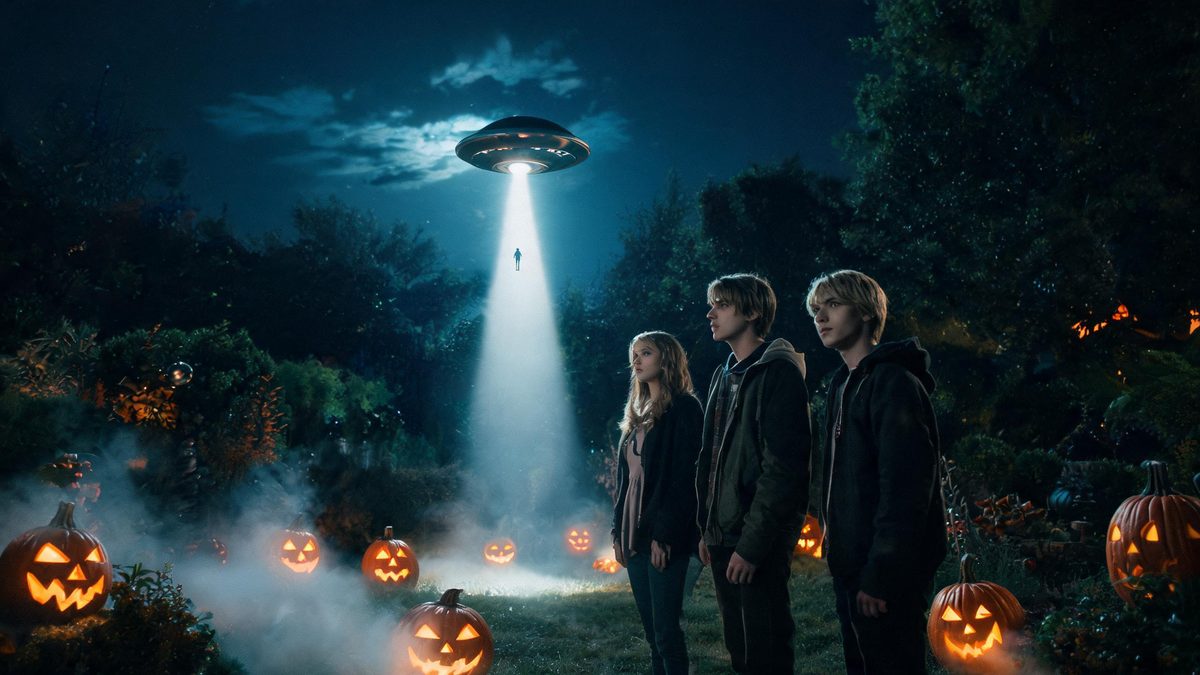
Input restrictions are the main reason seasonal effects go unused. You have the photo you have — a group, a dog, something odd — and the template wants a single person standing in a plain frame.
This one does not care. Any subject is accepted: a person, a pet, a group, or an object. It comes back as a 4-second 720p clip where the subject is lifted toward a craft, in your source aspect ratio, for 40 credits. There is no prompt to write.
Specs at a glance
Straight from the product panel, not from a marketing deck.
- Output
- 4-second video
- Credits
- 40 per run
- Resolution
- 720p
- Aspect ratio
- Matches your input photo
- Input
- 1 photo — any subject: person, pet, group or object
- Best results with
- The subject framed full-body or half-body, with space above for the craft to lift into
- Known limits
- No text prompt, and background music is off unless the API request turns it on. In a small share of runs the craft only travels a short distance instead of leaving the frame. With several subjects in one photo, one of them can disappear mid-lift or be rebuilt as a Martian instead of being taken. The subject can also come back deformed after being pulled aboard.
What it does
Built for this specific job, not a generic editor.
Any subject at all
A person, a pet, a group, or an object. This is the widest input rule in the Halloween set and the main reason to pick it over the others.
No prompt to write
No text field. The subject in your photo is the input, whatever it happens to be.
A lift, not a cut
The subject is pulled upward over four seconds rather than swapped in a cut, which is what makes the abduction read as an abduction.
Music off by default
Background music defaults to false and has to be enabled in the API request, so the clip arrives silent.
How it works
Four steps, no timeline to learn.
Leave space above the subject
The lift travels upward, so a frame with headroom gives it somewhere to go. A subject already near the top of the frame has almost no distance to travel.
Frame full-body or half-body
The whole subject should be visible, framed full-body or half-body. Something cropped at the edges gives the lift less to carry.
Expect quirks with several subjects
With more than one subject in the photo, a small share of runs drop one of them mid-lift or rebuild it as a Martian instead of taking it. A single subject is the more predictable input.
Check how far the craft travels
In a small share of runs the craft only moves a short distance instead of leaving the frame. The lift still reads, but the ending is weaker than intended.
Where people use it
The jobs this effect actually gets used for.
A pet Halloween clip
Pets are accepted, which most of this set will not do. The family dog can be in the clip without a separate run.
A group photo that actually works
Group photos are the hardest input for seasonal effects. This one takes them, with the caveat that one subject can occasionally drop out mid-lift.
An object, for the joke
Because any subject is accepted, an object abduction is a legitimate use — and a short way to make a post that does not need a caption.
A lighter note to close a set
After the werewolf, demon and beast templates, an abduction reads as deliberate comic relief rather than a change of tone by accident.
Why an unrestricted input is the real feature
The best effect is the one that accepts the photo you already have.
Every other template in this set asks for something specific: one person, standing, outdoors, facing the camera, empty hands. Each restriction is there for a reason, and each one also means most photos people actually have on their phone are not eligible.
This template trades some precision for reach. Any subject is accepted — person, pet, group or object — and the cost of that openness is stated here rather than hidden: with several subjects, one can disappear mid-lift or be rebuilt as a Martian, and in a small share of runs the craft only travels a short distance instead of leaving the frame. The subject can also come back deformed after being pulled aboard.
The rest is simple: no prompt, four seconds at 720p, music off unless requested. Those are the limits, and they are what make 40 credits a predictable spend.
Credits and plans
Every effect draws on one shared credit balance.
Every effect draws on the same credit balance. This one costs 40 credits per run, shown before you confirm. Free accounts receive 30 credits every month with no card and no watermark on the output.
Related guides
Longer reads on the same workflow, from the OpenFilmo blog.
Image to Video AI: Animate Any Photo in Seconds
A complete guide to image to video AI: what makes a good source image, how to write motion prompts, top use cases, and how to fix …
Text to Video AI: Turn Any Prompt Into Video
Learn how text to video AI works, the four-part prompt formula that produces usable clips, how to fix common failures, and where i…
How to Use Vidu: A Practical Guide
How to use Vidu: reference-to-video workflow, keeping subjects consistent across shots, prompt approach, and where it fits compare…
Related effects
Same family of effects, on the same kind of input.
Frequently asked questions
What subjects does this accept?
Any subject — a person, a pet, a group, or an object. It is the widest input rule in the Halloween set and the main reason to choose it.
Why did one person vanish from my group photo?
With more than one subject, a small share of runs drop one of them mid-lift or rebuild it as a Martian instead of taking it. A single subject is the more predictable input.
The craft barely moved. Is that normal?
In a small share of runs the craft only travels a short distance instead of leaving the frame. The lift still reads, but the ending is weaker than intended.
Do I need to write a prompt?
No. There is no text prompt on this template. Background music also defaults to off and has to be enabled in the API request.
Can I use the clip commercially?
Yes. Output is yours to publish, including in paid posts, on every plan including the free tier. The only restriction is the source photo: use an image you own or have permission to use.