
Halloween effect
A Dark Gothic Halloween Look Without the Costume
The gothic look is mostly light and setting rather than fabric. Hand over one photo of a single person and the effect builds the dark scene around them.
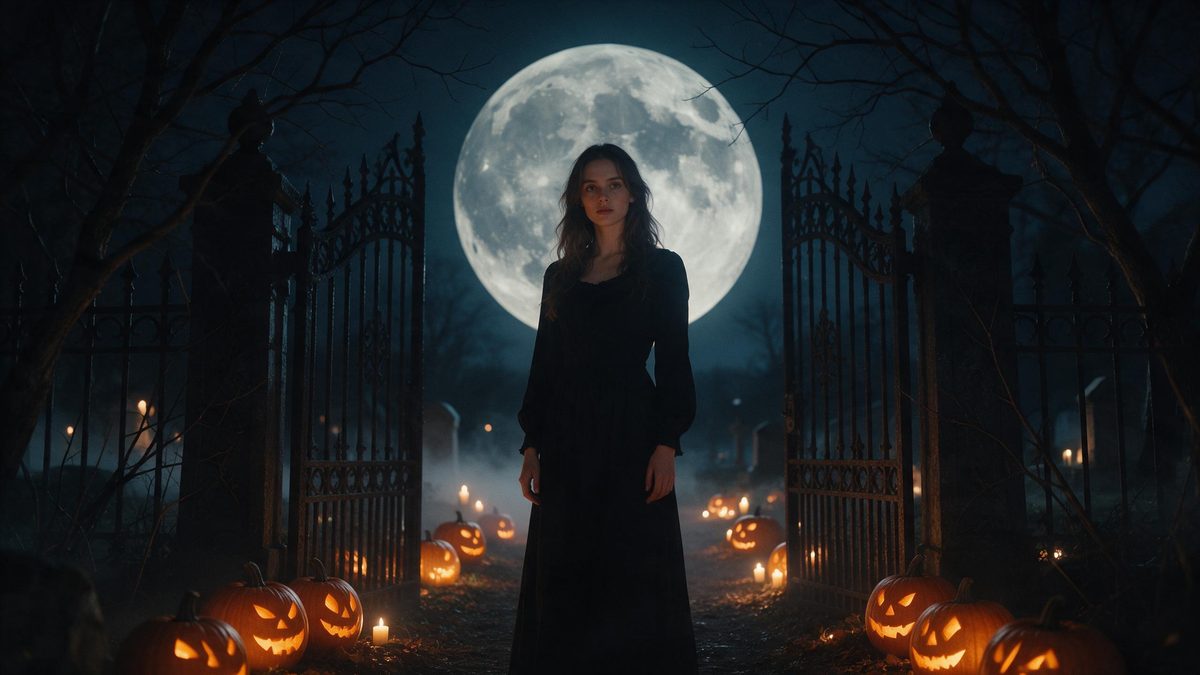
Gothic styling is atmosphere before it is clothing: a low key light, a heavy setting and a narrow palette do most of the work before anyone has looked closely at the outfit. That is why the look survives a short clip so well. You supply one photograph containing a single person, and the effect produces the dark gothic scene around them, rendered as a five-second video at 720p for 80 credits a run.
The input side is deliberately narrow. One photo, one person, framed half-body or full-body at a medium or close distance is what the template is built around, and the finished clip keeps the proportions of whatever you uploaded. Very occasionally the subject can come out slightly out of scale against the background. A frame with a little space around the person tends to hold up better than a tight crop against a cluttered wall.
Specs at a glance
Straight from the product panel, not from a marketing deck.
- Output
- 5-second video
- Credits
- 80 per run
- Resolution
- 720p
- Aspect ratio
- Matches your input photo
- Input
- 1 photo — one person
- Best results with
- Half-body or full-body shots, framed medium or close
- Known limits
- Very occasionally the subject can look out of proportion against the background.
What it does
Built for this specific job, not a generic editor.
Five seconds of dark setting
The effect returns a 5-second video at 720p. That length suits a story or a looping post: long enough for the lighting and the setting to register, short enough that a viewer watches it twice without deciding to. Nothing needs trimming afterwards, because the clip arrives in the shape you chose.
One photo, one person
Upload a single photo with one person in it, framed half-body or full-body at a medium or close distance. There is no second reference image to prepare and no scene description to write before the render starts. One clearly framed subject is the entire brief.
Your framing carries through
The clip follows the shape of the photo you uploaded rather than forcing a fixed frame, so a tall phone shot stays tall and a landscape shot stays wide. Nothing gets trimmed away at the edges afterwards. The composition you chose in the source is the composition you publish.
The price is shown first
This effect costs 80 credits per run, and that figure appears on the confirmation step before anything is spent. Halloween effects draw from the same balance as everything else on the site, so one plan covers the set. Nothing is charged quietly in the background while you decide.
How it works
Four steps, no timeline to learn.
Pick a half-body shot
Choose one photo containing a single person, framed medium or close. Avoid a tight crop against a busy wall, because the effect very occasionally reads the subject slightly out of scale with the background. Space around the person is the cheapest insurance available.
Upload it to the effect
Open Dark Gothic Halloween and add that photo. Nothing else is required from you, because the setting, the lighting and the styling are produced inside the render rather than assembled beforehand. There is no costume to source and no backdrop to hang.
Check the credit cost
One run costs 80 credits, shown before you confirm. The Free plan includes 30 credits each month with no credit card required, which is worth knowing before you start a short series of renders. Paid tiers raise the monthly allowance considerably.
Download the clip
Save the five-second 720p file and post it where you normally would. Because the aspect ratio matches your input photo, a vertical source exports as a vertical clip with no cropping afterwards. Keep the file next to the original photograph if you plan to reuse it.
Where people use it
The jobs this effect actually gets used for.
A story on the night
A five-second vertical clip posts cleanly to a story with no editing step in between. Render it from a portrait taken in daylight earlier in the week and you avoid photographing anything in a dark hallway. Nobody has to stand outside to get the shot.
A profile image that moves
A still profile picture sits there; a short clip gives people a reason to pause. Keep the same photo across a run of posts and the gothic treatment reads as a deliberate look rather than a one-off. Swap it back in November without touching anything else.
Event and party pages
A short atmospheric clip at the top of an event page sets a tone that a static banner does not manage. At 720p the file stays small enough to load quickly at the size a header actually renders. It loops without pulling attention away from the details underneath.
Comparing looks before choosing
If you are weighing gothic against something louder for the 31st, render both and put them side by side. The same photo works for each, and the credit cost is visible before you commit to either run. Two renders still cost less than one hired costume.
Why five seconds is enough for a gothic look
The style is carried by light and setting, not by costume detail.
Gothic styling reads almost immediately. A dark setting, a narrow palette and a low key light tell the viewer what they are looking at inside the first second, which is why a five-second clip does not feel cut short. A longer run would have to sustain a shot that has already made its point, and seasonal clips usually fall apart precisely there: the atmosphere lands, nothing else happens, and the viewer swipes away before the end.
What the effect needs from you is a clean read of one person. Half-body or full-body, framed medium or close, is the published guidance, and it exists because the render has to place the subject into a scene it is inventing. A photo cropped tightly at the neck leaves too little to place; a wide shot of a group hands it several subjects to resolve at once. One person, clearly framed, is the whole brief.
The trade-off is resolution and the occasional scale error. This one renders at 720p rather than 1080p, which is fine for a story or a page header and becomes visible on a large screen. Very rarely the subject comes out slightly out of proportion against the background. Neither affects the length of the clip or the shape it arrives in, and both are easier to accept than sourcing a costume and a location.
Credits and plans
Every effect draws on one shared credit balance.
Every effect draws on the same credit balance. This one costs 80 credits per run, and the cost is shown before you confirm. Free accounts receive 30 credits a month with no credit card required; Starter is $9 for 400 credits, Pro is $19 for 1,000 and Studio is $59 for 4,000.
Related guides
Longer reads on the same workflow, from the OpenFilmo blog.
Character Consistency in AI Video: What Actually Works
How to keep characters consistent across AI video shots: reference images, prompt discipline, key frame locking and post-hoc corre…
AI Video Prompt Formulas That Hold Up in Production
Prompt structures that work for AI video: subject, motion, camera, time and style — with tested formulas, failure patterns and a m…
Image to Video AI: Animate Any Photo in Seconds
A complete guide to image to video AI: what makes a good source image, how to write motion prompts, top use cases, and how to fix …
Related effects
Same family of effects, on the same kind of input.
Frequently asked questions
What kind of photo should I upload?
One photo containing a single person, framed half-body or full-body at a medium or close distance. Leave a little space around the subject, because the effect very occasionally renders the person slightly out of scale against the background. Avoid heavy shadow across the face.
How long is the finished clip?
Five seconds, rendered at 720p. That length suits a story or a looping feed post, and the aspect ratio follows your input photo, so a vertical source exports vertical without any trimming afterwards. It is short enough to be watched twice in a row.
How many credits does one run cost?
Eighty credits, and the figure is displayed on the confirmation step before anything is spent. The Free plan includes 30 credits per month without a credit card, and the paid tiers raise the monthly allowance when a single render is not enough.
Can I upload a photo with several people in it?
No. This template is built for one photo containing one person. Several people in the frame give the render more than one subject to place inside the scene, which is where results tend to drift. Crop down to a single person before you start.
Will the output be vertical or landscape?
It follows the photo you upload. A tall phone shot renders as a tall clip and a landscape shot renders wide, so you decide the shape at the start rather than cutting the finished file down to fit. Nothing is cropped or letterboxed at the end.