
How to Make a Halloween Video From a Single Photo
One photo and one evening is all this takes. Below is the whole route from picking a source image to posting finished clips, with six concrete recipes you can run in order.
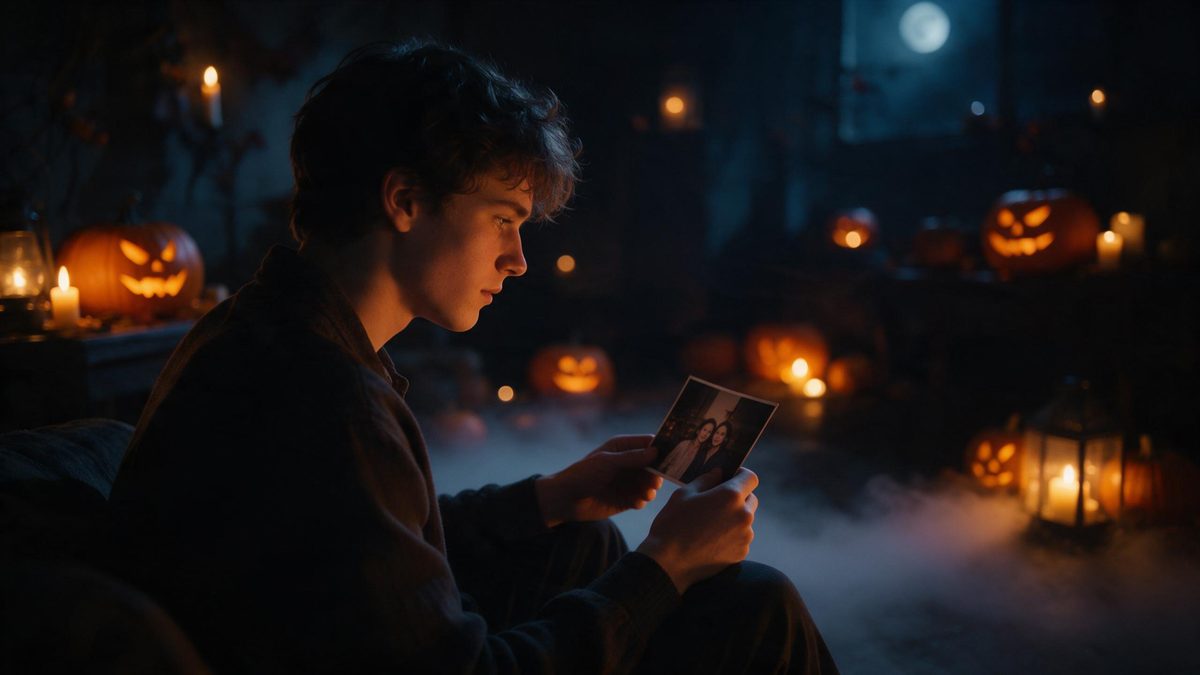
The usual reason people never make the seasonal clip is not skill, it is the assumed overhead. Costume, makeup, a decorated location and someone to hold the camera add up to a Saturday, and the Saturday usually does not happen. That whole list disappears here: the effect starts from one clear, well-lit, front-facing photo and generates the clothing, the location and the lighting itself, so the job shrinks to choosing an image and writing one decent sentence.
What is left is genuinely small. Upload the picture, pick between lantern in fog, carved pumpkin and night street, describe what should move and what should be heard, then download the file in whichever ratio your channel wants. There is no timeline to learn and no previous editing experience required. The six recipes below cover choices that actually change the result, and each one ends with a line you can paste straight in.
What it does
Built for this specific job, not a generic editor.
One photo replaces the shopping list
A single clear, front-facing portrait taken in even light is all the raw material needed. The outfit, the setting and every lamp in frame are generated, so there is nothing to buy, borrow, paint or clean afterwards.
Three directions from the same file
The same portrait can go three ways, lantern in fog, carved pumpkin or night street. Trying all three costs one upload and tells you more about your own picture than any amount of deliberation does.
Faceless cuts for titles and captions
Carved pumpkin and night street frames contain no face whatsoever. They are the natural home for a date, an address or a line of text you would rather not have to read aloud yourself in front of the camera.
Three ratios from one direction
Whatever direction you settle on can come down as 9:16 for TikTok, Reels and Shorts, as 1:1 for the feed, or as 16:9 for YouTube and embedded players. Choose at download time rather than going back to reshoot.
How it works
Four steps, no timeline to learn.
Choose the source photo deliberately
Go through your camera roll looking for a front-facing portrait where both eyes are clearly lit. Skip heavy shadows, sunglasses and profile angles, because detail hidden in the source tends to stay hidden in the output.
Upload once and pick a direction
Put the picture into the Halloween effect and choose lantern in fog, carved pumpkin or night street. That decision sets the place and the light level, so it comes before any prompt writing rather than after.
Write one sentence of plain direction
Describe the scene, the light, the single movement you want and the camera position, then add a Sound line. One paragraph written this way beats a list of adjectives in every case I have watched.
Read the first result honestly
Watch it once with the sound off. If the movement reads and the frame is clean, take it, because a slightly imperfect clip posted is worth far more than a perfect one still being discussed.
Download for the destination and publish early
Take the ratio the platform wants, then publish during the first half of October. Interest accumulates steadily across the month, and then it disappears almost immediately once the thirty-first has passed you by.
Ready-to-copy prompts
Paste one in as written, then swap the details in brackets.
Same Photo, Three Directions
Always the first move. Run one image through lantern in fog, carved pumpkin and night street before committing, because the picture suits one of them far better and you cannot tell which from the thumbnail.
A slow locked-off shot in damp night air: he stands at the edge of a wood holding a small lit lantern at chest height, the glass throwing warm light up across his face while everything behind him stays cold blue, and he turns once toward the camera with the lamp still raised. Fog curls slowly around his boots. The camera stays put. Sound: wind in bare branches, a distant bell, soft wrist-level creak of the lantern handle.
Faceless Title Card Pass
Use this whenever words carry the message. Pick the carved pumpkin or night street direction so no face appears, then overlay the date, the time and the address in your own editor or app.
A faceless establishing shot: the camera drifts slowly along an empty night street where every porch carries a lit carved pumpkin, their faces glowing orange against wet asphalt, while low fog rolls between the front gardens and one paper ghost twists on a clothesline. Nobody enters frame at any point. The movement stays even. Sound: distant wind, faint traffic hiss, one low sustained note.
Vertical Hook for Shorts
The composition trick that matters most on TikTok, Reels and Shorts. Everything readable sits in the middle third, because the interface covers the top and the bottom of a 9:16 frame.
A vertical frame of a narrow brick pathway at night, subject held dead centre and filling most of the height: he walks straight toward the camera down the path, stops four steps out, and lifts one hand slowly as the lantern he carries swings and lights the wall on both sides. Nothing important sits near the edges. The camera backs up to keep him centred. Sound: measured footsteps, a gate latch, wind moving paper decorations.
Square Cut for the Feed
Built for the 1:1 feed, where autoplay catches people scrolling quickly. The whole story has to read in the first second and survive being watched with the audio muted.
A square frame centred on a small table under one warm bulb: she leans in from the left, sets a carved pumpkin down in the middle, and pulls her hands away at once, the candle inside flaring up so the boxes and bare walls behind her fall away into darkness. Everything stays within the middle of the frame. The camera holds still. Sound: a wooden scrape, a soft wick catch, one slow floorboard.
Landscape Cut for YouTube
The 16:9 version for YouTube or an embedded player on your own site. Wider room means sideways movement finally reads, so give the subject somewhere to travel to.
A wide landscape shot along a quiet street just after dark: he enters frame from the far left in long silhouette, walks the full width of the shot past rows of glowing pumpkins and paper streamers, then stops at the right edge and turns back toward the camera as the last porch light goes out behind him. Depth stays open on both sides. The camera tracks smoothly sideways. Sound: dry leaves dragging on stone, a creaking gate, distant high wind.
Mid-October Release Pass
The timing recipe, worth doing before anything else here. Generate the hook early in the month, because interest builds through October and then drops away immediately once the thirty-first is gone.
A slow wide shot on a decorated porch in early evening: she stands beside a row of unlit pumpkins and raises one hand, the jack o lanterns along the whole railing igniting in a wave that travels away from her toward the street, warm light sweeping across her face as it passes. Nothing else moves. The camera stays locked and wide. Sound: a cascade of small wick catches, cloth shifting, crickets under everything.
What people use it for
The jobs this actually gets used for.
Your first Halloween clip
If you have never made one, follow the six recipes in order. Each has a ready line attached, so the whole route from photo to posted file stays inside a single evening with no equipment and no prior experience.
Class and community groups
Teachers and organisers can post night street cuts with the details written over them. Nobody has to appear on camera, nobody has to supply a costume, and the same file works for parents and councillors alike.
One picture, three destinations
Shoot once, then take vertical for Shorts, square for the feed and wide for YouTube. The three files come from the same source and make the calendar look fuller than it honestly is.
Shop or venue announcement
A pub quiz night or a bakery can run the faceless recipe with hours and prices over it. It costs one photo, needs no late closing and reads clearly even for anyone watching muted.
Why this workflow holds up
The trick is not clever prompting, it is removing every step that makes people quit.
Almost every abandoned seasonal project dies at the logistics stage rather than the creative one. Sourcing a costume, arranging a location, borrowing lights and finding somebody free on a Saturday is what actually stops people, and almost none of it touches how the final clip looks. Hand the whole physical side to the generator and only three decisions remain, which picture, which direction, and which export ratio. Those three are also the only ones you can get badly wrong.
Keeping those three decisions in one place also keeps them honest. There is no timeline to learn and no editing step between you and a finished download, so the distance between an idea and a posted file shrinks to minutes, which in practice means trying things you would otherwise only have discussed. Previous experience is genuinely not a requirement here, only a willingness to write one clear sentence and then actually press generate once.
Cost stays visible the whole way through. Everything draws from one shared monthly balance, and the credit cost is shown before you confirm, so guessing is never part of the process. Combine that visibility with the calendar, interest accumulates across October and vanishes almost immediately after the thirty-first, and the sensible plan writes itself: several short pieces early in the month rather than one ambitious one nobody ever sees in time. A finished clip on the twelfth beats a perfect idea on the thirtieth.
Credits and plans
Every tool draws on one shared credit balance.
Every effect on OpenFilmo runs off one shared balance. The free plan includes 30 credits monthly and asks for no credit card, Starter is 9 dollars for 400 credits, Pro is 19 dollars for 1000, and Studio is 59 dollars for 4000. The credit cost is shown before you confirm, so the tradeoff is visible on screen each time rather than buried in a receipt afterwards.
Related guides
Longer reads on the same workflow, from the OpenFilmo blog.
Image to Video AI: Animate Any Photo in Seconds
A complete guide to image to video AI: what makes a good source image, how to write motion prompts, top use cases, and how to fix …
AI Video Prompt Formulas That Hold Up in Production
Prompt structures that work for AI video: subject, motion, camera, time and style — with tested formulas, failure patterns and a m…
AI Video Cost Per Minute: The Real Numbers in 2026
How to calculate true AI video cost per finished minute: generation price, regeneration waste, edit time and iteration, with worke…
Related tools
Closely related pages on the same problem.
Frequently asked questions
Which photo should I pick if I only have a few?
Take whichever portrait is sharpest, front-facing and evenly lit, even when you think it looks boring. Everything else in the finished clip comes from the generator, so composition and expression in the source matter less than clarity and full clean lighting on both eyes.
Do I need any editing experience at all?
None. The whole route is upload the photo, choose one of the three directions, describe the movement and the sound, then download the finished file. There is no timeline, no keyframes and no separate export queue to learn before you can post.
Which of the three directions fits which use?
Lantern in fog suits a single figure in damp night air. Carved pumpkin and night street contain no face at all, which makes them the right base for anything you plan to lay your own text across, such as dates, addresses or opening hours.
What ratio should I download?
Match the destination rather than your own taste. Take 9:16 for TikTok, Reels and Shorts and keep anything important in the middle third of the frame, use 1:1 when the clip is going straight into the feed, and export 16:9 for YouTube or embedded players on your own site.
How much does the whole thing cost?
The cost of an individual render is not published, so we never quote a number per clip. The credit cost is shown before you confirm. Plans start free with 30 credits a month and no card, then 9 dollars for 400, 19 dollars for 1000, and 59 dollars for 4000.
Halloween effect templates
Ready-made halloween templates in OpenFilmo — open one and drop your photo in.