
Halloween effect
Hang Your Photo in a Gallery as a Wizard
A single still rather than a clip: one photograph becomes a vertical portrait of the subject as a wizard, framed and hung in a gallery.
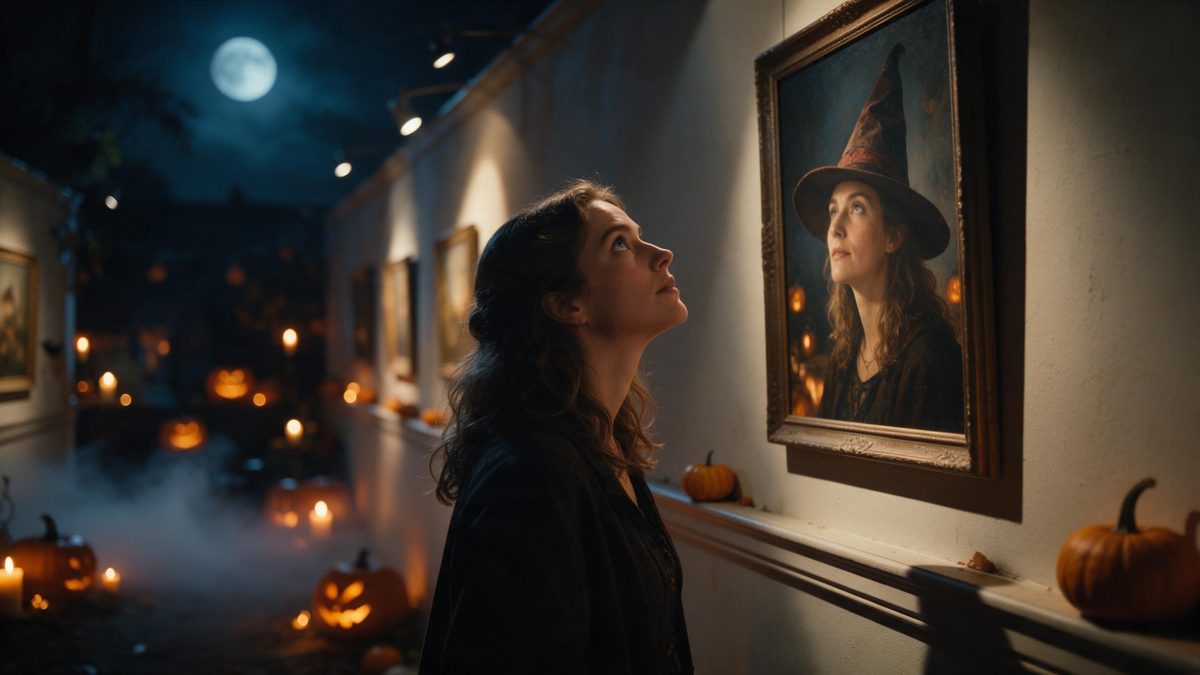
Several effects in the Halloween set return a still image rather than a clip, and this is the one built for a vertical frame. Upload one photograph containing a person, an anime character, or a pet, and the result is a 1080p image composed as 9:16, with the subject rendered as a wizard inside a gallery setting. At 20 credits a run it is the cheaper way to use this set.
The framing is deliberate. A 9:16 vertical image is the shape stories, Reels and Shorts expect, so the file is ready for a phone screen without being cropped or letterboxed. Two limitations are recorded for it: occasionally the direction of the gaze disagrees with the frame, and a pet’s ears can come out looking unnatural under the hat. A half-body or full-body shot is recommended.
Specs at a glance
Straight from the product panel, not from a marketing deck.
- Output
- Still image
- Credits
- 20 per run
- Resolution
- 1080p
- Aspect ratio
- 9:16 vertical
- Input
- 1 photo — one person, an anime character, or a pet
- Best results with
- A half-body or full-body shot of one person
- Known limits
- Occasionally the gaze direction disagrees with the frame, and a pet’s ears can look unnatural under a hat.
What it does
Built for this specific job, not a generic editor.
A framed portrait, not a clip
The output is a single 1080p still rather than a video. Use it where one image is what you need: a profile picture, a story card, a poster panel or a thumbnail for a longer post.
Composed 9:16
The image is built as a vertical 9:16 frame, the shape phone-first platforms use. It fills a screen without banding at the edges and needs no crop before you post it anywhere. That shape is also the one Shorts and Reels expect.
People, characters, or pets
One photo with one person, an anime character, or a pet is accepted. A half-body or full-body shot of one person is what the template recommends for the cleanest result. Crop to a single subject first.
Twenty credits a run
At 20 credits this sits among the cheapest effects in the set, alongside the other still outputs. The cost is shown before you confirm, so several variants cost very little to try. Two or three attempts cost less than one video render elsewhere.
How it works
Four steps, no timeline to learn.
Pick a half-body photo
Choose one image with a single person, an anime character, or a pet, framed half-body or full-body. A clear view of the head and shoulders is what the hat and the setting are built around.
Upload it
Open Wizard in the Gallery and add the photograph. The frame, the gallery wall and the lighting are produced in the render, so there is no studio to book and no backdrop to hang.
Confirm the cost
Each run costs 20 credits, shown before you confirm. That is low enough that the Free plan’s 30 monthly credits cover more than one attempt at the same look. Check the balance if you plan several.
Download the still
Save the 9:16 1080p image and use it. It is already vertical, so it drops into a story, a profile or a short-form post without any resizing needed on your side.
Where people use it
The jobs this effect actually gets used for.
Profile pictures for October
A vertical portrait swaps into a profile slot cleanly and reads as seasonal rather than permanent. Change it on the 1st and back again in November without touching any of your other posts.
Story cards and covers
A 9:16 image fills a story screen with no banding at the edges. Add your own text over the gallery wall and the image becomes a card rather than just a picture.
Character art
Illustrators can put an existing anime character into the setting without redrawing a background or lighting a whole scene. Keep the source art clean and the render has considerably more to work with.
Cheap first experiments
At 20 credits a run, this is a low-cost way to see how the Halloween set treats your photograph. Do that before spending 80 or 100 credits on a clip from the same picture.
Why a still is sometimes the right output
One frame, already vertical, at a fifth of the price.
Video is not automatically the better answer. A profile picture, a story cover, a poster panel and a thumbnail are all single images, and rendering five seconds of movement in order to grab one frame out of it wastes both credits and attention. This effect produces the frame directly: a 1080p still composed as 9:16. That is the shape those placements want, at 20 credits instead of the 80 to 120 the video effects here charge.
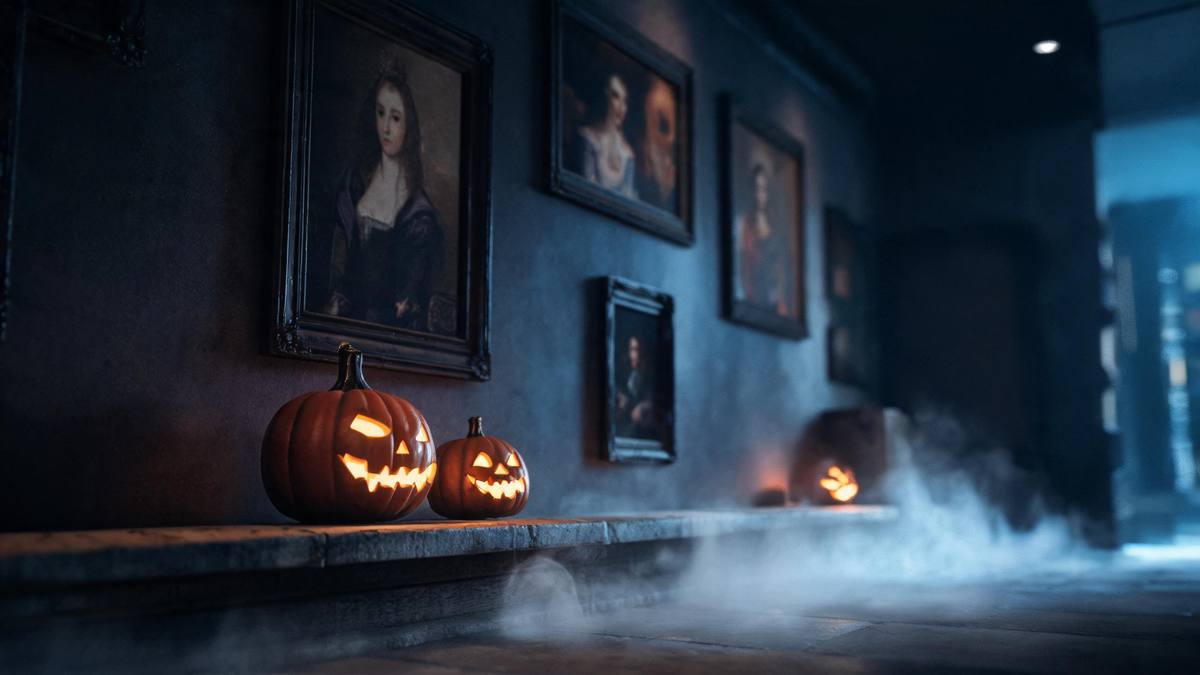
The gallery setting is doing a specific job. A frame and a wall turn a portrait into a picture of a picture, which gives a Halloween post a composition it would not otherwise have, and it leaves empty wall space for text. That is the practical reason this output works as a card or a cover. The input rule is correspondingly simple: one photograph with a person, an anime character or a pet.
Two limitations are recorded and both are narrow. Occasionally the direction of the gaze disagrees with the frame, so a photograph where the subject is already looking somewhere near the camera tends to settle better. And a pet’s ears can come out looking unnatural under the hat. Neither affects the resolution or the shape: every run is a 1080p vertical still. A second run from the same photograph is cheap enough to be worth doing.
Credits and plans
Every effect draws on one shared credit balance.
Still outputs are the cheapest way to use this set, and this one costs 20 credits per run, shown before you confirm. Every effect draws on the same balance. The Free plan includes 30 credits per month with no card required, and the paid tiers are Starter at $9 for 400 credits, Pro at $19 for 1,000 and Studio at $59 for 4,000.
Related guides
Longer reads on the same workflow, from the OpenFilmo blog.
How to Use Vidu: A Practical Guide
How to use Vidu: reference-to-video workflow, keeping subjects consistent across shots, prompt approach, and where it fits compare…
AI Video Prompt Formulas That Hold Up in Production
Prompt structures that work for AI video: subject, motion, camera, time and style — with tested formulas, failure patterns and a m…
Image to Video AI: Animate Any Photo in Seconds
A complete guide to image to video AI: what makes a good source image, how to write motion prompts, top use cases, and how to fix …
Related effects
Same family of effects, on the same kind of input.
Frequently asked questions
Does this produce a video?
No. The output is a single still image at 1080p, composed as a vertical 9:16 frame. Other effects in the Halloween set produce a five-second clip if playback is what you need instead of one frame. This one returns a single finished image and nothing else.
What can I upload?
One photo containing one person, an anime character, or a pet. A half-body or full-body shot of one person is the recommended input, because the hat and the frame are both built around the head. A half-body shot of one person is what the template recommends.
How many credits does it cost?
Twenty credits per run, displayed on the confirmation step before anything is spent. That is the same price as the other still effects in this set and far less than the video effects charge. A Free account can therefore try more than one version of the look.
What is the known limitation?
Occasionally the gaze direction disagrees with the frame, and a pet’s ears can look unnatural under the hat. Both are occasional, and neither changes the resolution or the vertical 9:16 shape. Cats are the animals most affected by the second of the two.
Why is the output vertical?
The still is composed as 9:16, which is the shape stories, Reels and Shorts expect. It fills a phone screen without cropping, so the file is ready for those placements as soon as it downloads. Nothing needs rotating, cropping or resizing before you post it.