
Halloween effect
Turn a Photo Into a Vertical Halloween Poster
A poster is one image, not a clip. Upload a photograph and get a 9:16 1080p still built as a poster, ready to post or print small.
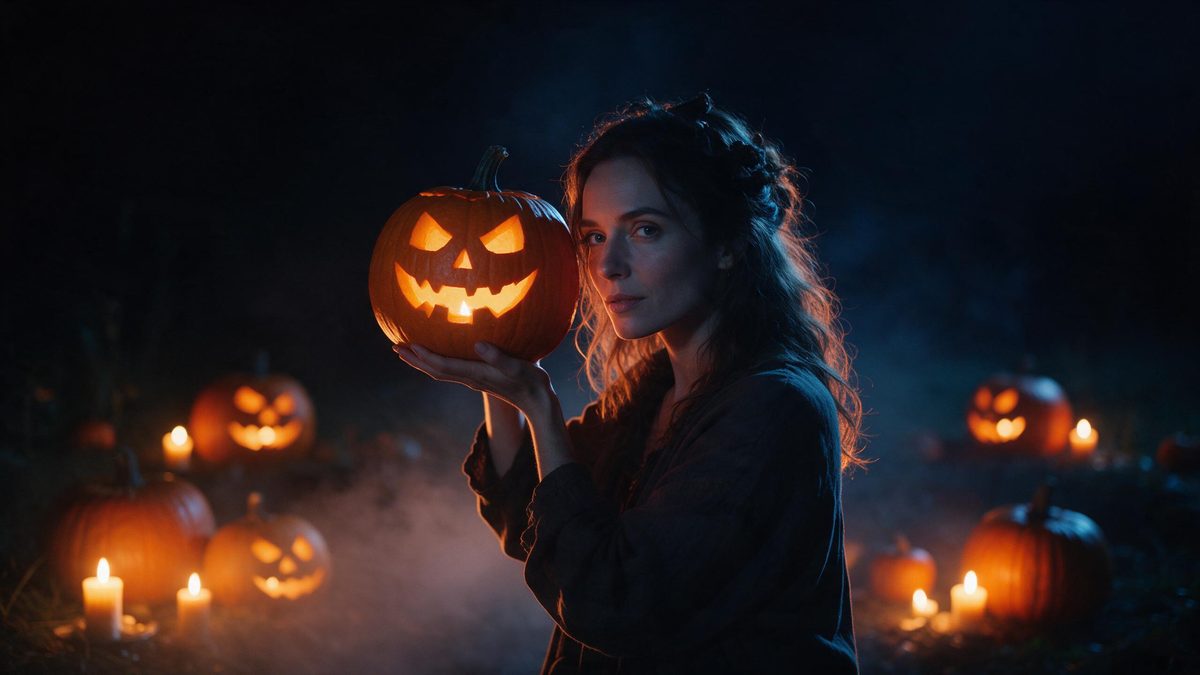
A poster is the one Halloween format that has never needed motion. It is a single image, judged at a glance, usually at the size of a phone screen or a printed sheet pinned to a noticeboard. This effect takes one photograph and returns exactly that: a 1080p still composed as a vertical 9:16 poster, built around the subject in your photo, at 20 credits a run.
It is also the most forgiving input in the set. One photo with one person, an anime character, or a pet is accepted, framed half-body or full-body, and no limitations have been reported for this effect. That combination of a cheap run, a vertical shape and a wide input range makes it the sensible first thing to try if you are new to these templates.
Specs at a glance
Straight from the product panel, not from a marketing deck.
- Output
- Still image
- Credits
- 20 per run
- Resolution
- 1080p
- Aspect ratio
- 9:16 vertical
- Input
- 1 photo — one person, an anime character, or a pet
- Best results with
- A half-body or full-body shot of one person
- Known limits
- None reported.
What it does
Built for this specific job, not a generic editor.
One image, poster-shaped
The output is a single 1080p still composed as a 9:16 vertical poster. It is built for a phone screen, a story, a noticeboard or a thumbnail rather than for playback. The layout arrives finished.
Twenty credits a run
At 20 credits this sits with the cheapest effects in the Halloween set. Trying two or three versions of the same photograph costs less than a single video render elsewhere, and the price appears before you confirm.
People, characters, or pets
Upload one photo containing one person, an anime character, or a pet, framed half-body or full-body. That range covers family photographs, artwork and pet pictures alike, though a single subject works cleanest. One figure in frame gives the layout the most to work with.
No reported limitations
No known limits have been reported for this effect. As with any render, results vary from one photograph to the next, so a second run is always a reasonable option. Two takes rarely look identical.
How it works
Four steps, no timeline to learn.
Choose the subject photo
Pick one image with a single person, an anime character, or a pet, framed half-body or full-body. A clear, well-lit subject gives the poster layout the most to work with, and a plain background helps too.
Upload it
Open Halloween Poster and add the photograph. The type, the setting and the composition are produced in the render, so no design work is needed from you and there is no template to choose between.
Confirm the cost
Each run costs 20 credits and the figure appears before you confirm. Free accounts receive 30 credits monthly with no credit card, so the first attempt costs nothing, though check the balance if you plan several.
Download the poster
Save the 9:16 1080p image and use it. It is already vertical, which is the shape stories and short-form posts expect, so nothing needs cropping afterwards. It also prints cleanly at small sizes.
Where people use it
The jobs this effect actually gets used for.
Event announcements
A vertical poster posts to a story or a noticeboard without further work, and at 1080p it prints cleanly at small sizes. Send it a week ahead rather than on the day, and add the details as text over it.
Character and fan art
Anime character art is an accepted input, so an existing drawing can become a seasonal poster without redrawing the figure or designing a layout around it. Keep the source art clean.
Pets on the poster
A pet photograph works as the subject, which means the animal appears in the seasonal post without wearing anything or sitting still for an organised shoot. A full frame of the animal helps.
Cheap variations
At 20 credits a run it is affordable to render several takes from the same photo and keep the strongest. Useful when you want a poster and a matching thumbnail from one source.
Why a poster is the cheapest useful output here
One frame, vertical, twenty credits, no reported limits.
Most of the value in a Halloween post is carried by a single frame. The poster is that frame, produced directly, without rendering five seconds of video in order to pull one image out of it. At 20 credits it costs a quarter of what the video effects in this set charge. That changes how you use it: instead of one careful attempt, you can render three takes and keep whichever composition works.
The vertical 9:16 composition is the other half of it. Poster-shaped output drops straight into a story, a Reel cover or a profile without being cropped, and it fills a phone screen instead of sitting in a band across the middle. That is also why it prints acceptably at small sizes. The layout was arranged for a tall frame rather than trimmed into one afterwards. That is the whole advantage over cropping a landscape render down.
The input range is unusually generous. One photograph with a person, an anime character or a pet, framed half-body or full-body, covers most of what people actually have on their phones. No limitations have been reported for this effect. Results still differ from one run to the next, because that is how generation works, so trying more than once is sensible. At 20 credits a run, a second attempt costs very little indeed.
Credits and plans
Every effect draws on one shared credit balance.
Every effect draws on the same credit balance, and this one costs 20 credits per run, shown before you confirm. The Free plan includes 30 credits a month with no credit card required; paid tiers are Starter at $9 for 400 credits, Pro at $19 for 1,000 and Studio at $59 for 4,000.
Related guides
Longer reads on the same workflow, from the OpenFilmo blog.
Text in AI Video: Why It Breaks and What to Do Instead
Why AI video models garble text and logos, what actually works instead, and a production workflow for adding typography to generat…
AI Video Prompt Formulas That Hold Up in Production
Prompt structures that work for AI video: subject, motion, camera, time and style — with tested formulas, failure patterns and a m…
Image to Video AI: Animate Any Photo in Seconds
A complete guide to image to video AI: what makes a good source image, how to write motion prompts, top use cases, and how to fix …
Related effects
Same family of effects, on the same kind of input.
Frequently asked questions
Does this produce a video or an image?
A single still image at 1080p, composed as a vertical 9:16 poster. Several other effects in the Halloween set return a five-second clip instead, if playback is what you want rather than one frame. This one returns a finished poster and nothing else.
What can I upload?
One photo containing one person, an anime character, or a pet, framed half-body or full-body. That covers family photographs, illustrations and pet pictures without any special preparation beforehand, though a single subject works cleanest. A half-body or full-body framing is what the template asks for.
How many credits does a poster cost?
Twenty credits per run, shown on the confirmation step before anything is spent. Free accounts get 30 credits monthly with no card, so the first attempt is covered by the monthly allowance, and paid tiers raise it considerably. Nothing is deducted until you confirm on that step.
Are there known limitations?
None have been reported for this effect. Output still varies between runs, as it does with any generated image, so rendering a second version from the same photo is a normal thing to do. Expect variation, not duplicates. Two runs from one photograph rarely produce the same composition.
Why is the poster vertical?
It is composed as 9:16, the shape used by stories, Reels and Shorts. A vertical poster fills a phone screen without cropping and also prints cleanly at small noticeboard sizes, so no reformatting is needed. It also sits correctly in a feed without any adjustment.