
Halloween effect
Spiders Instead of Words: A Halloween Clip
A single sight gag, animated over five seconds. Upload one half-body or full-body photo of one person and let the render supply the spiders.
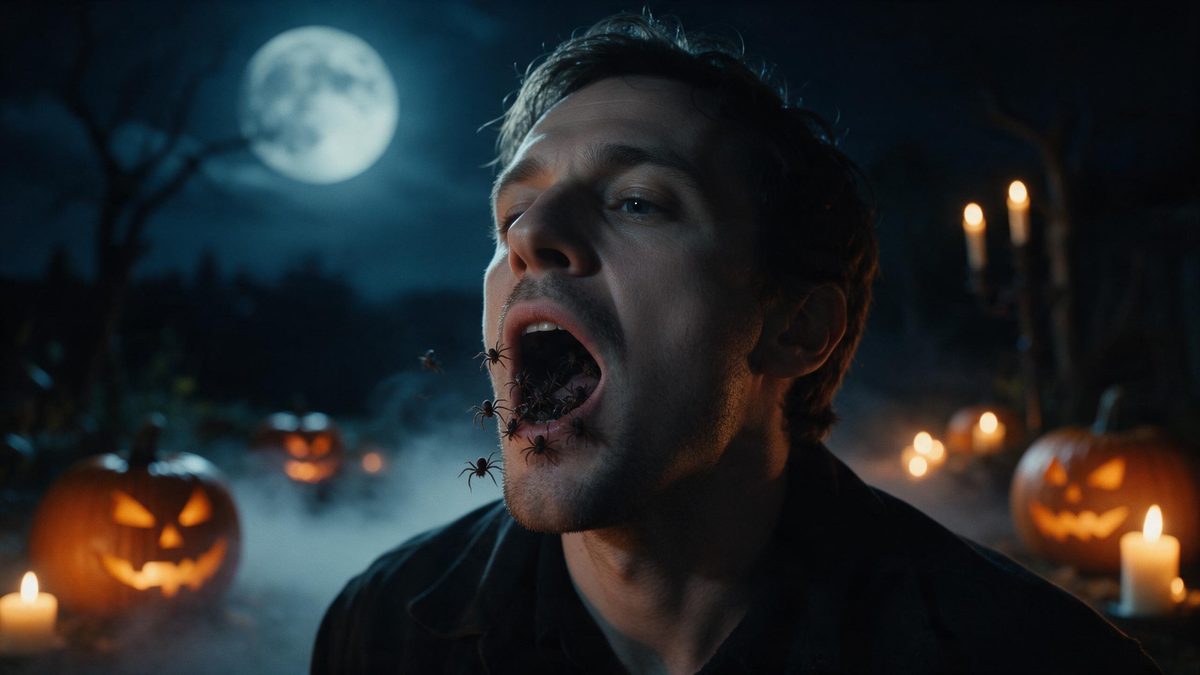
Some Halloween effects are about atmosphere and some are a single joke. Spitting Spiders is firmly the second kind: the person in your photograph opens their mouth and spiders come out instead of words. It runs for five seconds at 1080p, costs 75 credits a run, and takes one photo with one person in it, framed half-body or full-body. One photograph is the entire input.
Two limitations are recorded, and they pull in opposite directions. Occasionally nearby objects also turn into spiders, and occasionally no spiders come out at all. Both are occasional and neither can be controlled from the input side, which is worth knowing before you plan a post around the result. A half-body or full-body shot of one person is all the template asks for.
Specs at a glance
Straight from the product panel, not from a marketing deck.
- Output
- 5-second video
- Credits
- 75 per run
- Resolution
- 1080p
- Aspect ratio
- Matches your input photo
- Input
- 1 photo — one person
- Best results with
- A half-body or full-body shot
- Known limits
- Occasionally nearby objects also turn into spiders, or no spiders come out at all.
What it does
Built for this specific job, not a generic editor.
One joke, five seconds
The effect returns a 5-second 1080p clip built around a single gag. It is short enough to loop twice, and the movement stays readable at the size a feed thumbnail displays on a phone. The gag is understood in under a second.
Seventy-five credits a run
At 75 credits this sits just below the 80 that most Halloween video effects charge. The price is shown on the confirmation step before anything is spent, on every single run. That is slightly under the rest of the Halloween video set.
One person per photo
Upload one photograph containing one person, framed half-body or full-body. Two people in the frame would give the render two mouths to decide between, which is not what it was built for. Crop down to a single person before you upload the photograph.
Your proportions carried over
The clip follows the aspect ratio of the photo you upload. A tall phone shot exports tall and a landscape shot exports wide, with no cropping needed afterwards at all. A tall source stays tall, and a wide one stays wide.
How it works
Four steps, no timeline to learn.
Pick a half-body shot
Choose one photograph with a single person, framed half-body or full-body. A clear view of the face gives the render the one thing it needs in order to place the gag.
Upload it
Open Spitting Spiders and add the photograph. The spiders, the movement and the setting are produced inside the render, so nothing has to be bought, sourced or staged by you.
Confirm the cost
Each run costs 75 credits and the figure is displayed before you confirm. Free accounts receive 30 credits a month with no credit card, which will not cover a full run here.
Download and post
Save the 5-second 1080p file and upload it. Because the aspect ratio matches your source, a vertical photograph arrives as a vertical clip ready for a story. Keep the file beside the original photograph if you plan to reuse it.
Where people use it
The jobs this effect actually gets used for.
A reaction clip
The gag lands without any setup, which makes it usable as a reaction to something else: a caption, a question, or a piece of news in the group chat. No setup is needed for the joke to land.
Looping feed posts
Five seconds is short enough to play twice without the viewer deciding to. Vertical framing fills a phone screen, and the movement reads even at thumbnail size. A vertical export fills a phone screen without any letterboxing.
Posts for a mixed audience
The clip is a sight gag rather than anything graphic, so it travels through community and workplace threads more easily than the darker effects in this set. It works in a workplace thread without needing a warning.
One photo, several effects
The same half-body photograph works across most of the Halloween set. Run it through several and you have a week of posts without organising a second shoot. One good portrait carries a whole week of posts.
Why a single gag is a reasonable use of five seconds
Setup is what kills short comedy.
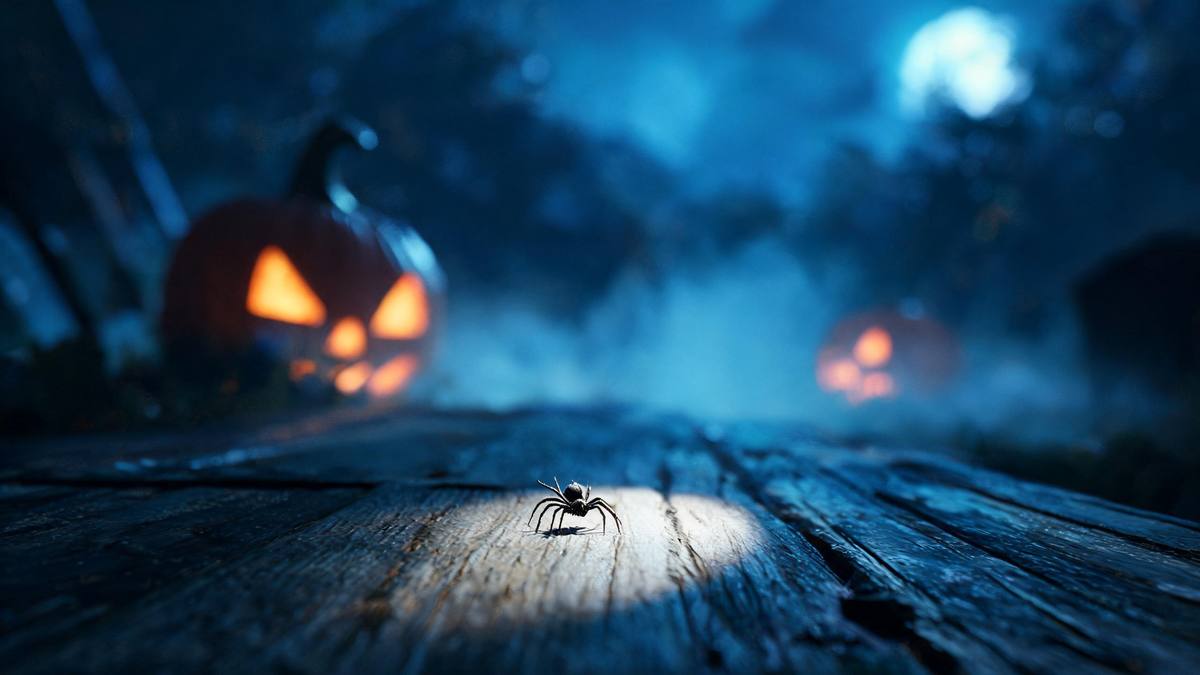
Short comedy fails when it needs explaining. A five-second clip has no room for a premise, a turn and a payoff, so the ones that work are the ones where the joke is the first thing visible. Spiders coming out of a mouth needs no setup at all: the viewer understands it in under a second. Everything after that is variation on something they have already got. That is the argument for keeping the clip this short.
The technical side is correspondingly modest. One photograph, one person, half-body or full-body, because the render needs a face to put the gag on and nothing else beyond it. The output is fixed at five seconds and 1080p in the shape of your source, so what you are really choosing is the photograph. A clear, well-lit face is the whole input requirement, and most phone pictures meet it. A clear, evenly lit face is the whole requirement.
The limitations deserve mentioning because they are unusual. Occasionally nearby objects also turn into spiders, which is funny but not what you asked for, and occasionally no spiders come out at all. Neither can be steered from the input, so the practical response is simply to run it again. At 75 credits, slightly under the rest of the set, a second attempt is not an expensive decision. Running the same photograph again rarely repeats the same result.
Credits and plans
Every effect draws on one shared credit balance.
Credits work the same way across the whole site. Spitting Spiders costs 75 credits per run, and the cost is shown before you confirm. Free accounts get 30 credits a month with no credit card required; Starter is $9 for 400 credits, Pro is $19 for 1,000 and Studio is $59 for 4,000.
Related guides
Longer reads on the same workflow, from the OpenFilmo blog.
Image to Video AI: Animate Any Photo in Seconds
A complete guide to image to video AI: what makes a good source image, how to write motion prompts, top use cases, and how to fix …
AI Video Prompt Formulas That Hold Up in Production
Prompt structures that work for AI video: subject, motion, camera, time and style — with tested formulas, failure patterns and a m…
AI Content Labeling Rules: What You Must Disclose in 2026
What AI content labelling rules require: what to disclose, where human review is mandatory, and how platform rules differ from law…
Related effects
Same family of effects, on the same kind of input.
Frequently asked questions
What does the effect produce?
A 5-second 1080p clip in which spiders come out of the mouth of the person in your photograph. The aspect ratio follows your source photo, so a vertical shot exports as a vertical clip. The spiders, the movement and the setting are produced in one render.
How many credits does it cost?
Seventy-five credits per run, shown on the confirmation step before anything is spent. That is slightly below the 80 credits that most Halloween video effects in this set charge. Free accounts receive 30 credits monthly with no credit card, which will not cover a full run on its own.
What photo should I upload?
One photograph containing one person, framed half-body or full-body. A clear, well-lit face gives the render what it needs, and two people in frame is not what this template was built for. A clear, well-lit face gives the render the most to work with.
What goes wrong sometimes?
Two things, in opposite directions: occasionally nearby objects also turn into spiders, and occasionally no spiders come out at all. Neither can be controlled from the input side. Running the same photograph again is the practical answer to either of them.
Can I run the same photo again?
Yes. Running the same photograph produces another take rather than a duplicate, which is the practical answer when a render produces no spiders at all or turns something else into one. Each run produces another take rather than a duplicate of the last.