
Halloween effect
A Full-Body Zombie Walk From One Photo
The shortest and cheapest clip in the Halloween set, and the only one that accepts several people at once. One full-body photograph is all it needs.
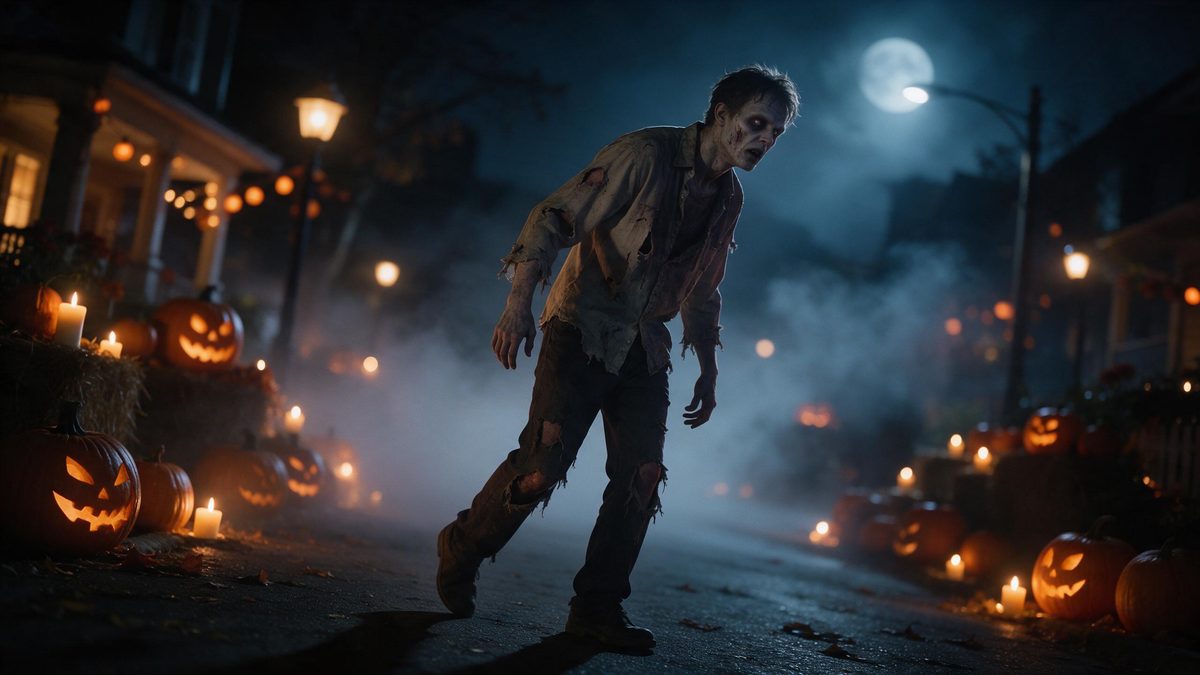
Zombie Walk is the outlier of the Halloween set in three separate ways. It runs for four seconds rather than five, it renders at 720p, and it costs 40 credits a run instead of the 80 that most of the others charge. It is also the only effect here that accepts one photo containing one or more people, or a single pet, which makes it the practical choice for a group picture.
The input rule is a full-body shot, and that is not a suggestion: the whole figure needs to be in frame because the effect is animating a walk. Three limitations are recorded for it. Occasionally someone walks out of frame backwards, the number of heads can change, and the walk can keep a normal posture instead of a shamble. A clear full-body photograph reduces all three.
Specs at a glance
Straight from the product panel, not from a marketing deck.
- Output
- 4-second video
- Credits
- 40 per run
- Resolution
- 720p
- Aspect ratio
- Matches your input photo
- Input
- 1 photo — one or more people, or one pet
- Best results with
- A full-body shot
- Known limits
- Occasionally someone walks out of frame backwards, the head count changes, or the walk keeps normal posture instead of a shamble.
What it does
Built for this specific job, not a generic editor.
Groups, not just one person
The template accepts one photo with one person, with several people, or with one pet. That makes it the obvious pick for a family picture or for a group shot taken at a party. Most other effects in this set accept one person only.
Four seconds at 40 credits
Each run returns a 4-second clip at 720p for 40 credits, half the price of most effects in this set. That is the cheapest way to put a video into a Halloween post. A short series of them costs less than a single pricier render.
Full-body framing
A full-body shot is what the effect specifies, because the animation is a walk. Photographs cropped at the waist leave the render without the legs it needs in order to move. A shot cropped at the waist gives the animation nowhere to go.
Shape follows the source
The aspect ratio matches your input photograph, so a tall phone shot exports tall and a landscape shot exports wide. Nothing is cropped after the render has finished. A tall phone shot stays tall, and a wide one stays wide.
How it works
Four steps, no timeline to learn.
Take a full-body photo
Photograph everyone from head to toe with the whole figure in frame. Groups should stand in one row rather than overlapping, so the render can read each person separately. Even light and a plain floor give the cleanest outline.
Upload it
Open Zombie Walk and add the photograph. The movement, the setting and the light are produced inside the render, so nobody has to rehearse a shamble out in the garden.
Confirm the cost
One run costs 40 credits and the figure appears before you confirm. Free accounts get 30 credits monthly with no card, so this is the effect most likely to fit that allowance.
Download the clip
Save the 4-second 720p file and post it. The proportions mirror your source photograph, so a vertical shot is already shaped for a story without any cropping at all. Keep the file beside the original photograph if you plan to reuse it.
Where people use it
The jobs this effect actually gets used for.
A group picture
Family photographs and party shots work here, because the effect accepts more than one person. Crop a wide group shot so that everyone is fully visible and the walk applies to the whole row.
The family pet
A single pet is an accepted input, so the animal joins the Halloween post without wearing anything at all. A full-body photograph of the animal is what the template asks for.
Cheap daily posts
At 40 credits a run, this is affordable enough for a short series. Post one every few days through October rather than everything at once on the 31st itself. A short series gives the account something to post all month.
Looping short-form clips
Four seconds invites a replay, and a replay is what a loop needs. Vertical framing fills a phone screen and the movement stays readable even at thumbnail size. A vertical export fills a phone screen without any letterboxing.
Why the shortest clip here is often the most useful
Cheaper, quicker, and the only one that takes a group.
The four-second length sounds like a compromise until you notice what it buys. At 40 credits it costs half what most of the Halloween set charges, which turns a single careful render into a series you can actually sustain across a month. And on short-form platforms a four-second clip is not short at all. It is the length that gets watched twice, and a second viewing is where a loop earns its attention.
The group input is the more important difference. Most effects in this set want exactly one person in the photograph, which quietly rules out every family picture and every shot taken at a party. This one accepts one photo with one person, several people, or one pet, so the photograph you already have is more likely to be one it can use. Full-body framing is the requirement, and it is an honest one.
Three limitations are recorded and they describe the same underlying difficulty, which is animating several figures walking at once. Occasionally someone walks out of frame backwards, the head count can change between frames, and the walk can keep an ordinary posture rather than a shamble. Group shots with everyone visible in a single row behave best. The resolution is 720p rather than 1080p, which shows on a large screen. On a phone it is barely noticeable at all.
Credits and plans
Every effect draws on one shared credit balance.
Every effect draws on the same balance, and this one is among the cheapest at 40 credits per run, shown before you confirm. The Free plan supplies 30 credits each month without a card; paid options are Starter at $9 for 400 credits, Pro at $19 for 1,000 and Studio at $59 for 4,000.
Related guides
Longer reads on the same workflow, from the OpenFilmo blog.
Image to Video AI: Animate Any Photo in Seconds
A complete guide to image to video AI: what makes a good source image, how to write motion prompts, top use cases, and how to fix …
AI Video Cost Per Minute: The Real Numbers in 2026
How to calculate true AI video cost per finished minute: generation price, regeneration waste, edit time and iteration, with worke…
Text to Video AI: Turn Any Prompt Into Video
Learn how text to video AI works, the four-part prompt formula that produces usable clips, how to fix common failures, and where i…
Related effects
Same family of effects, on the same kind of input.
Frequently asked questions
Can I upload a group photo?
Yes. This is the one effect in the Halloween set that accepts a photo with one or more people in it, as well as a single pet. Everyone should be fully visible in a full-body shot. Stand the group in one row rather than overlapping them.
How long is the clip and what resolution?
Four seconds at 720p. That is shorter and lower-resolution than most effects in this set, and correspondingly cheaper at 40 credits for a single run. It is the cheapest video output in the Halloween set, and at 40 credits a run it comes closest to fitting inside the Free plan’s 30 monthly credits.
What framing does it need?
A full-body shot. The effect animates a walk, so it needs the whole figure in frame rather than a photo cropped at the waist. Groups do better standing in one row. A shot cropped at the waist leaves the animation nothing to work with.
What goes wrong sometimes?
Occasionally someone walks out of frame backwards, the number of heads changes, or the walk keeps a normal posture instead of a shamble. Clear full-body photographs reduce all three of them. Running the same photograph again rarely repeats the same problem.
How many credits does one run cost?
Forty credits, shown on the confirmation step before anything is spent. That is half the price of most Halloween effects here and close to the Free plan’s 30 monthly credits. Nothing at all is deducted until you confirm on that step.