
Halloween Video Prompts That Work on the First Try
Twelve complete prompt blocks you can paste into the Halloween effect as written. Each one describes a scene, a light source, one movement, a camera choice and a sound, in that order.
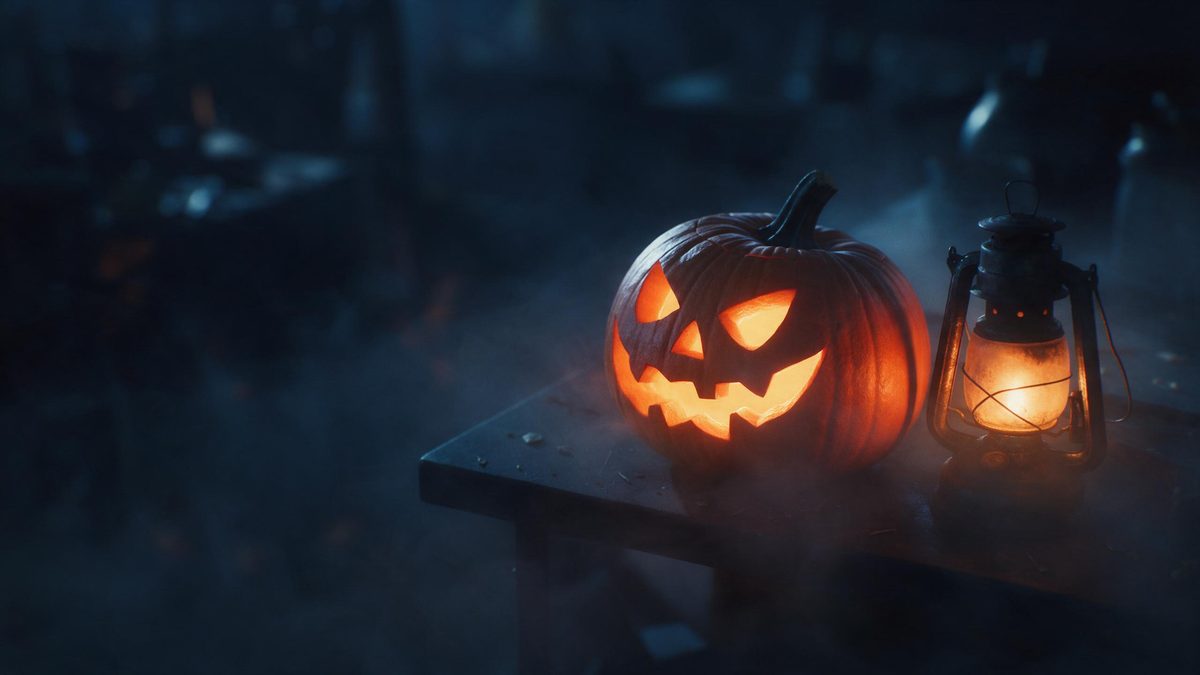
A Halloween clip is not a list of keywords, it is a shot. Every generator reads your line the way a camera operator would: who is in frame, where the light comes from, what moves first and where the camera stands. When a prompt is nothing but nouns, pumpkin, cape, night, the system has to invent the rest, and it rarely invents what you had in mind. Write one clean paragraph with a subject, a light source, one action and a camera note, and the first render usually needs nothing but a download.
None of this requires a costume, a makeup kit or a decorated porch. The Halloween effect takes one clear, well-lit, front-facing photo and builds the outfit, the setting and the lighting around it. That changes how you write: the person is already fixed, so your line has to carry everything around them, the distance, the lamp, the movement, the sound. Every block below follows the same order, scene, light, action, camera, sound, so you can swap one detail without rebuilding the sentence.
What it does
Built for this specific job, not a generic editor.
One photo builds the whole look
Upload a single clear, front-facing portrait in good light and the effect generates the costume, the setting and the lamp that lights it. There is no outfit to buy, no makeup to apply, no porch to decorate and no second shoot when the idea changes.
Three directions to start from
Lantern in fog, carved pumpkin and night street are the three directions you choose between. Each one sets the place and the mood before your own wording shapes the movement, so you never begin from an empty frame.
Faceless clips when you would rather not appear
The carved pumpkin and night street directions carry no face at all. Use them as atmosphere between talking shots, behind a text card you write yourself, or as a quiet background for a date and address.
Three export ratios
Download 9:16 for TikTok, Reels and Shorts, 1:1 for the feed where people scroll quickly past, and 16:9 for YouTube or any embedded player on your own site. Pick once and the file lands ready to post.
How it works
Four steps, no timeline to learn.
Start with the strongest photo you have
Choose one clear, front-facing portrait taken in even light. Everything else is generated, so the source image is the only raw material you control, and the cleaner it is, the cleaner the costume and the lighting come back.
Pick a direction before you write anything
Decide between lantern in fog, carved pumpkin and night street. The direction fixes the place and the light level, and it tells you how much room your action line has to move around in.
Describe the shot, not the adjectives
Skip words like spooky or amazing, they mean nothing to a generator. Say where the subject stands, what the lamp is doing, what moves first and where the camera sits during it.
Finish every prompt with a sound line
End each block with the word Sound and three short cues. A rustle, a hinge, one low note, and the clip stops feeling like a slideshow of still pictures someone set to music later.
Export the ratio your channel actually uses
Take 9:16 for vertical feeds, 1:1 for the square feed, or 16:9 for YouTube and embeds. Upload once, pick the direction you like, download the finished file, done. No timeline and no editing experience needed.
Ready-to-copy prompts
Paste one in as written, then swap the details in brackets.
Pumpkin Light-Up Greeting
Open any family clip with this one. A carved pumpkin flares to life and warms the whole porch, which reads as friendly instead of frightening on a small phone screen.
A close shot at a carving table just after dusk: he crouches beside a large pumpkin, lifts the lid, and a warm orange glow rises inside the carved face, the light climbing up his hands and chin while the rest of the yard stays cold and blue. The camera holds steady, then eases back far enough to show the porch railing behind him. Sound: a soft whoosh of a wick catching, dry leaves moving, one low friendly laugh.
Skeleton Dance Groove
The reliable party teaser. A skeleton steps into frame and dances with loose, silly timing, which gets a share far more often than another dark hallway does.
A wide shot of a decorated garage at night: a skeleton in a striped jacket shuffles into frame from the left, drops into a loose two-step, spins once, then points straight at the camera while paper bats sway overhead on string. Rows of orange bulbs flicker behind it. The camera stays low and tracks backwards to keep the full body inside the frame. Sound: an acoustic beat with hand claps, a dry bone click on every step, soft canned laughter underneath.
Candy Bowl Offer
A hospitality beat for neighbours and relatives. Someone holds out a bowl and steps back, an invitation gesture that works even with the sound off.
A medium shot at the front step after dark: she stands just inside the doorway holding a wide bowl of wrapped candy, lifts it toward the camera with both hands, tips it slightly so the wrappers catch the porch light, then steps back and nods once for whoever is watching to take one. The camera sits at chest height and makes one small push forward. Sound: a screen door creaking open, wrappers crinkling, children laughing somewhere down the street.
Front Door Trick-or-Treat
The standard October 31 post. Warm hallway light spills across wet steps before anyone reaches the door, which is the part people recognise instantly.
A steady shot facing a front door at night: the door eases inward, warm hallway light spills across rain-dark steps, and a figure in a hooded cape steps onto the mat, pauses for one beat, lifts a shy wave, then reaches toward the bowl waiting in frame. Fog drifts low across the path. The camera stays locked off and lets the whole action come to it. Sound: hinges groaning, footsteps on wet wood, wind moving through bare trees.
Pet in a Pumpkin Patch
Animals outperform effects in most neighbourhood groups. Run your pet through the dedicated Halloween pet video page and keep its face turned toward the window light.
A low tracking shot through a pumpkin patch at golden hour: the animal walks toward the camera between rows of orange pumpkins, noses one of them, then turns its head to look back with both ears up while dust drifts through the low sun. Hay bales and strings of small lights sit softly out of focus behind. The camera pans slowly from behind the nearest pumpkins to follow. Sound: dry grass crunching under paws, a light breeze, one distant crow.
Costume Reveal Turn
The classic reveal before a party. Subject starts backlit and turns slowly, so the full outfit lands exactly when the lanterns behind them come up.
A medium shot on a dark porch: he begins with his back to the camera against a row of unlit lanterns, then turns slowly to face it, shoulders first, the lanterns behind him coming up one at a time and throwing warm rim light across his jacket. Dust hangs in the air between him and the lens. The camera holds still through the turn, then drifts in slightly. Sound: a match being struck, glass lanterns clicking alight, low string music rising under it.
Friendly Ghost Wave
A comic beat for children and classroom groups. A sheeted shape waves from a hallway and then backs off, which lands funny rather than frightening.
A handheld-style shot down a decorated hallway: a small sheeted shape drifts out from behind a doorway, hovers at knee height for a moment too long, lifts one arm in a slow wave, then bobs backwards when nobody answers. Paper streamers move along with it. The camera follows at a careful distance, handheld but steady. Sound: soft cloth rustling, one creaky floorboard, a single goofy slide whistle note.
Punch Bowl Toast
Post it a week before the party. A single glass raised under warm orange light tells people the date is close without spelling everything out.
A slow arc shot across a party table: she leans in from the left, lifts a mismatched glass toward the middle of the frame, and holds it there while the overhead light drops to a warm orange glow and paper cobwebs sway above the punch bowl. A paper moon hangs behind her shoulder. The camera arcs left to right at table height and never stops moving. Sound: ice clinking against glass, muffled laughter from off frame, a low warm track.
Neighborhood Costume Parade
Good for community pages and school accounts. The subject walks the pavement past porches lighting up one after another, which locals recognise immediately.
A following shot along a quiet suburban pavement at dusk: he walks away from the camera along the kerb, turns at the corner, notices someone standing off frame, waves with his free hand, and keeps walking as porch lights come on one after another behind him. Leaves skitter across the empty road. The camera trails at a steady distance the whole way. Sound: gravel crunching, wind through dry leaves, a dog barking far away.
Bat Swarm Reveal
A short transition piece to sit between two scenes. The swarm crosses the moon, thins out, and clears frame to reveal whoever is waiting underneath it.
A low angle looking up past bare branches: a scatter of bats crosses a thin harvest moon in uneven bursts, then the swarm thins and pulls away, gliding down toward the person standing below, who raises one hand to shield his eyes and laughs. The cloud edge above is lit pale blue. The camera tilts down slowly to follow the last few bats. Sound: a rush of small wings, branches creaking overhead, faint wind.
Cobweb Doorway Push-In
Run it on the carved pumpkin or night street direction, which carry no face, then lay your own date and address text over the last seconds.
A faceless push in: the camera drifts toward an old doorway where a carved pumpkin glows on the step, thick cobwebs strung across the frame and lifting slightly as the camera passes into a dim hall where dust hangs in a single shaft of pale light. Nothing living enters frame. The movement stays even from start to finish. Sound: cloth tearing softly, a house settling, distant traffic hissing.
Porch Lantern Goodnight
The closing line for the night itself. Lights go out one by one and the frame settles into blue, leaving room for a caption you write yourself.
A locked-off wide shot of a decorated porch at night: the small pumpkin lights along the railing go out one after another from left to right, the last lantern swings once on its hook and dims, and the frame settles into blue darkness where only the outlines of cobwebs stay visible. The camera never moves at all. Sound: a switch clicking off, glass cooling with small ticks, crickets underneath.
What people use it for
The jobs this actually gets used for.
Seasonal hello to relatives
A short warm greeting for grandparents and family group chats. One portrait becomes a lit porch scene you can send as it is, with no rehearsal, nothing to buy and nothing to tidy up afterwards.
Party teaser posted early
Put it up a week ahead so people have time to answer. A carved pumpkin or night street cut carries the date and the house number over it, and your own face never has to appear.
Pet clip for your street group
Neighbourhood groups reward animals more than effects. Send the pet through the dedicated Halloween pet flow, keep its face toward the strongest window in the room, and let the rest stay dark.
Shop window announcement
A bakery or a cafe can post one night street clip with opening hours set over it. No photographer in the evening, no early closure, and the file exports square straight into the feed.
Why write prompts this way
Prompt writing is shot writing, and shot writing is a repeatable habit rather than a talent.
Every failed Halloween render I can trace back to a prompt that asked the generator to guess. Pumpkin, fog, spooky reads like a shopping list, so the system fills in a random distance, a random lamp and a random camera height, and what comes back is technically correct and completely wrong. Fix the four things the lens cares about, where we are, what lights us, what moves, and where the camera waits, and most of the guessing disappears before you press anything.
There is also a cost argument for doing this carefully. Every attempt draws on one shared monthly balance, and the credit cost is shown before you confirm, so you decide whether an idea deserves a second pass at exactly the right moment. A tight first line is cheaper than guessing three times. Keep notes on what each of the three directions does well and you will rewrite less and think more, which is where most visible quality comes from.
Timing pushes the same way. Attention for this kind of clip builds slowly across October and then disappears almost immediately after the thirty-first, so a page of prompts you can run in one sitting is worth more than a perfect plan executed in November. Keep the twelve below somewhere you can reach them, write your line carefully once, download in the ratio your channel wants, and post it in the first half of the month.
Credits and plans
Every tool draws on one shared credit balance.
OpenFilmo runs everything from one shared credit balance. The free plan gives you 30 credits each month and needs no credit card at all, Starter is 9 dollars for 400 credits, Pro is 19 dollars for 1000, and Studio is 59 dollars for 4000. The credit cost is shown before you confirm, so you always know what a particular scene will take before it runs.
Related guides
Longer reads on the same workflow, from the OpenFilmo blog.
AI Video Prompt Formulas That Hold Up in Production
Prompt structures that work for AI video: subject, motion, camera, time and style — with tested formulas, failure patterns and a m…
Text to Video AI: Turn Any Prompt Into Video
Learn how text to video AI works, the four-part prompt formula that produces usable clips, how to fix common failures, and where i…
Image to Video AI: Animate Any Photo in Seconds
A complete guide to image to video AI: what makes a good source image, how to write motion prompts, top use cases, and how to fix …
Related tools
Closely related pages on the same problem.
Frequently asked questions
What kind of photo gives the best starting point?
Use one clear, well-lit, front-facing portrait, since that single image is the only raw material the effect works from. Skip hats that shadow the eyes and any picture where part of the face is turned away, because everything else, the costume, the place and the lighting, is generated around those features rather than replaced.
Can these twelve be used in children friendly contexts?
Yes. Nothing in this set includes anything graphic, no injuries, no weapons and nothing designed to terrify. The fog, cobwebs and darkness are all atmosphere. Choose clear light and a warm lamp over deep shadow if your audience includes younger viewers or a school list.
How do I make a clip without showing my face?
Pick either the carved pumpkin or the night street direction. Both of them contain no face at all, so you get pure atmosphere footage you can drop behind your own text, use between talking segments, or hand to a colleague who wants stock-looking filler.
Which export ratio should I choose?
Match the destination rather than the taste. Take 9:16 for TikTok, Reels and YouTube Shorts, 1:1 when the clip goes into a feed where people scroll quickly past, and 16:9 for YouTube proper or any embedded player on your own site.
What does one of these Halloween clips cost?
Every tool draws on the same balance, and the free plan includes 30 credits a month with no credit card needed. Starter is 9 dollars for 400 credits, Pro is 19 for 1000, and Studio is 59 for 4000. The credit cost is shown before you confirm, so nothing comes as a surprise.
Halloween effect templates
Ready-made halloween templates in OpenFilmo — open one and drop your photo in.