
Halloween effect
A Shadow That Reaches for the Person in the Photo
Two outputs from the same effect: a five-second clip, or a single vertical frame if you only need one image. Both come from one photograph.
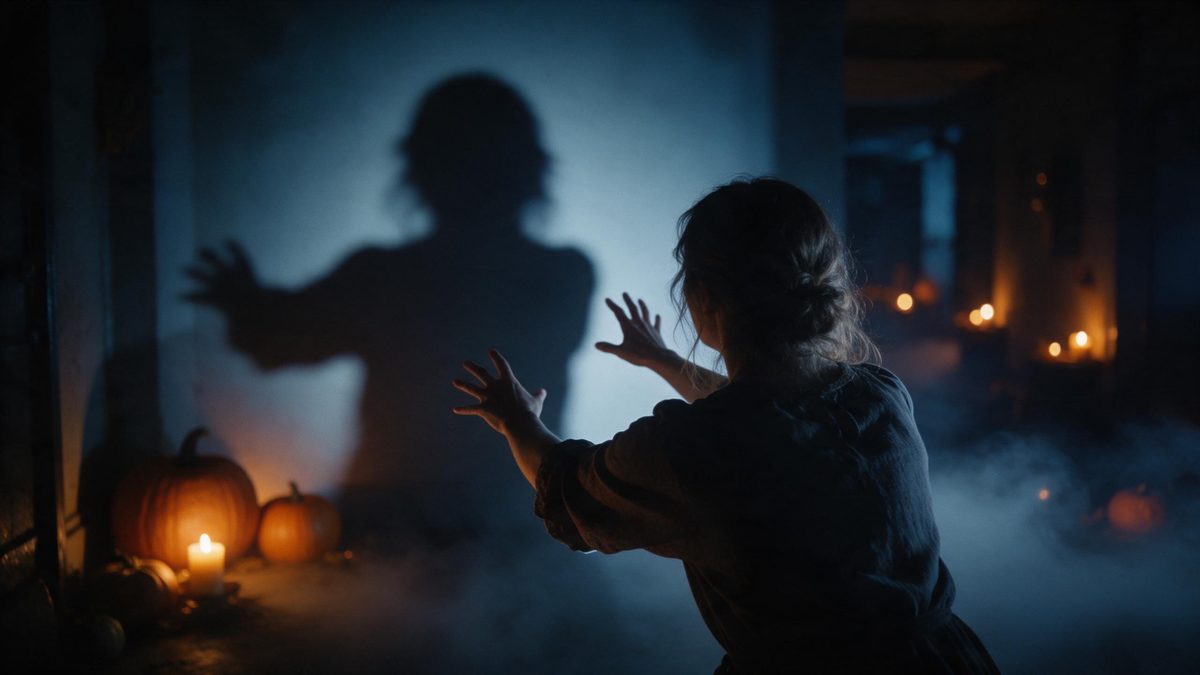
Shadow of Terror is one of two effects in this set offered both ways. Run it as a five-second video at 1080p for 100 credits, matching the aspect ratio of your photograph, or take a single 9:16 vertical still for 20 credits. The input is the same either way: one photo containing one person, an anime character, or a pet, framed half-body or full-body.
The effect works on implication rather than detail, which is why it survives such a short runtime. A shape appears behind the subject and reaches toward them, and the viewer fills in the rest of it. Three limitations are recorded: very occasionally the shadow can turn solid, the reach can look unnatural, and the subject can start reacting earlier than the scene intends.
Specs at a glance
Straight from the product panel, not from a marketing deck.
- Output
- 5-second video, or a still image — the same effect both ways
- Credits
- 100 for the video, 20 for the still
- Resolution
- 1080p
- Aspect ratio
- Matches your input photo (still: 9:16 vertical)
- Input
- 1 photo — one person, an anime character, or a pet
- Best results with
- A half-body or full-body shot of one person
- Known limits
- Very occasionally the shadow can turn solid, the grab can look unnatural, and the subject may start struggling early.
What it does
Built for this specific job, not a generic editor.
Video or still, your choice
The same effect runs both ways: a 5-second 1080p video for 100 credits, or a 9:16 vertical still for 20. Take the still when a thumbnail is all you need and the clip when the movement matters.
One photo, three kinds of subject
Upload one image containing one person, an anime character, or a pet. That range is wider than most effects in the Halloween set and makes this usable for artwork as well as ordinary photography. One file is the whole input.
1080p either way
Both outputs render at 1080p. The video keeps the aspect ratio of your photograph, while the still is composed as a vertical 9:16 frame, which is the shape stories and short-form feeds expect. Nothing needs cropping afterwards.
Built on implication
The scene suggests rather than shows: a shape behind the subject, a reach toward them, and the viewer does the rest. That is what lets it work inside five seconds without anything explicit appearing in the frame.
How it works
Four steps, no timeline to learn.
Choose your subject
Pick one photo with a single person, an anime character, or a pet, framed half-body or full-body. One clear subject in a clean frame is what the render builds the whole scene around. Plain backgrounds behave best.
Upload it
Open Shadow of Terror and add the photograph. Nothing needs to be staged or lit, because the shadow, the light and the setting are produced together inside the render itself. One upload is all it takes.
Pick video or still
Choose the 5-second video at 100 credits, matching your photo’s aspect ratio, or the vertical 9:16 still at 20 credits. The price for each one is shown on the confirmation step before you confirm.
Download the result
Save the file and post it. A still works well as a thumbnail or a profile image, while the clip suits a story, and both can come from the same single photograph. Keep them together.
Where people use it
The jobs this effect actually gets used for.
A thumbnail and a clip
Render the still for the thumbnail and the video for the post itself. One photograph covers both placements, and the 20-credit still is the cheaper way to test whether the look suits your source.
Artwork and characters
Anime character art is an accepted input here, so illustrators can put an existing character into a Halloween scene without redrawing anything or building a background from scratch for it. Keep the source artwork clean.
Posts for a wide audience
The scene implies rather than shows anything graphic, so it travels further than footage with anything explicit in it. That makes it suitable for community pages and for threads that get forwarded onward.
Vertical story sequences
The 9:16 still slots into a story sequence alongside other vertical Halloween images. Keep the same photograph across the set and the sequence reads as one planned piece rather than several unrelated uploads.
Why implication beats detail in five seconds
The viewer supplies most of the fear.
Horror that works in a short clip is almost always horror that leaves things out. A shape behind the subject and a reach toward them tells the viewer what to expect, and what they imagine is sharper than anything a render could spell out in five seconds. This is also the practical reason the effect holds up at the size a thumbnail displays. A silhouette and a reach survive compression, while fine detail does not.
Offering both outputs is the other half of the design. A five-second video at 100 credits is right when the movement matters; a 9:16 still at 20 credits is right when you want a single image for a thumbnail, a profile picture or a story card. It also costs a fifth as much. Both take the same single photograph, so you can decide after seeing the first result rather than committing up front.
The limitations are worth reading before you start, because they describe exactly what this effect is doing. Very occasionally the shadow can turn solid rather than staying a shadow, the reach can look unnatural, and the subject can begin reacting earlier than the scene intends. All three are motion and rendering problems rather than content problems. A clean half-body or full-body shot of one subject improves the odds. Two runs from the same photograph rarely fail in the same way.
Credits and plans
Every effect draws on one shared credit balance.
Every effect draws on the same balance, and this one has two prices: 100 credits for the 5-second video, 20 credits for the 9:16 still. The figure for whichever you pick is shown before you confirm. Free accounts receive 30 credits a month and no card is needed; Starter is $9 for 400 credits, Pro is $19 for 1,000 and Studio is $59 for 4,000.
Related guides
Longer reads on the same workflow, from the OpenFilmo blog.
Image to Video AI: Animate Any Photo in Seconds
A complete guide to image to video AI: what makes a good source image, how to write motion prompts, top use cases, and how to fix …
Text to Video AI: Turn Any Prompt Into Video
Learn how text to video AI works, the four-part prompt formula that produces usable clips, how to fix common failures, and where i…
AI Video Upscaling to 4K: Refiners, Settings and Limits
How AI video upscaling and one-step refiners work, when to upscale versus regenerate at native resolution, and the settings that a…
Related effects
Same family of effects, on the same kind of input.
Frequently asked questions
What is the difference between the two outputs?
The video is a 5-second 1080p clip that keeps the aspect ratio of your photograph, and costs 100 credits. The still is a single 1080p image composed as a vertical 9:16 frame, and costs 20 credits. Both come from the same photograph, so you only upload once.
What can I upload?
One photo containing one person, an anime character, or a pet, framed half-body or full-body. That is a wider range than most effects in the Halloween set, which usually accept a single person and nothing else. Illustrations and photographs are both accepted here.
How many credits does each option cost?
One hundred for the video and twenty for the still, with the figure for your choice displayed on the confirmation step before anything is spent. Free accounts get 30 credits monthly with no card required. The cheaper still is the sensible way to test the scene first.
What is the known limitation?
Very occasionally the shadow can turn solid instead of staying a shadow, the reach toward the subject can look unnatural, and the person can start reacting earlier than the scene intends. All three are rare. None of them affects the resolution or the length of the clip.
Is the still vertical?
Yes. The still is composed as a 9:16 vertical frame at 1080p, which is the shape stories, Reels and Shorts use. The video instead follows whatever aspect ratio your source photograph happened to have. Choose between them based on where the file is going.