
Halloween effect
Crow Arrival: A Halloween Scene Built Around Your Photo
Birds are the reason most people give up on this kind of shot. The effect handles the flock; you only supply one photo of one person.
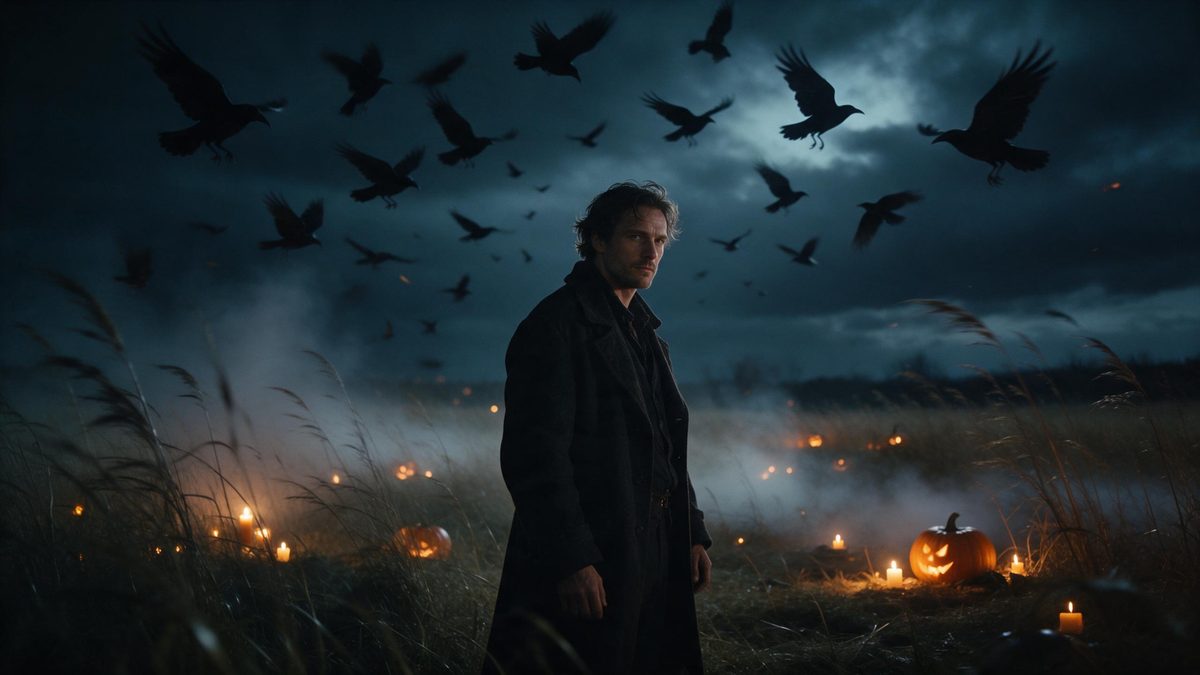
Nothing about birds is cooperative: they arrive when they feel like it, they leave when a door closes, and no amount of planning produces a flock on cue in a garden in late October. That is the practical reason this shot rarely gets made by anyone without a drone, a hide and a great deal of patience. Crow Arrival takes the other route entirely. You upload one photo of one person, and the render brings the birds into the scene around them, producing a five-second 1080p clip for 80 credits.
The finished clip keeps the aspect ratio of whatever you uploaded, so a tall phone shot stays tall and a landscape shot stays wide. The template is built for a single photo with one person in it, framed half-body or full-body at a medium or close distance. Its one noted weakness is scale: now and then the subject reads slightly out of proportion against the background. A frame with some open space around the person tends to avoid that entirely.
Specs at a glance
Straight from the product panel, not from a marketing deck.
- Output
- 5-second video
- Credits
- 80 per run
- Resolution
- 1080p
- Aspect ratio
- Matches your input photo
- Input
- 1 photo — one person
- Best results with
- Half-body or full-body shots, framed medium or close
- Known limits
- Very occasionally the subject can look out of proportion against the background.
What it does
Built for this specific job, not a generic editor.
A flock without a location
The birds and the setting are generated around your subject rather than filmed somewhere. There is no field to stand in at dawn, no permission to ask for, and no waiting for anything to fly past at the right moment. One photograph is the entire input.
Five seconds at 1080p
Each run produces a 5-second 1080p clip. Full HD stays clean on a phone screen and inside an embedded player, and the short length suits a story or a post that plays twice through. Nothing needs trimming before it goes anywhere.
One subject, clearly framed
Upload one photo containing one person, shot half-body or full-body at medium or close range. A single clear subject is what lets the render place the birds convincingly around them rather than directly over them. A group shot would give it several figures to resolve.
No reshaping afterwards
The finished clip matches the proportions of your input photo. A vertical source stays vertical and a landscape source stays wide, so the file is already in the shape the platform expects when it finishes downloading. Nothing is cropped or letterboxed afterwards.
How it works
Four steps, no timeline to learn.
Select one clear photo
Choose an image with a single person, framed half-body or full-body and taken at a medium or close distance. Prefer some open space around the subject over a tight crop taken against a busy wall. Even light across the face helps the render place the birds.
Upload to the effect
Open Crow Arrival and add that photograph. The flock, the sky and the light are produced inside the render, so there is nothing else for you to prepare, buy or supply beforehand. Preparation ends at choosing the file.
Read the credit line
The run costs 80 credits and the figure is shown before you confirm. Free accounts get 30 credits per month without a card, which covers a small number of renders and no more than that. Check the balance first if you are planning a short series.
Download the file
Save the clip at 1080p and upload it to wherever it is going. Because the aspect ratio follows your photo, what you framed in the source is what comes out the other side. Keep the file beside the original photograph if you intend to reuse it.
Where people use it
The jobs this effect actually gets used for.
Seasonal reels and shorts
A short vertical clip with movement arriving in the frame holds attention better than a static portrait does. Render once and the same file posts to Reels and to Shorts without any reformatting between the two. The movement is what stops the scroll.
Headers for October posts
An atmospheric five-second clip at the top of a blog post or a newsletter sets a tone quickly. At 1080p it stays clean at the size a header actually displays, and the file loads without slowing the page down. It also loops without becoming distracting.
Posts from one portrait
If you have exactly one decent photograph of yourself from this year, this effect turns it into something seasonal. There is no second shoot to organise, and nothing about the result depends on the weather on the day. One frame in your camera roll is enough.
School and community pages
A scene-led clip with nothing graphic in it suits a mixed audience well. Put your own text over the footage and the birds carry the mood while your words carry whatever message you need to get across. Community pages can post it without hesitation.
Why generate the birds instead of filming them
The shot is difficult for reasons that have nothing to do with cameras.
Filming birds is a scheduling problem disguised as a photography problem. You need the right hour, the right weather, a location that does not spook them, and a great deal of luck with the direction they travel. Every one of those variables sits outside your control. That is why most attempts end with a wide shot of an empty sky and a distant speck in it. Generating the flock inverts the whole arrangement. The only input you control is the photograph, and it is one you already have.
The render also solves the seam problem. Compositing birds over an existing photo leaves the lighting wrong, because the original was shot under whatever light was available and the birds were not. Here the setting, the light and the motion come out of one pass, so the subject and the flock share the same scene. That is why the input guidance insists on a clean single subject at half-body or full-body. The render needs one thing to build around. Two figures would give it two sets of proportions to reconcile.
What you accept in return is a fixed result and a rare proportion error. The clip is always five seconds at 1080p, always matching your input shape, and now and then the subject sits slightly out of scale with the background. Choosing a photo with open space around the person is the only mitigation worth bothering with. It costs nothing but a minute spent scrolling through your camera roll. Everything else about the output is settled by the template. Nothing varies except the take itself.
Credits and plans
Every effect draws on one shared credit balance.
One shared balance covers every effect on OpenFilmo. Crow Arrival costs 80 credits per run, and the price is displayed before you confirm. The Free plan includes 30 credits a month with no credit card required, while Starter is $9 for 400 credits, Pro is $19 for 1,000 and Studio is $59 for 4,000.
Related guides
Longer reads on the same workflow, from the OpenFilmo blog.
AI Video Prompt Formulas That Hold Up in Production
Prompt structures that work for AI video: subject, motion, camera, time and style — with tested formulas, failure patterns and a m…
Image to Video AI: Animate Any Photo in Seconds
A complete guide to image to video AI: what makes a good source image, how to write motion prompts, top use cases, and how to fix …
Best AI Video Generators 2026: 15 Tools Tested
We tested 15 AI video generators on the same prompts and ranked them for 2026. Compare quality, speed, credit pricing and commerci…
Related effects
Same family of effects, on the same kind of input.
Frequently asked questions
What does the effect actually produce?
A 5-second 1080p video in which crows arrive around the person from your photo. The setting and the birds are generated together in one pass, and the finished clip keeps the aspect ratio of the image you uploaded. Nothing needs cropping afterwards, and one photograph is the only input.
How many credits per render?
Eighty credits, with the figure shown on the confirmation step before anything is spent. Free accounts receive 30 credits each month without a credit card, and the paid plans raise the monthly allowance from there. Halloween effects all draw on the same shared balance.
Which photograph should I choose?
One photo with one person in it, framed half-body or full-body at a medium or close distance. A frame with some open space around the subject gives the render more room to work with. It also reduces the chance of a proportion oddity, and even light across the face helps.
Can I upload a group photo?
No. The template is specified for one photo containing one person. More than one subject in the frame gives the render several people to place at once, and that is where results become unpredictable rather than merely imperfect. Crop down to a single person first.
Is there anything to watch out for?
Now and then the subject reads slightly out of proportion against the background, which is uncommon. Choosing a photo with some space around the person rather than a tight crop usually avoids the issue altogether. A plain background helps, and nothing else about the output changes.