
Halloween effect
Your Pet as a Witch, From One Full-Body Photo
No costume goes on the animal and nothing needs to stay still. One full-body photograph is the only thing this effect asks for.
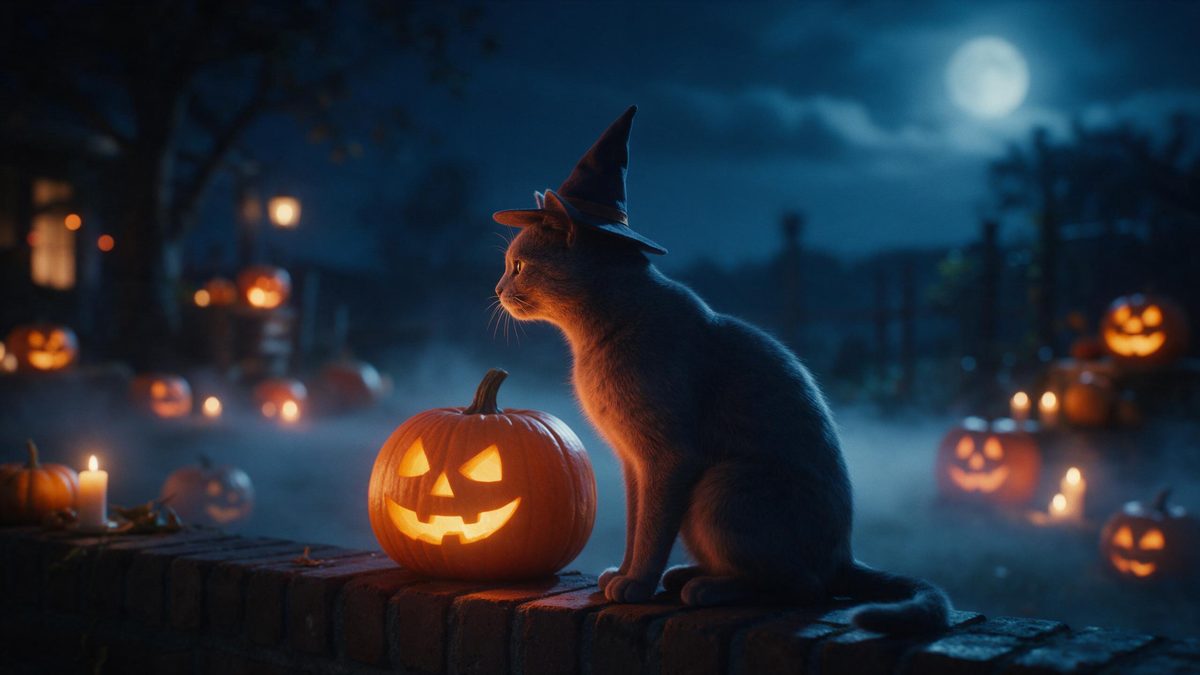
Photographing a pet in a Halloween costume is a negotiation nobody wins. The outfit slips sideways, the hat comes off within a minute, and the pictures you keep are the ones where the animal is leaving the frame. This effect takes the opposite approach. You supply one full-body photograph of the animal, and the render puts it into a witch flight scene without anything being strapped to it.
The output is a five-second video at 1080p that keeps the aspect ratio of your photograph, so nothing is cropped or stretched. It is the one effect in this group that costs more, at 120 credits a run, and the figure is shown before you confirm. Its recorded limitation is occasional: the wings can flap slowly and read as stiff rather than animated. A full-body shot of the pet, as the template asks for, gives the best chance.
Specs at a glance
Straight from the product panel, not from a marketing deck.
- Output
- 5-second video
- Credits
- 120 per run
- Resolution
- 1080p
- Aspect ratio
- Matches your input photo
- Input
- 1 photo — one pet
- Best results with
- A full-body shot of the pet
- Known limits
- Occasionally the wings flap slowly and look stiff.
What it does
Built for this specific job, not a generic editor.
Nothing goes on the animal
The witch look is rendered rather than worn. Your pet spends the evening without a hat, a cape or anything buckled on, which is kinder and also means nothing gets chewed off in the first minute. One photograph is the whole input.
Five seconds at 1080p
Each run produces a 5-second 1080p clip. Full HD holds fur detail on a phone screen, and the short length suits a story, a family thread or a loop inside a feed. Nothing needs trimming before posting.
One pet, full body
Upload one photo containing one pet, framed full-body. The template is specified for a single animal photographed completely, because the render has to place the whole body inside the flight scene it builds. A close crop of the head will not do.
Your proportions kept
The clip follows the shape of the photograph you upload. A tall phone shot stays tall and a landscape shot stays wide, so nothing is cropped to fit a platform after the render finishes. What you framed is what you publish.
How it works
Four steps, no timeline to learn.
Take a full-body photo
Photograph the animal from nose to tail with everything in frame. A pet sitting or standing on a plain floor gives the render a clean outline to work from, and even light helps too. Avoid a busy background.
Upload that one image
Open Witch Pet and add the photograph. There is no costume to buy, no second pair of hands needed and no treats required to keep the animal facing the camera for another minute. One upload is all it takes.
Confirm the cost
This effect costs 120 credits per run, higher than the others in the set, and the figure is displayed before you confirm. Free accounts receive 30 credits monthly with no card attached, so check the balance first.
Save and share
Download the 1080p clip and send it where it will be appreciated. The aspect ratio matches your source photo, so a vertical shot arrives ready for a story without any editing. Keep the file with the original.
Where people use it
The jobs this effect actually gets used for.
The pet who removes costumes
Some animals refuse everything that goes on them, and forcing the issue is not worth an evening of stress. A render gets them into the seasonal post without any of the argument. Nothing needs to stay still for it.
Family and group threads
Relatives who rarely see the animal get a short clip instead of a photo they scroll straight past. Vertical plays best inside a chat thread and needs no explanation from you about what they are watching.
Adoption profiles
A seasonal clip gives a listing something more noticeable than a kennel photograph taken under fluorescent light. Keep the animal’s markings clear in the source so the render stays recognisable to anyone who knows them.
One photo, several posts
Run the same full-body shot through the other pet-friendly Halloween effects and you have variation for a week. None of it requires photographing a moving animal all over again. One good frame carries the whole series.
Why render a pet costume instead of buying one
The animal is the reason, not the technology.
The argument starts with the animal. Pet costumes are sized by weight, which means most of them fit badly, slip sideways, and spend the evening being scratched at. An uncomfortable animal does not photograph well either: you get pinned ears, a lowered tail and a head turned away from the camera. That is the opposite of what you were trying to capture. A render leaves the animal out of the process entirely after the photograph is taken.
It also removes the shoot. Photographing a pet in a hat needs a second person, a steady supply of treats and an animal in a tolerant mood, and the proportion of usable frames is low even then. Starting from one full-body photo you already have means the difficult part happened months ago and is sitting in your camera roll. Nothing about the seasonal post depends on the animal cooperating on the day.
The trade-offs are worth stating plainly. This one costs 120 credits per run, more than most of the Halloween set, and occasionally the wings flap slowly and look stiff rather than animated. Both are easier to accept given what they replace: an outfit the animal dislikes and an hour spent photographing it. The output itself is fixed at five seconds and 1080p, in whatever shape your source photograph was. The animal is not redrawn, only placed into the scene.
Credits and plans
Every effect draws on one shared credit balance.
This is the most expensive effect in the Halloween set at 120 credits per run, and the cost is shown before you confirm. Every effect draws on the same balance. A Free plan carries 30 credits each month and asks for no card; beyond that Starter is $9 for 400 credits, Pro is $19 for 1,000 and Studio is $59 for 4,000.
Related guides
Longer reads on the same workflow, from the OpenFilmo blog.
Image to Video AI: Animate Any Photo in Seconds
A complete guide to image to video AI: what makes a good source image, how to write motion prompts, top use cases, and how to fix …
How to Use Vidu: A Practical Guide
How to use Vidu: reference-to-video workflow, keeping subjects consistent across shots, prompt approach, and where it fits compare…
Text to Video AI: Turn Any Prompt Into Video
Learn how text to video AI works, the four-part prompt formula that produces usable clips, how to fix common failures, and where i…
Related effects
Same family of effects, on the same kind of input.
Frequently asked questions
What photo of my pet should I use?
One full-body photograph of a single animal, with the whole body in frame. That is what the template specifies, because the render places the entire animal into the flight scene rather than working from a close crop of its head.
How many credits does it cost?
One hundred and twenty credits per run, higher than the other Halloween effects, and the figure appears on the confirmation step before anything is spent. Free accounts get 30 credits monthly with no card required. A Free allowance on its own will not cover a full run here.
What is the known limitation?
Occasionally the wings flap slowly and look stiff rather than animated. It is a motion issue rather than a problem with the animal itself, and the rest of the clip is unaffected when it happens. Running it again is reasonable.
Should the pet wear a costume for the photo?
There is no need. The witch look is generated, so an ordinary photograph of the animal works, and the costume, the setting and the lighting all come from the render instead of from your prop cupboard. The animal and the setting are unaffected when the wings come out stiff.
What do I get at the end?
A 5-second video at 1080p in the aspect ratio of your photograph. A tall phone shot exports tall, so the file is already shaped for stories and short-form feeds without any editing needed on your side. A plain full-body shot taken in daylight is enough.