
Halloween effect
You Pick The Animal, Not Just The Photo
Most effects give you one output and hope it suits you. This one has a setting: choose auto, bear, tiger, elk, snake, lion or wolf, and pick 16:9, 9:16 or 1:1 — the framing is yours rather than inherited from the photo.
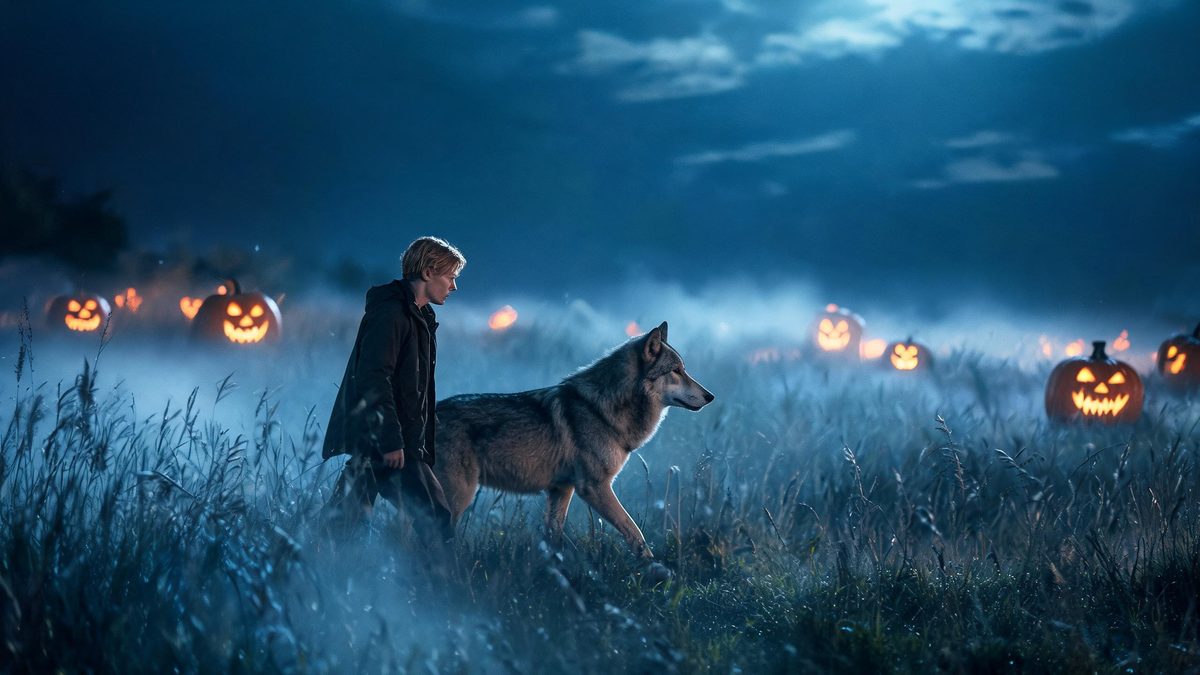
A person walking beside an animal is one of the oldest shots in the book and one of the hardest to stage, because it needs two performers who will both do what they are told. Generating it removes the second performer entirely.
You upload one photo of a single person and choose which animal walks alongside: auto, bear, tiger, elk, snake, lion or wolf. You also choose the framing — 16:9, 9:16 or 1:1 — instead of inheriting it from your source. The result is a 4-second 720p clip for 60 credits.
Specs at a glance
Straight from the product panel, not from a marketing deck.
- Output
- 4-second video
- Credits
- 60 per run
- Resolution
- 720p
- Aspect ratio
- 16:9, 9:16 or 1:1 — chosen per request, not taken from your photo
- Input
- 1 photo — one person
- Beast options
- auto, bear, tiger, elk, snake, lion or wolf
- Best results with
- One person facing the camera, framed half-body or full-body
- Known limits
- Single subject only, and this is one of the few templates where you also pick the framing instead of inheriting it from the photo. A text prompt is required. The two figures are meant to walk side by side: in a small share of runs they drift out of step or the pace runs too fast to read as a shared walk.
What it does
Built for this specific job, not a generic editor.
Seven animals to choose from
Auto, bear, tiger, elk, snake, lion or wolf. "Auto" lets the effect decide; picking explicitly is the better route when you already know the shot you want.
You choose the aspect ratio
One of the few templates in the set where framing is a request rather than an inheritance. 16:9 for a landscape post, 9:16 for a story, 1:1 for a feed.
Two figures, one walk
The effect generates the animal and stages a shared walk, which is what makes the shot read as companionship rather than two subjects in the same frame.
A prompt is required
This template needs a text prompt and the generated one should be kept close to the template form. The staging depends on the structure.
How it works
Four steps, no timeline to learn.
Frame one person, facing forward
The template takes a single subject, framed half-body or full-body and facing the camera. A person turned away gives the staging no reference for a shared walk.
Pick the animal deliberately
Auto will choose for you, but if you already know the shot — a wolf for a Halloween set, something else for a different register — set it explicitly rather than hoping.
Choose the framing for where it goes
Decide the destination before you run: 9:16 for a story, 16:9 for a landscape post, 1:1 for a feed. This is set per request, not taken from your photo.
Check the pace, not the animal
The fragile part is the shared walk. In a small share of runs the two figures drift out of step or the pace runs too fast to read as walking together. The animal itself is usually fine.
Where people use it
The jobs this effect actually gets used for.
A Halloween clip with a specific creature
Pick the wolf or the lion and the shot matches the theme instead of hoping the auto choice lands there.
A vertical clip for a story
The 9:16 option means the result is framed for where it is going, rather than cropped afterwards from a landscape render.
A companion piece to the monster set
Where the werewolf and beast-attack templates put the creature against the subject, this one puts it beside them. Running both gives a set with range.
A concept frame for a real shoot
Anyone planning a shoot with an animal can preview how a two-figure walk reads before booking a handler and a location.
Why the animal choice matters more than it sounds
A generated bear and a generated wolf are not the same shot, and "auto" does not know what you are going for.
Most of this set gives you one output per photo. This template has an actual setting on it, and the setting is the reason to use it: the difference between walking beside a wolf and walking beside a snake is the difference between two entirely different clips from the same photo.
The aspect ratio matters for the same reason. Nearly every other template here inherits framing from the source photo, which is convenient until the clip needs to be vertical. Being able to request 9:16 directly removes a crop that would have cost resolution.
The trade is the shared walk, which is the fragile part: in a small share of runs the figures drift out of step or the pace runs fast. A prompt is required and should stay close to the template form. One subject only.
Credits and plans
Every effect draws on one shared credit balance.
Every effect draws on the same credit balance. This one costs 60 credits per run, shown before you confirm — above most of the set, because it generates a second figure and lets you set the framing. Free accounts receive 30 credits every month with no card and no watermark on the output.
Related guides
Longer reads on the same workflow, from the OpenFilmo blog.
Image to Video AI: Animate Any Photo in Seconds
A complete guide to image to video AI: what makes a good source image, how to write motion prompts, top use cases, and how to fix …
Character Consistency in AI Video: What Actually Works
How to keep characters consistent across AI video shots: reference images, prompt discipline, key frame locking and post-hoc corre…
How to Use Vidu: A Practical Guide
How to use Vidu: reference-to-video workflow, keeping subjects consistent across shots, prompt approach, and where it fits compare…
Related effects
Same family of effects, on the same kind of input.
Frequently asked questions
Which animals can I choose?
Auto, bear, tiger, elk, snake, lion or wolf. Choosing explicitly is better than auto when you already know the shot you want.
Can I set the aspect ratio?
Yes — 16:9, 9:16 or 1:1, set per request rather than inherited from your source photo. This is one of the few templates in the set that works this way.
Why do the two figures drift out of step?
The shared walk is the fragile part of this effect. In a small share of runs the figures do not stay side by side or the pace runs too fast to read as walking together.
Can I use a photo of two people?
No. This template takes a single person only. A prompt is required and should be kept close to the template form.
Can I use the clip commercially?
Yes. Output is yours to publish, including in paid posts, on every plan including the free tier. The only restriction is the source photo: use an image you own or have permission to use.