
AI Portrait Prompts You Can Copy Today
A portrait prompt is a short, descriptive sentence that tells the generator who is in frame, how the light falls, and what the picture feels like. Below are ready-to-paste ideas you can swap your own subject into.
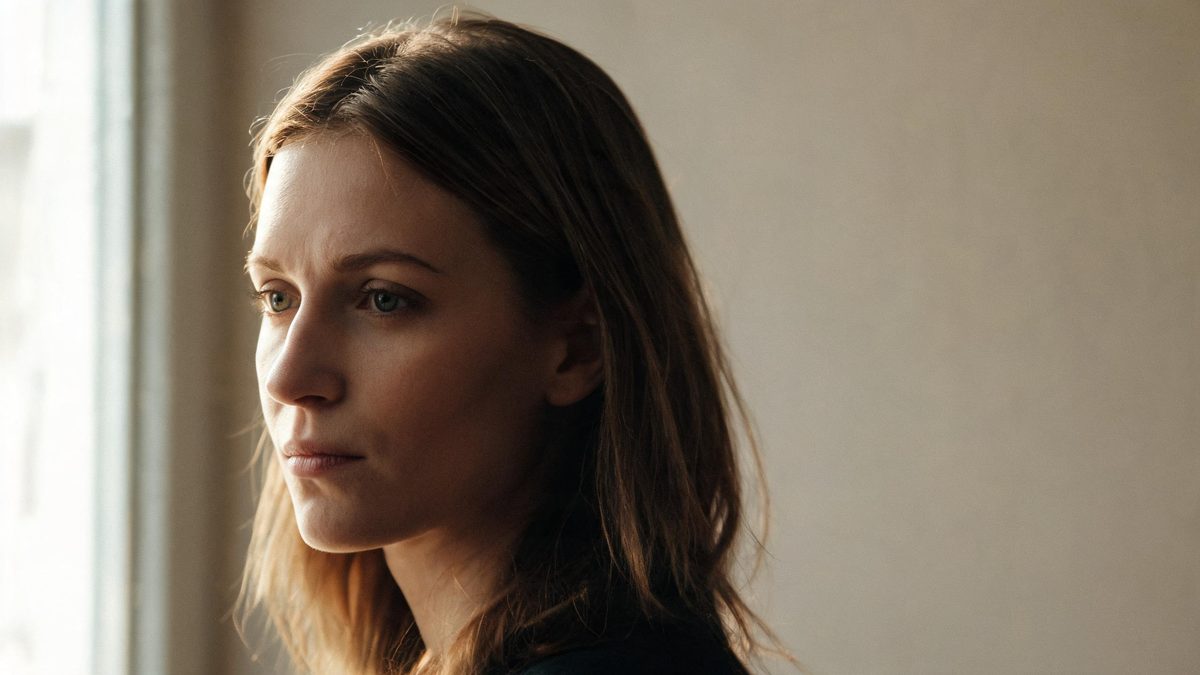
These AI portrait prompts are written for artistic and editorial portraiture, not for deepfakes or anything sexualized. They describe light, lens, framing and mood so you can recreate a look with any face you have the right to use. If the subject is a real person, make sure you have their consent before generating and before sharing.
Think of each prompt as a recipe: a base style plus a subject. The prompts below already carry the style, so you only replace the person description with your own. Paste one into OpenFilmo's image generator, keep what works, and tweak one word at a time rather than rewriting from scratch.
The core idea
Four principles behind every prompt on this page.
Subject before style
Name the person and the moment first — age range, pose, expression, what they are wearing — then add the look. A prompt that leads with style but forgets the subject produces a beautiful blank.
Light is the mood
Most of what reads as "cinematic" or "expensive" is the light direction and quality. Window light, golden hour, and a single practical lamp do more for a portrait than any filter word.
Lens and depth
Adding a focal length and shallow depth of field tells the model how compressed the background should be. "85mm, f1.8, blurred background" reads very differently from "24mm, environment in focus."
Keep it editable
Avoid locking in a specific brand, logo, or celebrity. Describe the look generically so the result stays yours and stays usable commercially.
Step-by-step
The order that keeps you from debugging five things at once.
Pick a base look
Choose one of the prompt groups below — studio, editorial, natural light, vintage, or minimal. Start where the subject already lives.
Copy the prompt
Use the Copy button on any recipe. The prompt is self-contained; you do not need to add anything for it to run.
Swap the subject
Replace the person description with your own subject or a generic "a person" if you are exploring style. Keep the light and lens wording intact.
Generate and compare
Free gives 30 credits a month, about fifteen images, so you can try a few variants. Change one variable per attempt rather than regenerating blindly.
Export and label
Export with no watermark on the Free plan. If the portrait is of a real person and the edit is not obvious, add a short note that it was AI-assisted.
Prompt recipes
Paste as-is, then swap the subject for yours. Use Copy on any card.
Cinematic studio portrait
Cinematic studio portrait of a person, single soft key light from the left, deep shadow on the right side of the face, shallow depth of field at 85mm, neutral expression, dark seamless background, filmic color grade, no text, no watermark.
Why it works: One controlled light plus a dark background makes the face the only subject, which is why it reads as a movie still.
Editorial fashion portrait
Editorial fashion portrait, natural daylight through a tall window, the subject in a structured jacket, half-turn pose, shallow depth of field, muted color palette, magazine cover mood, no text, no logo.
Why it works: Window daylight is free and forgiving, and the structured clothing gives the frame a "styled" rather than casual feel.
Natural window light
Casual portrait by a window, soft morning light on the face, the person smiling lightly, plant in the background softly blurred, 50mm, warm tone, no text, no watermark.
Why it works: Describing the time of day and a soft background object gives the model a believable setting instead of a void.
Vintage film portrait
Vintage film portrait, soft grain, faded color, late afternoon sunlight, the subject looking away, 35mm look, gentle halation around highlights, no text, no watermark.
Why it works: Grain and halation are what the eye reads as "old photograph," so naming them avoids a too-clean digital look.
Soft minimal portrait
Minimal portrait, plain pale wall, even soft light, the subject centered with negative space around them, calm expression, pastel tones, no text, no logo, no clutter.
Why it works: Negative space and a plain wall force attention onto the person and suit avatar or profile use.
Moody low-key portrait
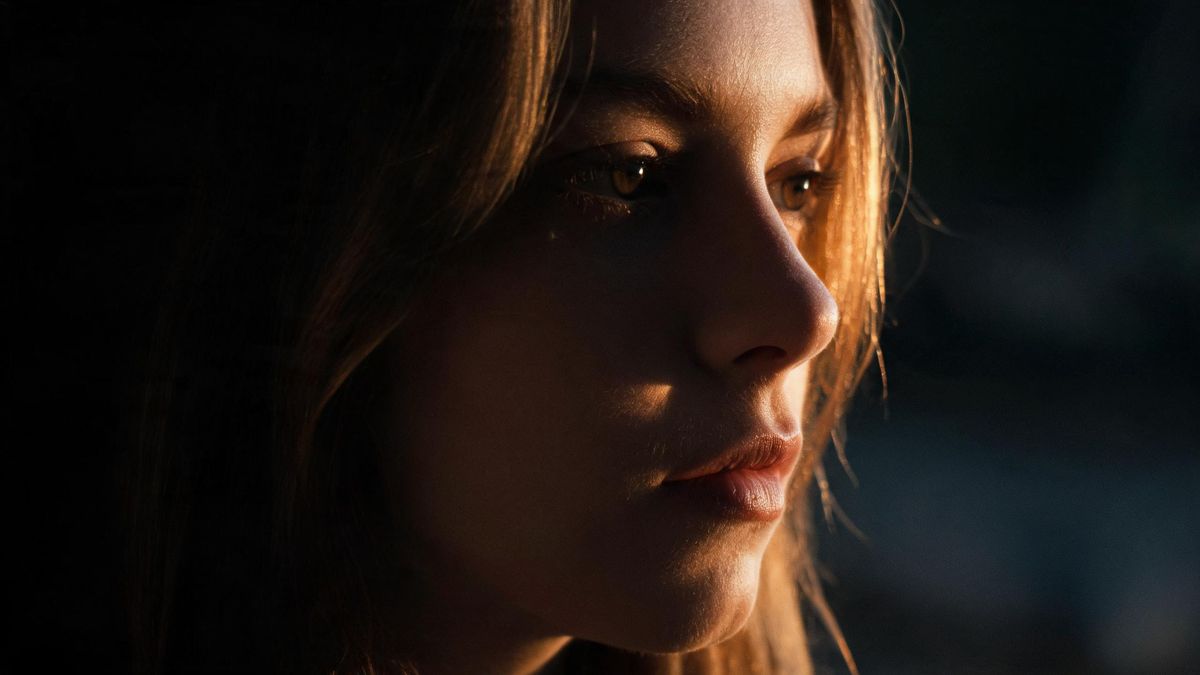
Low-key portrait, almost all shadow with one rim light catching the edge of the face and hair, dark background, mysterious mood, 85mm, no text, no watermark.
Why it works: A single rim light is the fastest way to make a portrait feel intentional and dramatic.
Environmental portrait
Environmental portrait, the subject at a wooden workbench with tools, natural light from a side window, mid shot, context around them slightly blurred, honest working mood, no text.
Why it works: Placing the person in their own space tells a story without needing a caption.
Black and white portrait
Black and white portrait, strong directional light, deep contrast, the subject in profile, timeless mood, no text, no watermark, no color.
Why it works: Removing color directs all attention to light, shape and expression, which strengthens weak prompts.
Common mistakes
The ones that account for most weak results.
Only naming a style
Prompts like "cinematic portrait" with no subject produce generic faces. Always name who is in frame first.
Forgetting the light
Without a light direction the model defaults to flat studio light. Add "window light from the left" or "golden hour" to get a mood.
Crowding the frame
Too many props or words dilute the subject. Three strong elements beat ten weak ones.
Skipping consent
Generating a recognizable real person without permission is the one risk no quality setting removes. Confirm consent before generating and sharing.
Why a portrait prompt is a sentence, not a spell
The model follows description. The more specific the description of light and framing, the less it has to guess.
A portrait lives or dies on light and pose, and those are exactly the things a prompt can name. When you write "soft window light from the left, 85mm, shallow depth of field," you remove the model's need to invent a lighting setup, and you get a result that looks considered rather than random.
The mistake most people make is treating the prompt as a style label. "Cinematic" tells the model almost nothing about the picture; "single soft key light, dark seamless background, filmic grade" tells it everything. Specificity is what separates a portfolio shot from a thumbnail.
Consent is the part no prompt can fix. A beautiful, specific portrait of a real person you cannot show permission for is worse than useless. Keep the subject either generic, generated, or someone who agreed, and the image stays usable anywhere.
Practise it in OpenFilmo
Every recipe on this page runs in the same workspace.
One image costs 2 credits and a 4K upscale costs 4. The Free plan gives you 30 credits every month with no credit card, no watermark and commercial use included — roughly fifteen images before you pay anything. Paid plans start at $9 for 400 credits and add faster generation and parallel tasks.
Related guides
Longer reads on the same workflow, from the OpenFilmo blog.
AI Content Labeling Rules: What You Must Disclose in 2026
What AI content labelling rules require: what to disclose, where human review is mandatory, and how platform rules differ from law…
Character Consistency in AI Video: What Actually Works
How to keep characters consistent across AI video shots: reference images, prompt discipline, key frame locking and post-hoc corre…
AI Anime Video Generator: Text or Image to Anime
How to use an AI anime video generator: a script-to-anime workflow, character consistency with reference images, style options and…
Best AI Video Generators 2026: 15 Tools Tested
We tested 15 AI video generators on the same prompts and ranked them for 2026. Compare quality, speed, credit pricing and commerci…
Related prompt collections
More copy-ready prompt sets on the same problem.
Frequently asked questions
Are these portrait prompts safe and non-sexualized?
Yes. Every prompt describes light, lens and framing only, with no nudity or sexualized content. They are written for artistic and editorial portraiture and clearly state that the subject must be someone you have the right to depict.
How many images can I make for free?
The Free plan gives 30 credits a month with no credit card. One image costs 2 credits, so that is about fifteen portraits before you pay anything, and exports carry no watermark.
Can I use the results commercially?
Free and paid plans include commercial use. Keep the subject rights clear — use a generic, generated, or consented person — and the export is yours to use.
Why do my portraits look flat?
Flat results usually mean no light direction was named. Add "window light from the left" or "single rim light" and the portrait gains depth immediately.
Can I turn a portrait into a video?
Yes. Once you have a still you like, image-to-video can carry that face into a short clip, charged at the video rate rather than the still rate.
People & portrait photo prompts
Copy-ready prompt sets for weddings, families, maternity, newborns, profiles and graduations.
Scene & subject photo prompts
Copy-ready prompt sets for travel, landscapes, food, pets, architecture and street scenes.
Video prompt collections
Copy-ready prompt sets for text-to-video, image-to-video, product, UGC, social and tutorial clips.