
AI Image-to-Video Prompts for One Still, One Motion
An image-to-video prompt names the motion you want from a still photo: a drifting camera, falling leaves, rippling water. These recipes keep the motion subtle and stable.
These AI image-to-video prompts are written for stills you already own or have generated: a product shot, a landscape, a keyframe. The prompt does not redraw the image — it tells the model which parts should move and how, so the photo becomes a short living clip.
The single biggest mistake in image-to-video is asking for too much motion. A still with gentle parallax and one moving element — water, leaves, clouds — reads as alive; a still with five moving elements reads as broken. Every recipe below names one motion and one camera behavior, nothing more.
The core idea
Four principles behind every prompt on this page.
One motion per clip
Pick the element that should move — water, fabric, leaves — and let everything else hold still. Two motions fight; three look like a glitch.
Gentle camera wins
A slow drift or push-in adds life without redrawing your composition. Fast camera moves force the model to invent new geometry.
Protect the face of the image
On portraits and products, ask for hair, fabric or background motion and keep the subject itself still. Faces warp under heavy motion.
Weather is free motion
Rain, snow, fog and drifting clouds animate a frame without touching the subject — the safest motion you can ask for.
Step-by-step
The order that keeps you from debugging five things at once.
Choose your still
Pick an image with one natural motion candidate: water, sky, fabric, foliage. Flat graphics and screenshots are poor candidates.
Copy a prompt
Use the Copy button. Each line names the moving element and the camera behavior for the model to follow.
Name your element
Replace the recipe's element with the one in your photo — "the lake surface", "the curtain", "the steam".
Generate and review
One clip costs 5 credits. Check the first and last frame: if geometry warped, halve the motion in the prompt and retry.
Export and cut
Export with no watermark on Free and drop the clip into your edit, or upscale it first for a cleaner finish.
Prompt recipes
Paste as-is, then swap the subject for yours. Use Copy on any card.
Living water
Gentle ripples moving across the lake surface, reflection shimmering softly, camera locked, everything else still, five seconds.
Why it works: Water is the most stable motion a model can render, and it animates almost any landscape still.
Drifting clouds
Clouds drifting slowly across the sky, long shadows sliding over the hills, camera locked, five seconds.
Why it works: Sky motion adds life to a landscape without touching the ground detail — zero warp risk.
Product parallax
Slow camera drift left to right around the product, background parallax, product itself perfectly still, studio light, five seconds.
Why it works: Camera-only motion keeps the product geometry pristine while the parallax makes the shot feel filmed.
Fabric in the wind
Light wind moving the dress fabric and hair softly, subject holding pose, golden hour backlight, five seconds.
Why it works: Fabric and hair are designed to move; asking for body or face motion is what causes warp.
Steam and warmth
Steam rising slowly from the coffee cup, soft window light, everything else still, cozy mood, five seconds.
Why it works: A single small moving element is the safest possible animation and reads as instantly alive.
Fallen leaves
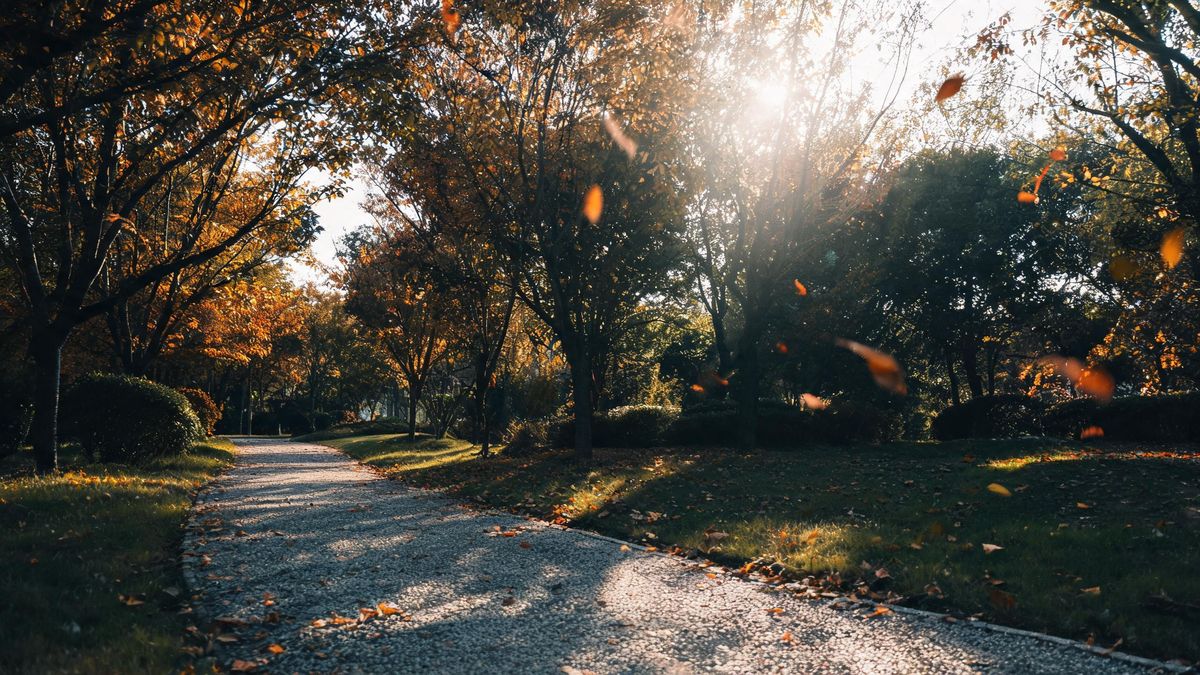
Autumn leaves drifting across the path in a light breeze, camera locked, warm late light, five seconds.
Why it works: Foliage motion hides small artifacts and gives an empty scene a reason to move.
City rain mood
Rain falling steadily, puddle reflections shimmering, neon bokeh glowing softly behind, camera locked, five seconds.
Why it works: Rain plus reflections is a two-element combo models handle well, and it grades the frame for free.
Fog roll-in
Low fog rolling slowly across the valley floor, treetops emerging, cool morning light, camera locked, five seconds.
Why it works: Fog moves slowly by nature, which matches the pace image-to-video handles best.
Common mistakes
The ones that account for most weak results.
Motion everywhere
Asking the whole scene to move forces the model to redraw it. Name one element and lock the rest with "everything else still".
Moving faces
Face motion is where stills warp first. Animate hair, fabric and background; keep the expression frozen.
Fast camera moves
Whip pans and fast tracking force invented geometry. Stay with slow drifts and locked frames.
Ignoring the last frame
Motion quality shows at the end of the clip, not the start. Always review the final second before keeping a generation.
Why restraint animates better than ambition
Image-to-video is an animator, not a director. It takes the frame you give it and moves parts of it — the parts you name.
The still is the contract. Everything in it stays unless the prompt says otherwise, which is why image-to-video results feel more controlled than text-to-video: the composition is already decided. Your prompt's only job is to pick the moving element and the camera behavior.
Warp is the failure mode to manage. The model interpolates motion by inventing intermediate frames, and complex geometry — faces, hands, logos — is where invention goes wrong. Keeping your subject still and animating texture around it is how professionals avoid the uncanny results.
A subtle clip is a usable clip. In an edit, a five-second shot with gentle water motion and a locked camera cuts like real footage; a clip with five moving elements cuts like a glitch. Restraint is not a limitation here, it is the deliverable.
Practise it in OpenFilmo
Every recipe on this page runs in the same workspace.
One image costs 2 credits and a 4K upscale costs 4. The Free plan gives you 30 credits every month with no credit card, no watermark and commercial use included — roughly fifteen images before you pay anything. Paid plans start at $9 for 400 credits and add faster generation and parallel tasks.
Related guides
Longer reads on the same workflow, from the OpenFilmo blog.
Image to Video AI: Animate Any Photo in Seconds
A complete guide to image to video AI: what makes a good source image, how to write motion prompts, top use cases, and how to fix …
AI Video Prompt Formulas That Hold Up in Production
Prompt structures that work for AI video: subject, motion, camera, time and style — with tested formulas, failure patterns and a m…
Character Consistency in AI Video: What Actually Works
How to keep characters consistent across AI video shots: reference images, prompt discipline, key frame locking and post-hoc corre…
AI Video Upscaling to 4K: Refiners, Settings and Limits
How AI video upscaling and one-step refiners work, when to upscale versus regenerate at native resolution, and the settings that a…
Related prompt collections
More copy-ready prompt sets on the same problem.
Frequently asked questions
What does one image-to-video clip cost?
A five-second clip costs 5 credits, drawn from the same balance as image work. Free gives 30 credits a month — about six clips — with no watermark on export.
Will my photo be changed?
The composition is kept; only the motion you name is added. Small softening is normal and the upscaler can restore sharpness afterwards.
Can I animate a portrait?
Yes, with restraint: animate hair and background, keep the face still. For talking motion, the lip sync tool is built for that job.
Why did my product label warp?
Moving text is the hardest thing to interpolate. Keep the product still, animate camera parallax instead, and add crisp branding in post.
Can I make the clip longer?
Each generation covers a few seconds. Generate a second motion from the same still and cut the two together for longer runtime.