
AI Wedding Photo Prompts for Real Moments
A wedding photo prompt describes the couple, the setting, the light and the feeling of the day. Use these to plan a shot list or to preview a frame before the photographer arrives.
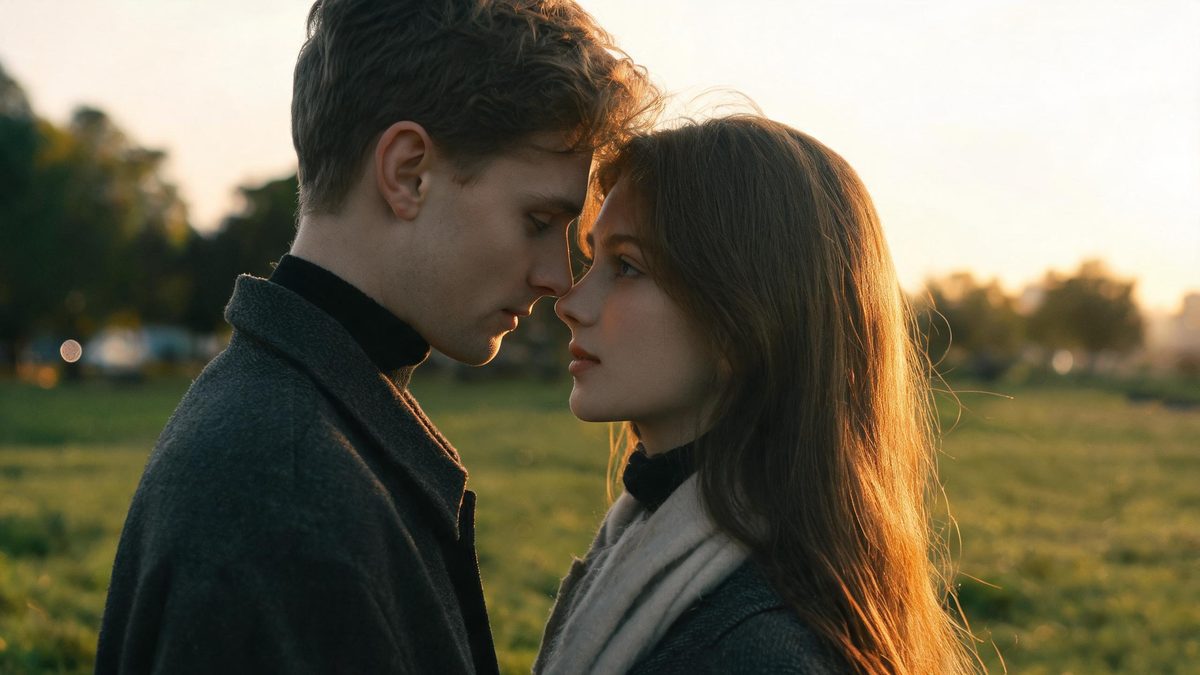
These AI wedding photo prompts are written for a real, consensual couple and their guests — partners, family, and friends. Every prompt assumes the people pictured have agreed to be depicted. They describe warmth, setting and light, never anything explicit, so the results stay tasteful and shareable.
A wedding is a sequence of moments, not a single pose. The prompts below are grouped by part of the day — ceremony, portraits, reception — so you can match the feeling you want, copy the line, and drop in your own description of the two people.
The core idea
Four principles behind every prompt on this page.
Lead with the moment
Name what is happening — vows, first dance, a walk — rather than two figures. A moment gives the frame a reason to exist.
Light sets the day
Golden hour and window light read as romance; flat overhead light reads as documentary. Choose the light to match the part of the day.
Keep it honest
A believable distance and a real setting read as a memory, not a stock pose. Avoid over-close or floating compositions.
Consent first
Only generate recognizable people who agreed to be depicted. This applies to every guest in the frame, every time.
Step-by-step
The order that keeps you from debugging five things at once.
Choose a part of the day
Decide whether you want ceremony, portrait, or reception. The groups below are sorted that way.
Copy a prompt
Use the Copy button. Each prompt already includes light, framing and mood, so it runs as written.
Describe the couple
Replace the generic "the couple" with your own description, or keep it generic while exploring style.
Generate a few
Free covers about fifteen images a month. Try two or three moments before committing to one.
Export and share
Export with no watermark on Free. If the people are real and the edit is not obvious, note that it was AI-assisted.
Prompt recipes
Paste as-is, then swap the subject for yours. Use Copy on any card.
Golden-hour vows
Wedding photo, the couple facing each other at golden hour, warm low sunlight, soft grass and trees blurred behind, candid gentle mood, 50mm, no text, no watermark.
Why it works: Golden hour and a slight turn capture the "in between" moment that staged shots miss.
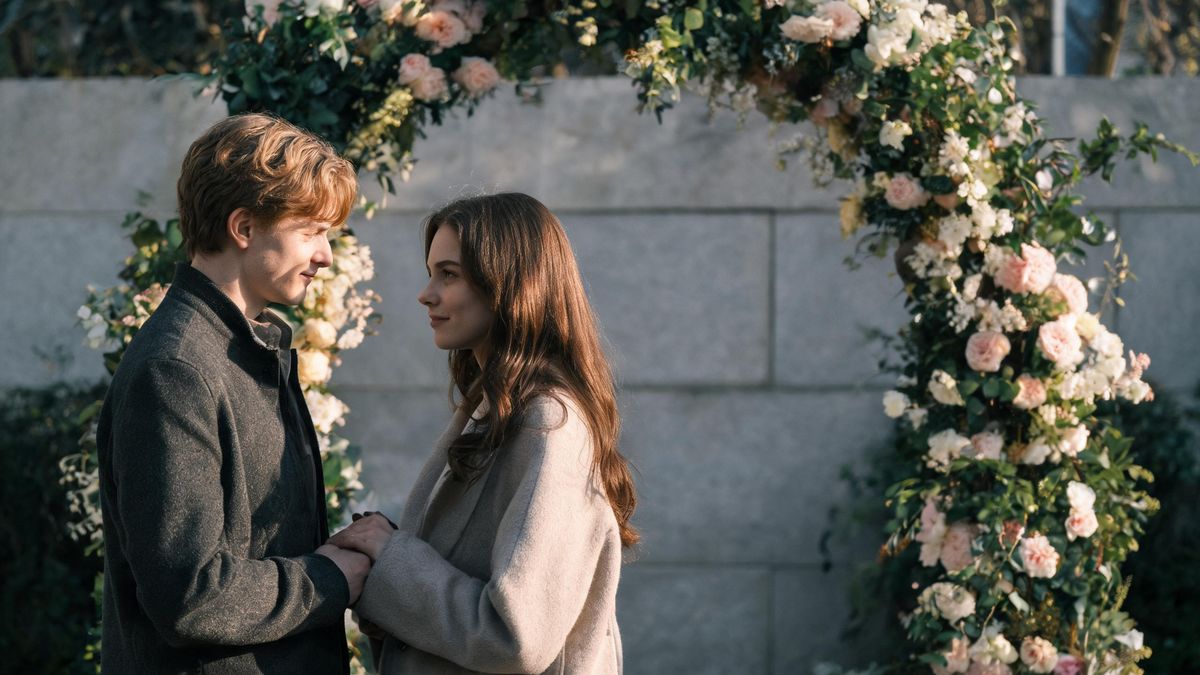
Chapel arch
Wedding portrait, the couple under a flower arch, soft daylight, a neutral stone wall behind, timeless mood, 85mm, no text, no watermark.
Why it works: An arch frames the pair and a neutral wall keeps the focus on them, not the venue.
First dance
Wedding reception, the couple mid first dance, warm practical light, blurred guests and bokeh behind, joyful mood, 35mm, no text, no watermark.
Why it works: A dance hold implies movement and partnership, adding energy to a still frame.
Hands detail
Close detail of two hands holding, soft window light, a bouquet of flowers beside, tender mood, 50mm macro, no text, no watermark.
Why it works: A detail shot tells the story without needing both faces, useful for a save-the-date.
Aisle walk
Wedding photo, the couple walking away down an aisle of chairs, overhead string lights, romantic mood, 35mm, no text, no watermark.
Why it works: Walking away gives a natural, unposed composition that reads as the real end of the aisle.
Garden group
Family group at a wedding in a garden, natural daylight, relaxed poses, greenery behind, happy mood, 35mm, no text, no watermark.
Why it works: A named activity gives the model a believable reason for the group to gather.
Beach silhouette
Wedding silhouette of two people on a beach at sunset, the sun low behind them, romantic mood, no text, no watermark.
Why it works: A silhouette keeps the moment intimate and anonymous, which suits a keepsake.
Getting ready
A partner adjusting cufflinks by a window, soft morning light, calm pre-ceremony mood, 50mm, no text, no watermark.
Why it works: A quiet pre-ceremony moment adds a documentary layer to the usual portraits.
Common mistakes
The ones that account for most weak results.
Two figures, no moment
Listing "bride and groom" without an action yields two strangers. Name what they are doing together.
Overly close framing
Too tight a crop can look unnatural. Describe a believable distance and let the model place them.
Ignoring consent
Every guest must agree to be depicted. Generating recognizable real people without permission is the one risk no setting removes.
Harsh midday light
Hard shadows fight the romantic mood. Shift to golden hour or window light in the prompt.
Why wedding prompts need a moment, not a pose
A wedding frame fails when the two people look unrelated. The prompt has to say what they are doing together.
Two people in a frame are not automatically a wedding. The viewer reads the relationship from posture and gaze, so the prompt must name the moment — a touch, a shared laugh, a turn toward each other. Without it, the model places two strangers.
Light does the emotional work. Golden hour and window light signal warmth and intimacy; flat overhead light signals nothing. Naming the light is the cheapest way to make a wedding frame feel like a memory rather than a mugshot.
Consent applies to every guest in the frame. Each person must have agreed to be depicted, and that agreement has to exist before generation, not after. Keep the subjects generic or consented and the result stays safe to share.
Practise it in OpenFilmo
Every recipe on this page runs in the same workspace.
One image costs 2 credits and a 4K upscale costs 4. The Free plan gives you 30 credits every month with no credit card, no watermark and commercial use included — roughly fifteen images before you pay anything. Paid plans start at $9 for 400 credits and add faster generation and parallel tasks.
Related guides
Longer reads on the same workflow, from the OpenFilmo blog.
AI Content Labeling Rules: What You Must Disclose in 2026
What AI content labelling rules require: what to disclose, where human review is mandatory, and how platform rules differ from law…
Character Consistency in AI Video: What Actually Works
How to keep characters consistent across AI video shots: reference images, prompt discipline, key frame locking and post-hoc corre…
Image to Video AI: Animate Any Photo in Seconds
A complete guide to image to video AI: what makes a good source image, how to write motion prompts, top use cases, and how to fix …
AI Video Prompt Formulas That Hold Up in Production
Prompt structures that work for AI video: subject, motion, camera, time and style — with tested formulas, failure patterns and a m…
Related prompt collections
More copy-ready prompt sets on the same problem.
Frequently asked questions
Are these wedding prompts appropriate?
Yes. They describe warmth, setting and light only, with no explicit content. They are written for consensual couples and clearly require that everyone pictured agreed to be depicted.
Can I make these for free?
The Free plan gives 30 credits a month with no credit card, about fifteen images, and exports carry no watermark. One image costs 2 credits.
Can I use a real couple's photo as reference?
Only with both people's consent. If you generate recognizable real individuals without permission, the result is not safe to use regardless of quality.
Why does my wedding image look staged?
Staged results usually come from naming two figures without a moment. Add what they are doing together — walking, dancing, leaning in.
Can I animate a wedding still into video?
Yes. Image-to-video can carry the two people into a short clip, charged at the video rate rather than the still rate.