
AI Selfie Prompts That Look Like You
A selfie prompt recreates the feel of a phone photo — close, casual, personal. Use these to plan a shot or to generate a reference you can match with your own camera.
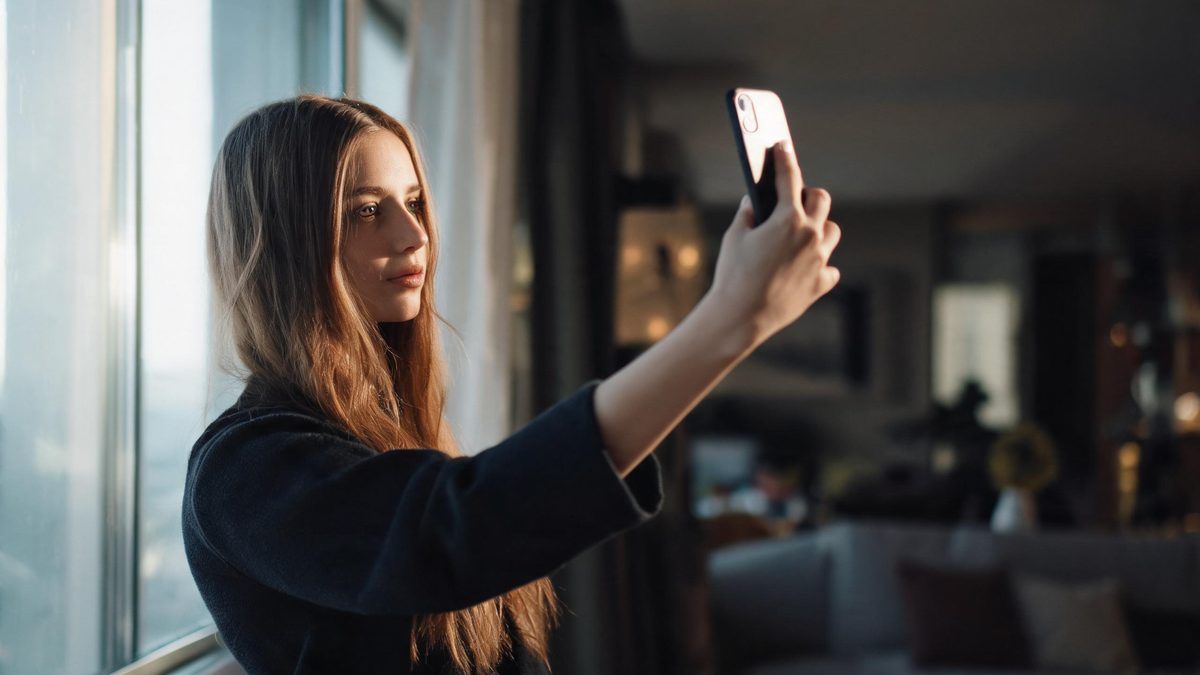
These AI selfie prompts lean into the informal, first-person feel of a real selfie: phone light, a mirror, a window, an outstretched arm. They are written for a single person and stay fully clothed and non-sexualized, so the results look like everyday photos rather than staged portraits.
The trick with selfie prompts is to keep them loose. A selfie is allowed to be imperfect — slightly off-center, soft light, a bit of background. Copy one below, swap in your own description, and you have a starting point that still feels like you took it.
The core idea
Four principles behind every prompt on this page.
Point of view
Selfies are shot from the subject's own hand, so describe a close, slightly upward or eye-level framing rather than a distant portrait.
Real light
Phone light, window light, and a mirror are the honest light sources of a selfie. Naming them keeps the result believable.
Imperfect is fine
A selfie can have a soft background and a casual pose. You do not need studio symmetry; you need a moment.
One person, consented
Selfies are usually of the person generating them. Keep the subject generic or yourself, and never depict someone else without consent.
Step-by-step
The order that keeps you from debugging five things at once.
Pick a setting
Phone-light, mirror, or window — the three selfie groups below cover the common looks.
Copy the prompt
Use the Copy button. Each prompt already includes framing and light, so it runs as written.
Describe yourself
Replace the generic subject with your own description, or keep it generic while exploring style.
Generate a few
Free covers about fifteen images a month. Try two or three framings before keeping one.
Export
Export with no watermark on Free. If the image is of you and the edit is not obvious, a short AI note is good practice.
Prompt recipes
Paste as-is, then swap the subject for yours. Use Copy on any card.
Phone-light selfie
Selfie taken with a phone, soft indoor light, the person smiling, slightly off-center framing, casual everyday mood, blurred home background, no text, no watermark.
Why it works: Naming the phone and soft indoor light keeps the frame close and believable rather than studio-clean.
Window selfie
Selfie by a window, natural daylight on the face, the person looking at the camera, plant in the soft background, calm mood, no text, no logo.
Why it works: Window light is the most flattering honest light and signals "at home," which suits a selfie.
Mirror selfie
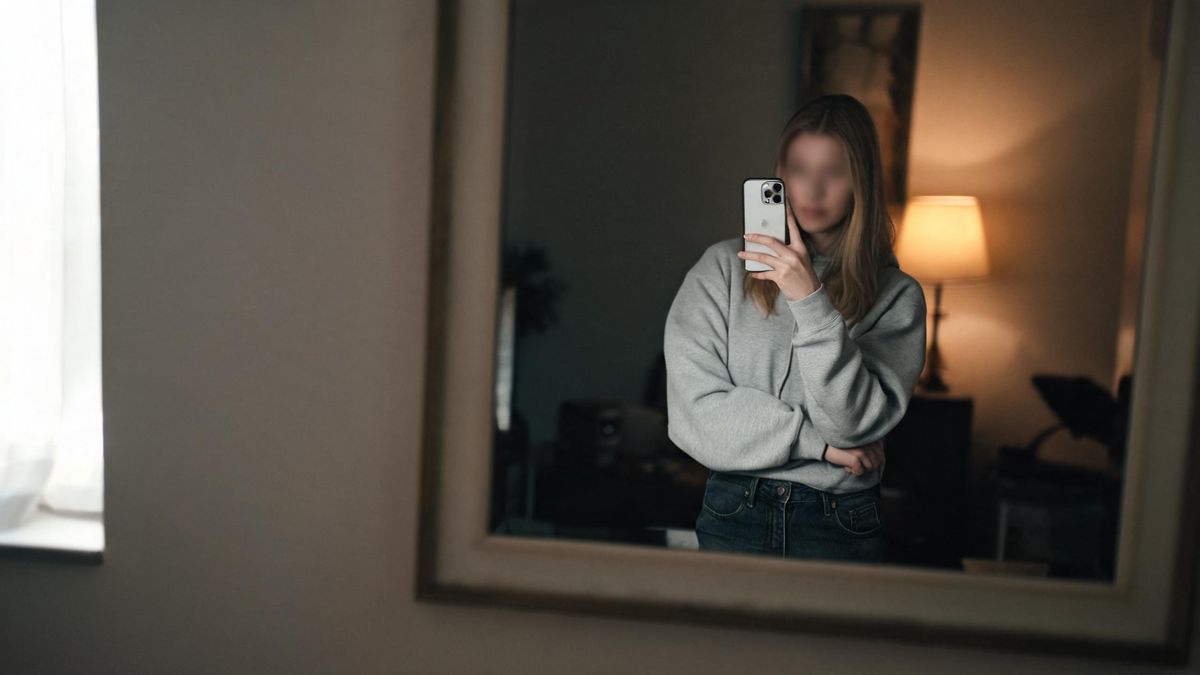
Mirror selfie, the person in a casual outfit, phone in hand reflected in the mirror, even room light, authentic mood, no text, no watermark.
Why it works: A mirror shot implies the camera naturally, so the result reads as a real habit, not a pose.
Golden-hour selfie
Outdoor selfie at golden hour, warm low sunlight, the person laughing, blurred park background, joyful mood, no text, no watermark.
Why it works: Golden hour adds warmth that makes even a simple selfie feel intentional.
Car selfie
Selfie inside a car, soft late-afternoon light through the window on the face, candid mood, blurred interior behind, no text, no logo.
Why it works: A named setting gives the model a believable reason for the close framing.
Coffee-shop selfie
Selfie at a coffee shop, warm interior light, the person holding a cup, relaxed expression, soft background blur, no text, no watermark.
Why it works: An activity in hand gives the selfie a natural purpose instead of a blank stare.
Bedroom morning selfie
Soft morning selfie in a bedroom, gentle daylight, the person with messy hair, cozy mood, plain wall behind, no text, no watermark.
Why it works: Messy hair and a plain wall read as "just woke up," the most casual selfie tone.
Festival selfie
Selfie at an outdoor event, colorful bokeh lights behind, the person smiling widely, evening mood, 35mm, no text, no watermark.
Why it works: Bokeh lights signal celebration and give the background a reason to be bright and soft.
Common mistakes
The ones that account for most weak results.
Too much studio
Hard studio symmetry kills the selfie feel. Keep the light soft and the framing close and slightly loose.
No light source
Without naming the light, the model defaults to flat light. Add "window light" or "phone light."
Depicting others
Never generate a recognizable other person without consent. Selfies are safest when the subject is you or generic.
Crowded background
Too much background competes with the face. Name a soft blur so the subject stays clear.
Why selfie prompts work best loose
A selfie's charm is its imperfection. The prompt should ask for a moment, not a portrait.
A selfie is not a portrait. It is a close, first-person, often imperfect snapshot, and the model needs to know that. Describe the phone, the window, or the mirror, and you tell it to aim for intimacy rather than polish.
Light is what keeps a selfie honest. Real selfies are lit by whatever is at hand — a lamp, a window, a screen — and naming that light stops the result from looking like a stock headshot.
Because selfies are usually of the person generating them, they are the lowest-risk image type. Keep the subject generic or yourself, never a recognizable other person without consent, and the result is safe to share anywhere.
Practise it in OpenFilmo
Every recipe on this page runs in the same workspace.
One image costs 2 credits and a 4K upscale costs 4. The Free plan gives you 30 credits every month with no credit card, no watermark and commercial use included — roughly fifteen images before you pay anything. Paid plans start at $9 for 400 credits and add faster generation and parallel tasks.
Related guides
Longer reads on the same workflow, from the OpenFilmo blog.
AI Content Labeling Rules: What You Must Disclose in 2026
What AI content labelling rules require: what to disclose, where human review is mandatory, and how platform rules differ from law…
Free AI Video Generator: No Watermark, No Card
Compare free AI video generators in 2026: free tiers, watermarks, resolution caps and commercial rights — plus when upgrading actu…
Text to Video AI: Turn Any Prompt Into Video
Learn how text to video AI works, the four-part prompt formula that produces usable clips, how to fix common failures, and where i…
Best AI Video Generators 2026: 15 Tools Tested
We tested 15 AI video generators on the same prompts and ranked them for 2026. Compare quality, speed, credit pricing and commerci…
Related prompt collections
More copy-ready prompt sets on the same problem.
Frequently asked questions
Are these selfie prompts appropriate?
Yes. They stay fully clothed and non-sexualized, describing everyday, first-person looks only. They are meant to feel like real phone photos.
How many can I generate free?
The Free plan gives 30 credits a month with no credit card, about fifteen images, with no watermark on export. One image costs 2 credits.
Can I make a selfie of someone else?
Only with their consent. A recognizable real person depicted without permission is not safe to use, so keep the subject generic or yourself.
Why does my selfie look like a stock photo?
Studio-clean light and perfect symmetry. Add "phone light," "window," or "slightly off-center" to bring back the casual feel.
Can I upscale a selfie?
Yes. The Free plan's image upscaler can sharpen and enlarge a result when you want a larger file.
People & portrait photo prompts
Copy-ready prompt sets for weddings, families, maternity, newborns, profiles and graduations.
Scene & subject photo prompts
Copy-ready prompt sets for travel, landscapes, food, pets, architecture and street scenes.
Video prompt collections
Copy-ready prompt sets for text-to-video, image-to-video, product, UGC, social and tutorial clips.