
Product video effect
Unboxing Moment: A Reveal Without Filming One
Unboxing content works because the viewer already knows the feeling. Upload one product photo and the box, the opening and the reveal are generated around it.

Unboxing is one of the few formats that carries its own anticipation. The viewer has opened something themselves, knows exactly how it feels, and will wait four seconds to see what is inside. That borrowed anticipation is why the format performs for brands that have no story to tell yet, and why it is worth having in the asset folder even for products nobody would normally film being opened.
This template builds the reveal from one front-facing product photograph. Output is a 5-second 720p clip for 45 credits in 9:16, 16:9, 4:3, 3:4 or 1:1, with the packaging and the opening generated as part of the shot. The two things that occasionally go wrong are the styling of the product, and the box opening in the wrong direction. The packaging, the opening and the reveal are all generated in the render, which is what makes a parcel unnecessary.
Specs at a glance
Straight from the product panel, not from a marketing deck.
- Output
- 5-second video
- Credits
- 45 per run
- Resolution
- 720p
- Aspect ratio
- Your choice of 9:16, 16:9, 4:3, 3:4 or 1:1
- Input
- 1 photo — a single product
- Best results with
- A clear, front-facing product photo works best.
- Known limits
- Occasionally the product styling is off, or the box opens the wrong way.
What it does
Built for this specific job, not a generic editor.
Anticipation built in
The format arrives with the viewer already invested, because everyone knows what it is like to open something. That is four seconds of attention a plain product shot has to earn from nothing. Anticipation borrowed from the viewer is free, which the alternatives are not.
One photograph, no parcel
All it needs is one clear, front-facing photograph of the product. There is no box to source, no packaging to ship and no camera set up over a table. No box to source, no parcel to post and no camera rigged over a table.
Five shapes at export
Your selection of 9:16, 16:9, 4:3, 3:4 or 1:1 has to be made first. Vertical for Reels, Stories and Shorts, or a wider frame for a listing video or an embed. Framing is produced from the shape, and that has to be decided first.
A reveal that completes
The box opens and the product is presented inside five seconds, and the clip resets on platforms that autoplay, so the reveal replays without instruction. Where autoplay is on, the replays build watch time by themselves.
How it works
Four steps, no timeline to learn.
Pick one product photo
Choose a clear, front-facing image with the item fully in frame and the background plain. A single product per render is what the template expects, so leave other items out.
Open Unboxing Moment
Select this template from the OpenFilmo library and add your image. The box, the packing and the opening movement are all generated in the render. One image is the whole brief, so nothing needs staging before the render.
Set the frame
Select 9:16 for vertical placements, 16:9 for a listing video, an email header or a page embed, or 4:3, 3:4 or 1:1 for a feed or catalogue tile. Nominate the shape first; the framing is produced to suit it.
Check the reveal
Run the render for 45 credits and watch the product and the lid. If the styling is off or the box opens the wrong way, run the effect again before publishing.
Where people use it
The jobs this effect actually gets used for.
Subscription and DTC posts
Direct brands live on the delivery moment. A five-second reveal gives that moment to a product without filming an actual parcel being opened. The delivery moment is the one a direct brand can genuinely own.
Launch and restock
Something arriving reads as news. Use the reveal as the opener on a launch post and the stills can carry the specification underneath it. Arrival reads as news, and the stills can carry the specification below it.
Gifting campaigns
Gift buyers respond to the opening moment more than to the product itself. A festive run built on reveals needs no shoot for each SKU. A gift is sold on the moment it is opened rather than on its specification.
Marketplace listing clips
Where a listing accepts a short video, a 1:1 or 16:9 reveal fits the slot directly and shows the product in a context a pack shot cannot. A reveal fits the slot directly and shows the product in a context.
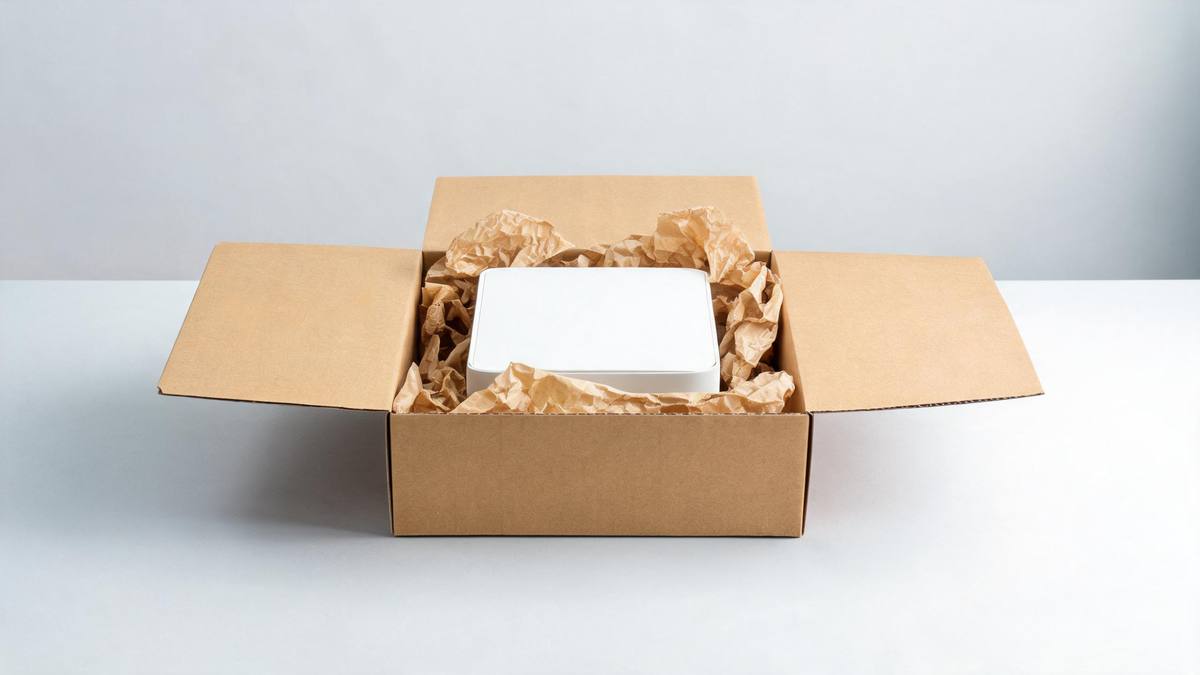
Why the delivery moment carries a launch
Borrowed anticipation, and two ways it breaks.
The reason unboxing footage performs has very little to do with the box. It performs because the viewer has stood where the camera is, felt the same small resistance on the tape, and wanted to see what was inside. That memory is doing the work, and it means a brand can borrow four seconds of genuine attention for a product that has no story, no founder narrative and no campaign behind it yet.
Filming one properly is more trouble than it looks: packaging has to be sourced, a table cleared, a camera rigged overhead, and the lid has to cooperate on the take. Generating the reveal from a single front-facing product photograph removes all of it. At 45 credits for a 5-second 720p clip in any of five shapes, a reveal becomes something you can produce for every SKU rather than for the one product you happened to film.
The two failure modes are unsurprising for a shot that has to invent packaging. Occasionally the styling of the product comes out wrong, so it is presented in a way you would not approve, and sometimes the box opens the wrong way, which reads as a mistake the moment you see it. Neither is fixable in the finished file. Watch the render, run it again, and start from a clean, front-facing photograph with the item fully in frame.
Credits and plans
Every effect draws on one shared credit balance.
Unboxing Moment costs 45 credits per render, above the 30 credits a Free account receives each month, so one run is not possible on Free. Starter is $9 a month for 400 credits, around eight runs of this effect, and Pro at $19 for 1,000 or Studio at $59 for 4,000 suit a catalogue with many SKUs. One balance covers every effect, and the cost appears before you confirm.
Related guides
Longer reads on the same workflow, from the OpenFilmo blog.
AI Product Video for Ecommerce: What Converts
How to make AI product video that converts: shot types ranked by impact, consistency requirements, and the workflow for generating…
AI UGC Video Generator: Creator Ads at Scale
How to use an AI UGC video generator for creator-style ads at scale: hook formulas, script structure, a testing framework and disc…
AI Video Generator for YouTube: Growth Workflow
How to use an AI video generator for YouTube: B-roll, Shorts, intros and thumbnails, a weekly workflow, plus monetisation and disc…
Related effects
Same family of effects, on the same kind of input.
Frequently asked questions
What photograph should I use?
One clear, front-facing product image with the item fully in frame and an uncluttered background. The template presents a single product, so a group shot or a lifestyle image with several objects will not give the result you want. Keep other objects out of the shot, because one product reads most reliably.
Which shapes can I export?
Choose among 9:16, 16:9, 4:3, 3:4 and 1:1. Choose 9:16 for Reels, Stories and Shorts, 16:9 for a listing video, an email header or a page embed, and 1:1 or 4:3 for a feed post or a catalogue tile. The composition is drawn from the ratio, which has to be set first.
What is the output?
A 5-second 720p clip in which the packaging opens and the product is revealed, generated from your single photograph. The box and the movement are produced in the render, with no editing step in between. No compositing follows, and the video is ready the moment it lands.
Does the Free plan cover it?
No. A render costs 45 credits while Free includes 30 credits per month, so one run exceeds the whole allowance. It becomes usable at Starter, $9 a month for 400 credits, or about eight renders. This is not a separate allowance: all effects use one.
What goes wrong sometimes?
Occasionally the product styling comes out wrong, and sometimes the box opens the wrong way. Both are clear once you watch the clip, so check the render before placing it and run the effect again if either appears. The exported file cannot be salvaged, so generate it again.