
Product video effect
Orbital Product Surge: A Train Hits the Track
Repetition is a legitimate way to make a product memorable, and a track full of them says volume better than a single hero shot. This one is vertical only.
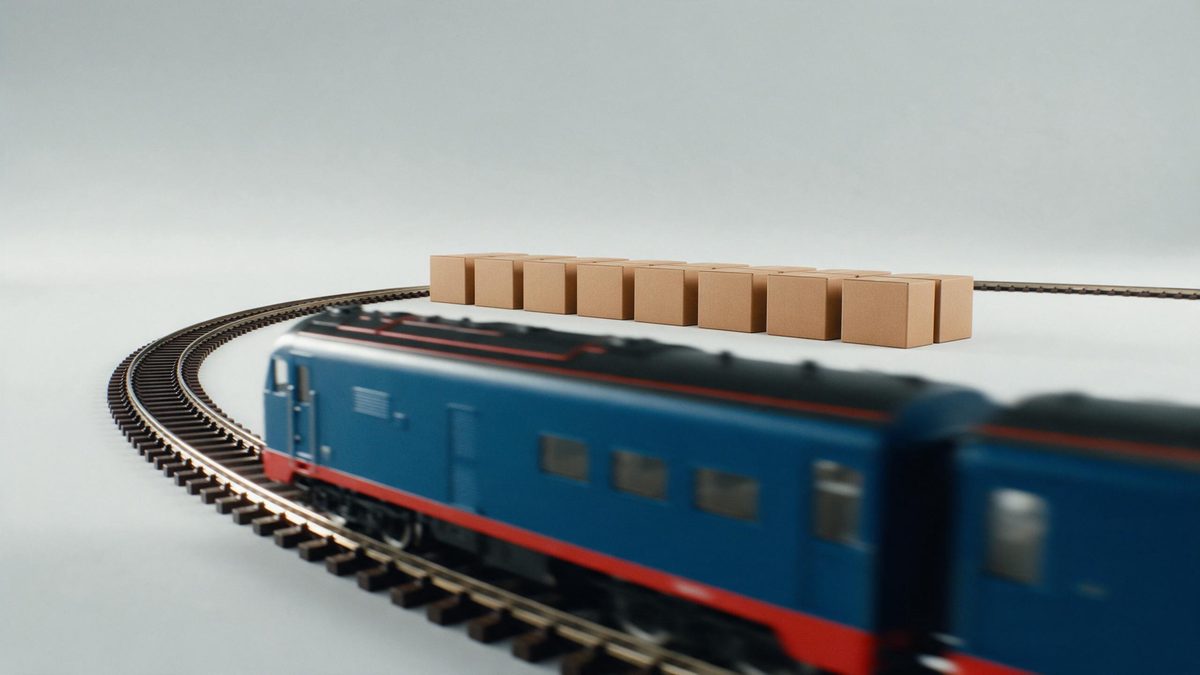
Most product effects show one of something. This one shows many. A track filling with copies of the same item, then being hit by a train, communicates volume and momentum in a way a single object on a plinth never can, and it does it in the shape vertical platforms want. For consumables, refills and anything sold in multiples, that is closer to how the product is actually bought.
The template takes one front-facing product photograph and returns a 5-second 720p clip for 45 credits. Output is 9:16 only, which is a deliberate constraint: this is a vertical effect for Reels, Stories and Shorts, not a landscape one. The multiplication is generated, and that is where the known problems sit: too few items can fill the track, objects can stick to the train, and the train can take the wrong line.
Specs at a glance
Straight from the product panel, not from a marketing deck.
- Output
- 5-second video
- Credits
- 45 per run
- Resolution
- 720p
- Aspect ratio
- 9:16
- Input
- 1 photo — a single product
- Best results with
- A clear, front-facing product photo works best.
- Known limits
- Occasionally too few products fill the track, items stick to the train, or the train takes the wrong line.
What it does
Built for this specific job, not a generic editor.
One object, many copies
The product multiplies along the track, which communicates volume and repeat purchase far more directly than a single hero shot of the same item. Volume and repeat purchase are read faster than any single hero shot says them.
Vertical only, by design
Output is 9:16, made for Reels, Stories and Shorts. That constraint is the point: the composition is built for a phone screen rather than trimmed into one. The composition is built for a phone screen rather than trimmed into one.
One front-facing input
A single clear, front-facing product photograph is all that is required. No repeat photography, no duplicates to arrange and no set to build. One product per render is what the effect reads, so keep the shot isolated.
Momentum in five seconds
The train arrives inside five seconds and the clip resets on platforms that autoplay, so the surge replays without the viewer asking it to. The autoplay restart is what turns five seconds into real watch time.
How it works
Four steps, no timeline to learn.
Use a simple pack shot
Pick one clear, front-facing product photograph with the whole item in frame and a plain background. Simple shapes multiply far more cleanly than complex ones. Simple shapes multiply more reliably than busy packaging ever does.
Open Orbital Product Surge
Bring the template up in OpenFilmo and attach the pack shot. The track, the copies and the train are generated in the render. One image is the whole brief, so there are no duplicates to arrange.
Confirm the vertical frame
Output is 9:16, which suits Reels, Stories and Shorts directly. Plan the caption and any overlay for a tall frame rather than a wide one. Fix the ratio at the start, as the whole composition depends on it.
Watch the track
Run the render for 45 credits and check how many copies appear. If too few fill the track, items stick to the train, or it takes the wrong line, run it again.
Where people use it
The jobs this effect actually gets used for.
Consumables and refills
Products bought repeatedly are better shown in quantity. A track of them communicates the pattern of purchase that a single pack shot cannot. Consumables are bought as a pattern, and a pattern is what this shows.
Multi-buy promotions
A promotion built on volume needs footage with volume in it. Use the surge as the opener on a bundle offer across vertical placements. Volume in the frame is what a multi-buy offer needs to communicate.
Reels and Shorts openers
A 9:16 clip with movement and repetition arrives ready for vertical feeds, where a landscape export would need cropping and lose its composition. A vertical export arrives ready, with nothing cropped off the sides.
Restock announcements
A track filling up says the shelves are full again. That reads as news in five seconds without a single line of copy. Quantity is visible in the frame before any copy is read.
Why quantity is the message some products need
Repetition, and the three ways the track slips.
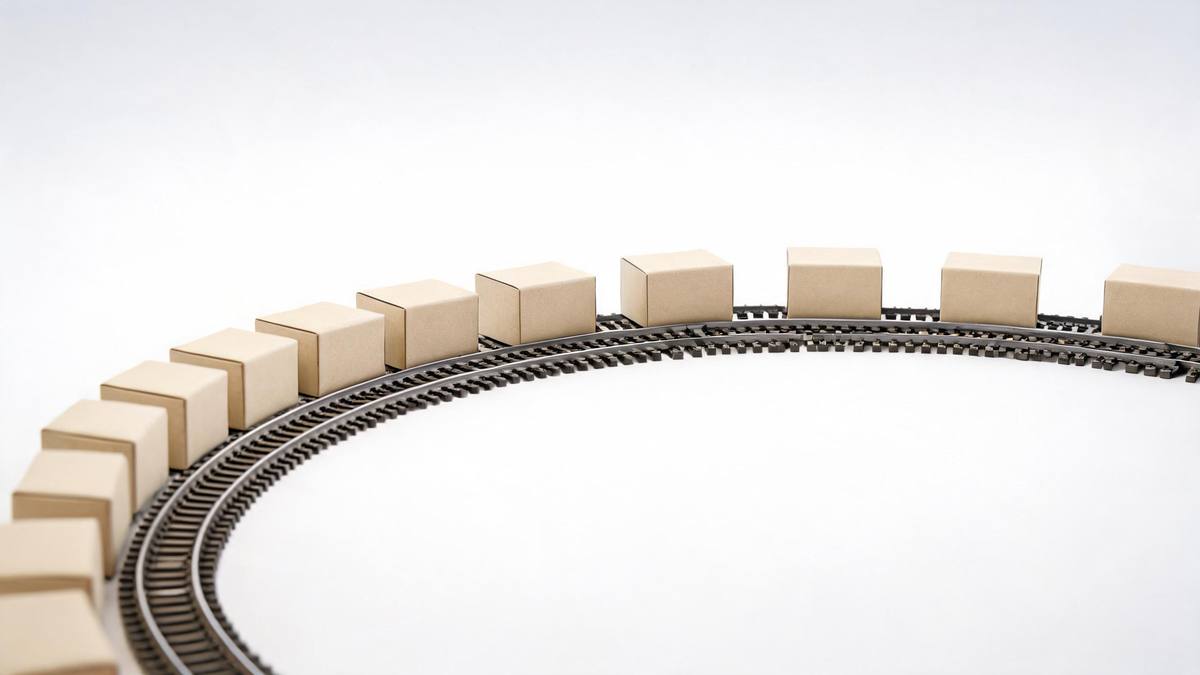
Single-object heroism suits durable goods: one bag, one watch, one speaker. It suits consumables much less well, because consumables are bought as a pattern rather than as an event. Showing twenty of something reframes it from a purchase into a supply, and that framing is what subscription and refill brands are actually selling. Repetition in the frame is a cheap way to make that visible in five seconds. Repetition in the frame is a cheap way to make that visible.
The vertical-only constraint is not a limitation to work around but a decision already made for you. This is a clip for Reels, Stories and Shorts, where a phone fills the screen and a landscape file has to be cropped, usually badly. Rendering 9:16 from the start means the track is composed for a tall frame, with the copies placed where they will be visible on a phone rather than trimmed off the sides afterwards.
Multiplication is genuinely difficult, and the failure modes reflect that. Occasionally too few products fill the track, so the shot looks sparse instead of abundant, items stick to the train rather than sitting on the track, or the train takes the wrong line entirely. All three are visible in the finished clip. Watch it, run again, and start from a simple front-facing pack shot on a plain background, which multiplies more reliably than a complex shape.
Credits and plans
Every effect draws on one shared credit balance.
Orbital Product Surge costs 45 credits per render, above the 30 credits a Free account receives each month, so one run is not possible on Free. Starter is $9 a month for 400 credits, around eight runs of this effect, and Pro at $19 for 1,000 or Studio at $59 for 4,000 suit a team producing vertical creative weekly. Every effect shares one balance and the cost is shown before confirming.
Related guides
Longer reads on the same workflow, from the OpenFilmo blog.
AI Product Video for Ecommerce: What Converts
How to make AI product video that converts: shot types ranked by impact, consistency requirements, and the workflow for generating…
AI UGC Video Generator: Creator Ads at Scale
How to use an AI UGC video generator for creator-style ads at scale: hook formulas, script structure, a testing framework and disc…
Runway Ads: Autonomous Ad Generation, and What to Verify
Runway Ads claims 1,000% more ad volume at 2x ROAS. What autonomous ad generation does, which claims to trust, and how to test it …
Related effects
Same family of effects, on the same kind of input.
Frequently asked questions
Why is the output vertical only?
The effect renders at 9:16, which is the native shape for Reels, Stories and Shorts. The composition is built for a tall phone screen rather than cropped from a landscape file, so it fills the screen as intended without losing the sides.
What photo should I upload?
One clear, front-facing product photograph with the item fully in frame on a plain background. Simple shapes multiply more reliably than complex ones, so avoid busy packaging and objects that overlap in the source shot. Your ratio determines the composition, so settle it beforehand.
What is the finished output?
A 5-second 9:16 clip at 720p, with copies of your product along a track and a train moving through them, generated from one photograph. Nothing needs assembling afterwards. Photograph a lone product, square to the lens, entirely within the frame. The file downloads ready to place.
Can a Free account manage even one render?
No. The effect costs 45 credits and the Free plan includes 30 credits per month, so a single render exceeds the allowance. Starter, $9 monthly with 400 credits, works out at about eight renders. Other effects you render draw on the identical balance.
What goes wrong sometimes?
Occasionally too few products fill the track, items stick to the train, or the train takes the wrong line. Each is visible once you watch the clip, so check the render and run the effect again if any of them appear.