
Product video effect
3D Billboard Screen: Depth Without the Glasses
An object that breaks the plane of a screen is still one of the few images people stop on. Upload one pack shot and the screen and the depth are generated.
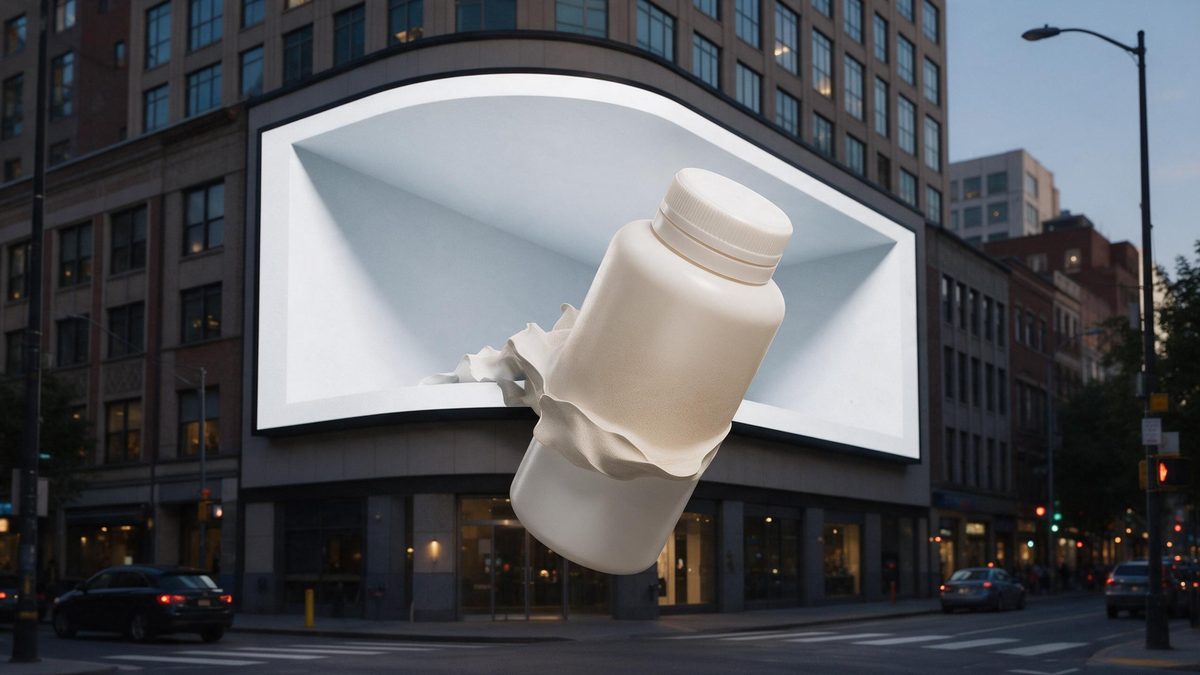
Anamorphic billboards work because they break a rule the viewer did not know they were relying on: things on a screen stay on the screen. When an object steps out of the frame, the eye registers it before the brain explains it, and that half second of confusion is exactly what stops a scroll. It is a small number of shots that do this reliably, and it is the one effect here that works as well on a phone as it does on a building.
This template takes one front-facing product photograph and produces the screen, the depth and the surroundings in five seconds. Output is 720p for 45 credits, in either 9:16 or 16:9, so the same idea fits a vertical placement or a landscape header. The depth is generated, which means occasionally the whole object steps out of the screen, or the screen is missing and only a transparent product remains.
Specs at a glance
Straight from the product panel, not from a marketing deck.
- Output
- 5-second video
- Credits
- 45 per run
- Resolution
- 720p
- Aspect ratio
- 9:16 or 16:9
- Input
- 1 photo — a single product
- Best results with
- A clear, front-facing product photo works best.
- Known limits
- Occasionally the whole object steps out of the screen, or the screen is missing and only the transparent product remains.
What it does
Built for this specific job, not a generic editor.
Depth that breaks the frame
The product appears to come forward out of the screen, which is the cue that makes viewers stop. Flat footage on a screen does not produce that reaction. Flat footage on a screen never produces that reaction.
Two shapes to pick from
Export 9:16 for Reels, Stories and Shorts, or 16:9 for a listing video, an email header or a page embed. Choose before the render runs. Vertical for Reels, or wide for a listing video and a page header.
One pack shot in
The input is nothing more than one clear, front-facing product shot. No 3D model, no render farm and no animation step between upload and download. Isolate the item, because only one object is carried into the render.
Five seconds, loop ready
The effect resolves inside five seconds and restarts on platforms that autoplay, so the moment plays again without the viewer asking it to. Automatic replay is what converts a short clip into watch time. Watching it play twice is usually what makes the effect register.
How it works
Four steps, no timeline to learn.
Pick a clean pack shot
Choose one clear, front-facing product photograph with the item fully in frame and the background plain. The object is what comes out of the screen, so keep it isolated. Even light helps, because the depth has to survive a small screen.
Open 3D Billboard Screen
Head to the OpenFilmo template and give it the photograph you picked. The screen, the depth and the surroundings are generated in the render. One image is the whole brief, so there is no 3D model to build.
Choose vertical or landscape
Select 9:16 for Reels, Stories and Shorts, or 16:9 for a listing video, an email header or a landing page. Decide based on where the clip will sit. The ratio governs the composition, so settle it before starting.
Check the screen
Run the render for 45 credits and look at the screen itself. If the whole object steps out, or the screen is missing and only a transparent product remains, run it again.
Where people use it
The jobs this effect actually gets used for.
Vertical launch posts
A 9:16 render gives a Reel an opening image that breaks a visual rule, which is what the first second has to do on a vertical platform. It buys the half second of confusion that keeps a thumb from moving on.
Landing page headers
A 16:9 clip at the top of a page holds a visitor long enough for the copy underneath to be read, without loading a heavy file. The illusion survives compression, which not every visual trick does.
Event and window screens
Export 16:9 and run it on a loop at a booth or in a window. The depth effect works at any size, which a flat animation does not. A screen can run it all day without anyone attending to it.
Tech and gadget creative
Products sold on novelty suit a shot that is itself novel. One clip signals the register of the brand in five seconds. Novelty in the opening image is the register these products trade on.
Why breaking the plane of the screen works
A violated expectation, and two ways it fails.
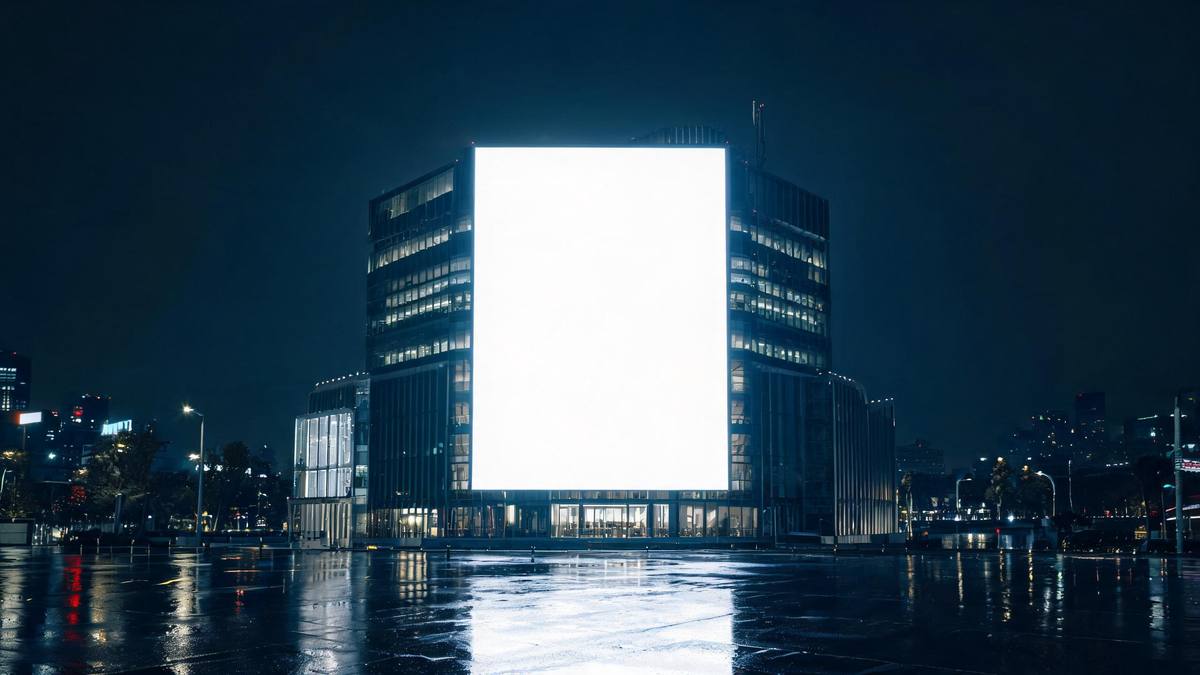
The effect relies on a rule nobody articulates: whatever is on a display stays behind its surface. Break that and the viewer has a fraction of a second where the image does not resolve, and in that fraction they are still watching. It is the same mechanism that makes a street installation worth filming, and unlike most visual tricks it survives compression and a small screen, which is why it keeps reappearing in short-form creative.
Producing one properly is out of reach for almost every brand. Real anamorphic work needs a bespoke animation, calibrated to the exact geometry of one screen, rendered for that installation alone. Generating the impression from a single pack photograph, at 45 credits for a 5-second 720p clip in 9:16 or 16:9, puts the idea within reach of a brand with no production budget and no screen to calibrate to. Producing one properly needs bespoke animation calibrated to one screen.
Because the depth is generated rather than calculated, it has two characteristic failures. Occasionally the whole object steps out of the screen, so there is no surface left for it to be emerging from, and sometimes the screen is missing entirely, leaving a transparent product floating with nothing behind it. Each shows up clearly once you watch the result. Watch it, run again, and use a clean front-facing pack shot on a plain background.
Credits and plans
Every effect draws on one shared credit balance.
3D Billboard Screen costs 45 credits per render, more than the 30 credits a Free account receives per month, so it cannot be run on Free. Starter is $9 a month for 400 credits, around eight runs of this effect, and Pro at $19 for 1,000 or Studio at $59 for 4,000 suit a team producing creative across several placements. The single balance funds all effects, and the price is shown before you commit.
Related guides
Longer reads on the same workflow, from the OpenFilmo blog.
AI Product Video for Ecommerce: What Converts
How to make AI product video that converts: shot types ranked by impact, consistency requirements, and the workflow for generating…
AI UGC Video Generator: Creator Ads at Scale
How to use an AI UGC video generator for creator-style ads at scale: hook formulas, script structure, a testing framework and disc…
AI Video Generator for YouTube: Growth Workflow
How to use an AI video generator for YouTube: B-roll, Shorts, intros and thumbnails, a weekly workflow, plus monetisation and disc…
Related effects
Same family of effects, on the same kind of input.
Frequently asked questions
What photo works best here?
A lone product, photographed head-on, complete in frame against a plain backdrop. The product is what appears to come out of the screen, so an isolated, evenly lit pack shot transfers more reliably than a busy lifestyle image. Keep the background plain as well.
Which aspect ratios are offered?
9:16 and 16:9. Use 9:16 for Reels, Stories and Shorts, where vertical fills a phone screen, and 16:9 for a listing video, an email header, a landing page or an embedded player. Decide the ratio beforehand, because the framing is generated from it.
What is produced?
A 5-second 720p clip showing your product on a large screen with generated depth, from a single photograph. The screen and the surroundings come out of the same render, so nothing needs compositing afterwards. Everything arrives in one file, with no editing stage after it.
Can a Free account pay for one run?
No. Forty-five credits a render against Free's thirty a month leaves one run short. The first plan that works is Starter at $9, with 400 credits and roughly eight renders. Effects across the site all spend from one pooled balance.
What goes wrong sometimes?
Occasionally the whole object steps out of the screen, and sometimes the screen is missing and only the transparent product remains. Both are visible in the finished clip, so watch it and run the effect again if either appears. Neither can be repaired once the file exists.