
Product video effect
Everything in the Bag: A Vertical Drop for Your Range
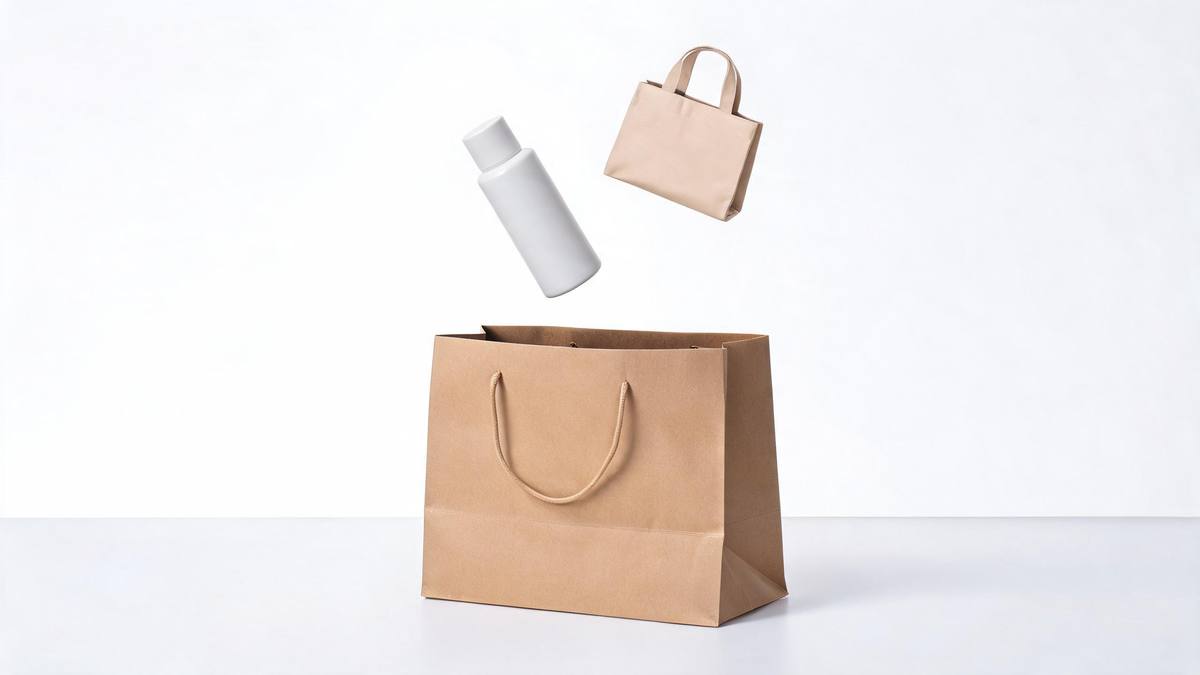
Putting things into a bag is the oldest shorthand for a shopping trip. Upload between one and five product photographs and the drop is generated at 9:16.

The bag is the cleanest summary of a shopping trip that exists. It says multiple items, one decision, one transaction, and it does all of that without a word. For a multi-product brand, that is the argument: not that any single item is remarkable, but that the set is worth taking home together, which is a different pitch and a harder one to make with a pack shot of one product on white.
This template accepts between one and five clear product photographs and drops them into a bag in a single pass. Output is a 5-second 720p clip for 45 credits at 9:16, made for Reels, Stories and Shorts. Because several inputs are involved, two things can happen: occasionally an item misses the bag, and products that were not uploaded can appear in the finished clip.
Specs at a glance
Straight from the product panel, not from a marketing deck.
- Output
- 5-second video
- Credits
- 45 per run
- Resolution
- 720p
- Aspect ratio
- 9:16
- Input
- 1 to 5 photos — one or more products
- Best results with
- One to five clear product photos
- Known limits
- Occasionally an item misses the bag, and products that were not uploaded can appear.
What it does
Built for this specific job, not a generic editor.
Up to five items at once
Upload between one and five separate pack shots and all of them go into the bag. That makes it the natural choice for a bundle, a set or a haul. One render covers the whole set, however many items you include.
Vertical, 9:16
Output is 9:16, composed for a phone screen rather than cropped from a landscape render. It suits Reels, Stories and Shorts directly. Individual pack shots are what the effect reads, one item at a time.
One photograph per product
Give each item its own clear image rather than one group shot. Individual pack shots are what the effect reads, and they are what keep the right objects in play. Decide before the render, because the composition follows the shape you pick.
A drop that completes
The items land inside five seconds and the clip resets on platforms that autoplay, so the drop replays without the viewer deciding to rewatch. Every unprompted replay adds to the time spent on the clip.
How it works
Four steps, no timeline to learn.
Collect up to five shots
Gather one clear photograph per product, up to five, each front-on in even light on a plain background. Keep to a single item per image rather than a group shot.
Open Everything in the Bag
Go to the template in the OpenFilmo effect library and add your images. The bag, the movement and the setting are generated, so nothing else is needed. One clear photograph per product is the input, so nothing else is staged.
Plan for a tall frame
Output is 9:16. Write the caption and place any overlay for a vertical frame, since the composition is built for a phone screen. Choose in advance, because the render composes to that shape.
Check what landed
Run the render for 45 credits and confirm each item made it in. If one misses the bag, or a product you never uploaded appears, reduce the inputs and run again.
Where people use it
The jobs this effect actually gets used for.
Haul and bundle posts
A multi-item order reads best as a haul. One clip carries the whole set, which a single-product effect fundamentally cannot do. One clip carries the whole set, which a single-product effect cannot.
Subscription box reveals
Show what arrives each month without unpacking on camera. Upload the individual products and let the render drop them in together. The contents are shown without anybody unpacking a parcel on camera.
Range and collection launches
Launching several shades, flavours or sizes at once? A single 9:16 clip introduces the whole collection in five seconds. Several shades or sizes are introduced together, in five seconds. The launch is covered in one pass rather than one product at a time.
Promotional vertical creative
A multi-buy offer needs footage with volume in it. The drop says more than one item without spelling out the promotion in copy. Volume in the frame says more than one item without spelling out the offer.
Why the set is the harder thing to advertise
Multiplicity, and what the render invents.
Single-product creative is straightforward because there is one object and one message. Multi-product creative is what most sellers actually need, because bundles, sets and subscriptions carry the margin, and it is much harder: five items on a table read as clutter, and filming five items going into a bag needs a take where all five cooperate. The bag shot solves the presentation problem, which is the part that normally eats the time.
Accepting up to five separate photographs moves the work to the input, where it is cheap. Each item arrives as its own clean pack shot and the render decides how they fall, which is the bit that would take an afternoon to stage. At 45 credits for a 5-second 9:16 clip at 720p, a haul video becomes something a brand can produce for every bundle rather than for the one that happened to get filmed.
Two cautions come with multiple inputs. Occasionally an item misses the bag, so the set arrives incomplete, and products that were not uploaded can appear in the finished clip, which is a problem if the wrong object ends up associated with your brand. Both are visible. Use plain, uncluttered pack shots, check the render item by item, and if an object keeps going astray, upload fewer photographs and run it again.
Credits and plans
Every effect draws on one shared credit balance.
Everything in the Bag costs 45 credits per render, whether you upload one product or five, which is more than the 30 credits a Free account receives per month. Starter is $9 a month for 400 credits, around eight runs, and Pro at $19 for 1,000 or Studio at $59 for 4,000 suit a brand with many bundles to cover. The whole library spends from one balance, priced before you commit.
Related guides
Longer reads on the same workflow, from the OpenFilmo blog.
AI Product Video for Ecommerce: What Converts
How to make AI product video that converts: shot types ranked by impact, consistency requirements, and the workflow for generating…
AI UGC Video Generator: Creator Ads at Scale
How to use an AI UGC video generator for creator-style ads at scale: hook formulas, script structure, a testing framework and disc…
AI Video Cost Per Minute: The Real Numbers in 2026
How to calculate true AI video cost per finished minute: generation price, regeneration waste, edit time and iteration, with worke…
Related effects
Same family of effects, on the same kind of input.
Frequently asked questions
How many products can go in?
Between one and five, supplied as separate photographs rather than a single group image. One clear, front-facing shot per product works best, and each item needs its own file for the render to read it properly. Give every item a separate image, or the render will not read it cleanly.
Why is the output vertical?
Output comes out at 9:16, the shape Reels, Stories and Shorts are built for. The composition is built for a tall phone screen rather than cropped from a landscape file afterwards. Choose before running, as the composition is built around the shape.
What does one render give me?
A 5-second 9:16 clip at 720p in which your products drop into a bag, generated from the photographs you uploaded. The bag and the movement come out of the same render, so there is no editing step in between. Nothing needs assembling afterwards.
Does Free allow a single run?
No. A render costs 45 credits and the Free plan includes 30 credits per month, so a single run exceeds the whole allowance. Starter's 400 credits for $9 monthly translates to about eight renders. Your monthly credits cover this effect and the rest alike.
What is worth looking at before I use the clip?
Whether every item you uploaded actually landed in the bag, and whether anything you did not upload appeared. Occasionally an item misses, and products that were not supplied can show up, so watch the clip and rerun with fewer inputs if needed.