
Product video effect
Product Into Hand: The Item Arrives in Frame
A hand receiving a product is the shortest distance between a pack shot and a reason to want it. Upload one photograph and the catch is generated around it.
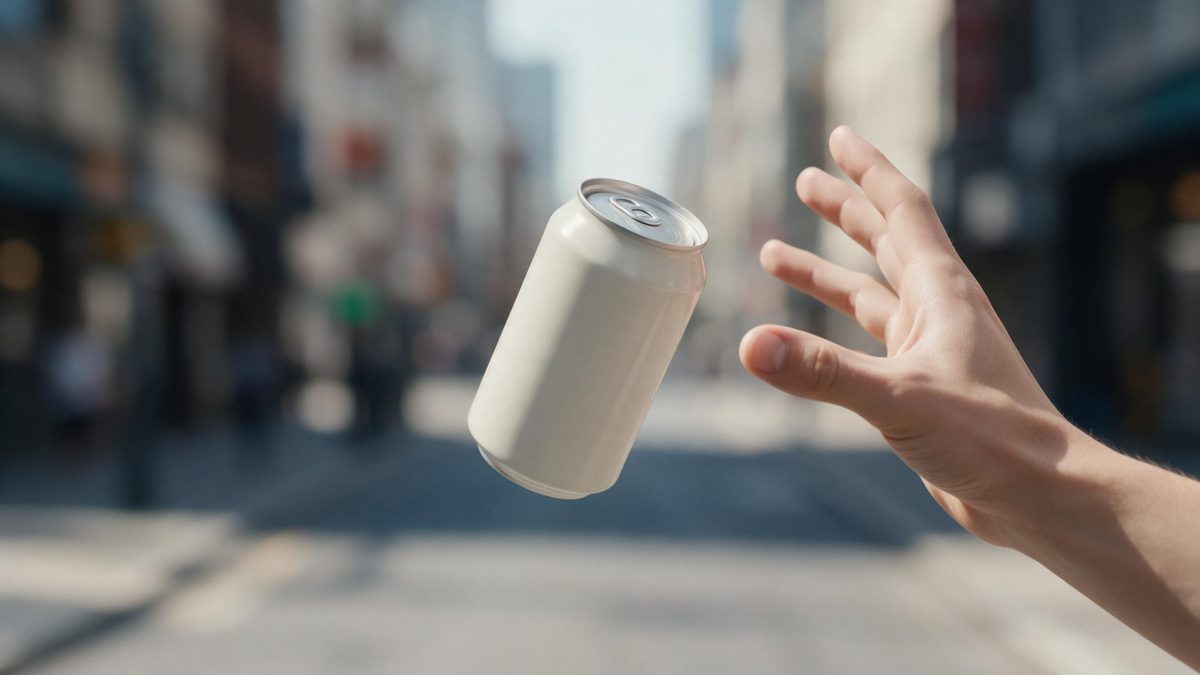
The most reliable way to make a product desirable is to show somebody receiving it. A hand in frame gives the object a scale, a recipient and a moment, and it does all of that without a word of copy. That is why so much product creative is built around the handover, and why a pack shot, however well lit, tends to leave the viewer unmoved by comparison.
This template takes one front-facing product photograph and produces the catch in five seconds. Output is 9:16 at 720p for 45 credits, made for Reels, Stories and Shorts. The hand and the movement are generated rather than filmed, which means two things to check: very occasionally the product flies in from the wrong direction, and it can warp while it is in flight.
Specs at a glance
Straight from the product panel, not from a marketing deck.
- Output
- 5-second video
- Credits
- 45 per run
- Resolution
- 720p
- Aspect ratio
- 9:16
- Input
- 1 photo — a single product
- Best results with
- A clear, front-facing product photo works best.
- Known limits
- Very occasionally the product flies in from the wrong direction, and it can warp mid-flight.
What it does
Built for this specific job, not a generic editor.
A handover in five seconds
The product travels into a waiting hand, which gives it a recipient, a scale and a moment. A pack shot has none of those three. Scale, recipient and a moment, all three in one shot.
Vertical, native
Output is 9:16, composed for a phone screen rather than cropped from a landscape file. That suits Reels, Stories and Shorts directly, with nothing trimmed off the sides. It is framed for a tall screen from the outset, not cut down to fit.
One photograph is enough
A single clear, front-facing product image is the whole input. No hand model to book, no second reference and no studio time to arrange. Only one object is read per render, so photograph yours on its own.
Arrival, then loop
The catch completes inside five seconds and the clip restarts on platforms that autoplay, so the handover plays again without the viewer choosing to rewatch. Seconds accumulate each time the platform starts the clip again.
How it works
Four steps, no timeline to learn.
Select one product shot
Choose a clear, front-facing photograph with the item fully in frame and the background plain. One object per render is what the effect works from. Keep the background plain, since the hand and setting are generated.
Open Product Into Hand
Choose this effect in the OpenFilmo catalogue and drop in the photograph. The hand, the movement and the setting are generated, so nothing else needs preparing. One image is the whole brief, so no hand model needs booking.
Plan for a tall frame
Output is 9:16. Write your caption and place any overlay for a vertical frame, since the composition is built for a phone screen rather than a wide one. Choose before you start, since the render builds the frame to that shape.
Watch the flight
Run the render for 45 credits and follow the product through the air. If it comes in from the wrong direction or warps mid-flight, run the effect again. Check the direction of travel and rerun if it comes in wrong.
Where people use it
The jobs this effect actually gets used for.
Vertical ad creative
A 9:16 clip with a handover gives a Reel a human element in the opening second, which is what the first second of a vertical ad needs. The product arrives already wanted rather than merely displayed.
Small products that read small
Items that look lost on a white background gain scale the moment a hand holds them. That is often the only fix needed. Fingers give a size the viewer can check against their own hand.
Gifting and occasion posts
A hand receiving something is the shape of a gift. Use the clip across a gifting campaign without arranging a shoot for each product. An exchange between two parties is the shape of a gift.
Launch and restock frames
Arrival reads as availability. One five-second catch clip announces a restock without a line of explanatory copy underneath it. Arrival reads as availability without a line of explanatory copy. It also gives a launch post a frame the stills cannot supply.

Why a hand in frame changes the object
Scale, recipient, and the flight itself.
A pack shot leaves three questions unanswered: how big is it, who is it for, and what happens next. A hand in the frame answers all three instantly. Fingers give the object a size the viewer can check against their own, a recipient implies the object is wanted, and the catch supplies a moment with a before and an after. None of that is available from a product photographed on a sweep, no matter how carefully it was lit.
Booking a hand model is the reason most brands do not have this shot. It is a genuine specialism, it costs a day rate, and it needs a brief and a reshoot if the framing is wrong. Generating the handover from a single pack shot removes the booking entirely. At 45 credits for a 5-second 9:16 clip at 720p, the shot becomes available to a one-person brand, and cheap enough to try before deciding whether it belongs in the campaign.
The movement is the fragile part. Very occasionally the product flies in from the wrong direction, which breaks the handover because the hand is waiting somewhere else, and it can warp while it is in the air, which reads as a defect rather than as motion. Both are visible. Watch the finished clip before you place it, run again if either appears, and use a clean front-facing photograph with the item fully in frame.
Credits and plans
Every effect draws on one shared credit balance.
Product Into Hand costs 45 credits per render, more than the 30 credits a Free account receives per month, so it cannot be run on Free. Starter is $9 a month for 400 credits, roughly eight runs of this effect, and Pro at $19 for 1,000 or Studio at $59 for 4,000 suit a brand producing vertical creative regularly. Every effect uses the one balance, with the price displayed before confirming.
Related guides
Longer reads on the same workflow, from the OpenFilmo blog.
AI Product Video for Ecommerce: What Converts
How to make AI product video that converts: shot types ranked by impact, consistency requirements, and the workflow for generating…
AI UGC Video Generator: Creator Ads at Scale
How to use an AI UGC video generator for creator-style ads at scale: hook formulas, script structure, a testing framework and disc…
AI Video Cost Per Minute: The Real Numbers in 2026
How to calculate true AI video cost per finished minute: generation price, regeneration waste, edit time and iteration, with worke…
Related effects
Same family of effects, on the same kind of input.
Frequently asked questions
What should I upload?
One clear, front-facing product photograph with the item fully in frame and an uncluttered background. The effect works from a single object, so keep other products and props out of the source image. Frame a single item head-on, with none of it cropped away.
Which aspect ratio does it produce?
9:16 only. That is the native shape for Reels, Stories and Shorts, and the composition is built for a tall phone screen rather than cropped from a landscape render afterwards. Choose first: the render composes the frame to whatever shape you set.
What is the finished file?
A 5-second clip at 720p in which the product flies into a waiting hand, generated from your single photograph. The hand, the movement and the setting all come out of the same render. What downloads is the finished clip, with no assembly required.
Can Free accounts run this?
No. A run is 45 credits against Free's 30 a month, which means one is over the limit. Starter costs $9 monthly and carries 400 credits, some eight renders. The credit pool is common to all effects, not just this one.
What goes wrong sometimes?
Very occasionally the product flies in from the wrong direction, and it can warp mid-flight. Both are visible in the finished clip, so watch the render through before placing it and run the effect again if either appears. Neither can be repaired once the file has been produced.