
Product video effect
Golden Drink Moment: Warm Light on the Pour
Light does most of the work in a drinks shot. Upload one complete bottle or can and the pour arrives in warm, low light rather than studio white.
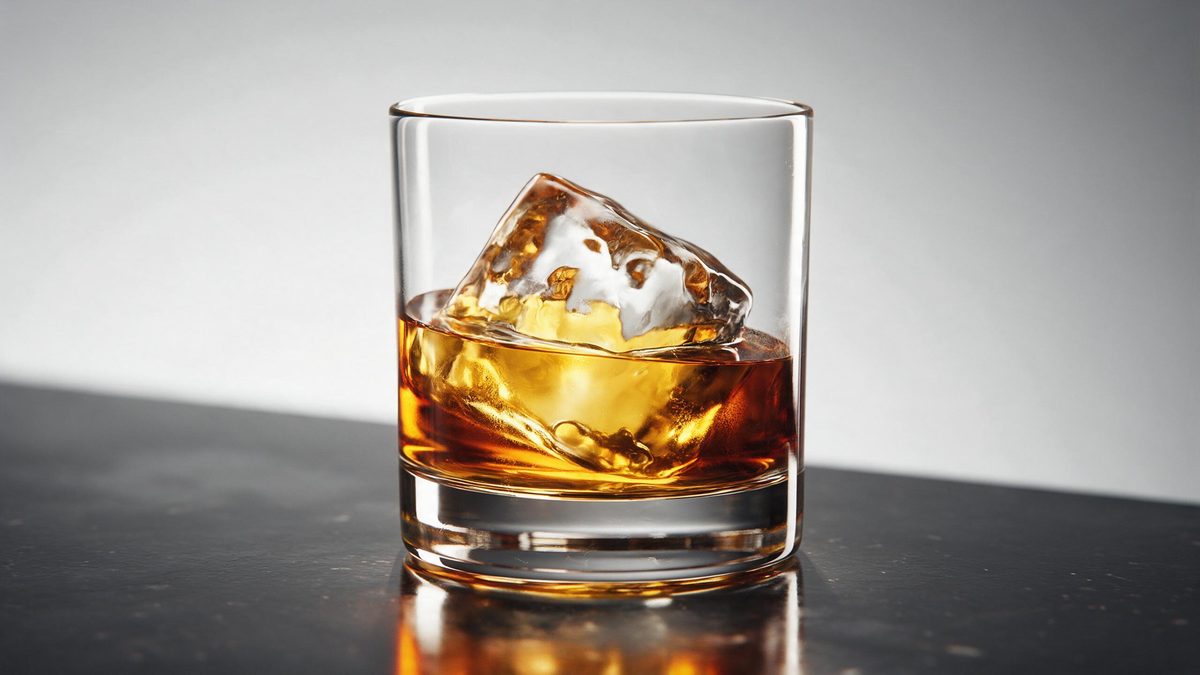
The difference between a drinks photograph and a drinks commercial is almost entirely light. Studio white tells you what the label says; warm, low light tells you when you are supposed to drink it. That is the register this template works in, and it is the reason the same bottle can look like inventory in one frame and like an occasion in another without a single change to the product.
The input is one complete bottle or can, and the output is a 5-second 720p clip for 45 credits in 9:16, 16:9, 4:3, 3:4 or 1:1. As with the other drinks effects, the pour is generated, which means two things to check in the finished file: occasionally the pour misses, and the label artwork can drift from the original packaging.
Specs at a glance
Straight from the product panel, not from a marketing deck.
- Output
- 5-second video
- Credits
- 45 per run
- Resolution
- 720p
- Aspect ratio
- Your choice of 9:16, 16:9, 4:3, 3:4 or 1:1
- Input
- 1 photo — a single product
- Best results with
- One complete bottle or can
- Known limits
- Occasionally the pour misses, and the label artwork can drift from the original.
What it does
Built for this specific job, not a generic editor.
Warm light, not studio white
The shot is lit low and warm, which places the drink in an occasion rather than in a catalogue. That shift is what turns packaging footage into brand footage. Occasion is the question warm light answers and studio white leaves open.
Built for one container
The template expects a complete bottle or can in the source photograph. Shoot the whole container from cap to base rather than a cropped section of the label. Shooting the container whole is what gives the pour somewhere to begin.
Five shapes at export
Settle on 9:16, 16:9, 4:3, 3:4 or 1:1 while you are setting up. Vertical for Reels, Stories and Shorts, or a wider frame for a listing video, an email or an embed. Settle the ratio before anything runs, as the frame follows it.
A pour that completes
The movement finishes inside five seconds and the clip resets on platforms that autoplay, so the moment replays without the viewer choosing to watch again. Each automatic replay adds to the total time watched. Repeat plays need no prompting from the viewer.
How it works
Four steps, no timeline to learn.
Photograph the container whole
Use one image with the full bottle or can in frame, cap included, in even light on a plain background. A cropped label leaves the pour with nothing to work from.
Open Golden Drink Moment
Go to the template in the OpenFilmo effect library and upload that single photograph. The pour, the light and the setting are all generated in the render. One file is all that is asked for, so there is no preparation to do.
Choose the frame
Pick 9:16 for vertical placements, 16:9 for a listing video, an email header or a page embed, or 4:3, 3:4 or 1:1 for a feed post or catalogue tile. The ratio has to be settled up front, since the shot follows it.
Inspect the label
Run the render for 45 credits and check both the pour and the packaging. If the pour misses or the label artwork has drifted, run the effect again before publishing.
Where people use it
The jobs this effect actually gets used for.
Occasion-led campaigns
Drinks sold on when they are drunk rather than what they contain need warm light. This gives that register without an evening shoot or a lighting crew. No evening shoot, no location and no narrow window that closes daily.
Vertical social creative
A 9:16 render fills a phone screen with movement and warmth, which is the combination that holds the first second of a Reel or a Story. A vertical ad needs warmth and motion inside its first second.
On-trade listings
A 16:9 clip gives a bar, a restaurant or a wholesale buyer something that reads as a brand rather than as a supplier photograph. It reads as a brand rather than as a supplier photograph.
Seasonal and festive posts
Warm light suits a festive or evening register. Use one clip as the recurring frame across a short seasonal run without re-shooting each time. One render can carry a seasonal run without re-shooting anything.

Why the light matters more than the label
Register, and the two things to check.
Buyers of drinks are rarely choosing between specifications; they are choosing an occasion, and occasions are communicated by light, time of day and company. Studio lighting is honest and completely neutral on that question. Warm, low light answers it in a fraction of a second, which is why hospitality brands spend so much on the hour before sunset and so little on product photography taken under a soft box. Hospitality brands spend on that hour for exactly this reason.
For a small producer, that shoot is the obstacle. Evening light means a location, a crew, and a narrow window that closes every day, and the result is fifteen usable seconds if everything goes right. Generating the same register from one container photograph, at 45 credits and 720p in any of five shapes, means the idea can be tried at all, and discarded quietly if the audience does not respond to it.
Two things go wrong and both are visible. Occasionally the pour misses, so the liquid does not land where the shot expects it to, and the label artwork can drift from the original packaging, which matters if the label carries compliance text or a logo that has to be accurate. Watch both in the finished clip, and run again. A clean, complete container photographed straight on gives the render the most to work with.
Credits and plans
Every effect draws on one shared credit balance.
Golden Drink Moment costs 45 credits per render, more than the 30 credits a Free account receives in a month, so one run is not possible on Free. Starter is $9 a month for 400 credits, around eight runs of this effect, while Pro at $19 for 1,000 and Studio at $59 for 4,000 suit a fuller campaign. All effects draw on one balance and the cost appears before you confirm.
Related guides
Longer reads on the same workflow, from the OpenFilmo blog.
AI Product Video for Ecommerce: What Converts
How to make AI product video that converts: shot types ranked by impact, consistency requirements, and the workflow for generating…
Runway Ads: Autonomous Ad Generation, and What to Verify
Runway Ads claims 1,000% more ad volume at 2x ROAS. What autonomous ad generation does, which claims to trust, and how to test it …
AI Video Cost Per Minute: The Real Numbers in 2026
How to calculate true AI video cost per finished minute: generation price, regeneration waste, edit time and iteration, with worke…
Related effects
Same family of effects, on the same kind of input.
Frequently asked questions
What should the source photo show?
One complete bottle or can, cap to base, photographed in even light on a plain background. The template is tuned for a single whole container, so avoid cropped labels, partial bottles or a group of several products. Photograph the full container, cap included, against a plain background.
Which shapes can I export?
Available as 9:16, 16:9, 4:3, 3:4 and 1:1. Use 9:16 for Reels, Stories and Shorts, 16:9 for a listing video, an email header or a page embed, and 1:1 or 4:3 for a feed post or a catalogue tile. Choose the shape up front, as the shot is composed to match.
What does a render actually deliver?
A 5-second 720p clip of the drink pouring in warm light, generated from your single photograph. The pour, the lighting and the setting are all produced in the render, with no editing step afterwards. There is no post step: the clip lands ready to use.
Is it available on Free?
No. A render costs 45 credits and the Free plan includes 30 credits per month, so a single run exceeds the allowance. The cheapest usable plan is Starter: $9 monthly, 400 credits, about eight runs. The balance behind this render is the one every effect uses.
What goes wrong sometimes?
Occasionally the pour misses, and the label artwork can drift from the original packaging. Both are visible in the finished clip, so watch the render through before you place it and run the effect again if either appears. There is no fix available in the exported file, so rerun instead.