
AI Images for Product Listings: Consistent Catalog Shots Without a Reshoot
Most catalogues look inconsistent because they were shot across five years and three photographers. Fix it in post, per image, without booking a studio.
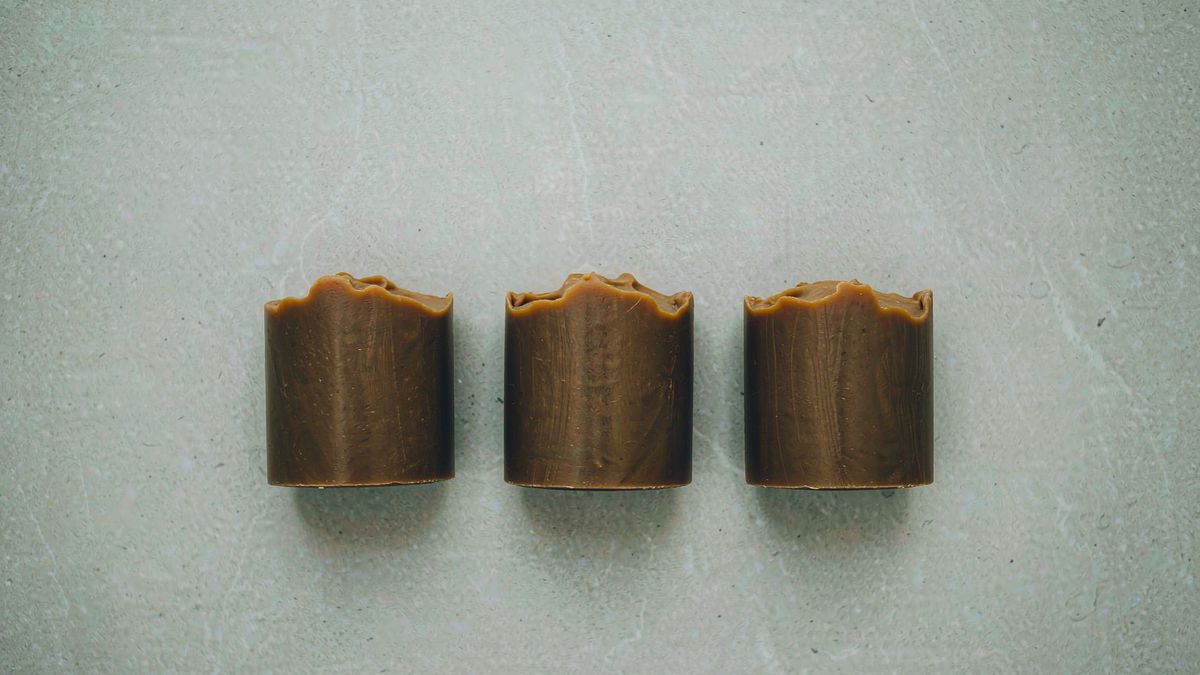
A catalogue rarely looks inconsistent because any single photograph is bad. It looks inconsistent because the images were made at different times, under different light, against different backgrounds — and the only traditional fix is to reshoot the whole range.
OpenFilmo fixes it image by image. Remove the background and put every product on one consistent surface, correct lighting differences, generate a setting for a product you have only packshots of, and upscale the result. Two credits per image, done in the same workspace as your video work.
What it does
Built for this specific job, not a generic generator.
Background removal and replacement
Drop the original backdrop and place the product on a consistent one across the range.
Generated settings and scenes
Put a packshot into a plausible context without staging a shoot.
Consistency across a range
Apply the same treatment to every SKU so the catalogue reads as one shoot.
Upscaling for zoom
Raise resolution so product zoom does not fall apart on the PDP.
How it works
Four steps, no timeline to learn.
Audit what is inconsistent
Look at the grid view, not individual images. The problem is usually background and light, not composition.
Set one standard treatment
Decide the background and lighting once, then apply it to every image.
Process per SKU
Work through the range. Keep the product itself untouched — editing should not change what is being sold.
Upscale for zoom
Raise resolution on the images that matter most, since product zoom is where low-res assets fail.
What people make with it
The jobs this actually gets used for.
Marketplace listing images
Consistent backgrounds across every listing so a store page looks deliberate.
Catalogue clean-up
Bring years of mixed photography back to one standard.
New SKU placeholders
A usable setting for a product before the sample arrives.
Zoom-ready assets
Higher resolution versions for PDP zoom and print.
Why consistency is the actual problem
Individual photos are fine. The grid is not.
Catalogue quality is a systems problem rather than a photography problem. Any single image usually looks acceptable; it is the grid view that reveals five different backgrounds and three lighting setups, which reads as careless even when each shot is competent.
Per-image editing addresses exactly that. The product stays as photographed and the variables that differ between shoots — background, light, framing — get standardised.
This is also far cheaper than the alternative. A reshoot fixes consistency by replacing everything; editing fixes it by changing only what is actually inconsistent.
Credits and plans
Generation is metered in credits, shared across every tool.
One image costs 2 credits and a 4K upscale costs 4. The Free plan gives you 30 credits every month with no credit card, no watermark and commercial use included. Paid plans start at $9 for 400 credits and add faster generation and parallel tasks.
Related guides
Longer reads on the same workflow, from the OpenFilmo blog.
AI Product Video for Ecommerce: What Converts
How to make AI product video that converts: shot types ranked by impact, consistency requirements, and the workflow for generating…
Image to Video AI: Animate Any Photo in Seconds
A complete guide to image to video AI: what makes a good source image, how to write motion prompts, top use cases, and how to fix …
AI Video Upscaling to 4K: Refiners, Settings and Limits
How AI video upscaling and one-step refiners work, when to upscale versus regenerate at native resolution, and the settings that a…
AI tools
Single-purpose tools that run in the same workspace, on the same credit balance.
Vidu models
The Vidu Q1 and Q2 models this site runs on, and how they compare to Kling, Veo and Runway.
Related workflows
Closely related tools and guides on the same problem.
Frequently asked questions
Can I put every product on the same background?
Yes. Remove the original backdrop and apply one consistent background across the range, which is usually what makes a catalogue look deliberate.
Will editing change how the product looks?
It should not. Background and lighting are fair to change; the product itself should stay exactly as photographed, since altering it misrepresents what you sell.
Can I use these images commercially?
Yes. Every plan including Free includes commercial use and watermark-free downloads, so processed images can be used in listings and ads.
What does one image cost?
One AI image costs 2 credits and a 4K upscale costs 4. The Free plan gives 30 credits monthly, roughly fifteen images.
Can I create a setting for a product I have not shot?
Yes, as a placeholder or a concept. Treat it as directional, and replace it with real photography once the product is available.
Product effect templates
Ready-made product templates in OpenFilmo — open one and drop your photo in.