
Vidu Q2: Acting, References and 4K
Q2 is the generation Vidu built its reputation on. The pitch is performance — small facial movement that reads as acting instead of animation.
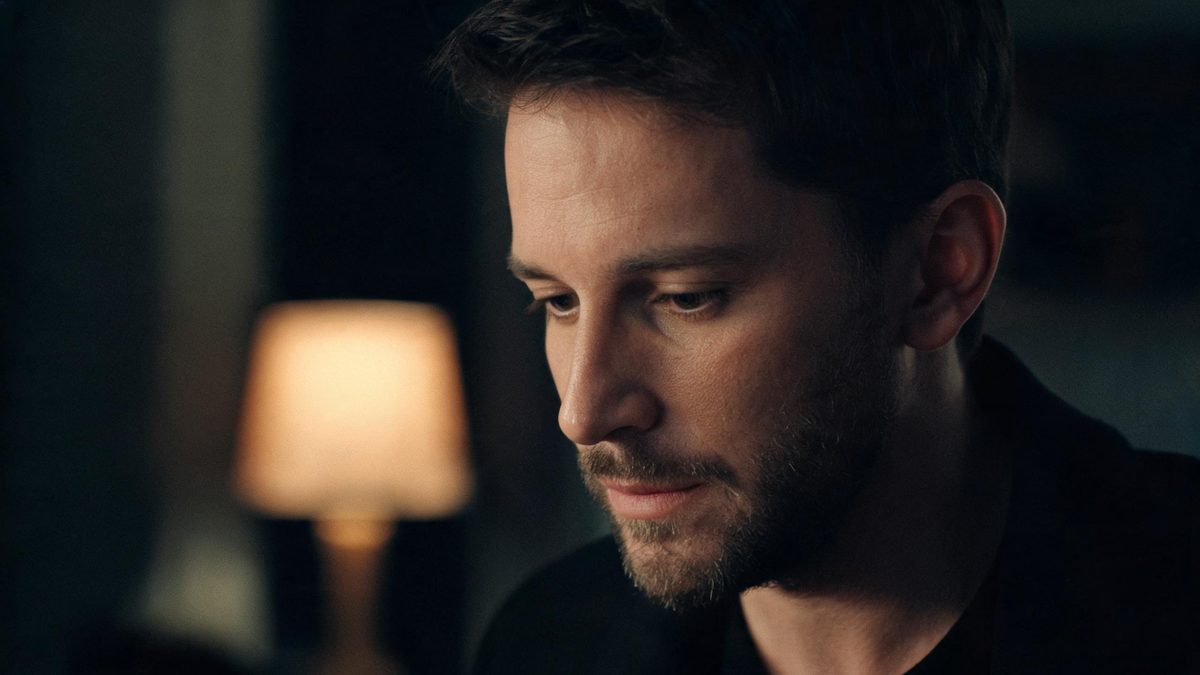
Vidu Q2 was released on 25 September 2025 under a slogan about letting AI act. The technical claim behind it is narrow and specific: instead of treating a face as a surface that moves, Q2 models facial action units and physical constraints so that blinks, gaze shifts and small mouth movements happen at plausible moments rather than on a uniform cycle.
In OpenFilmo, Q2 is selectable per generation in the generator panel, alongside Q1. You can run the same prompt and the same references through both and compare the result on your own footage rather than on a demo reel.
What it does
Built for this specific job, not a generic generator.
Micro-expression performance
Blinks, gaze changes and subtle mouth movement land at uneven, human-looking intervals instead of repeating on a fixed beat.
Reference conditioning
Reference-to-video takes multiple subject images and is documented as supporting up to seven inputs, which is what keeps a character stable across a sequence.
Two generation modes
A cinematic mode for the final render and a lightning mode for testing prompts quickly, so exploration does not cost the same as delivery.
Camera language and 4K
Push-ins, pull-backs and tracking shots are describable, and the model supports 4K output for the shots that need it.
How it works
Four steps, no timeline to learn.
Decide whether you need performance
If the shot is scenery, a product or a silhouette, Q2’s advantage is largely wasted and a simpler prompt will do. Q2 earns its place when a face carries the shot.
Use a clean, front-facing reference
Micro-expression work depends on the model reading a face clearly. Three-quarter angles, harsh shadows and occlusion are where it degrades first.
Keep base clips short and build in beats
Base clips run roughly two to eight seconds. Treat that as the unit of work: one beat per generation, then assemble, rather than trying to compress a scene into a single take.
Extend only after approval
Extension is available but softens detail over repeated passes, so approve the short version first and extend from there rather than fixing a long one.
What people make with it
The jobs this actually gets used for.
Character-led shorts
Scenes where dialogue or reaction carries the story and the audience is looking at a face rather than at effects.
Presenter and avatar content
Talking-head clips that need to feel delivered rather than puppeteered, including explainers and course material.
Ad hooks
The first two seconds where a believable reaction does more work than a bigger visual idea.
Pre-visualisation
Blocking a performance before committing to a shoot, using the lightning mode to iterate on beats cheaply.
What micro-expression generation actually changes
The difference is less about beauty and more about whether a viewer reads intent.
Earlier models animate a face as geometry. The result can be perfectly detailed and still read as wrong, because a real face is never symmetrical in time — one eye closes a fraction before the other, a gaze holds while the head turns. Those asymmetries are what an audience reads as thinking.
Q2 targets that timing specifically. It is why the output tends to look better in motion than in a still frame, and why comparing models on screenshots is misleading for this kind of work.
The limits are equally specific. Quality falls off with unusual facial geometry, heavy occlusion and extreme angles, and the short base clip means a performance has to be constructed across generations. Treat Q2 as a strong performer under controlled conditions, not as a solution for every shot in a film.
Credits and plans
Generation is metered in credits, shared across every tool.
A five-second video costs 5 credits and one image costs 2. The Free plan gives you 30 credits every month with no credit card, no watermark and commercial use included. Paid plans start at $9 for 400 credits and add faster generation, parallel tasks and higher export resolution.
Related guides
Longer reads on the same workflow, from the OpenFilmo blog.
How to Use Vidu: A Practical Guide
How to use Vidu: reference-to-video workflow, keeping subjects consistent across shots, prompt approach, and where it fits compare…
Character Consistency in AI Video: What Actually Works
How to keep characters consistent across AI video shots: reference images, prompt discipline, key frame locking and post-hoc corre…
AI Short Drama Production: Costs, Workflow and Reality
How AI short drama is actually produced: real cost structure, episode workflow, where consistency breaks, and why distribution is …
Related workflows
Closely related tools and guides on the same problem.
Frequently asked questions
What was Vidu Q2 released for?
Facial performance. The release on 25 September 2025 was positioned around micro-expression generation — small, plausibly timed facial movement — rather than around resolution or clip length.
How long are the clips?
Roughly two to eight seconds per generation. Extension is available, but detail tends to soften across repeated passes, so building in short beats is more reliable than stretching one take.
How many reference images can it take?
Reference-to-video is documented as supporting up to seven subject inputs. Two or three clean images of one subject usually beat seven inconsistent ones.
Is it available without a separate Vidu account?
Yes. Q2 is selectable in the OpenFilmo generator panel and draws on the same credit balance, so there is no second subscription.
When should I use Q1 instead?
When you want the earlier generation’s flatter, more literal movement, or when a job does not depend on facial detail at all.