
AI Images for YouTube Thumbnails: Legible, High-Contrast Variants
A thumbnail is judged at a fraction of its size, in a list, against nine competitors Legibility beats detail, and variants beat opinions.
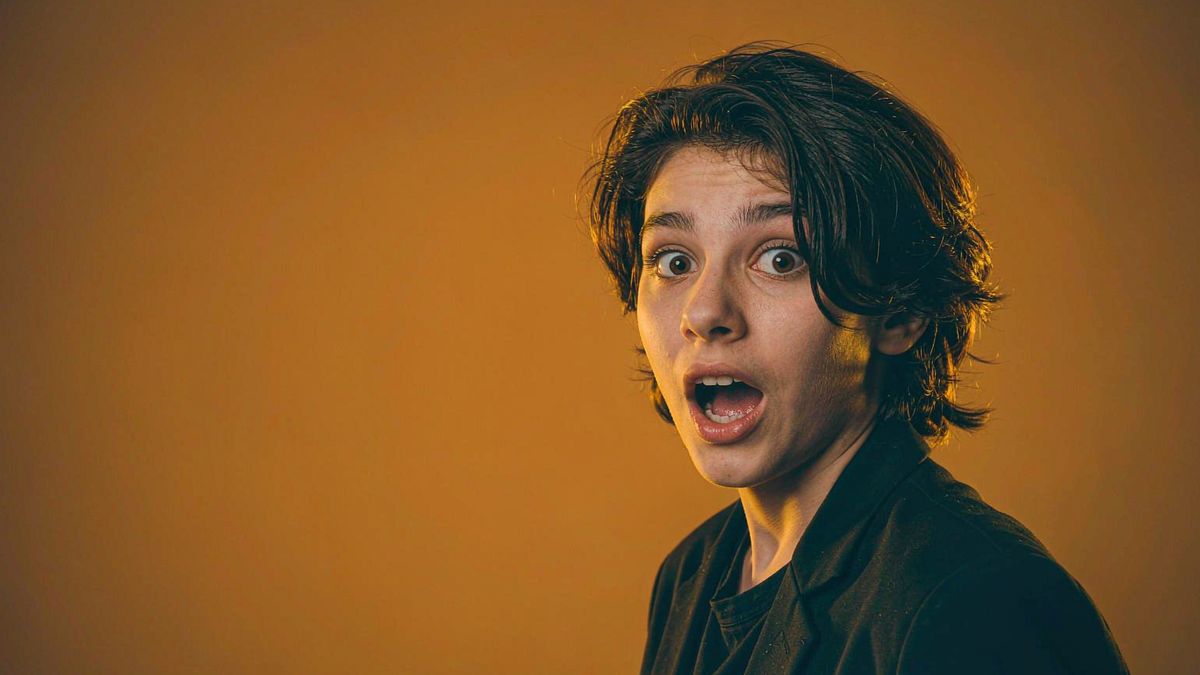
Thumbnails fail for predictable reasons: too much detail to read small, too little contrast to separate from the background, and no way to test which of two ideas actually earns the click.
OpenFilmo addresses all three. Generate several thumbnail concepts per video, keep the subject large and the composition simple, and produce them at full resolution so they survive compression. Testing variants is affordable at two credits each, which is the part that usually gets skipped.
What it does
Built for this specific job, not a generic generator.
Variants per video
Generate several concepts for one video and test rather than guessing.
High-contrast composition
Keep the subject large and separated from the background so it reads at small size.
Full-resolution output
Produce at full thumbnail resolution and upscale where detail matters.
Consistent channel look
Reuse brand kit so thumbnails are recognisable in a subscription feed.
How it works
Four steps, no timeline to learn.
Design for the smallest size
Check the thumbnail at a fraction of full size. If it does not read small, it does not work.
Keep one subject
One clear subject and one emotion. Multiple elements turn into noise at thumbnail size.
Generate three variants
Produce alternatives and test them rather than committing to the first idea.
Reuse the winning pattern
When a composition performs, make it a template rather than starting fresh each time.
What people make with it
The jobs this actually gets used for.
Per-video thumbnails
A clear, high-contrast thumbnail for every upload.
A/B thumbnail testing
Variants generated cheaply enough to actually test.
Series templates
One thumbnail pattern reused across a series for recognition.
Backlist refresh
Replace thumbnails on older videos that underperform.
Why testing is the part everyone skips
Opinions about thumbnails are cheap and mostly wrong.
Creators usually pick a thumbnail by preference, and preference is a poor predictor of click-through. The reliable method is to run variants and keep what performs, which has always been possible and rarely done, because producing variants costs design time.
At two credits per image, producing three or four variants costs less than the time spent debating which one to use. That removes the reason testing was skipped.
There is also a backlist argument. Older videos with weak thumbnails are the cheapest available upside on most channels, and refreshing them is a few credits each.
Credits and plans
Generation is metered in credits, shared across every tool.
One image costs 2 credits and a 4K upscale costs 4. The Free plan gives you 30 credits every month with no credit card, no watermark and commercial use included. Paid plans start at $9 for 400 credits and add faster generation and parallel tasks.
Related guides
Longer reads on the same workflow, from the OpenFilmo blog.
AI Video Generator for YouTube: Growth Workflow
How to use an AI video generator for YouTube: B-roll, Shorts, intros and thumbnails, a weekly workflow, plus monetisation and disc…
How to Use Opus Clip: Long Video to Shorts
How to use Opus Clip: turning long-form video into short clips, selecting and editing clips, caption styling, and how to judge wha…
How to Use Canva AI Video Features
How to use Canva’s AI video features: generating and editing video, using templates well, avoiding the generic look, and when to m…
AI tools
Single-purpose tools that run in the same workspace, on the same credit balance.
Vidu models
The Vidu Q1 and Q2 models this site runs on, and how they compare to Kling, Veo and Runway.
More OpenFilmo tools
Other generators and utilities in the same workspace.
Related workflows
Closely related tools and guides on the same problem.
Frequently asked questions
How many thumbnail variants should I make?
Three or four is usually enough to learn something. At two credits each it costs less than the time spent choosing between two by preference.
What makes a thumbnail read at small size?
One clear subject, high contrast against the background, and minimal detail. Check the design at a fraction of full size before committing.
Can I use these thumbnails on monetised videos?
Yes. Every plan including Free includes commercial use and watermark-free downloads, so thumbnails can be used on monetised uploads.
What does one image cost?
One AI image costs 2 credits and a 4K upscale costs 4. The Free plan gives 30 credits monthly, roughly fifteen images.
Should I refresh thumbnails on old videos?
Yes — it is one of the cheapest available improvements on an established channel, since the video already exists and only the thumbnail is underperforming.