
Product video effect
Stick Figure Product: The Drawn Version of Your Item
A drawn figure is disarming in a way a polished render is not. This one turns a pack shot into a stick figure that stands up and moves, in five seconds.
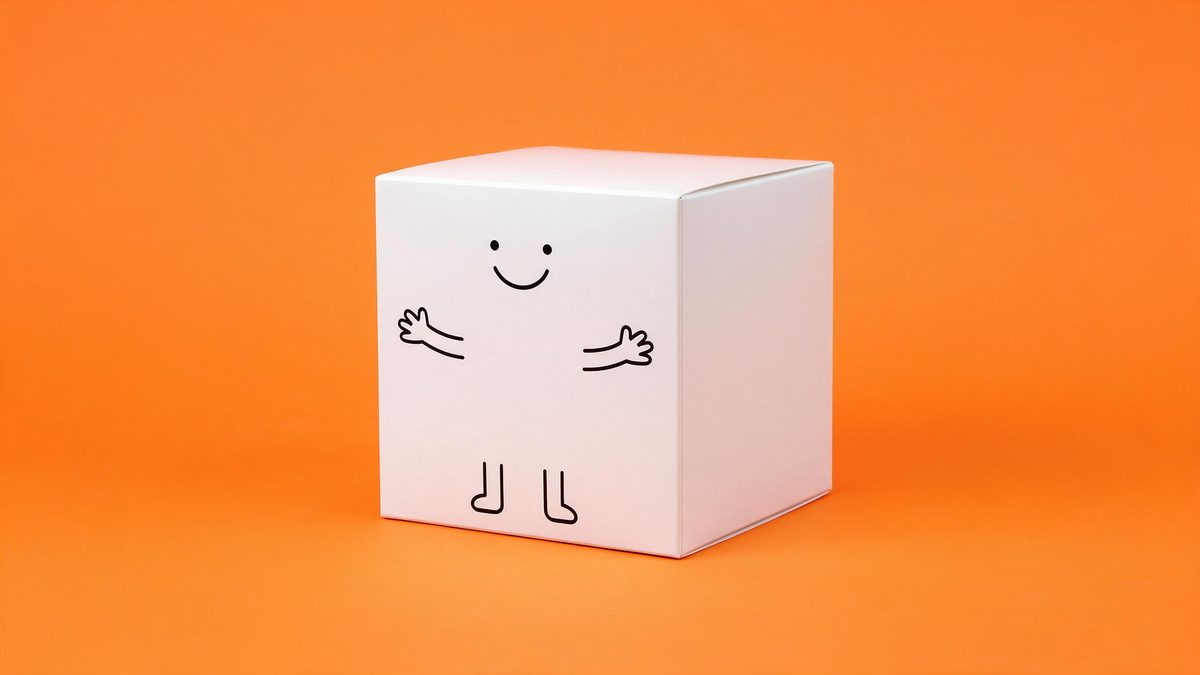
Polished product footage has a problem on social feeds: it reads as an advertisement within about half a second, and viewers who have decided it is an advertisement stop looking. A hand-drawn figure does not trigger that reflex. It looks like something a person made, which buys it a second of attention that a clean render never gets, and for a brand trying to reach people who scroll past anything produced, that second is the whole game.
The template takes one front-facing product photo and draws the object as a stick figure that moves. Output is a 5-second 720p clip for 45 credits in 9:16, 16:9, 4:3, 3:4 or 1:1. It reads best on packaging with a simple, readable silhouette, because a busy pattern across the label can break the drawn face and limbs can be cut off in the finished clip.
Specs at a glance
Straight from the product panel, not from a marketing deck.
- Output
- 5-second video
- Credits
- 45 per run
- Resolution
- 720p
- Aspect ratio
- Your choice of 9:16, 16:9, 4:3, 3:4 or 1:1
- Input
- 1 photo — a single product
- Best results with
- A clear, front-facing product photo works best.
- Known limits
- A busy pattern on the packaging can break the face, and limbs can be cut off.
What it does
Built for this specific job, not a generic editor.
Drawn, not rendered
The product becomes a moving line figure rather than a photoreal object. That shift in register is what makes the clip survive a feed where polished creative is scrolled past automatically. The product stays recognisable, which is what keeps the clip useful as advertising.
One pack shot in
A single clear, front-facing product photograph is the whole input. No illustration to commission and no vector file to prepare before the render can run. The drawing is produced from the photograph rather than traced by hand.
Five shapes at export
Choose 9:16, 16:9, 4:3, 3:4 or 1:1. Vertical suits Reels, Stories and Shorts, while a wider frame fits a listing video, an email or a page embed. That frame is composed for the shape rather than cropped out of a wider one.
Short and loop friendly
At five seconds the figure completes its movement and the clip restarts before attention drops, which suits platforms that autoplay and replay without being asked. A short loop also keeps the joke from outstaying its welcome.
How it works
Four steps, no timeline to learn.
Pick a simple pack shot
Choose one front-facing product photo with a clean silhouette and a label that is not covered in fine pattern. Simple shapes read far better once the figure is drawn. Large plain areas on the label give the drawn face somewhere to sit.
Open Stick Figure Product
Locate Stick Figure Product among the OpenFilmo effects and add your photograph. The drawing and the movement are produced in the render, so no artwork needs preparing first. One image is the whole brief, so there is nothing else to assemble.
Set the frame
Select 9:16 for vertical placements, 16:9 for a listing video or an embedded player, or 4:3, 3:4 or 1:1 for a feed post or a catalogue tile. Make the choice before the render, since the composition follows it.
Check the figure
Run the render for 45 credits and look at the face and the limbs. If a busy pattern has broken the face or limbs are cut off, try a simpler photograph or run it again.
Where people use it
The jobs this effect actually gets used for.
Feeds that reject ads
A drawn figure does not announce itself as a commercial. That makes it a useful way to put a product in front of people who skip anything that looks produced.
Explainers and how-tos
A stick figure version of the product works as a character in a short explanation, giving the item a role rather than a position on a shelf. It also reads faster than a diagram would at the same length.
Community and founder posts
Founder accounts perform better when the content looks made rather than bought. A drawn clip fits that register without asking you to learn illustration. The result looks like something made in an afternoon, because it was.
Cheap variant testing
Render the same product in a drawn style and a polished one and compare. At 45 credits a run, that comparison costs less than producing a second concept. One photograph covers both versions, so the comparison costs very little.

Why a drawn figure gets watched
Register, and what breaks the drawing.
Feeds have trained people to identify advertising instantly, and the cue is finish. Smooth lighting, a considered background and a slow camera move all say that somebody paid for this, and the response is to scroll. A stick figure says the opposite: it looks quick, improvised and slightly silly. That is not a style choice so much as a way past a reflex, and it is why drawn and hand-made creative keeps showing up in accounts that otherwise have no production budget at all.
There is a second, more practical argument. Commissioning illustration or animation is slow and expensive, and it locks you into one interpretation of the product before you know whether it works. Generating a drawn version from a pack shot takes one photograph and 45 credits, returns 720p in whichever of five shapes you need, and can be dropped without anyone having written off a commission. It is a cheap way to find out whether the register suits your audience.
Where it fails is legibility. A busy pattern on the packaging can break the drawn face, so the figure ends up with the wrong expression or none at all, and limbs can be cut off by the frame. Both are obvious in the finished clip. The fix is usually at the input: a simple silhouette, a front-facing shot, and a label with large plain areas rather than fine detail across the whole surface.
Credits and plans
Every effect draws on one shared credit balance.
Stick Figure Product costs 45 credits per render, more than the 30 credits a Free account receives per month, so it cannot be run on Free. Starter is $9 a month for 400 credits, around eight runs, while Pro at $19 for 1,000 and Studio at $59 for 4,000 suit a team testing variants across channels. One balance covers every effect, and the cost shows before you confirm.
Related guides
Longer reads on the same workflow, from the OpenFilmo blog.
AI Product Video for Ecommerce: What Converts
How to make AI product video that converts: shot types ranked by impact, consistency requirements, and the workflow for generating…
AI Anime Video Generator: Text or Image to Anime
How to use an AI anime video generator: a script-to-anime workflow, character consistency with reference images, style options and…
AI UGC Video Generator: Creator Ads at Scale
How to use an AI UGC video generator for creator-style ads at scale: hook formulas, script structure, a testing framework and disc…
Related effects
Same family of effects, on the same kind of input.
Frequently asked questions
What photo gives the cleanest drawing?
One clear, front-facing product photograph with a simple silhouette and large plain areas on the label. Fine, repeating pattern across the whole pack is the thing most likely to cause trouble once the figure is drawn. Keep the whole item in frame with the background plain.
Do I need to supply artwork?
No. The drawing and the movement are generated from your single product photograph. There is no illustration to commission, no vector file to prepare and no animation step between the render and the finished clip. The drawing and the movement come out of the same render as the product.
Which shapes can I export?
The choices are 9:16, 16:9, 4:3, 3:4 and 1:1. Choose 9:16 for Reels, Stories and Shorts, 16:9 for a listing video or a page embed, and 1:1 or 4:3 for a feed post or a catalogue tile. Choose before the render runs, since each frame is composed for that shape.
Can I run this on Free?
No. The effect costs 45 credits per render and the Free plan includes 30 credits a month, so one run is beyond the allowance. Starter at $9 a month for 400 credits gives roughly eight renders. A single balance funds every effect across the site.
What tends to break?
A busy pattern on the packaging can break the drawn face, and limbs can be cut off in the finished frame. Both are visible once you watch the clip. A simpler, plainer pack shot usually produces a cleaner figure on the next run.