
Product video effect
Person in a Bottle: A Subject Sealed in Glass
A figure standing inside a bottle is an image people stop on. Upload one full-body photograph of a person, an illustration or a pet and the glass is built around them.
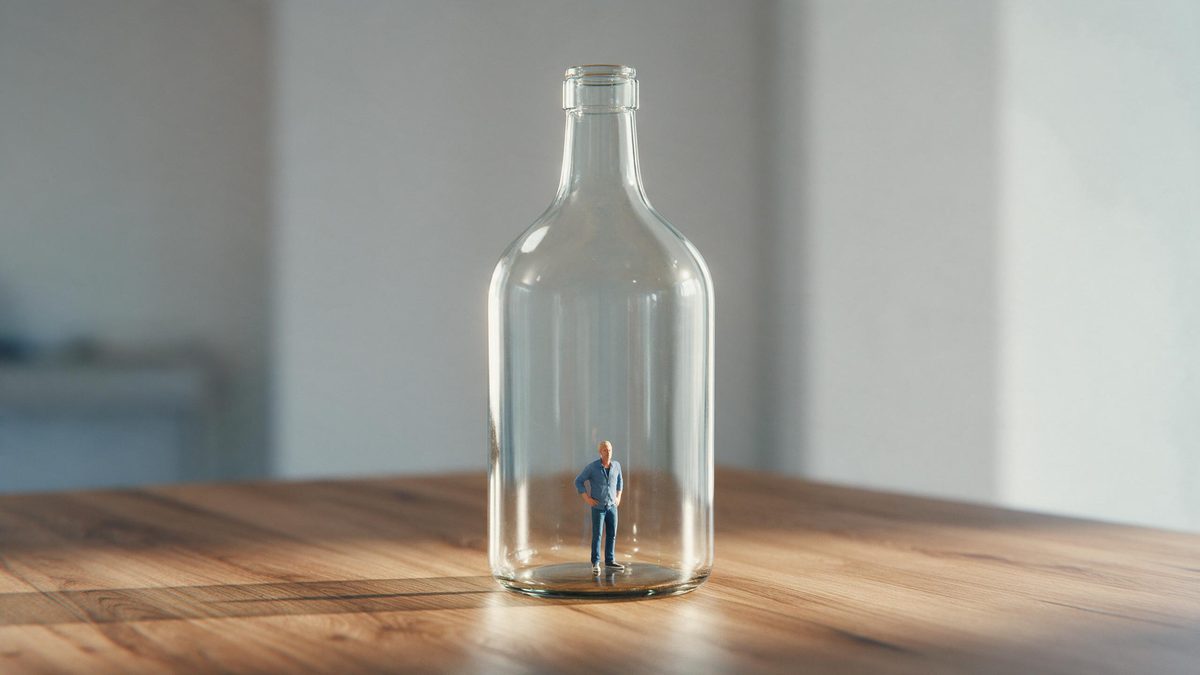
There is a small family of images that reliably stop a scroll, and a person standing inside a bottle is one of them. It is impossible, it is instantly understood, and it takes no explanation. That makes it useful for the jobs where a brand needs attention before it needs information: a launch teaser, a trade show loop, a founder post that has to compete with everything else in the feed.
The input is one full-body photograph of a person, an illustration of a person, or a pet, and the output is a 5-second 720p clip for 45 credits in 9:16, 16:9, 4:3, 3:4 or 1:1. The bottle and the setting are generated around the subject. Occasionally the subject steps out of the bottle during the clip, or never appears inside it at all, so watch the result before you commit it to a campaign.
Specs at a glance
Straight from the product panel, not from a marketing deck.
- Output
- 5-second video
- Credits
- 45 per run
- Resolution
- 720p
- Aspect ratio
- Your choice of 9:16, 16:9, 4:3, 3:4 or 1:1
- Input
- 1 photo — one person (photo or illustration) or one pet
- Best results with
- A full-body shot of a person or pet
- Known limits
- Occasionally the subject steps out of the bottle, or never appears inside it.
What it does
Built for this specific job, not a generic editor.
Impossible, and instant
A figure sealed inside a bottle is understood in under a second. It needs no caption and no explanation, which is the requirement for footage that has to stop a scroll. It needs no caption, and captions are read after the decision to stop.
People, art or pets
The template accepts a full-body photograph of a person, an illustration of one, or a pet. That covers a founder, a mascot, a character or the office dog. Each of those qualifies as a subject, and none of them needs a second photograph.
Five shapes at export
Pick between 9:16, 16:9, 4:3, 3:4 and 1:1 prior to starting the render. Vertical suits Reels, Stories and Shorts, while a wider frame fits a listing video, a page embed or a screen. Composition is generated from the shape, which means choosing it first.
Five seconds, loop ready
The shot completes inside five seconds and resets on platforms that autoplay, which suits a booth screen or a feed post equally well. That repetition is what makes it usable on a screen running all day.
How it works
Four steps, no timeline to learn.
Shoot the subject full-body
Use one image with the whole person or animal in frame, head to feet, facing the camera in even light. A cropped torso will not give the render enough to place inside the bottle.
Open Person in a Bottle
Open the effect from the OpenFilmo library and add that one photograph. The glass, the liquid level and the setting are generated, so nothing else is required. One image is the whole brief, so there is no second asset to prepare.
Pick the frame
Select 9:16 for Stories, Reels and Shorts, 16:9 for a listing video, a page embed or a booth screen, or 4:3, 3:4 or 1:1 for a feed or catalogue tile.
Check the containment
Run the render for 45 credits and make sure the subject ends up inside the glass. If they step out or never appear inside, run the effect again before using the clip.
Where people use it
The jobs this effect actually gets used for.
Launch teasers
A teaser needs an image, not an argument. A founder or a mascot sealed inside the product bottle says enough to carry a launch post on its own. Nothing else needs to be written underneath for the post to work.
Founder and brand accounts
Founder-led accounts need footage with a person in it. This puts the founder inside the product without a studio, a set or a costume. Faces and animals hold attention in a way objects generally do not.
Pet brand content
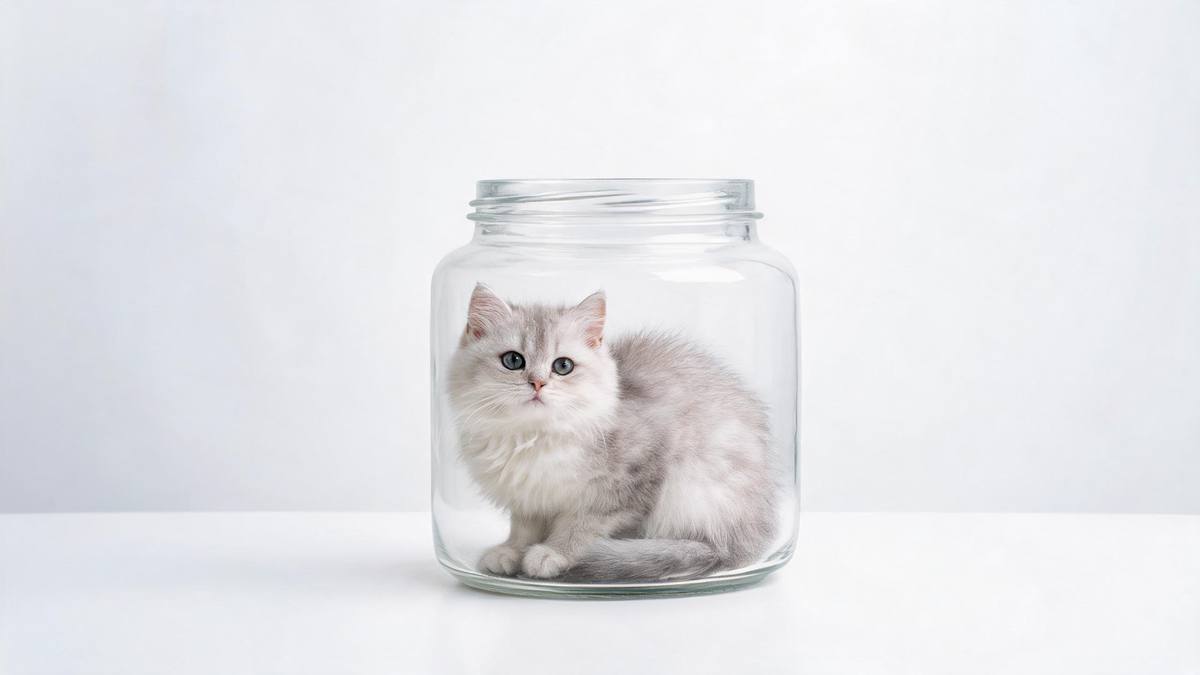
A full-body photograph of a dog or cat works as the input, which suits pet brands whose best-performing content almost always has the animal in it. The animal that already stars in your best posts can star in this too.
Booth and window loops
Export 16:9 and run it on a loop at a trade show or in a shop window, where an impossible image pulls people across a room better than a printed banner.
Why an impossible image is worth five seconds
Attention first, and the containment problem.
Short-form platforms reward images that resolve fast. A figure inside a bottle is legible before the viewer has decided whether to keep watching, and it does not need a caption to explain it, which matters because captions are read after the decision to stop has already been made. For a brand with one product and no story yet, that is often the only asset that can carry a launch post on its own.
It is also one of the few effects here that works with a person rather than a pack shot. Founder-led and pet-led accounts consistently outperform product-only accounts, and the reason is simple: faces and animals hold attention where objects do not. Accepting a photograph, an illustration or a pet as the input means the same treatment works for a mascot, a founder or the animal that already stars in the brand's best posts.
The risk is containment, and it is worth stating plainly. Occasionally the subject steps out of the bottle during the clip, which breaks the illusion entirely, and sometimes they never appear inside it at all. Neither can be repaired in the finished file. Watch the render before you place it and run again if either happens. A full-body shot, facing the camera in even light with the whole figure in frame, is the input that most reliably stays inside the glass.
Credits and plans
Every effect draws on one shared credit balance.
Person in a Bottle costs 45 credits per render, above the 30 credits a Free account receives per month, so it cannot be run on Free. Starter is $9 a month for 400 credits, roughly eight runs of this effect, and Pro at $19 for 1,000 or Studio at $59 for 4,000 suit a brand running several variants. Every effect shares one balance, and the cost is shown before you confirm.
Related guides
Longer reads on the same workflow, from the OpenFilmo blog.
AI Product Video for Ecommerce: What Converts
How to make AI product video that converts: shot types ranked by impact, consistency requirements, and the workflow for generating…
Image to Video AI: Animate Any Photo in Seconds
A complete guide to image to video AI: what makes a good source image, how to write motion prompts, top use cases, and how to fix …
AI UGC Video Generator: Creator Ads at Scale
How to use an AI UGC video generator for creator-style ads at scale: hook formulas, script structure, a testing framework and disc…
Related effects
Same family of effects, on the same kind of input.
Frequently asked questions
What can I upload?
One photograph of a person, an illustration of a person, or a pet. A full-body shot works best, with the whole figure in frame, facing the camera in even light. A cropped head-and-shoulders image will not give the render enough to place.
Which output shapes are available?
It comes in 9:16, 16:9, 4:3, 3:4 or 1:1. Use 9:16 for Stories, Reels and Shorts, 16:9 for a listing video, a page embed or a screen at an event, and 1:1 or 4:3 for a feed post. The frame follows your ratio, so decide that before rendering.
What does the render produce?
A 5-second 720p clip with the subject inside a bottle, generated from your single image. The glass and surroundings are created in the same render, so nothing needs compositing in an editor afterwards. The result is a finished file, ready without further work.
Is the Free plan able to cover one run?
No. The effect costs 45 credits per run and Free includes 30 credits a month, so one render exceeds the monthly allowance. Starter at $9 a month for 400 credits gives you roughly eight renders. Any other effect you run spends from that identical pool.
What goes wrong sometimes?
Occasionally the subject steps out of the bottle during the clip, and sometimes they never appear inside it at all. Both are obvious once you watch the render, so check the result and run the effect again if either happens. Neither can be repaired in the finished file, so run it again.