
Product video effect
Floating Product City: Your Item Rises Over the Water
Water and skyline do the work that a studio backdrop cannot. Upload one product photo and the item rises from the surface with a city behind it.
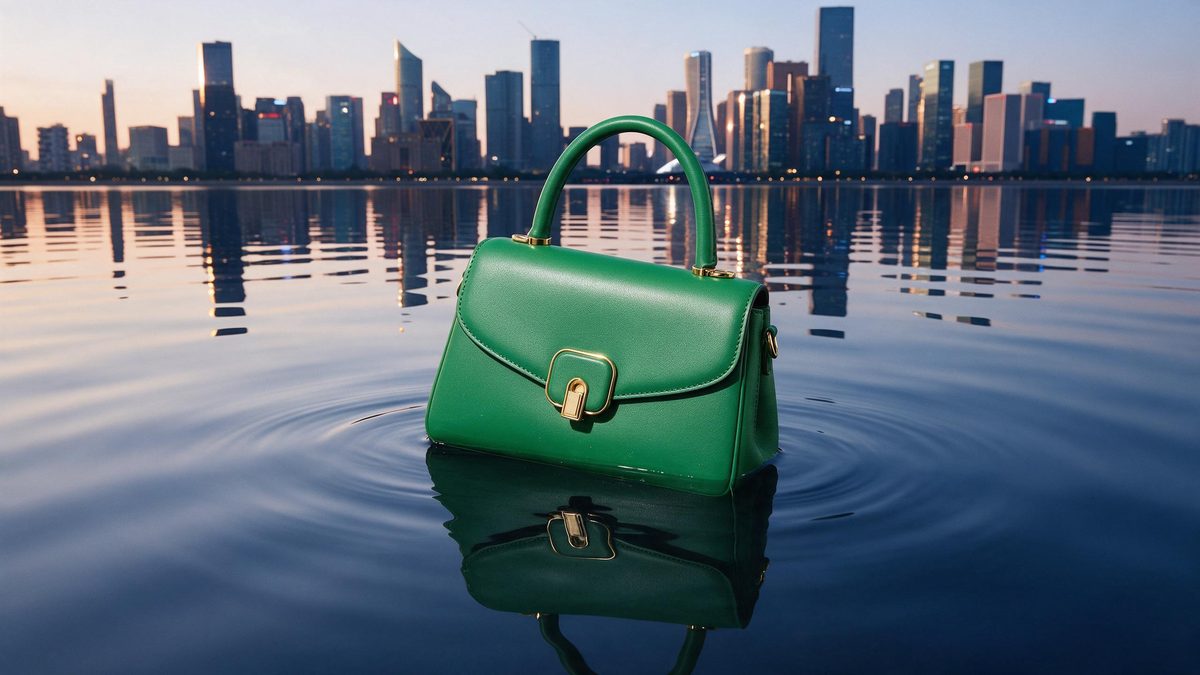
The most expensive thing in product photography is the background. A studio sweep says nothing, a lifestyle setting needs a location, and a city skyline needs a permit, a drone operator and a weather window. An object rising out of water in front of a skyline is exactly the kind of shot an independent brand would normally never attempt, which is precisely why it still looks like something when it appears in a feed.
This template builds it from one front-facing product photo. The result is a 5-second 720p clip for 45 credits, in 9:16, 16:9, 4:3, 3:4 or 1:1, with the water, the reflections and the buildings generated around the object. Very occasionally the product does not rise from the water at all, and a blurry source photograph can come out distorted, so both are worth checking before the clip goes anywhere.
Specs at a glance
Straight from the product panel, not from a marketing deck.
- Output
- 5-second video
- Credits
- 45 per run
- Resolution
- 720p
- Aspect ratio
- Your choice of 9:16, 16:9, 4:3, 3:4 or 1:1
- Input
- 1 photo — a single product
- Best results with
- A clear, front-facing product photo works best.
- Known limits
- Very occasionally the product does not rise from the water; a blurry input photo can come out distorted.
What it does
Built for this specific job, not a generic editor.
A location you cannot book
Skyline, water and reflections are produced in the render. The shot that would need a permit, a drone and a clear evening is available from a tabletop photograph. Skyline, water and reflections all arrive from a tabletop photograph.
Rising movement
The product emerges from the surface rather than sliding into frame, which gives the five seconds a direction and a moment of arrival a static hero shot does not have. Direction and a moment of arrival are the two things a still cannot give.
One photo, five shapes
A single clear, front-facing product image is the input, and you choose 9:16, 16:9, 4:3, 3:4 or 1:1 at export. Vertical for Reels, wider for a listing video or an embed. Make the choice before rendering, since the composition follows the shape.
Five-second loop
The rise completes within five seconds and the clip restarts before a viewer scrolls on, which is how footage accumulates watch time on platforms that autoplay. That repetition is where watch time accumulates on an autoplaying placement.
How it works
Four steps, no timeline to learn.
Use a sharp product photo
Pick one front-facing image that is genuinely in focus, with the item fully in frame and the background plain. A soft or blurry photograph can come out distorted after the render.
Open Floating Product City
Go to the template in the OpenFilmo effect library and upload that image. Water, skyline and light are generated, so there is nothing to source or licence first. One image is the entire brief, so there is no second asset to prepare.
Choose the frame
Select 9:16 for Stories, Reels and Shorts, 16:9 for a listing video or a page embed, or 4:3, 3:4 or 1:1 for a feed post or a catalogue tile. Decide before the render, because the frame is composed for the shape you pick.
Confirm it rises
Run the render for 45 credits and watch whether the product actually leaves the water. If it stays put or looks distorted, run the effect again from a sharper photograph.
Where people use it
The jobs this effect actually gets used for.
Brand films on a budget
A skyline shot reads as a brand film rather than a marketplace listing. This gives a small brand that register for one photograph and 45 credits. It gives a small brand that register for one photograph and 45 credits.
Vertical launch posts
A 9:16 render opens a launch post with scale and movement already in the frame, which is what the first second of a vertical ad needs. Movement and scale in the opening second are what a vertical ad needs.
Homepage and landing headers
Export 16:9 and place it at the top of a landing page, where a moving background holds a visitor long enough for the copy below to be read. A moving header holds a visitor long enough to reach the copy below.
Seasonal campaign frames
Water and city light suit a night-time or festive treatment. Use one render as the establishing shot across a short seasonal run of posts. One render can carry a whole seasonal run without a second shoot.
Why the background is the expensive part
Production cost, and where this render slips.
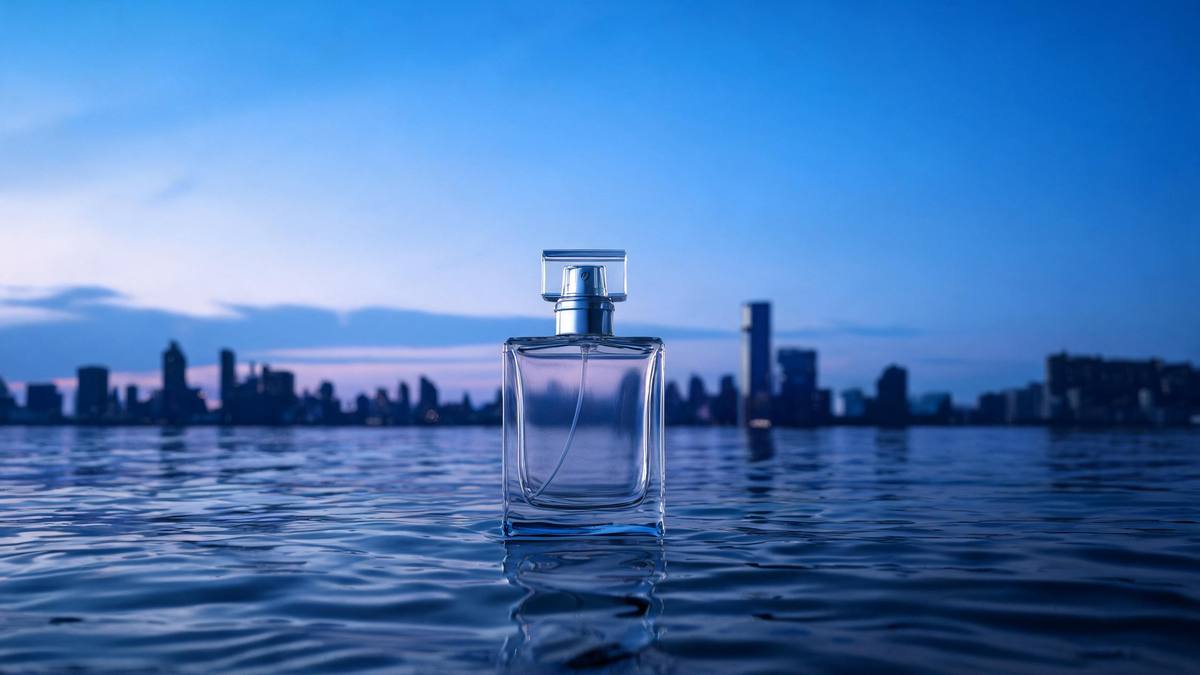
Ask any photographer what a product shot costs and most of the answer is not the object: it is the set, the location, the permits and the people. A waterfront skyline is at the far end of that scale, which is why small brands end up with a white sweep and a soft box and then wonder why their creative looks like everybody else's. Generating the setting removes the cost entirely and leaves the concept intact, which is the only part of the shot that was ever doing the work.
The shot also does something useful to the product itself. An object rising out of water is being presented rather than displayed: it arrives, it is revealed, and the movement gives the viewer a reason to keep watching for the two seconds it takes to complete. That structure is what separates a five-second clip that gets watched from a five-second clip that gets skipped, and it is available here in whichever of the five shapes the placement needs.
Two cautions. Very occasionally the product does not rise from the water, so you get a clip where the promised movement never happens, and a blurry input photograph can come out visibly distorted. The first is worth a rerun; the second is worth fixing at the source. Upload a sharp, front-facing photograph with the whole item in frame, and the render has far more to work with. Both are visible in the finished file, so a rerun is usually enough.
Credits and plans
Every effect draws on one shared credit balance.
Floating Product City costs 45 credits per render, which is more than the 30 credits a Free account receives in a month, so one run is not possible on Free. Starter is $9 a month for 400 credits, around eight runs of this effect, and Pro at $19 for 1,000 or Studio at $59 for 4,000 suit heavier use. Every effect shares one balance and the cost is shown before you confirm.
Related guides
Longer reads on the same workflow, from the OpenFilmo blog.
AI Product Video for Ecommerce: What Converts
How to make AI product video that converts: shot types ranked by impact, consistency requirements, and the workflow for generating…
AI UGC Video Generator: Creator Ads at Scale
How to use an AI UGC video generator for creator-style ads at scale: hook formulas, script structure, a testing framework and disc…
AI Video Cost Per Minute: The Real Numbers in 2026
How to calculate true AI video cost per finished minute: generation price, regeneration waste, edit time and iteration, with worke…
Related effects
Same family of effects, on the same kind of input.
Frequently asked questions
What makes a good input here?
One sharp, front-facing product photograph with the item fully in frame and an uncluttered background. Focus matters more than usual: a blurry source image can come out visibly distorted once the water and reflections are generated around it. Keep the whole item in frame, with the background as plain as you can.
What shapes can I export?
All five: 9:16, 16:9, 4:3, 3:4 and 1:1. Use 9:16 for Reels, Stories and Shorts, 16:9 for a listing video, a landing page header or an email, and 1:1 or 4:3 for a feed post or a catalogue tile. Make that choice before the render, since the composition follows it.
What is the output?
A 5-second 720p clip in which the product rises from the water with a city behind it, generated entirely from your single photograph. The file downloads ready to place, with no compositing step afterwards. Nothing needs compositing afterwards, so the clip is ready when it lands.
Can I run it on the Free plan?
No. One render costs 45 credits and Free includes 30 credits per month, so a single run exceeds the whole allowance. The Starter tier, $9 for 400 credits, is the first workable option, near eight runs. Credits here are pooled with the rest of the effect library.
What should I check in the result?
Whether the product actually rises from the water. Very occasionally it does not, and a blurry source photograph can come out distorted. Watch the finished clip and run the effect again, ideally from a sharper image, if either appears. Neither can be fixed in the finished file, so run it again.