
Camera effect
Put a Full 360 Degree Spin on One Subject
A turntable shot needs a rig, a turntable, and a patient subject. Upload one photograph of a single person or animal and the orbit is rendered around them instead.
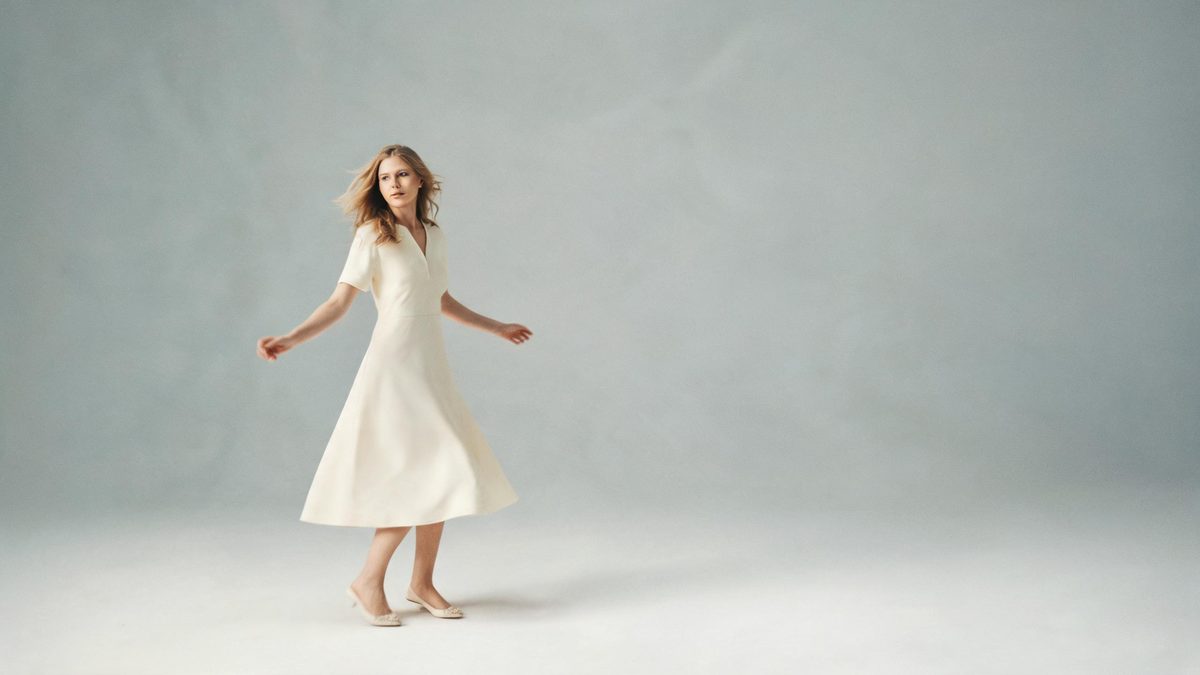
The orbiting shot exists to show something from every side at once, and doing it properly is a setup: a turntable, a fixed camera, even lighting, and a subject willing to stand still while both move. For a product that is an afternoon. For a person or an animal it is usually not worth attempting. This template builds the orbit from a single photograph, so the camera travels around the subject in the render rather than in a studio.
The output is a 4-second video at 720p for 40 credits, in the aspect ratio of the photograph you supply. Only one subject fits: one person or one animal, in a full-body or half-body shot of a person, or a full-body shot of an animal. Three limits are documented. With two or more subjects the figures can shift or clip into each other, the back of the subject is sometimes inaccurate, and the rotation occasionally stops short of a full 360 degrees.
Specs at a glance
Straight from the product panel, not from a marketing deck.
- Output
- 4-second video
- Credits
- 40 per run
- Resolution
- 720p
- Aspect ratio
- Matches your input photo
- Input
- 1 photo — one person or one animal
- Best results with
- A full-body or half-body shot of one person, or a full-body animal shot
- Known limits
- With two or more subjects the figures can shift or clip into each other, the back of the subject is sometimes inaccurate, and the rotation occasionally stops short of a full 360 degrees.
What it does
Built for this specific job, not a generic editor.
A full orbit from one frame
The camera travels around the subject during the clip, which means a single photograph can be shown from angles that were not in the original shot. Nothing has to be shot twice or stitched together afterwards.
People and animals, one at a time
The input is one person or one animal, framed full-body or half-body for a person and full-body for an animal. Both are handled by the same template at the same price.
Keeps your photograph’s shape
The result follows the aspect ratio of the upload, so a vertical phone shot returns a vertical clip and a square source stays square, with no crop applied to the finished file.
Priced for repeat runs
At 40 credits per run the template is affordable to try more than once, which matters here because the orbit is one of the effects where a second attempt can come out cleaner than the first.
How it works
Four steps, no timeline to learn.
Pick one subject
Choose a photograph with a single person or a single animal in it. Two or more subjects in the frame is the main documented cause of trouble, so a pair or a group needs a separate run each.
Frame the whole figure
A full-body or half-body shot of a person, or a full-body shot of an animal, gives the orbit something complete to travel around. A tight crop leaves the back half with little to reconstruct.
Confirm the run at 40 credits
The price is shown before you confirm. Check the balance, add credits if it falls short, and start it. The figure on that screen is the one you agree to.
Watch the back, then export
Play the finished clip all the way round before posting it. The back of the subject is sometimes inaccurate, and the rotation occasionally stops short of a full 360 degrees.
Where people use it
The jobs this effect actually gets used for.
Outfit and look posts
A single full-body photograph becomes a turning clip that shows a look from more than one side, which is closer to how clothing actually gets assessed.
Animal portraits
A pet photographed once can be orbited without asking it to stay in place. A full-body shot of the animal gives the cleanest result.
Profile and channel art
A turning figure holds attention longer than a still in a header or an avatar slot, and at four seconds it does not outstay it.
Comparing two versions
At 40 credits a run is cheap enough to render the same subject twice and keep the better one, which is a reasonable approach given the documented limits.
Why one subject is the rule here
The orbit has to reconstruct everything the photograph did not record.
An orbit is a reconstruction problem. A photograph records one side of a subject, and turning it means inventing the rest: the back of a head, the reverse of a jacket, the far side of an animal. That is why the template insists on a single subject. One figure gives the render a clear silhouette to revolve, and the invented half has to match only one set of edges. Add a second subject and the two figures can shift or clip into each other as the camera passes behind them, which is exactly the documented failure.
The back is the weak point, and it is worth planning around. The reverse of the subject is sometimes inaccurate, so a hairstyle, a bag strap, or a patterned back on a garment may come out differently from how it looks in reality. The practical response is to choose a subject whose back is simple, or to frame the shot so the least distinctive side is the one that will be invented. A plain top and an even background give the render less to get wrong.
The rotation itself can fall short. Occasionally it stops short of a full 360 degrees, so the clip ends before the subject has come all the way round. Whether that matters depends on the placement: in a story it reads as a turn, and in a product-style post where the point was to show every side it may not. At 40 credits, running the same photograph again is inexpensive, and a second attempt frequently completes the circle the first one did not.
Credits and plans
Every effect draws on one shared credit balance.
A 360 degree spin costs 40 credits per run, shown before you confirm, and it draws on the balance shared by every OpenFilmo effect. Free accounts receive 30 credits monthly with no credit card required. Starter is $9 for 400 credits, Pro is $19 for 1,000, and Studio is $59 for 4,000.
Related guides
Longer reads on the same workflow, from the OpenFilmo blog.
Image to Video AI: Animate Any Photo in Seconds
A complete guide to image to video AI: what makes a good source image, how to write motion prompts, top use cases, and how to fix …
Character Consistency in AI Video: What Actually Works
How to keep characters consistent across AI video shots: reference images, prompt discipline, key frame locking and post-hoc corre…
AI Video Prompt Formulas That Hold Up in Production
Prompt structures that work for AI video: subject, motion, camera, time and style — with tested formulas, failure patterns and a m…
Related effects
Same family of effects, on the same kind of input.
Frequently asked questions
Can two people be in the photograph?
No. The template takes one person or one animal, and with two or more subjects the figures can shift or clip into each other. Run each subject separately instead.
What does the finished clip look like?
A 4-second video at 720p in the aspect ratio of your photograph, with the camera travelling around the subject. Occasionally the rotation stops short of a full 360 degrees, so watch it through before posting.
Why does the back look wrong?
The back of the subject is sometimes inaccurate, which is a documented limit: that side was absent from the photograph and has to be reconstructed. A subject with a plain back gives a cleaner result.
What does a single spin cost?
40 credits, displayed before you confirm. Free accounts get 30 credits a month with no card, and paid plans raise the allowance from there.
Should I upload a full-body or a half-body shot?
Either works for a person, and a full-body shot is what the template asks for with an animal. Avoid tight crops, since the orbit needs a complete silhouette to travel around.