
Camera effect
Give a Portrait the Fisheye Lens Treatment
A fisheye lens bends the edges of a frame and pushes the subject forward. Upload one full-body photograph of a single person and the distortion is rendered into a 4-second 9:16 clip.
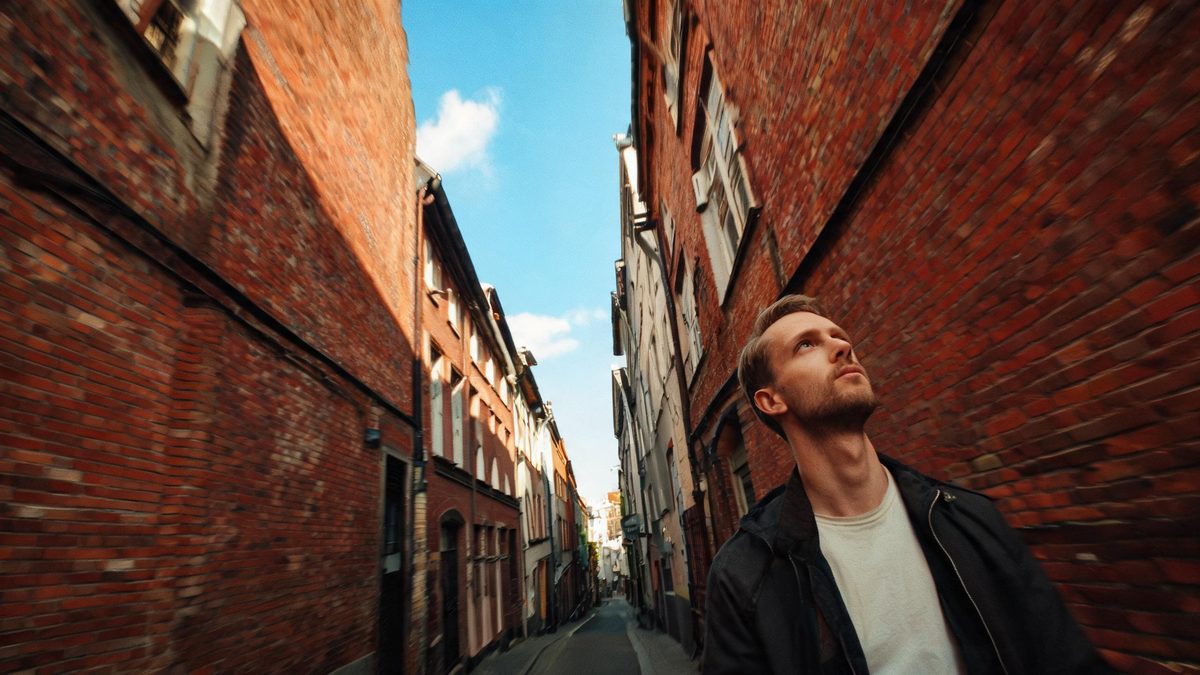
The fisheye is one of the few lens looks that reads instantly, because the distortion is the message: straight lines bow outward, the centre bulges, and whoever stands in the middle is pushed toward the viewer. Getting it onto a real subject usually means owning the lens, standing uncomfortably close, and accepting that the frame will only ever be wide. This template builds the same look from a single photograph of one person, so the effect is added in the render rather than chosen at the moment of shooting.
The output is a 4-second video at 720p in 9:16, and one run costs 100 credits. That vertical frame is fixed, so the composition has to be planned around it: a source that is not 9:16 crops badly, and a photograph where the sky fills most of the frame tends to leave the fisheye looking unconvincing. Only one person can be in the upload, and a full-body shot of that person is what the template asks for. Two further quirks are documented: the subject occasionally walks while looking into the lens, and footwear can pick up detail from the reference photograph.
Specs at a glance
Straight from the product panel, not from a marketing deck.
- Output
- 4-second video
- Credits
- 100 per run
- Resolution
- 720p
- Aspect ratio
- 9:16
- Input
- 1 photo — one person only
- Best results with
- A full-body shot of a single person
- Known limits
- Occasionally the subject walks while looking into the lens, footwear picks up detail from the reference photo, a source that is not 9:16 crops badly, or the sky takes up too much of the frame and the fisheye looks unconvincing.
What it does
Built for this specific job, not a generic editor.
A lens look, not a filter
The distortion is generated across the frame rather than stretched over it afterwards, so the bowing stays consistent as the clip moves. That is the difference between a fisheye shot and a photograph bent at the edges.
Vertical by design
The finished file is 9:16, composed for a phone screen instead of trimmed into one. A vertical composition fills the display completely, with nothing cut from either side of the frame.
Built around a single subject
One person only, in a full-body shot. Keeping the frame to one figure is what lets the lens bend everything around a clear centre rather than competing for a focal point.
Four seconds of movement
The clip runs four seconds at 720p, long enough for the distortion to register as a camera behaviour and short enough to sit comfortably in a story or a feed post.
How it works
Four steps, no timeline to learn.
Shoot or choose a full-body frame
Pick a photograph with one person visible from head to toe. Half-body crops leave the lens no lower half to bend, and the effect asks for a full-body shot of a single person.
Compose for a vertical frame
Plan the shot as 9:16 before uploading, because a source in another shape crops badly. Leaving too much sky in the picture also tends to make the fisheye look unconvincing.
Confirm at 100 credits
The price is displayed before you confirm the run. It sits above the other camera effects here, so check the balance first and add credits if it falls short of the figure shown.
Save the vertical clip
Download the 4-second 720p file and post it. It arrives in 9:16, so it is already the right shape for a story or a status frame and needs no adjustment at all.
Where people use it
The jobs this effect actually gets used for.
Music and performance posts
The fisheye is tied to a particular kind of live footage, so a single portrait rendered this way reads as part of that vocabulary without needing a venue or a crowd.
Streetwear and fashion frames
A full-body outfit shot gains a lens character that would otherwise require the glass and a wide frame. One render gives a look account a piece of motion it did not shoot.
Story and status openers
Because the output is 9:16, it fills a phone display completely. Use it as the first frame of a sequence and let the rest of the set follow on from it.
Profile art for a channel
A distorted portrait works as a moving avatar or a header clip, and the tall shape suits the places those usually appear.
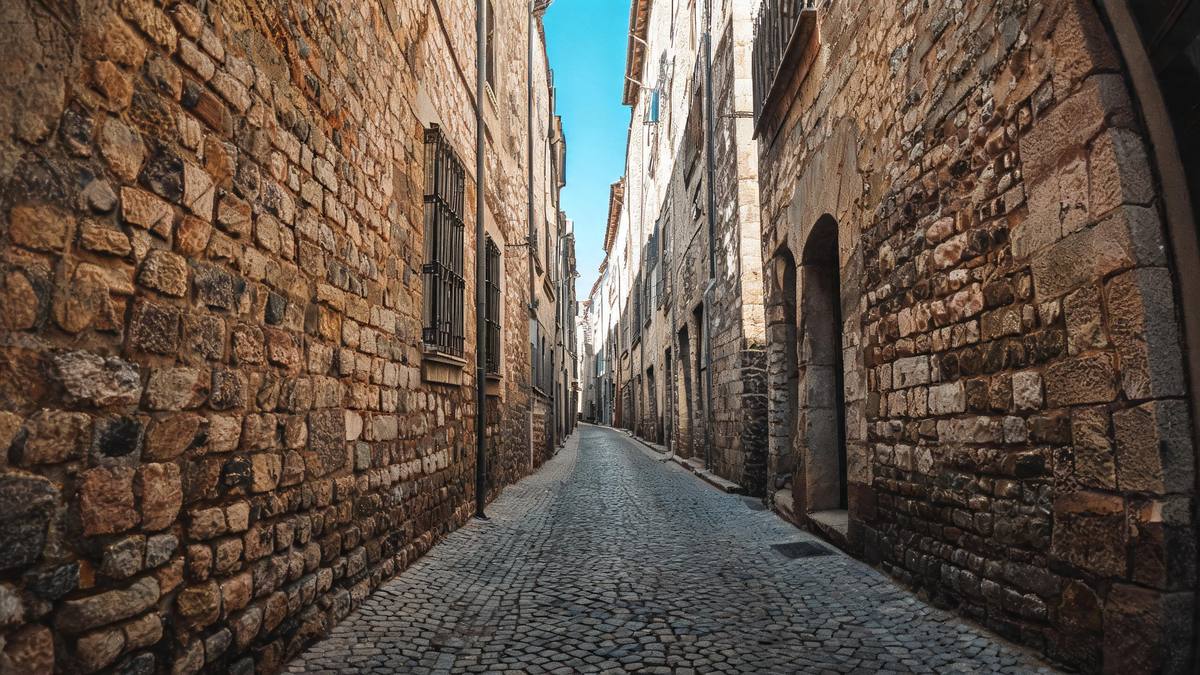
Why the fisheye is worth 100 credits
A fixed vertical frame, one subject, and a lens that cropping cannot fake.
The price is higher here than on the other camera effects, and the reason is what has to be generated. A fisheye is not a colour change or a texture; it is a change to the geometry of every edge in the frame, and it has to hold that geometry while the subject moves. Producing it from a flat photograph means reconstructing how the scene would have looked through curved glass, which is a harder problem than restyling what is already there.
The fixed 9:16 frame is the part that surprises people. It is not advice about where to post the result, it is the shape of the output, and a source photograph in any other proportion crops badly. Compose for it: stand the subject centrally, leave less sky than feels natural, and keep the full body inside the frame. A photograph where the sky occupies most of the picture gives the lens very little to bend, and the result looks flat rather than curved.
The remaining quirks are worth knowing before spending credits. Occasionally the subject walks while looking into the lens, which changes the character of the clip from a posed look to a moving one. Footwear can pick up detail from the reference photograph, so shoes are the first place to check if something looks off. And only one person can be in the upload, so a group portrait needs a different template entirely.
Credits and plans
Every effect draws on one shared credit balance.
A fisheye portrait costs 100 credits per run, and the number is on the confirmation screen before you commit to it. All OpenFilmo effects share one credit balance. Free accounts receive 30 credits monthly with no credit card required; Starter is $9 for 400, Pro is $19 for 1,000, and Studio is $59 for 4,000.
Related guides
Longer reads on the same workflow, from the OpenFilmo blog.
Image to Video AI: Animate Any Photo in Seconds
A complete guide to image to video AI: what makes a good source image, how to write motion prompts, top use cases, and how to fix …
AI Video Prompt Formulas That Hold Up in Production
Prompt structures that work for AI video: subject, motion, camera, time and style — with tested formulas, failure patterns and a m…
Character Consistency in AI Video: What Actually Works
How to keep characters consistent across AI video shots: reference images, prompt discipline, key frame locking and post-hoc corre…
Related effects
Same family of effects, on the same kind of input.
Frequently asked questions
How much does a fisheye portrait cost?
100 credits per run, displayed before you confirm. That is more than the other camera effects in this collection, because the lens geometry is generated across the whole frame. Free accounts receive 30 credits a month without a card, and paid plans increase the allowance.
Can I upload a photo of two people?
No. This template takes one person only, in a full-body shot. A pair or a group needs a different effect, and forcing one into this frame tends to leave the lens with no clear centre to bend around.
What shape does the output come in?
9:16 vertical, at 720p and four seconds long. A source photograph in another proportion crops badly, so it is worth composing for a tall frame before you upload rather than afterwards.
Why does the result look flat?
Too much sky is the usual cause. When the sky fills most of the frame there is little for the lens to bend, and the fisheye looks unconvincing. Choose a shot with the subject filling more of the picture.
Why do the shoes look wrong?
Footwear picking up detail from the reference photograph is a documented limit, so shoes are the first place to check. It is an artefact of the render, and another run can come out differently.