
Camera effect
Put a Dolly Zoom on Any Photograph
The shot that pushes the camera in while the lens pulls back is famously unsettling. Upload one photograph with depth behind the subject and the move is rendered for 40 credits.
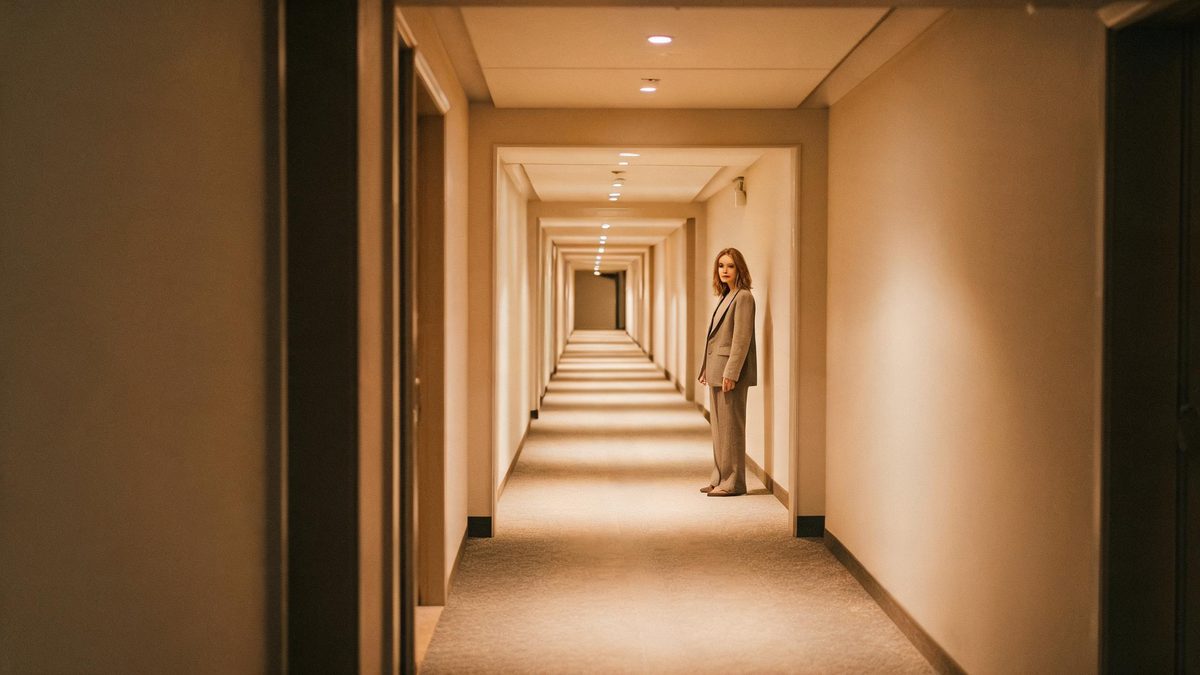
The dolly zoom works because it breaks a rule the eye relies on: the subject stays the same size while everything behind it rushes away or closes in. Filming one takes a dolly, a zoom lens, and two operators moving in coordination, which is why it appears so rarely outside features. This template produces it from a single photograph, so the move is generated rather than performed.
A run costs 40 credits and returns a 4-second video at 720p, keeping the aspect ratio of the photograph you upload. The input is one photograph of people, animals, buildings or products, on any background that is not a flat colour. Depth is the real requirement: a building or landscape background with a clear gap between foreground and background is what the effect asks for. On a plain single-colour background the camera move is barely visible, which is the documented limit.
Specs at a glance
Straight from the product panel, not from a marketing deck.
- Output
- 4-second video
- Credits
- 40 per run
- Resolution
- 720p
- Aspect ratio
- Matches your input photo
- Input
- 1 photo — people, animals, buildings or products, on any background that is not a flat colour
- Best results with
- A building or landscape background with a clear gap between foreground and background
- Known limits
- On a plain single-colour background the camera move is barely visible.
What it does
Built for this specific job, not a generic editor.
A camera move, not a transition
The effect generates an actual change in perspective during the clip, so foreground and background separate as it plays. That is different from a cross-fade or a push, which move the viewer without changing the geometry.
A wide range of subjects
People, animals, buildings and products are all accepted in a single frame, which makes this usable for portrait work, architecture and product shots without switching templates.
Inherited aspect ratio
The output follows the shape of the photograph you supply, so a vertical source returns a vertical clip and a wide architectural frame stays wide, with nothing cropped afterwards.
Forty credits, four seconds
The run is priced at 40 credits and the finished file lasts four seconds at 720p. That is enough for the move to read as a camera behaviour rather than a wobble.
How it works
Four steps, no timeline to learn.
Choose a frame with depth
Pick a photograph where the subject sits well in front of something else: a building behind a person, a landscape behind an animal. The gap between the two is what the move works on.
Avoid flat backgrounds
A plain single-colour backdrop makes the camera move barely visible, which is the documented limit here. A studio wall or a clear sky behind the subject will not show the effect.
Upload it and confirm at 40 credits
Add the photograph to the template and read the figure shown before you confirm. Top up the balance if it is short, then start the run. Nothing is spent until you agree to the number displayed.
Download the clip
Save the 4-second 720p file and use it where the move belongs. The shape matches your source, so no trimming is needed before it goes out.
Where people use it
The jobs this effect actually gets used for.
Product reveals
A product photographed against a room or a street gains a push that separates it from the background. It gives a static catalogue shot a piece of camera movement it did not have.
Architecture and property
A building with space around it is close to the ideal input for this effect. The rendered move emphasises the facade without a second visit or any equipment on site.
Portrait openers
A person photographed with a street or an interior behind them gets an unsettling push that works as an intro card or a title frame.
Animals in a landscape
A pet or a horse against open ground gives the effect a clear foreground and background to separate, which is what makes the move legible.
Why the dolly zoom needs the right background
The move is only visible when there is something behind the subject.
What makes this shot unsettling is a contradiction: the subject holds its size while the space around it changes scale. The eye reads that as the world moving rather than the camera, which is why the shot is used for dread, revelation, and the moment a character understands something. It cannot be faked with a push or a crop, because both move everything in the frame together. Something has to separate from something else.
That is why the input requirement is about depth rather than about the subject. People, animals, buildings and products all work, because the effect does not care what is in front. What it needs is a gap: a building or landscape background with clear distance between the foreground and what sits behind it. A photograph taken against a wall, a curtain, or a clear sky has no second plane, and the camera move is barely visible in the result. This is the documented limit, and it is entirely avoidable by choosing the photograph carefully.
At 40 credits and four seconds, this is one of the cheaper ways to add camera movement to a still, and it suits placements where a plain photograph would sit flat. The output keeps the aspect ratio of the upload, so a wide architectural frame returns a wide clip that drops into a listing or a feed post unchanged. Check the background before you render rather than after, since the difference between a usable result and a still with a slight wobble on it comes down to what was behind the subject.
Credits and plans
Every effect draws on one shared credit balance.
One dolly zoom render costs 40 credits, and the figure is displayed before you confirm, so nothing is spent unseen. OpenFilmo runs a single credit balance across every effect. Free accounts get 30 credits a month with no credit card required; Starter is $9 for 400, Pro is $19 for 1,000 and Studio is $59 for 4,000.
Related guides
Longer reads on the same workflow, from the OpenFilmo blog.
Image to Video AI: Animate Any Photo in Seconds
A complete guide to image to video AI: what makes a good source image, how to write motion prompts, top use cases, and how to fix …
AI Video Prompt Formulas That Hold Up in Production
Prompt structures that work for AI video: subject, motion, camera, time and style — with tested formulas, failure patterns and a m…
AI Video Upscaling to 4K: Refiners, Settings and Limits
How AI video upscaling and one-step refiners work, when to upscale versus regenerate at native resolution, and the settings that a…
Related effects
Same family of effects, on the same kind of input.
Frequently asked questions
What subjects does this effect accept?
People, animals, buildings and products, in one photograph. The subject is not the constraint here; the background is, since the move needs a second plane to work against.
Why is the camera move invisible in my clip?
A plain single-colour background is the documented cause. With no depth behind the subject there is nothing for the perspective to change against, so the move barely registers. Choose a frame with a building or a landscape behind it.
How long and how sharp is the output?
Four seconds at 720p, in the same aspect ratio as the photograph you upload. A landscape source stays landscape and a vertical one stays vertical, so the file fits the placement you framed it for.
What does one run cost?
40 credits, shown before you confirm. Free accounts receive 30 credits a month with no card, and paid plans increase the allowance considerably from there.
Can I use a studio photograph?
It will render, but a plain backdrop is the one case where the effect barely shows. If the only photograph available was shot against a wall, another effect in this collection will give you more visible movement.