
Visual effect
Give One Portrait a Futuristic Look
One photograph of one person becomes a four-second science-fiction styled clip. The run costs 40 credits and returns a 720p video in your photograph’s shape.
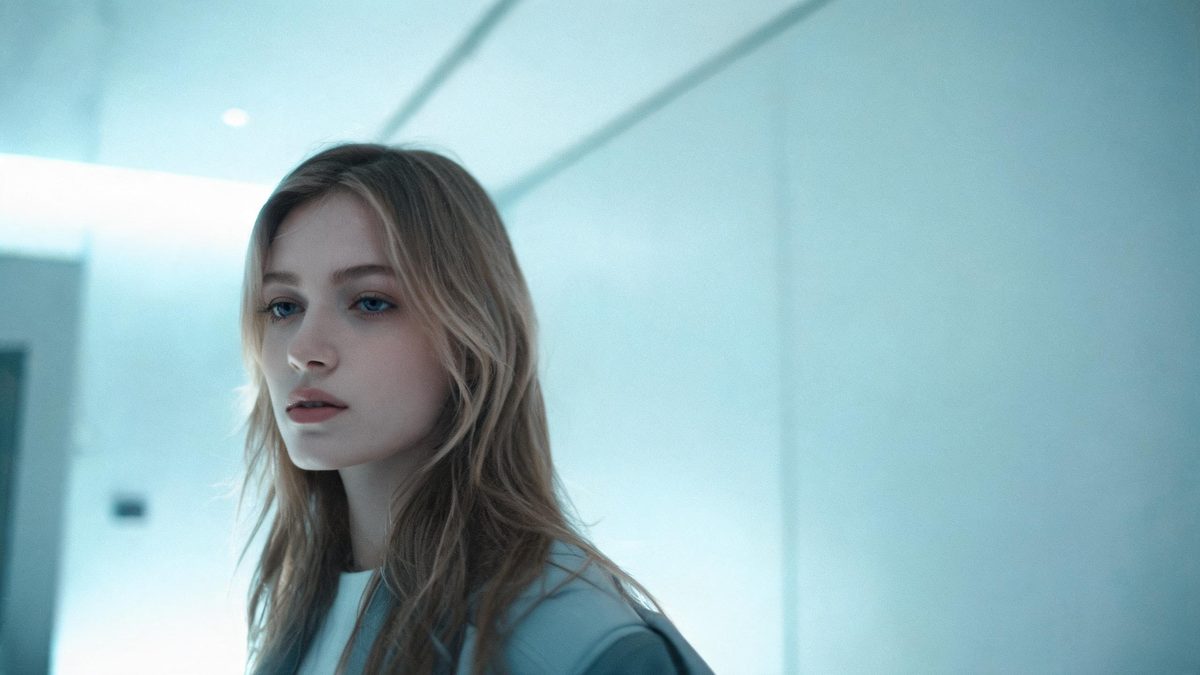
The futuristic portrait usually involves a wardrobe, a set, and a lighting plan, and even then it can read as costume rather than as a place. Building it from a photograph removes most of that: the person is already lit and framed, and the styling is applied to them in the render. What makes it useful is that it works on a picture that already exists, taken on an ordinary day in ordinary clothes.
A run costs 40 credits and returns a 4-second video at 720p, in the same aspect ratio as the photograph you upload. The input is one photograph of one person, and a single-subject photograph is what the template asks for. There is one documented limit, and it is narrow: occasionally the subject ends up wearing oversized glasses. That is worth a glance in the finished clip, and it is the kind of artefact that another run often resolves.
Specs at a glance
Straight from the product panel, not from a marketing deck.
- Output
- 4-second video
- Credits
- 40 per run
- Resolution
- 720p
- Aspect ratio
- Matches your input photo
- Input
- 1 photo — one person
- Best results with
- A single-subject photograph
- Known limits
- Occasionally the subject ends up wearing oversized glasses.
What it does
Built for this specific job, not a generic editor.
Styling added, not staged
The look is generated onto the photograph rather than built around a person on a set, so there is no costume to source, no location to book, and no lighting plan to execute.
One person, one frame
A single-subject photograph is the recommended input. Keeping one figure in the picture gives the styling a clear subject to apply itself to, without dividing its attention.
Four seconds at 720p
The finished clip runs four seconds at 720p, which suits a story, a feed post or a profile frame. It is a short piece of motion rather than a sequence.
Your framing, unchanged
The output follows the aspect ratio of the photograph you supply, so a vertical phone shot returns a vertical clip and a landscape frame stays landscape, with no crop applied afterwards.
How it works
Four steps, no timeline to learn.
Choose a single-subject photograph
Pick a frame with one person in it, clearly separated from the background. The template is built around a single subject, and a crowded frame gives it more than one thing to style.
Keep the composition simple
A plain background and even lighting give the effect a clean subject to work on. Busy surroundings and harsh shadows both make the styling harder to apply consistently.
Upload the photo and confirm at 40 credits
Add the photograph and check the cost shown before committing to it. Add credits if the balance is short, then start the run. No spend happens until you accept the figure shown there.
Check the face, then export
Watch the finished four seconds before posting. Oversized glasses are the documented quirk here, so look at the face first, and run it again if the first attempt is not usable.
Where people use it
The jobs this effect actually gets used for.
Channel and profile art
A portrait given a futuristic treatment works as a moving avatar or a header clip, where a still photograph would sit unchanged for months.
Event and launch posts
A speaker or host photographed once can be styled for a technology announcement without a shoot, which is useful when the photograph is all that exists.
Story frames
Four seconds at 720p fills a phone screen briefly and does not outstay its welcome, which suits an autoplaying placement.
A quick test of a concept
At 40 credits a run is inexpensive enough to try an idea and discard it, rather than committing to a production to find out whether it works.
Why a single subject makes this effect reliable
One person, one frame, and one narrow quirk to check.
Styling effects work best when there is exactly one thing to style. A photograph with one person in it gives the render a single silhouette, a single set of edges, and a single face to treat, and everything it generates has to agree with that one subject. Add a second person and the effect has to apply the same treatment twice while keeping both figures consistent with each other, which is where the results start to look uneven. That is why the template asks for a single-subject photograph rather than merely preferring one.
Framing and lighting do the rest. A person clearly separated from what is behind them, lit evenly, and filling a useful part of the picture, gives the effect the cleanest starting point. Harsh shadow across the face and a busy background both introduce ambiguity about where the subject ends, and at 720p that ambiguity shows as soft or inconsistent edges. None of this requires a studio; a plain wall and daylight from one side is enough.
The documented limit is small and easy to check. Occasionally the subject ends up wearing oversized glasses, which is an addition the render makes rather than something present in the photograph. On a face it is immediately obvious, so watch the first second of the clip before using it elsewhere. Because results differ between runs, rendering the same photograph again is usually enough to get a version without it, and at 40 credits that is a cheap second attempt.
Credits and plans
Every effect draws on one shared credit balance.
A futuristic look render costs 40 credits, shown before you confirm, and it comes out of the one balance OpenFilmo uses for every effect. Free accounts receive 30 credits a month with no credit card required. Starter is $9 for 400, Pro is $19 for 1,000, and Studio is $59 for 4,000.
Related guides
Longer reads on the same workflow, from the OpenFilmo blog.
Image to Video AI: Animate Any Photo in Seconds
A complete guide to image to video AI: what makes a good source image, how to write motion prompts, top use cases, and how to fix …
Character Consistency in AI Video: What Actually Works
How to keep characters consistent across AI video shots: reference images, prompt discipline, key frame locking and post-hoc corre…
AI Video Prompt Formulas That Hold Up in Production
Prompt structures that work for AI video: subject, motion, camera, time and style — with tested formulas, failure patterns and a m…
Related effects
Same family of effects, on the same kind of input.
Frequently asked questions
What is the price of a run?
40 credits, shown on the confirmation screen before you commit. Free accounts get 30 credits a month with no card, and paid plans raise the allowance considerably from there.
Can the photo contain more than one person?
It is not advised. The template is built for a single-subject photograph of one person, and a frame with several people gives the styling more to reconcile than it handles well.
What am I given at the end?
A 4-second video at 720p in the aspect ratio of the photograph you uploaded. Vertical sources stay vertical and landscape sources stay landscape, so no trimming is needed afterwards.
Why is the subject wearing huge glasses?
Oversized glasses are the documented limit of this effect: occasionally the render adds them. It is an artefact rather than anything in your photograph, and running the same image again often produces a version without it.
What makes a good source photograph?
One person, evenly lit, clearly separated from the background and filling a useful part of the frame. A plain wall behind the subject and daylight from one side is enough to give the effect a clean starting point.