
Style effect
Make a Clay Figure Polaroid Video From a Photo
Convert a front-facing portrait into a vertical clay figure reveal with a Polaroid presentation. One photo becomes a 4-second 720p video in 9:16 for 100 credits.
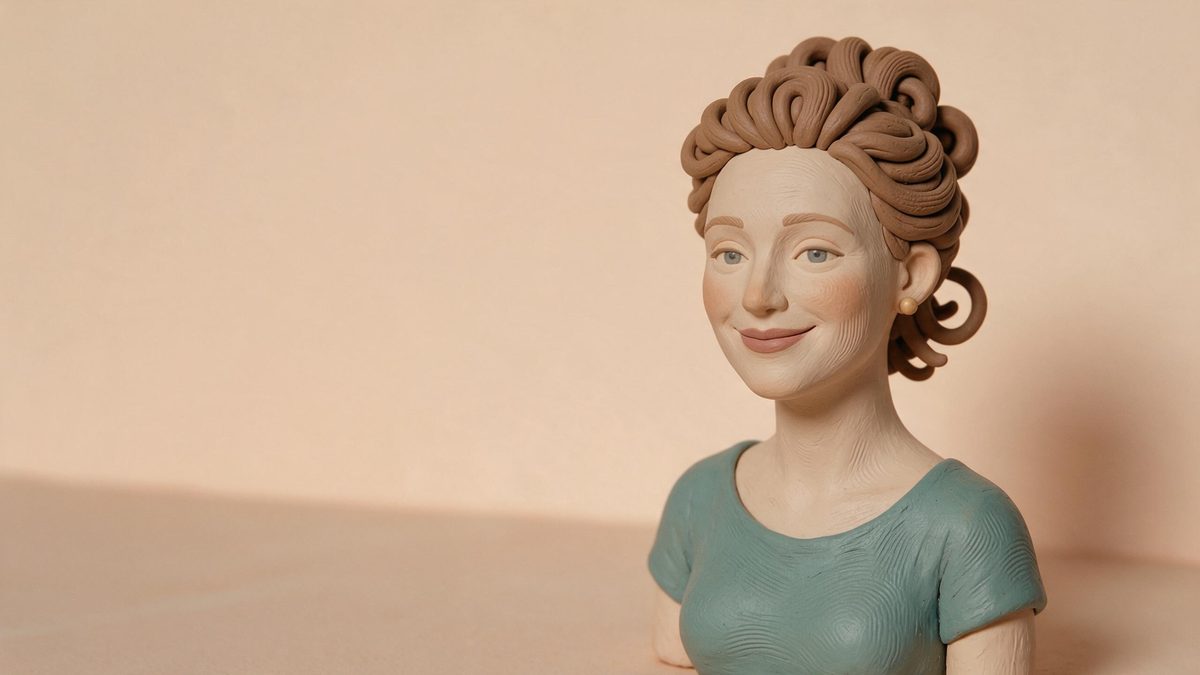
A clay figure portrait works by simplifying a real subject into tactile shapes while retaining the cues that make the source recognisable. This template adds that handmade character inside a Polaroid-like presentation, giving the transformation a clear visual destination rather than treating it as a general surface filter. It accepts one photograph of an adult, a child, an animal, a pair, or a family of three, so the source can range from an individual portrait to a compact family composition.
The result is a 4-second 720p video in a fixed 9:16 frame and costs 100 credits per run. Front-facing upper-body or full-body photographs are the recommended input because they reveal the face and enough of the figure for the clay conversion to read. Eyebrows can blur partway through the change, and the transition into the clay figure can look uneven, so facial detail and the middle of the transformation should be checked before the clip is posted.
Specs at a glance
Straight from the product panel, not from a marketing deck.
- Output
- 4-second video
- Credits
- 100 per run
- Resolution
- 720p
- Aspect ratio
- 9:16
- Input
- 1 photo — an adult, a child, an animal, a pair, or a family of three
- Best results with
- Front-facing upper-body or full-body shots
- Known limits
- On people the eyebrows can blur partway through the change, and the transition into the clay figure is sometimes not smooth.
What it does
Built for this specific job, not a generic editor.
A tactile portrait treatment
Faces, clothing, fur, and body shapes are interpreted as a small clay figure rather than merely recoloured. The result is useful when a post needs a crafted, collectible feeling while still beginning with a person or animal that viewers already know.
Several supported subject types
One adult, one child, an animal, a pair, or a family of three can appear in the source photograph. That coverage makes the effect practical for solo introductions, couple keepsakes, pet posts, and closely framed household portraits.
Vertical composition by design
The finished file uses 9:16 rather than copying the source shape. Its Polaroid arrangement is therefore prepared for a tall display, with the transformation and figure presented inside a frame that reads naturally on a phone.
A concise reveal at 720p
The animation runs for 4 seconds and is delivered at 720p. The short duration keeps attention on the shift from photograph to clay figure, while the fixed vertical layout makes the result straightforward to place in a vertical sequence.
How it works
Four steps, no timeline to learn.
Select a front-facing portrait
Choose 1 photo where the subject looks toward the camera and appears upper-body or full-body. Keep faces unobstructed, include every intended person or animal within the frame, and avoid an edge crop that removes part of the head or figure.
Prepare for the tall output
Consider how the source will fit a 9:16 result. A photograph with the subjects gathered near the centre and some space around their outline gives the vertical Polaroid composition room to present the figure without crowding the sides.
Confirm the clay figure run
Upload the photograph to the Clay Figure Polaroid effect and review the charge shown in the product panel. The transformation costs 100 credits and produces one 4-second video rather than a still image.
Review the face and transition
Watch the 720p file closely as the portrait changes into clay. Examine eyebrows during the middle portion and look for a jump or rough blend in the conversion, since both are documented areas where this template can lose polish.
Where people use it
The jobs this effect actually gets used for.
Vertical family keepsakes
A family of three can be presented as a coordinated clay figure scene from one photograph. Use a front-facing arrangement with each face visible, then check that the transformation preserves enough distinction between the family members to remain readable.
Pet character reveals
An animal photograph becomes a small crafted character inside the Polaroid framing. A full-body pet image with a clean outline is especially useful because the figure can be read from ears to paws instead of being reduced to a close facial crop.
Paired portrait posts
A pair can share one clay transformation without separate source files. Keep the two subjects at a similar visual distance from the camera and leave a clear boundary between their faces and shoulders to reduce confusion during the style change.
Collectible-style introductions
A solo adult or child portrait can serve as an opening clip for a profile, greeting, or personal montage. The Polaroid presentation gives the reveal a finished frame, so the result can stand alone rather than depending on a separate layout.
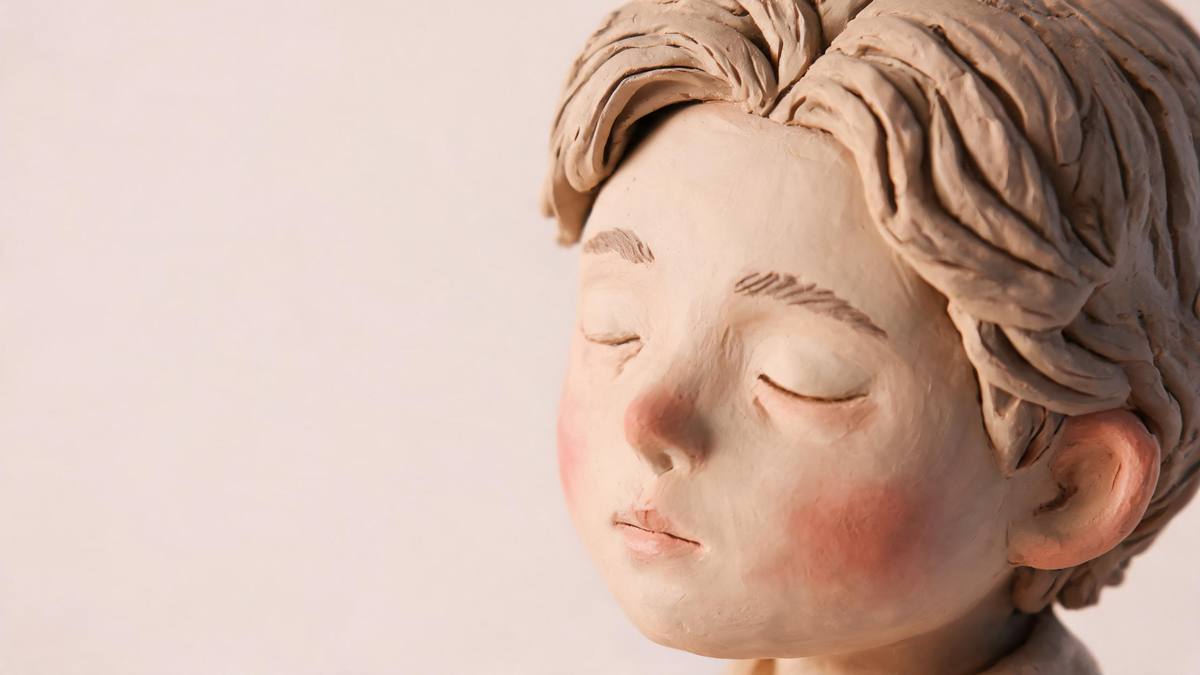
Why portrait framing controls the clay figure result
A strong source gives the face, body, and vertical layout distinct jobs.
Clay styling removes photographic detail and replaces it with shaped surfaces, which means identity has to survive through larger cues. Face direction, hair outline, clothing blocks, and body position become more important than skin texture or tiny accessories. A front-facing image exposes those cues clearly. Upper-body and full-body framing also provides enough context for the viewer to understand whether the result is meant to be a portrait bust, a complete figure, or a small group arranged inside the Polaroid scene.
The fixed 9:16 format should influence the source choice even though the upload itself may have another shape. Wide groups with large gaps can feel compressed when reorganised into a tall frame, while tightly overlapped faces can become difficult to separate after the clay treatment simplifies their edges. Bringing the subjects together without letting them cover one another usually produces a clearer hierarchy. Background detail should support the outline rather than compete with it, because the figure is the main information the effect needs to carry.
The documented weaknesses appear during transformation rather than only in the last frame. Eyebrows can blur partway through, which may briefly weaken expression or identity, and the change into clay can be less than smooth. A clean final figure does not remove the need to inspect the full clip. Watch it from start to finish, especially if the animation will be looped, and choose a different front-facing source if facial features become unstable. The template is best treated as a character reveal, not as an exact facial record.
Credits and plans
Every effect draws on one shared credit balance.
A Clay Figure Polaroid run costs 100 credits from the common OpenFilmo balance, and the amount appears before you confirm. The Free plan includes 30 credits each month without a credit card. Starter is $9 for 400 credits, Pro is $19 for 1,000, and Studio is $59 for 4,000.
Related guides
Longer reads on the same workflow, from the OpenFilmo blog.
Image to Video AI: Animate Any Photo in Seconds
A complete guide to image to video AI: what makes a good source image, how to write motion prompts, top use cases, and how to fix …
AI Video Prompt Formulas That Hold Up in Production
Prompt structures that work for AI video: subject, motion, camera, time and style — with tested formulas, failure patterns and a m…
AI Anime Video Generator: Text or Image to Anime
How to use an AI anime video generator: a script-to-anime workflow, character consistency with reference images, style options and…
Related effects
Same family of effects, on the same kind of input.
Frequently asked questions
Which subjects can the Clay Figure Polaroid use?
Upload 1 photo of an adult, a child, an animal, a pair, or a family of three. Keep everyone clearly visible in the same frame, because the template takes a single photograph and does not ask for separate subject references.
What source pose works best for this effect?
A front-facing upper-body or full-body shot is recommended. That angle exposes facial features and body shape, helping the clay figure remain recognisable after photographic texture is replaced by simplified, crafted surfaces.
What does the finished clay video include?
OpenFilmo returns a 4-second video at 720p in a fixed 9:16 aspect ratio. It is a vertical moving result with a Polaroid presentation, not a still picture and not an output that copies the source dimensions.
How many credits are required?
The template uses 100 credits for each run. That charge is displayed before confirmation and covers the full vertical transformation from the uploaded portrait to the completed clay figure sequence.
What can go wrong during the clay transformation?
Eyebrows may blur partway through the change, and the transition into the clay figure can appear uneven. Review the whole animation rather than judging only its closing frame, particularly when facial expression is important to the post.