
Christmas effect
A Christmas Toast You Do Not Have to Stage
Getting everyone to hold a glass at the same height, look at the camera and smile at once is the hard part. Upload one photograph and the toast is built around it instead.
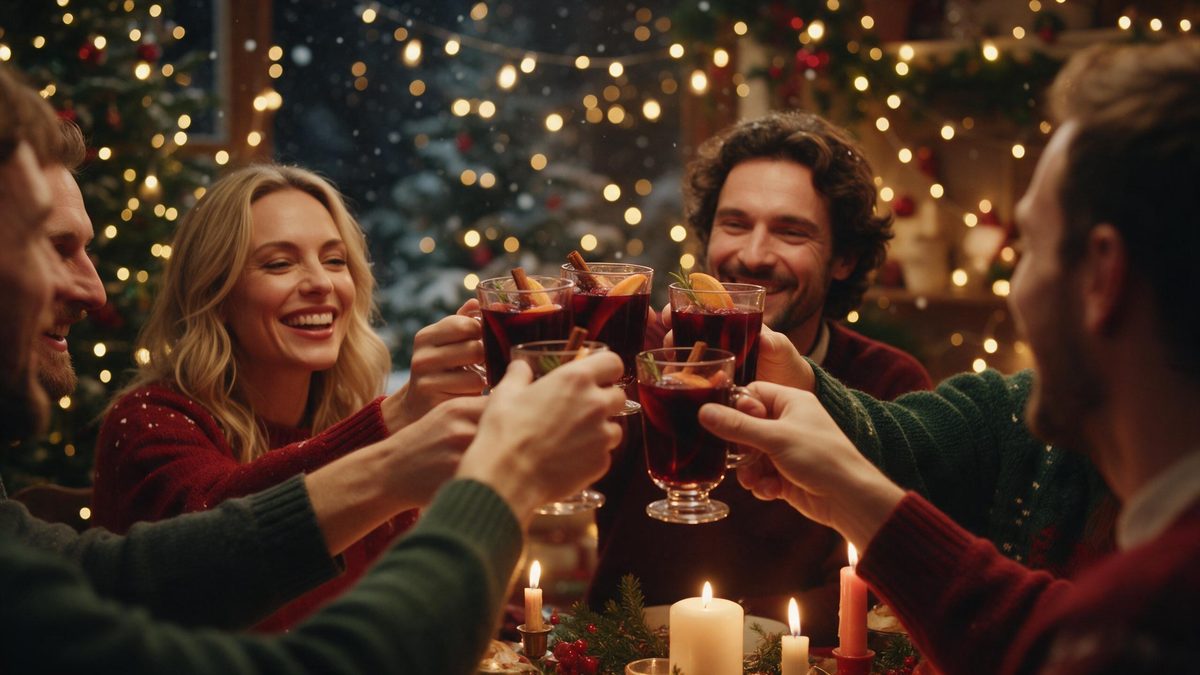
Every year the same photograph gets attempted: glasses raised, everyone looking at the lens, nobody blinking. It usually takes four attempts, and the best of them still has somebody checking a phone. A toast is a moment that resists being staged, which is exactly why rendering one is easier than shooting one. You supply a photograph that already exists and the Christmas toast is constructed around the people standing in it.
The result is a 4-second video at 360p, matching the shape of your photograph, and it costs 60 credits per run. Four seconds is enough for the raise and the clink and not much else, which is the right length for a greeting people will watch on a phone. Be clear about the picture quality: 360p is a small, low-resolution file that suits a chat thread or a story, not a projector. One upload can hold a solo portrait, a couple, or a larger group, so the price does not move with the headcount.
Specs at a glance
Straight from the product panel, not from a marketing deck.
- Output
- 4-second video
- Credits
- 60 per run
- Resolution
- 360p
- Aspect ratio
- Matches your input photo
- Input
- 1 photo — one person, two people, or a group
- Best results with
- A three-quarter or full-body shot
- Known limits
- The opening camera move can be slow.
What it does
Built for this specific job, not a generic editor.
A toast without the coordination
Nobody has to hold a glass, look at the camera and smile on the count of three. The glasses, the setting and the movement are produced in the render, so the photograph you already have is enough to start from.
Solo, a pair or a group
The template takes one person, two people, or a group in a single frame, so a household greeting and a team greeting cost the same. Everyone visible in the upload is carried into the finished clip together.
Sized to your photograph
The output follows the aspect ratio of the image you upload. A vertical phone shot returns a vertical clip ready for a story, and a landscape frame stays landscape with no letterboxing added to it afterwards.
Small file, easy to send
At 360p the finished file stays light, which matters when you are sending it to a group chat or attaching it to a message. It arrives as a video people can open immediately rather than as a link they have to follow.
How it works
Four steps, no timeline to learn.
Choose a three-quarter shot
Pick a photograph where the people are visible from roughly the waist up or further back. Tight crops around faces leave the effect little room to work with, and a cluttered background makes the finished clip harder to read.
Upload one image
Add that photograph to the Christmas toast template. That single frame is the entire input, so there is no prompt to compose, no second reference to hunt for, and no separate scene to prepare beforehand.
Confirm at 60 credits
The cost appears before you confirm the run. Check the balance, top up if it is short, then start it. Nothing is deducted until you agree to the figure shown on that screen, so there is no surprise later.
Send it while it is December
Download the 4-second clip and post it to the thread, the story or the family group. Because the shape matches the photograph you supplied, a vertical source drops straight into a story without trimming.
Where people use it
The jobs this effect actually gets used for.
Replacing the group attempt
The four tries it normally takes to get everyone looking at the camera can be skipped entirely. One good photograph from earlier in the year is enough, and nobody needs to be in the same room as anybody else.
A message to people far away
Relatives in another time zone get a moving greeting rather than a typed message. The file is small enough to send directly inside a chat, which matters when the person receiving it will not follow a download link.
Team and client greetings
An account or a team can send one clip built from an existing group photograph rather than commissioning a shoot. The flat 60-credit cost covers everyone in the frame, whatever the size of the team happens to be.
Story and status updates
A vertical render fills a phone screen for the day. Post it on the 24th or the 25th and it reads as a seasonal greeting rather than as another still image in the feed with text laid over the top of it.

Why render a toast instead of filming one
Coordination is the real cost.
The difficulty with a real toast is not the camera, it is the timing. Somebody raises too early, somebody else is mid-sentence, and the glass nearest the lens catches the flash. Getting a usable frame means repeating the moment until it works, by which point nobody is enjoying it any more. A rendered toast removes the repetition: the photograph was taken once, on a day when everybody was relaxed, and the celebration is added afterwards.
The trade is in resolution, and it is worth stating plainly. At 360p the clip is a low-resolution file. On a phone screen in a chat bubble it reads fine, and the softness is largely invisible at that size. Scale it up to fill a monitor or a television and it will not hold. That is the honest boundary of this template, and it is better understood before a render than discovered once the credits have gone.
The known quirk is the opening. The camera move at the start of the clip can be slow, so the first fraction of a second is less lively than what follows it. For a greeting posted to a story or a thread, that rarely matters, because the clip is short enough to be watched straight through. Where it would matter is as the first frame of a longer edit, since a slow opening draws attention to itself. Plan around it rather than against it.
Credits and plans
Every effect draws on one shared credit balance.
OpenFilmo runs one credit balance across every effect. A Christmas toast costs 60 credits per run, and the number is shown before you confirm, so you always see it in advance. Free accounts get 30 credits monthly with no credit card required. Starter is $9 for 400, Pro is $19 for 1,000, and Studio is $59 for 4,000.
Related guides
Longer reads on the same workflow, from the OpenFilmo blog.
Image to Video AI: Animate Any Photo in Seconds
A complete guide to image to video AI: what makes a good source image, how to write motion prompts, top use cases, and how to fix …
Text to Video AI: Turn Any Prompt Into Video
Learn how text to video AI works, the four-part prompt formula that produces usable clips, how to fix common failures, and where i…
AI Video Prompt Formulas That Hold Up in Production
Prompt structures that work for AI video: subject, motion, camera, time and style — with tested formulas, failure patterns and a m…
Related effects
Same family of effects, on the same kind of input.
Frequently asked questions
How many credits does a Christmas toast use?
60 credits per run, and the figure is displayed before you confirm. One upload covers everyone in the frame, so a group costs the same as a single person. Free accounts receive 30 credits a month without a card, and paid plans increase the allowance considerably.
Can I use a group photo?
Yes. The template accepts one person, two people, or a group in a single image, and everyone visible is carried into the render. That makes it practical for a family photograph or a team shot rather than only for individual portraits.
What is the output quality?
A 4-second video at 360p, which is a low-resolution file. It is well suited to a phone screen, a chat bubble or a story, and it keeps the file small. It is a low-resolution result and will look soft on a large display.
Is anything wrong with the opening?
The camera move at the start can be slow. That is a known limit of this template rather than a fault with your photograph, and the rest of the clip plays normally. For a short greeting the effect is minor and rarely noticed.
What photo should I upload?
A three-quarter or full-body shot with the people clearly visible and evenly lit. Avoid a tight crop around the face, and avoid anything that cuts people off at the frame edge, since the effect needs the full figure to work with.