
Christmas effect
Bite an Apple, Land Somewhere Festive
One photograph of one person, and the bite turns into a transition. Take the 8-second 720p video or the 1080p still, whichever suits where it is going.
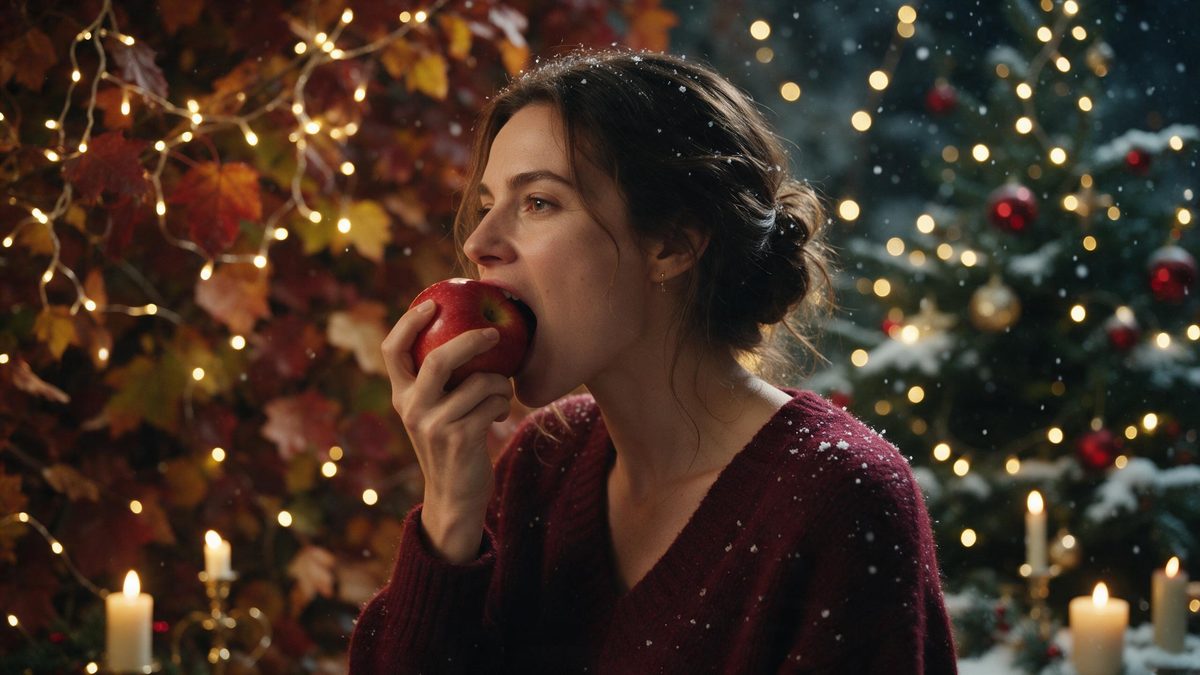
The bite-to-transition is one of the few short-form structures that still reads clearly without any explanation. A person bites into an apple, the frame changes, and they are somewhere else entirely. It works because the action is ordinary and the cut is disguised by it. This template supplies the whole thing from a single photograph of one person, rather than from a clip you have to go out and shoot.
You choose the output at the start: an 8-second video at 720p for 40 credits, or a 1080p still for 10 credits. Both keep the aspect ratio of the photograph you upload. Only one person can be in the frame, and a half-body or full-body shot gives the most to work with. Two things are worth knowing before you spend anything: the transition can be uneven, and anything held in the hands in the source photograph can affect the result.
Specs at a glance
Straight from the product panel, not from a marketing deck.
- Output
- 8-second video, or a still image
- Credits
- 40 for the video, 10 for the still
- Resolution
- 720p video, 1080p still
- Aspect ratio
- Matches your input photo
- Input
- 1 photo — one person
- Best results with
- A half-body or full-body shot
- Known limits
- The transition can be uneven, and anything held in the hands can affect the result.
What it does
Built for this specific job, not a generic editor.
Video or still, your call
The same effect runs two ways. Take the 8-second 720p video at 40 credits when it is going somewhere that plays, or the 1080p still at 10 credits when a single frame is all the placement actually needs.
A transition you do not edit
The cut is built into the render rather than assembled afterwards. There is no timeline to join, no mask to draw and no editing step between the upload and the finished file you download at the end of it.
Longer than most clips here
At 8 seconds this is twice the length of the shorter Christmas templates, which leaves room for the setup and the payoff. That suits a feed post or a story where a quick flash would resolve too fast to land.
Shape taken from your photo
Whichever output you pick, the result follows the aspect ratio of the image you supply. Vertical stays vertical for stories, landscape stays landscape, and nothing is cropped out of the frame when the render is complete.
How it works
Four steps, no timeline to learn.
Pick a solo photograph
The template takes one person per image. Choose a half-body or full-body frame with even lighting and the subject clearly separated from the background, since the effect needs the whole figure to carry the transition.
Empty the hands
Put down whatever is being held before the picture is taken, or choose a frame with hands out of shot. Objects in the hands are a documented source of problems with this effect, and they can distort the result.
Choose video or still
Decide before confirming, since the 8-second 720p video costs 40 credits and the 1080p still costs 10. The figure is shown before anything is spent, so you can change your mind at that point without cost.
Export and place it
Download the file and put it where it was intended to go. The shape matches your photograph, so a vertical source is ready for a story and a landscape one suits a feed post or an embedded player.
Where people use it
The jobs this effect actually gets used for.
A reveal post
Use the bite as the turn into a festive setting. Eight seconds gives the reveal room to register, which a four-second template would not, and the structure needs no caption to be understood.
Still for a card or banner
The 1080p still at 10 credits suits a printed card, a header image or an email banner where motion is not wanted. It is the cheaper option and the higher-resolution one for static placements.
Story openers
A vertical render fills a phone screen and holds attention for the full eight seconds. Post it as the first frame of a seasonal sequence and let the rest of the set follow on from it.
Testing an idea cheaply
At 10 credits the still is an inexpensive way to see whether the composition works before committing 40 to the video. Run the cheap version first, then upgrade if the frame is worth animating.

Why the bite structure keeps working
An ordinary action hides the cut.
Short-form video has a structural problem: the viewer has to understand what they are looking at within a second or two, and there is no room for setup. The bite solves this by making the transition itself the action. Nothing needs explaining, because biting into fruit is something everybody recognises instantly, and the change lands on the back of a movement the eye is already following. That is why the structure survives being reused so often.
The choice between the two outputs is worth thinking about before you render, because they suit different destinations. The 8-second 720p video is for anywhere motion is expected: a story, a feed, a short. The 1080p still is sharper and cheaper at 10 credits, and it is the better answer for a card, a banner or a page header where a moving file would be a nuisance. Paying for the video when the placement only needed a frame is the common waste here.
Two limits are documented for this template, and both are avoidable to a degree. The transition can be uneven, so the change may not land as cleanly as it does in the preview. And anything held in the hands in the source photograph can affect the result, because the effect has to decide what to do with an object that is not part of the action. Choosing a frame with empty hands and a half-body or full-body subject removes the second problem entirely and gives the first a better chance.
Credits and plans
Every effect draws on one shared credit balance.
This effect offers two prices, and both are shown before you confirm: 40 credits for the 8-second 720p video, or 10 credits for the 1080p still. Every OpenFilmo render draws on the same balance. The Free plan includes 30 credits monthly with no credit card required; Starter is $9 for 400, Pro is $19 for 1,000 and Studio is $59 for 4,000.
Related guides
Longer reads on the same workflow, from the OpenFilmo blog.
Image to Video AI: Animate Any Photo in Seconds
A complete guide to image to video AI: what makes a good source image, how to write motion prompts, top use cases, and how to fix …
AI Video Prompt Formulas That Hold Up in Production
Prompt structures that work for AI video: subject, motion, camera, time and style — with tested formulas, failure patterns and a m…
How to Use Vidu: A Practical Guide
How to use Vidu: reference-to-video workflow, keeping subjects consistent across shots, prompt approach, and where it fits compare…
Related effects
Same family of effects, on the same kind of input.
Frequently asked questions
Video or still, what is the difference in cost?
The 8-second 720p video costs 40 credits and the 1080p still costs 10. Both figures appear before you confirm, and you decide which one you want at that point. If the placement only needs a single frame, the still is the cheaper and sharper choice of the two.
Can I use a photo of two people?
No. This template takes one person per photograph, so a group image will not render as intended. Choose a frame with a single subject, shot half-body or full-body, and use one of the group templates in this collection instead for anything larger.
Why does the transition look uneven?
An uneven transition is a known limit of this effect rather than a fault in your photograph, and it varies between runs. Trying a different source image, with the subject framed half-body or full-body, often gives a cleaner change on the next attempt.
Should the subject be holding anything?
Better not. Anything held in the hands can affect the result, which is stated in the effect’s own notes, and a cup, a phone or a bag is enough to cause it. Pick a frame with empty hands, or one where the hands sit outside the shot, before you upload it.
What resolution do I get?
720p for the 8-second video and 1080p for the still, so the still is the sharper of the two outputs. Both keep the aspect ratio of the photograph you upload, which means the shape you started from is the shape you get back.