
Christmas effect
Santa Transformation Video From a Single Photo
A Santa suit is a purchase you wear twice and store for eleven months. Upload one photograph instead and OpenFilmo returns a quick 4-second clip of you in the red coat, rendered at 360p.
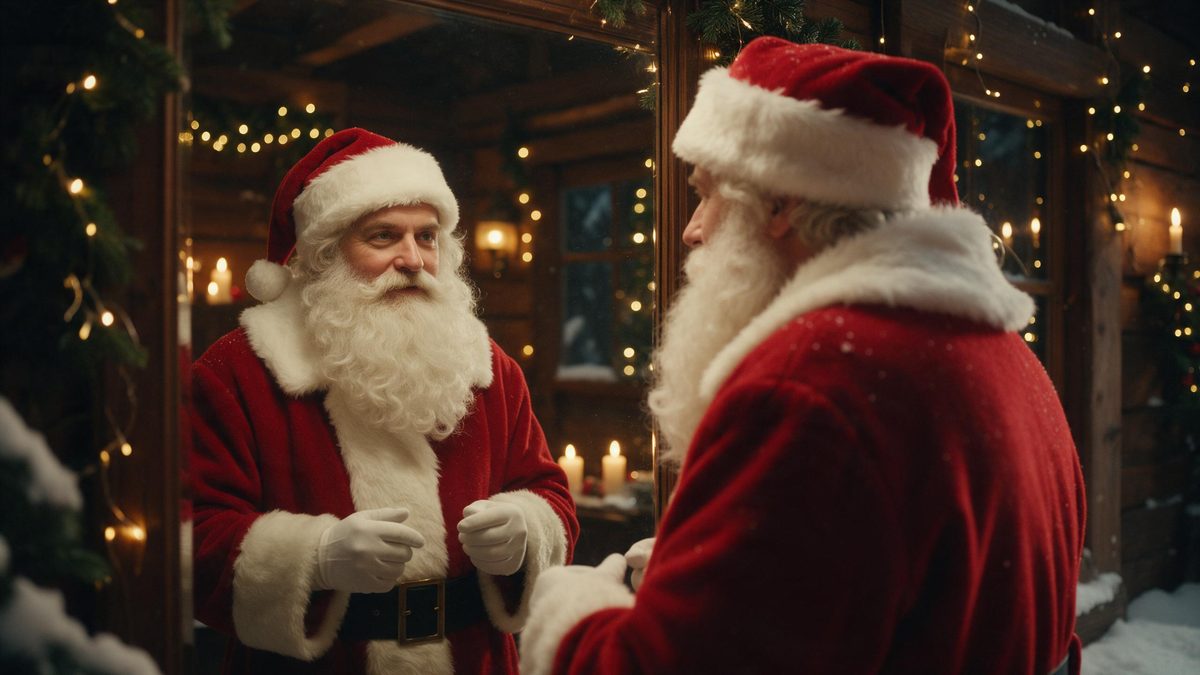
There is a particular kind of December photograph that never quite works: someone standing in front of a tree in a hired suit, the beard slightly off-centre, the whole thing obviously borrowed. Getting a better version usually means hiring a photographer, booking a studio slot, or waiting forty minutes in a queue at a shopping centre. This effect takes the opposite route. You supply one photograph and the Santa transformation is applied to it, costume, beard and setting included, producing a short clip you can send the same evening.
What you get back is a 4-second video at 360p, in the same shape as the photo you uploaded. That is deliberately modest: 360p is a small, soft picture that travels well through messaging apps and looks fine on a phone held at arm’s length, but it is a low-resolution file and it will not hold up projected on a large screen. Know that before you render. The input is flexible, since one person, two people, or a whole group is accepted, and a three-quarter or full-body shot gives the effect more to work with than a tight head-and-shoulders crop.
Specs at a glance
Straight from the product panel, not from a marketing deck.
- Output
- 4-second video
- Credits
- 60 per run
- Resolution
- 360p
- Aspect ratio
- Matches your input photo
- Input
- 1 photo — one person, two people, or a group
- Best results with
- A three-quarter or full-body shot
- Known limits
- The Santa figure and the original subject can end up at different heights.
What it does
Built for this specific job, not a generic editor.
One photo, several people
The template accepts a single person, a pair, or a group in one frame. That makes it usable for a couple’s greeting, a team photograph or a family shot without splitting the upload into separate runs or paying for each person individually.
Costume and setting rendered together
The red coat, the beard, the belt and the background are all produced inside the render, so nothing has to be hired, bought or stored. There is no changing room, no sizing chart, and no suit hanging in a wardrobe until next December.
A short loop-friendly clip
Four seconds is long enough for the transformation to register and short enough to watch twice without noticing. That suits stories and group chats, where a clip that ends quickly gets replayed rather than skipped halfway through.
Keeps your photo’s shape
The output follows the aspect ratio of the photograph you upload, so a vertical phone shot stays vertical and a landscape camera frame stays landscape. There is no crop applied afterwards and no letterboxing added to the finished file.
How it works
Four steps, no timeline to learn.
Pick the photograph
Choose a three-quarter or full-body shot with everyone you want included inside the frame. Heads cut off at the shoulders give the effect very little to place the costume onto, and a busy background makes the result harder to read.
Upload it to the effect
Open the Santa transformation template and add that single photograph. One image is the whole input, so there is no second reference to find, no prompt to write, and no separate background plate for you to supply.
Check the cost, then confirm
The run costs 60 credits and the figure is shown before you confirm. If the balance is short, top it up or move to a paid plan, and nothing is spent until you press the button on that screen.
Download and send it
Save the 4-second 360p file and send it to the group chat, the family thread or your story. Because the shape matches the photograph you started from, it drops into a vertical story without any trimming.
Where people use it
The jobs this effect actually gets used for.
A family photo, reworked
Take the group picture already sitting in your camera roll and turn it into a Santa greeting without restaging anything. Everyone who was at the gathering appears in the clip, and nobody has to be in the room again.
Team and office greetings
A department photograph becomes a seasonal clip that circulates better than another all-staff email. One render covers everyone in the frame, which keeps the cost flat whether the team is four people or fifteen.
Cards and messages
Drop the clip into a digital card or send it as a message on the day. A 360p file stays small enough to travel by email without a download link, which matters when the recipients are not especially technical.
Profile and channel art
A four-second clip works as a moving avatar or a story opener during the last two weeks of December. Render it once at the start of the season and reuse it across the places you already post to.
Why a 4-second Santa clip is worth making
What the short format and the 360p output mean in practice.
Four seconds sounds severe until you think about where the clip will be seen. In a messaging thread or a story, attention is measured in moments, and a greeting that resolves quickly gets watched to the end rather than abandoned halfway. The short length also makes the transformation itself the point, since there is no room for a slow build, so the change arrives almost immediately and the clip is over before it becomes repetitive. That is a better fit for a seasonal greeting than a longer piece would be.
The resolution is the part worth being honest about. 360p is a low-resolution file: it is soft when scaled up, and it will not look sharp on a television or a desktop monitor at full width. On a phone screen, in a chat bubble, or as a story frame, the difference is far less visible and the clip reads perfectly well. If you need something for a large screen or for print, this is the wrong template, and it is better to know that before spending credits rather than afterwards.
The input is more forgiving than most seasonal effects, which is what makes the 60 credits reasonable for groups. One upload can carry two people or a whole family, so a shared greeting costs the same as a solo one. The trade-off is that the render has to place several figures at once, and occasionally the Santa figure and the person it was built from end up at different heights. A three-quarter or full-body source, with everyone clearly visible, gives the effect the best chance of keeping that consistent.
Credits and plans
Every effect draws on one shared credit balance.
Every render on OpenFilmo draws from one shared credit balance. This Santa transformation costs 60 credits per run, and that figure is displayed before you confirm, so nothing is spent without you seeing it first. The Free plan includes 30 credits a month with no credit card required. Starter is $9 for 400 credits, Pro is $19 for 1,000, and Studio is $59 for 4,000.
Related guides
Longer reads on the same workflow, from the OpenFilmo blog.
Image to Video AI: Animate Any Photo in Seconds
A complete guide to image to video AI: what makes a good source image, how to write motion prompts, top use cases, and how to fix …
Character Consistency in AI Video: What Actually Works
How to keep characters consistent across AI video shots: reference images, prompt discipline, key frame locking and post-hoc corre…
AI Video Generator for YouTube: Growth Workflow
How to use an AI video generator for YouTube: B-roll, Shorts, intros and thumbnails, a weekly workflow, plus monetisation and disc…
Related effects
Same family of effects, on the same kind of input.
Frequently asked questions
What does the Santa transformation cost?
60 credits per run, shown on the confirmation screen before anything is spent. That covers the whole photograph, so a group of people in one frame costs the same as a single subject. Free accounts receive 30 credits each month without a card, and paid plans raise the allowance from there.
How many people can be in the photo?
One person, two people, or a group, since the template accepts all three in a single upload. Everyone in the frame is carried into the render together, which is what makes it practical for family photographs and team shots rather than only for solo portraits.
What resolution is the finished clip?
360p, which is a low-resolution file. It looks fine on a phone, in a chat thread or as a story, and it keeps the file small enough to send by email. It is a low-resolution result and will look soft if you scale it up to fill a large screen.
How long is the video?
Four seconds. The output is a quick clip rather than a long sequence, and it keeps the aspect ratio of the photograph you uploaded, so a vertical phone picture returns a vertical video without any cropping needed on your side afterwards.
What should I upload for the best result?
A three-quarter or full-body shot rather than a tight crop of the face, since the effect needs to see enough of the body to place the costume. Make sure everyone you want included is inside the frame, and prefer even lighting over a dimly lit room.