
Christmas effect
Santa Gift Delivery, Built From One Photograph
A present arriving is the part of the season that photographs badly and replays well. Upload one photograph and the delivery is rendered around the people already in it.
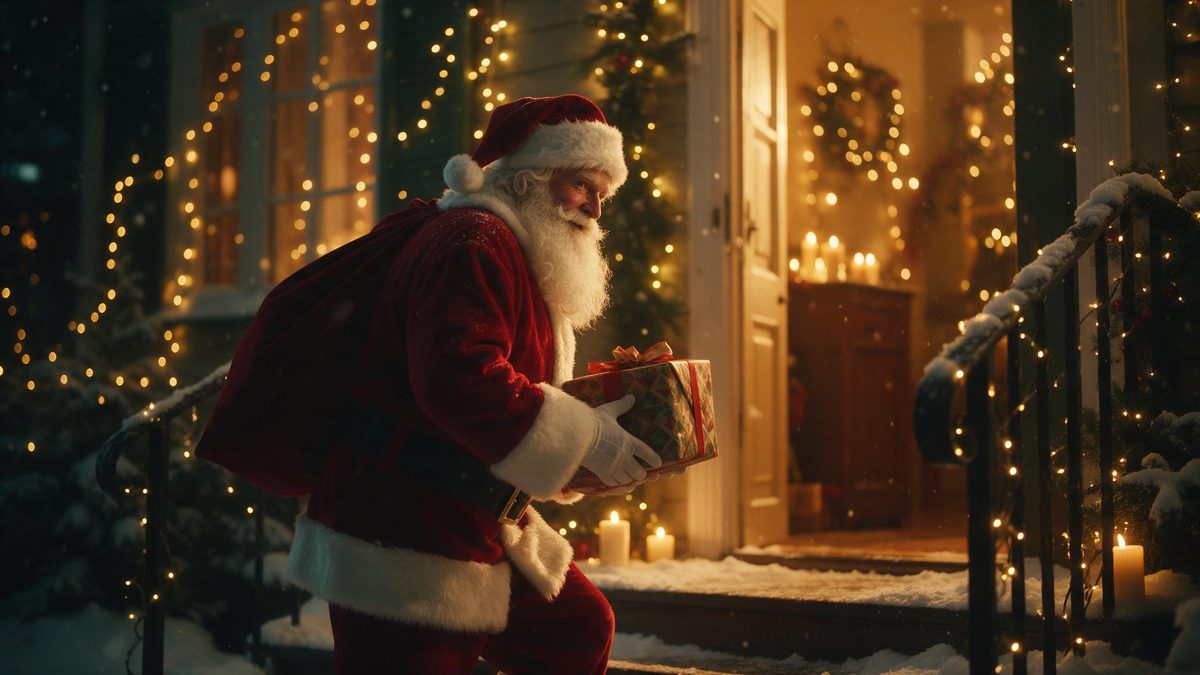
The delivery is the moment everybody remembers and nobody captures. It happens in a hallway at speed, usually while someone is carrying something else, and the resulting photograph is a blur of wrapping paper and a hand. Rendering it inverts the problem entirely: the photograph is already sitting in your camera roll, everyone in it is standing still, and the arrival is constructed on top of it afterwards.
What comes back is a 4-second video at 360p for 60 credits, in the same shape as the image you supplied. The input is generous, since one person, two people or a group fits into a single upload, so a household greeting and a whole team cost the same. Be realistic about the picture: 360p is low resolution, fine on a phone and in a chat, soft anywhere larger. A three-quarter or full-body source gives the effect more to place the figures onto than a close crop does.
Specs at a glance
Straight from the product panel, not from a marketing deck.
- Output
- 4-second video
- Credits
- 60 per run
- Resolution
- 360p
- Aspect ratio
- Matches your input photo
- Input
- 1 photo — one person, two people, or a group
- Best results with
- A three-quarter or full-body shot
- Known limits
- More than one Santa can appear in the frame.
What it does
Built for this specific job, not a generic editor.
The arrival, rendered
The present, the figure carrying it and the surrounding scene are all produced inside the render. Nothing has to be bought, wrapped or hidden in a hallway, and nobody has to pretend to be surprised on cue.
One upload for the whole group
A single person, a pair, or a group can be in the frame, and the cost stays the same whichever you choose. That is what makes the template work for family photographs and office teams rather than only for solo portraits.
Four seconds, easy to rewatch
The clip is short enough that people watch it twice without deciding to. For a seasonal greeting that is an advantage, because a longer piece asks for patience, and a greeting is rarely worth any.
Shape follows your photo
The finished video matches the aspect ratio of the photograph you upload. Vertical stays vertical for stories, landscape stays landscape, and no crop or black bars are applied to the finished file you download once it is ready.
How it works
Four steps, no timeline to learn.
Select a three-quarter frame
Choose a photograph with the people visible from the waist up or further back. A close crop leaves the effect too little of the body to work with, and a cluttered background competes with the delivery itself.
Upload the single image
Add it to the Santa gift delivery template. One photograph is the entire input, so there is no prompt to write, no reference image to find, and no separate location shot for you to supply first.
Confirm the 60-credit run
The cost is shown before you confirm, so check the balance first and top up if it is short. Nothing is deducted until you agree to the figure on that screen, which means no surprises afterwards.
Download and share
Save the 4-second file and send it to the group, the family thread or your story. Because it keeps your photograph’s shape, a vertical source is ready to post without any trimming on your side.
Where people use it
The jobs this effect actually gets used for.
A greeting for a household
One photograph of everyone at home becomes a delivery clip without anybody staging anything. It works particularly well sent on the morning itself, when a moving greeting lands better than another typed message.
Small business seasonal posts
A team photograph can be turned into a festive post for the account without booking a photographer or closing the shop for an afternoon. One render covers the staff in the frame at a flat cost.
Group chats and family threads
Relatives get something they can open immediately rather than a link. The 360p file is small enough to travel inside a message, which matters when the recipients are not going to install anything to see it.
Openers for a December run
Render one clip and use it as the opener for a run of seasonal posts. The short length suits a story, and the shape matching your photograph means no reformatting between one placement and the next.
Why a delivery clip beats a delivery photograph
Timing is the thing you cannot fix afterwards.
The arrival is the least photographable moment of the season. It is quick, it happens in poor light, and the person holding the camera is usually also the person carrying the bags. What gets recorded is the aftermath: paper on the floor, everyone already holding what they were given. A rendered version keeps the moment instead of the debris, because the photograph is taken separately from the celebration and the arrival is added on top.
The resolution deserves a plain statement. 360p is a low-resolution output. On a phone, in a chat bubble, or as a story frame, it reads perfectly acceptably, and the softness is hard to notice at that scale. On a television or a full-width monitor it will not hold up, and no setting changes that. Choose this template for the places it suits and expect to see the difference if you use it somewhere else entirely.
There is one quirk specific to this template, and it is worth knowing before you render. More than one Santa can appear in the frame, because the render is reading the photograph rather than counting the people in it. This happens unpredictably and differs between photographs, so a group shot is more prone to it than a solo one. If the first run doubles the figure, running it again from a simpler source photograph often produces a cleaner result.
Credits and plans
Every effect draws on one shared credit balance.
One credit balance covers everything on OpenFilmo, and this gift delivery costs 60 credits per run. The figure appears before you confirm, so the spend is never a surprise. The Free plan gives 30 credits a month with no credit card required; Starter is $9 for 400 credits, Pro is $19 for 1,000 and Studio is $59 for 4,000.
Related guides
Longer reads on the same workflow, from the OpenFilmo blog.
Image to Video AI: Animate Any Photo in Seconds
A complete guide to image to video AI: what makes a good source image, how to write motion prompts, top use cases, and how to fix …
AI Video Generator for YouTube: Growth Workflow
How to use an AI video generator for YouTube: B-roll, Shorts, intros and thumbnails, a weekly workflow, plus monetisation and disc…
AI Video Prompt Formulas That Hold Up in Production
Prompt structures that work for AI video: subject, motion, camera, time and style — with tested formulas, failure patterns and a m…
Related effects
Same family of effects, on the same kind of input.
Frequently asked questions
How long is the gift delivery clip?
Four seconds, which is the entire length of the finished file. The output is a short video at 360p, matching the aspect ratio of the photograph you upload, so a vertical source returns a vertical clip with no cropping required on your side once it has finished.
Can more than one person be in the photo?
Yes. One person, two people or a group are all accepted in a single upload, and the 60-credit cost is the same regardless. Everyone in the frame is carried into the render together, which makes it practical for family photographs and team shots rather than solo portraits only.
Why did two Santas appear?
That is a known limit of this template: more than one Santa can appear in the frame, because the render reads the photograph rather than counting subjects. Running it again from a simpler source image usually gives a cleaner single-figure result.
Is 360p good enough to post?
For a phone screen, a chat thread or a story, yes. 360p is a low-resolution file and it will look soft on a television or a large monitor, so it suits small-screen placements rather than anything projected or displayed at width.
What should the source photo show?
A three-quarter or full-body shot with everyone visible and evenly lit. Avoid tight crops around faces, and avoid cutting people off at the edge of the frame, since the effect needs the whole figure to place the scene onto it.