
Christmas effect
Christmas Doll Portraits From One Photograph
The collectible-figure look, applied to a real photograph. One upload, one 720p still in 9:16 vertical, and it costs 8 credits.
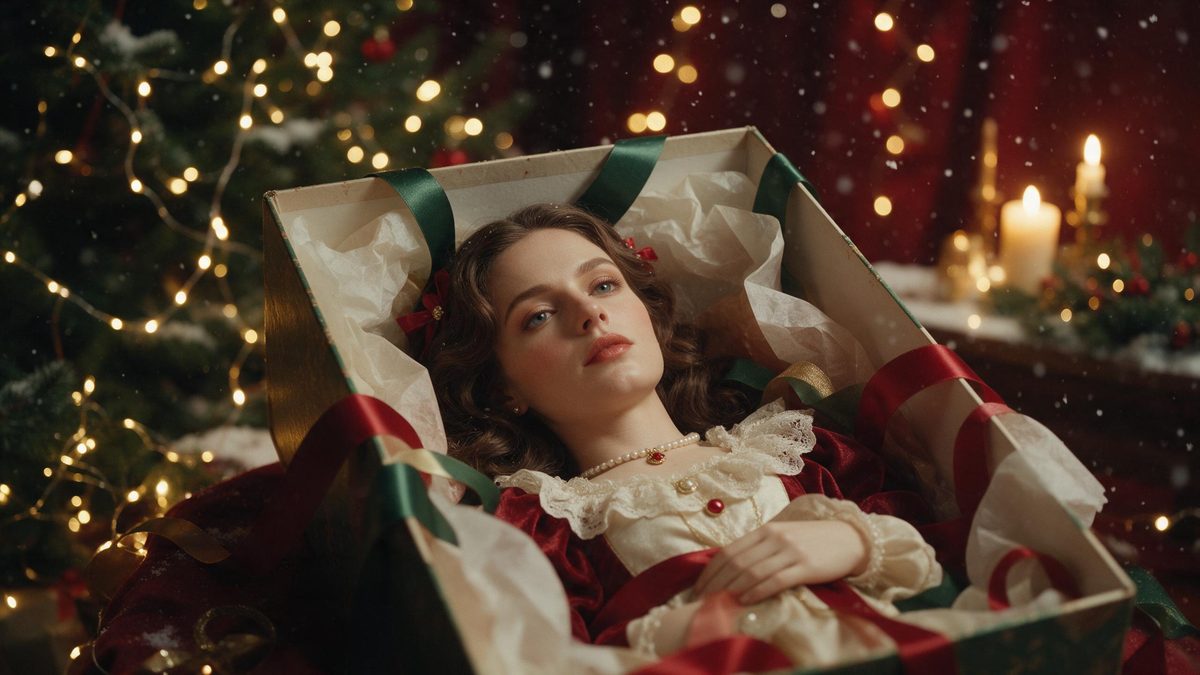
There is a particular shelf object that appears every December: a small festive figure with a painted face, a fixed expression and a slightly glossy finish. Turning a real photograph into that look is a curiosity, and it is also a genuinely useful card image, because the result is charming without tipping into sentiment. This template does it from one upload and returns a still rather than a clip.
The output is a 720p image in 9:16 vertical, which means it arrives already shaped for a phone screen, a story or a status frame. It costs 8 credits, considerably less than any video template in this collection. The input accepts one or two people, or one or two pets, and a half-body or full-body shot gives the most to work with. One limit is documented: occasionally the clothing changes.
Specs at a glance
Straight from the product panel, not from a marketing deck.
- Output
- Still image
- Credits
- 8 per run
- Resolution
- 720p
- Aspect ratio
- 9:16 vertical
- Input
- 1 photo — one or two people, or one or two pets
- Best results with
- A half-body or full-body shot
- Known limits
- Occasionally the clothing changes.
What it does
Built for this specific job, not a generic editor.
A still, not a clip
This template returns a single image rather than a video. That suits cards, profile frames and printed pieces, where a moving file would be unusable and a shorter render would serve no real purpose at all.
People or pets, one or two
One or two people, or one or two pets, can be in the upload. A pair of pets in a single frame is handled the same way as a couple, which is unusual among the Christmas effects collected here.
Vertical by default
The output is 9:16, so it is composed for a tall frame rather than trimmed into one. A phone screen is filled completely, and there is no crop or empty band added to either edge of it.
The cheapest render here
At 8 credits this is the least expensive template in the Christmas collection. That makes it practical to run several versions from different photographs and keep only the ones worth using, without watching the balance closely.
How it works
Four steps, no timeline to learn.
Choose one or two subjects
Pick a photograph with one or two people, or one or two pets. Keep the frame to half-body or full-body, and make sure both subjects sit fully inside it rather than being cut off at the edge.
Upload the photograph
Add it to the Christmas doll template. One image is the whole input, so there is no prompt to compose, no style reference to find, and nothing else to prepare before the render runs.
Confirm at 8 credits
The cost is shown before you confirm. At 8 credits it is the cheapest render in this collection, so it is worth trying a second photograph if the first one does not work out.
Save the vertical image
Download the 720p still and use it as a card, a profile frame or a story post. It arrives in 9:16, so it is already the right shape for a phone screen without any adjustment.
Where people use it
The jobs this effect actually gets used for.
Cards and printed pieces
A 720p still in 9:16 suits a digital card or a printed portrait. Motion is not wanted on paper, and a single image is far easier to place into a layout than a video file would be.
Pet portraits
One or two pets in a single photograph can be turned into a festive figure, which avoids dressing an animal in anything at all. It is a kinder route to the same seasonal post.
Profile and status frames
The 9:16 shape fills a phone screen completely, so it works as a status image or a profile picture during December without any cropping or repositioning needed on your part.
A cheap first attempt
At 8 credits this is a low-risk way to see how OpenFilmo handles a photograph before spending more on a video template. Run it once, then decide whether the collection is worth continuing with.

Why a still is sometimes the better output
Vertical, cheap, and usable on paper.
Most of the templates in this collection return video, and video is not always what a placement wants. A printed card, a page header, a profile picture and a status frame all need a single image, and a clip dropped into one of those either freezes awkwardly or is rejected outright. This template produces a still directly, which means the output is composed as a still: one considered frame, no movement to plan around, and no first-frame problem to solve afterwards.
The 9:16 shape is the other reason it is worth using. Video templates in this family follow whatever aspect ratio the photograph had, which is convenient until you need a tall frame and your source happens to be landscape. Here the output is 9:16 by definition, so it fills a phone screen completely and needs no crop at all. For a story, a status image or a profile picture, that removes the usual step of deciding which part of the picture to throw away.
The price changes how you use it. At 8 credits, a run costs a fraction of the video templates, so experimenting stops being a financial decision. Try two or three photographs, compare the results, and keep only what works. The documented limit is that the clothing occasionally changes, which is worth checking if the outfit matters to the image, and where it does not, it is a minor artefact. One or two people, or one or two pets, are accepted, so a pair fits in one upload.
Credits and plans
Every effect draws on one shared credit balance.
Eight credits covers one Christmas doll render, shown on the confirmation screen before anything is spent. It is the lowest-priced template in the Christmas collection, and all effects draw on the same balance. Free accounts get 30 credits a month with no credit card required. Starter is $9 for 400 credits, Pro is $19 for 1,000 and Studio is $59 for 4,000.
Related guides
Longer reads on the same workflow, from the OpenFilmo blog.
AI Anime Video Generator: Text or Image to Anime
How to use an AI anime video generator: a script-to-anime workflow, character consistency with reference images, style options and…
Image to Video AI: Animate Any Photo in Seconds
A complete guide to image to video AI: what makes a good source image, how to write motion prompts, top use cases, and how to fix …
AI Video Prompt Formulas That Hold Up in Production
Prompt structures that work for AI video: subject, motion, camera, time and style — with tested formulas, failure patterns and a m…
Related effects
Same family of effects, on the same kind of input.
Frequently asked questions
Is this a video or an image?
An image. The template returns a 720p still in 9:16 vertical rather than a clip, and it is composed as a still from the outset. That suits cards, profile frames and printed pieces, where a moving file would not be usable at all.
Can I use a photo of my pet?
Yes. The template accepts one or two people, or one or two pets, in a single upload, so two animals in one frame are also fine. A half-body or full-body frame works best, and pets are handled without putting anything on them.
How much does one render cost?
8 credits, displayed before you confirm, which is considerably less than any video template here. That is the lowest price anywhere in the Christmas collection, so it is inexpensive to try two or three photographs and keep the one you like.
What size is the finished image?
720p in a 9:16 vertical frame, so no trimming is needed on your side. It is composed for a tall screen rather than cropped into one, and it fills a phone completely when used as a story, a status image or a profile picture.
Why did the outfit change?
Occasional changes to the clothing are a documented limit of this template, so check the frame where the outfit matters. It is an artefact of the render rather than a fault in your photograph, and another run can come out differently.