
Couple effect
Turn a Couple Photo Into a Romantic Carry
A 4-second clip in which one person lifts the other from a single photograph. One upload, 60 credits, 720p, and the spacing that keeps limbs intact.
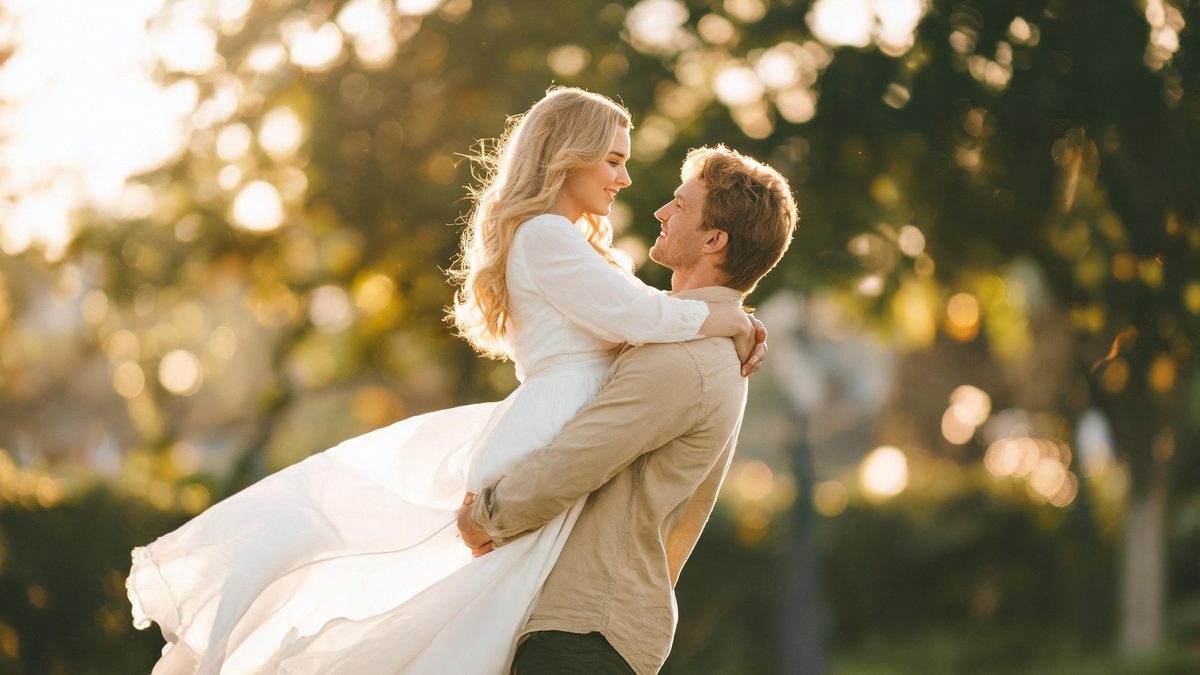
A romantic carry effect asks the effect to do something harder than a costume change: it has to move one body through space and place it against another. The template takes a single photograph of two people and animates one lifting the other, which is a pose the source photograph almost never shows. That is what makes the framing advice unusually important.
The output is a 4-second 720p video at 60 credits per run, and the frame follows your source. The recommended input is a full-body shot in which the legs and feet are visible. The documented limit is again about distance: when the two people stand very close together, their limbs can come back tangled or wrongly attached.
Specs at a glance
Straight from the product panel, not from a marketing deck.
- Output
- 4-second video
- Credits
- 60 per run
- Resolution
- 720p
- Aspect ratio
- Matches your input photo
- Input
- 1 photo — two people
- Best results with
- A full-body frame where legs and feet are visible
- Known limits
- When the two people stand very close together, limbs can come back tangled or wrongly attached.
What it does
Built for this specific job, not a generic editor.
One photo, two people
The effect reads a single image containing both people and needs no paired portraits. A joint photograph with both figures fully in frame is the entire input.
Full-body framing recommended
Because one person has to be lifted, the effect needs the whole body of both figures. A frame that includes the legs and feet gives it the mass and the space to move.
Source proportions kept
The finished clip inherits the aspect ratio of the upload, so a tall photo stays tall and a wide photo stays wide. The shape you shoot is the shape you get back.
A movement effect, not a filter
This is one of the more physical templates in the couple range. It animates a change of position rather than a change of style, which is why the pose it starts from matters so much.
How it works
Four steps, no timeline to learn.
Pick a full-body two-person frame
Choose one photograph containing both people with their legs and feet visible. The whole figure of each person is needed, since the effect has to move one body against the other.
Separate the two figures
Where you can choose, use a photograph in which the two people stand slightly apart rather than pressed together. A visible gap between them is what prevents the effect from tangling their limbs.
Run it and confirm the cost
Add the image to the romantic carry effect and review the confirmation panel. Each run uses 60 credits from the shared balance, and the amount is shown before you commit.
Check the limbs in motion
Play the 4-second 720p result and watch the arms, legs and hands as the lift happens. If they cross or attach incorrectly, the source had the two people too close, and a photograph with more separation is the fix.
Where people use it
The jobs this effect actually gets used for.
Romantic milestone posts
A couple photograph becomes a movement moment for an anniversary or a celebration. A full-body frame with clear space between the two figures gives the lift somewhere to go.
Playful couple content
The effect is naturally light-hearted, which suits a fun post rather than a formal one. Judge the limbs before sharing, and pick a source where the pose is simple and upright.
Story and reaction inserts
At four seconds the clip fits neatly inside a larger edit. Because the shape follows the source, a vertical photograph drops into a phone-first placement without re-cutting.
Character and concept tests
For storytelling or concept work, the effect can be used to sketch a physical relationship between two figures. A clean full-body source gives the clearest reading of the movement.

Why a gap between the two people protects the limbs
The effect has to move a body through space, and space is the resource it needs.
Of the couple effects, this is the one that changes the physical arrangement of the subjects rather than their appearance. One person has to be lifted and carried, which means the effect must generate the pose, the contact between the two bodies, and the movement itself. That is a great deal of invention from a still image, and it works best when the photograph already implies a clean separation between the two figures.
When the two people stand very close together, the effect has little room to distinguish one body from the other, and the documented outcome is tangled or wrongly attached limbs. The failure is spatial rather than stylistic, so the remedy is spatial too: choose a source in which the figures stand slightly apart, even by a small margin. That gap is what allows the effect to place an arm or a leg without crossing the two bodies.
The full-body recommendation belongs to the same logic. Lifting and carrying happen below the waist, so a frame that stops at the chest removes the exact region the effect has to animate. A source that includes the legs and feet gives it the mass and the space to work with, and it also makes the vertical proportions of the result read correctly, which matters on a phone screen.
Credits and plans
Every effect draws on one shared credit balance.
Each romantic carry video uses 60 credits from the shared OpenFilmo balance, with the charge shown before confirmation. The Free plan includes 30 credits each month with no credit card required. Starter is $9 for 400 credits, Pro is $19 for 1,000, and Studio is $59 for 4,000.
Related guides
Longer reads on the same workflow, from the OpenFilmo blog.
Image to Video AI: Animate Any Photo in Seconds
A complete guide to image to video AI: what makes a good source image, how to write motion prompts, top use cases, and how to fix …
Character Consistency in AI Video: What Actually Works
How to keep characters consistent across AI video shots: reference images, prompt discipline, key frame locking and post-hoc corre…
AI Video Generator for YouTube: Growth Workflow
How to use an AI video generator for YouTube: B-roll, Shorts, intros and thumbnails, a weekly workflow, plus monetisation and disc…
Related effects
Same family of effects, on the same kind of input.
Frequently asked questions
What photo should I upload for a romantic carry?
One photograph containing two people, framed so the legs and feet are visible, ideally with a little space between the two figures. That gap gives the effect room to place a limb without tangling the two bodies.
How much does a romantic carry video cost?
A run costs 60 credits, and the amount is shown before you confirm. The single charge covers the whole four-second clip, with no second photo and no separate step to describe the movement.
Why did the limbs look tangled?
When the two people stand very close together, limbs can come back tangled or wrongly attached. This is a spatial limit rather than a stylistic one, so a source photograph with more separation between the figures is the fix.
What resolution and length does it produce?
The output is a 4-second video at 720p, and its aspect ratio matches the photograph you uploaded. The clip is short enough to loop or to sit as a beat inside a longer edit.
Do I need two photos for this effect?
No. The effect works from a single image containing both people. There is no pairing of separate portraits, so one joint photograph with both figures fully in frame is all the input required.