
Couple effect
Turn a Couple Photo Into a Proposal
A 4-second clip in which two people in your photograph become a proposal scene. One upload, 60 credits, 720p, and the spacing rule that decides it.
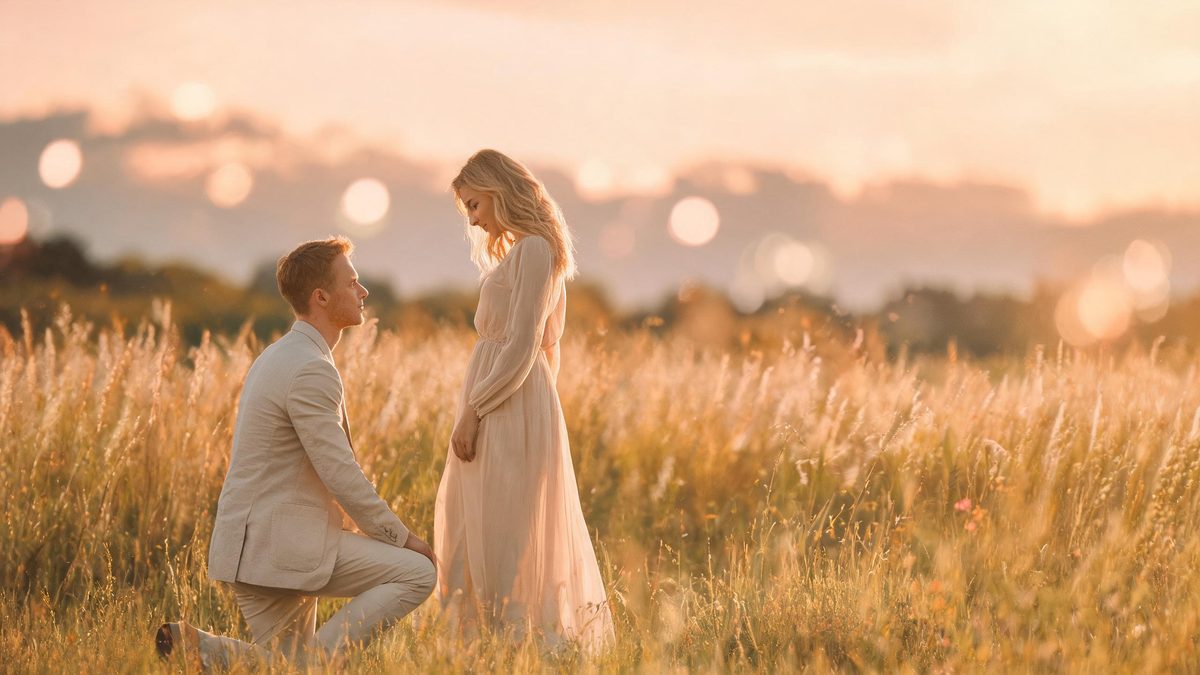
A proposal effect adds a moment rather than a costume. The template takes one photograph of two people and animates a proposal scene between them, which means the effect has to invent an action and place it convincingly inside the existing frame. Whether it succeeds depends almost entirely on how much room the photograph gives it.
The output is a 4-second 720p video at 60 credits per run, and the frame follows your source aspect ratio. The recommended input is a full-body shot in which the legs and feet are visible. The documented failure is caused by proximity: when the two people stand very close together, the surprise reaction can play without anyone kneeling or holding out a ring.
Specs at a glance
Straight from the product panel, not from a marketing deck.
- Output
- 4-second video
- Credits
- 60 per run
- Resolution
- 720p
- Aspect ratio
- Matches your input photo
- Input
- 1 photo — two people
- Best results with
- A full-body frame where legs and feet are visible
- Known limits
- When the two people stand very close together, the surprise reaction can appear without anyone kneeling or holding out a ring.
What it does
Built for this specific job, not a generic editor.
One photograph, two people
The effect works from a single image containing both people. There is no need to pair separate portraits, so a joint photo you already have is the only input required.
Full-body framing recommended
A frame that shows the whole figure, including legs and feet, is the recommended source. A proposal involves a change in posture, so the effect benefits from having the full body to work with.
Source shape preserved
The finished clip keeps the aspect ratio of your upload, so a vertical portrait remains vertical and a wide shot stays wide. The framing decision is made with the photograph rather than after the run.
A scene, not a filter
The transformation adds an event to the frame instead of changing its style. That is what makes the clip usable as a story beat, a reveal or a light-hearted prompt, rather than a decorative overlay.
How it works
Four steps, no timeline to learn.
Find a full-body two-person photo
Choose one photograph containing both people, framed so that the legs and feet are visible. The lower half of the frame is where the proposal action happens, so it needs to be present in the source.
Give the two people space
Where you have several photographs to choose from, pick one in which the two people stand a little apart. A gap between them leaves the effect room to place the gesture, which is the practical requirement for this template.
Run it and confirm the charge
Add the image to the proposal effect and check the panel before running. Each run costs 60 credits from the shared balance, and the figure appears before you confirm.
Watch for the kneeling action
Play the 4-second 720p result and check specifically for the kneeling motion and the ring. If the reaction appears without either, the subjects were too close in the source and a photograph with more space between them is the fix.
Where people use it
The jobs this effect actually gets used for.
Proposal announcements
A couple photograph becomes a proposed-moment clip for an announcement post. A full-body source with space between the two people gives the gesture somewhere to land.
Anniversary and milestone content
The effect works as a warm callback for an anniversary, revisiting a proposal moment in motion. The short duration keeps it easy to place at the head of a longer post.
Playful couple prompts
As a light-hearted piece, the effect is a way to ask the question in a post without a staged shoot. Treat the result as a playful illustration rather than a re-enactment.
Story and reaction inserts
Four seconds is short enough to sit inside a larger edit as a beat. Because the frame follows the source, a vertical photo drops straight into a phone-first placement.
Why the distance between two people decides the result
This effect has to place an action in the space between two figures, and spacing is the input you control.
Adding a proposal to a photograph means adding a posture change: one person lowers, a hand extends, an object appears. To animate that convincingly, the effect needs the relevant parts of both bodies present in the frame and enough space between the two people for the gesture to occupy. That is why the recommendation is a full-body source with the legs and feet visible, and why the documented failure is one of distance rather than of quality.
When the two people stand very close together, there is nowhere for the kneeling motion to go. The effect can still produce the emotional read, so the surprise appears on the faces, but the physical action does not arrive and no ring is offered. From the outside that looks like a partial result, and the response is not to re-run the same image but to find one with a gap between the figures. The spacing is baked into the photograph, not into the run.
The upside of a scene-based effect is that the frame itself is not restyled. Lighting, background and clothing all carry over, which keeps the result recognisable and personal. Used as an announcement or a playful prompt rather than a documentary record, that continuity is exactly right: the clip is clearly of these two people, in this place, with one moment added.
Credits and plans
Every effect draws on one shared credit balance.
Each proposal video uses 60 credits from the shared OpenFilmo balance, with the charge shown before confirmation. The Free plan includes 30 credits each month with no credit card required. Starter is $9 for 400 credits, Pro is $19 for 1,000, and Studio is $59 for 4,000.
Related guides
Longer reads on the same workflow, from the OpenFilmo blog.
Image to Video AI: Animate Any Photo in Seconds
A complete guide to image to video AI: what makes a good source image, how to write motion prompts, top use cases, and how to fix …
Character Consistency in AI Video: What Actually Works
How to keep characters consistent across AI video shots: reference images, prompt discipline, key frame locking and post-hoc corre…
AI Video Prompt Formulas That Hold Up in Production
Prompt structures that work for AI video: subject, motion, camera, time and style — with tested formulas, failure patterns and a m…
Related effects
Same family of effects, on the same kind of input.
Frequently asked questions
What photo works best for a proposal video?
One photograph containing two people, framed so the legs and feet are visible. A full-body source gives the effect the lower frame it needs, and a little space between the two people leaves room for the gesture.
How much does a proposal video cost?
A run costs 60 credits, shown before you confirm. The single charge covers the complete four-second clip, and there is no second photograph and no extra step to set up the scene.
Why is there no ring or kneeling in my result?
When the two people stand very close together, the reaction can appear without anyone kneeling or producing a ring. The fix is a source photograph with more space between the figures, not a re-run of the same image.
What resolution and length does it produce?
The output is a 4-second video at 720p, and its aspect ratio matches the photograph you uploaded. A vertical portrait stays vertical, which suits a story or short-form placement.
Do both people need to be in one photo?
Yes. The effect works from a single image containing both people, so there is no pairing of separate portraits. Choose the joint photograph that gives the clearest full-body view of both figures.