
Viral effect
Duplicate the Subject of One Photo
A 4-second clip that multiplies whatever is in your photograph. One upload, 40 credits, 720p, and a note on how obvious the second copy will be.
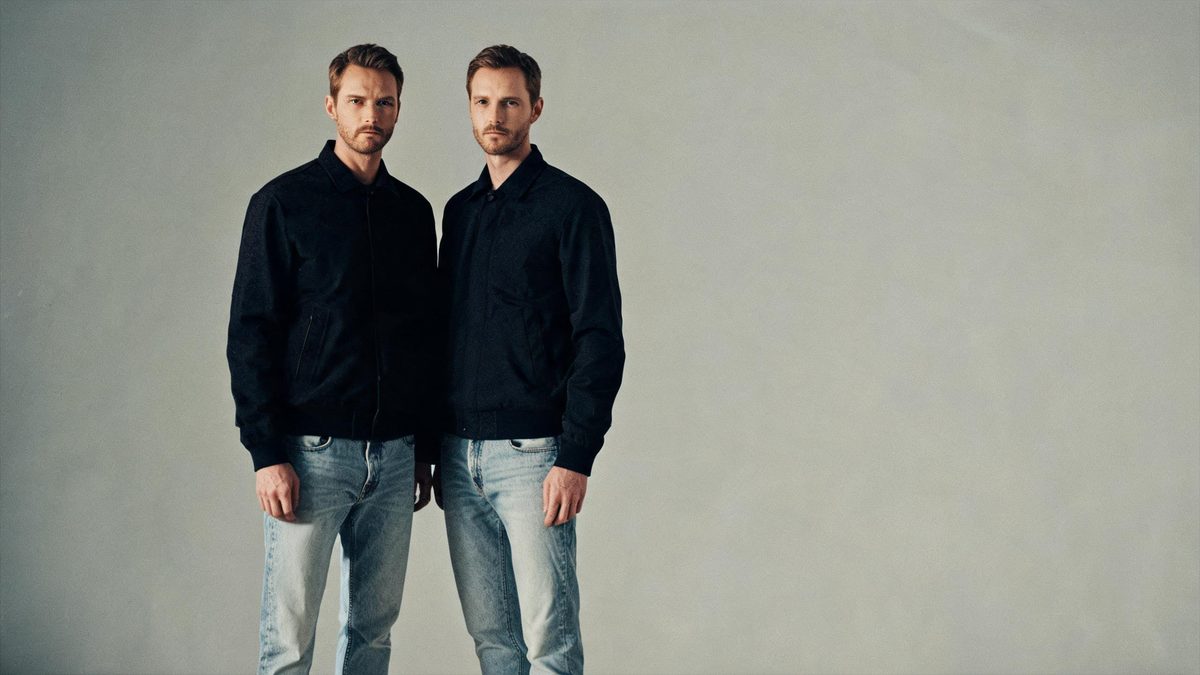
A clone effect takes one subject and multiplies it. The template reads a single photograph and animates a duplicate appearing alongside the original, which turns an ordinary portrait, pet picture or product shot into a short visual gag without any compositing work.
The output is a 4-second 720p video at 40 credits per run, and the frame follows your source photograph. It accepts one person, two people, a group, a pet or an object in the same upload slot. Two documented behaviours to expect: the clone is not always obvious, and unrelated extra objects can appear in the frame.
Specs at a glance
Straight from the product panel, not from a marketing deck.
- Output
- 4-second video
- Credits
- 40 per run
- Resolution
- 720p
- Aspect ratio
- Matches your input photo
- Input
- 1 photo — one person, two people, a group, a pet, or an object
- Best results with
- A sharp image with one clearly separated subject
- Known limits
- The clone is not always obvious, and unrelated extra objects can appear in the frame.
What it does
Built for this specific job, not a generic editor.
Almost anything can be the subject
One person, two people, a group, a pet or an object all fit the same upload slot. A portrait and a product photo are two runs of one effect, with no separate tool for animate and inanimate subjects.
Sharp, separated subjects read best
The recommended input is a clear image with one obvious subject. Where the subject sits cleanly apart from the background, the duplicate has a definite shape to match and the gag lands more clearly.
Source shape preserved
The clip keeps the aspect ratio of the photograph you upload, so a vertical portrait stays vertical and a wide frame stays wide. The composition you shot is the composition you get back.
A four-second loop
The clip is short enough to repeat without an obvious seam, which suits a short-form post where the multiplication is meant to be rewatched rather than explained.
How it works
Four steps, no timeline to learn.
Isolate one obvious subject
Choose one photograph with a single clear subject: a person, a pet, or an object. A clean separation between the subject and its background gives the duplicate a shape to match.
Prefer a sharp, simple frame
Pick an image that is crisp and uncluttered. A busy background gives the effect more to interpret, and the recommended input is one distinct subject against something simple.
Run it and confirm the charge
Add the photograph to the clone effect and check the confirmation panel. Each run uses 40 credits from the shared balance, and the amount is shown before you confirm.
Check the strength of the duplicate
Play the 4-second 720p result and look for two things: whether the second copy is clearly readable, and whether any stray objects have entered the frame. Those are the documented variables on this effect.
Where people use it
The jobs this effect actually gets used for.
Short-form visual gags
A simple portrait multiplied into a small crowd is an easy hook for a short-form post. A plain background keeps the attention on the doubling rather than the room.
Product and packaging concepts
An object can be duplicated to suggest abundance or a set. A single product on a clean surface gives the effect the clearest shape to repeat.
Pet and character content
A pet photograph works on its own, which turns a single animal into a small group. A side-on shot with the whole body visible gives the duplicate an easy outline to follow.
Channel and series idents
A creator can appear as several copies of themselves in a recurring intro. Using the same pose and background each time keeps the effect consistent across a series.

Why one clear subject makes the duplication land
The effect is judged on whether the second copy is obvious, and clarity in the source is what makes it obvious.
Cloning is a simple idea with a strict requirement: the effect has to be able to tell where the subject ends and the background begins. That is why the recommended input is a sharp image with one clearly separated subject. When the subject is easy to isolate, the duplicate has a definite shape to reproduce and the multiplication reads immediately, which is the entire point of the effect.
The two documented limits are both consequences of ambiguity. When the source is busy or the subject blends into its surroundings, the clone can come out weak and the gag loses its clarity. Separately, unrelated extra objects can appear in the frame, which is a small amount of invented content that can distract from the subject. Both point in the same direction: a simple photograph is not just easier to process, it produces a more convincing result.
The breadth of supported subjects is the effect’s most useful quality. People, pets and objects all work, so the same template covers a portrait gag and a product concept without switching tools. The practical advice does not change between them, though, because the underlying task is identical in each case: isolate one subject, keep the frame simple, and let the duplication be the only new information on screen.
Credits and plans
Every effect draws on one shared credit balance.
Each clone video uses 40 credits from the shared OpenFilmo balance, with the charge shown before confirmation. The Free plan includes 30 credits each month with no credit card required. Starter is $9 for 400 credits, Pro is $19 for 1,000, and Studio is $59 for 4,000.
Related guides
Longer reads on the same workflow, from the OpenFilmo blog.
Image to Video AI: Animate Any Photo in Seconds
A complete guide to image to video AI: what makes a good source image, how to write motion prompts, top use cases, and how to fix …
AI Video Prompt Formulas That Hold Up in Production
Prompt structures that work for AI video: subject, motion, camera, time and style — with tested formulas, failure patterns and a m…
Best AI Video Generators 2026: 15 Tools Tested
We tested 15 AI video generators on the same prompts and ranked them for 2026. Compare quality, speed, credit pricing and commerci…
Related effects
Same family of effects, on the same kind of input.
Frequently asked questions
What can I upload to the clone effect?
One photograph containing a single person, two people, a group, a pet or an object. All of them fit the same upload slot, and a sharp image with one clearly separated subject gives the most convincing duplicate.
How much does a clone video cost?
A run costs 40 credits, and the amount is shown before you confirm. The single charge covers the complete four-second clip, with no second upload and no separate step to describe the multiplication.
What resolution and length does it produce?
The output is a 4-second video at 720p, and its aspect ratio matches the photograph you uploaded. The clip is short enough to loop without a visible seam in a short-form post.
Why is the clone hard to see in my result?
A weak or unclear duplicate is one of the documented limits, and it is usually caused by a busy source or a subject that blends into the background. A sharper image with one separated subject reads more clearly.
What are the stray objects that sometimes appear?
The effect can add unrelated extra objects to the frame, which is a documented behaviour rather than a fault. Choosing a simple source with a clean background gives it less room to introduce anything unwanted.