
Transformation effect
Turn One Photo Into a Muscle Transformation
A 4-second clip that builds visible muscle on the person in your photograph. One upload, 40 credits, 720p, and the framing that keeps the edit clean.
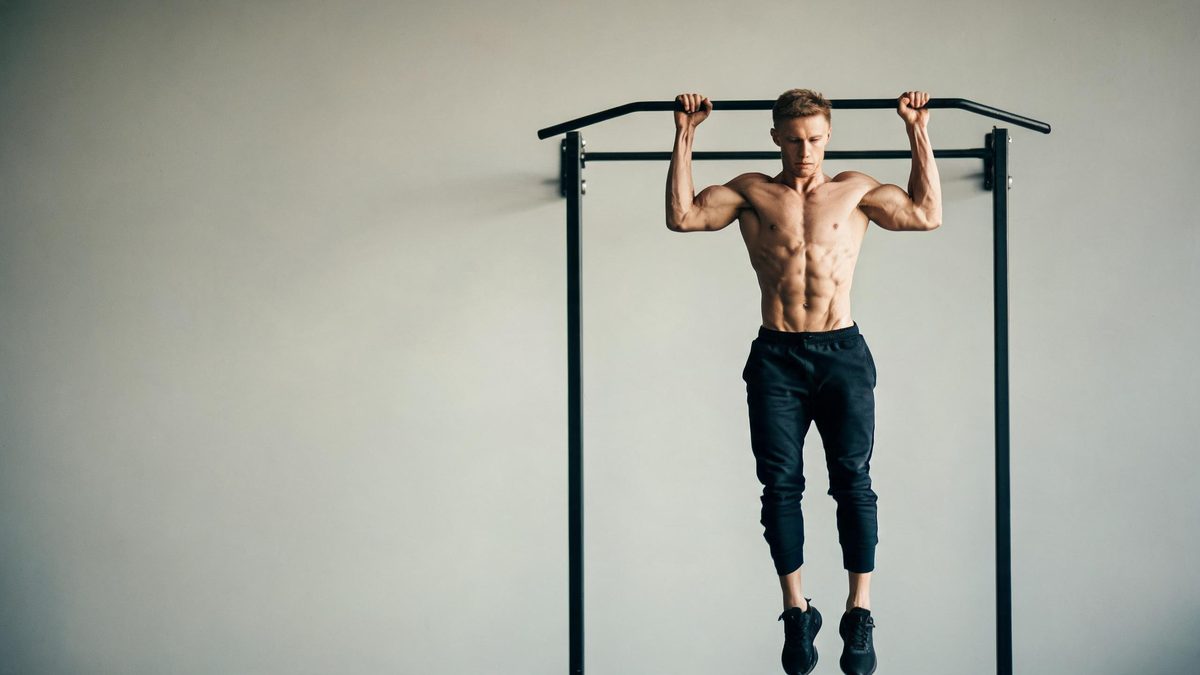
A muscle transformation reads as a progress shot played forward. The template takes a single photograph of one person and animates a build-up in which the frame gains definition, so a plain portrait can be used as a before-and-after in motion rather than as two stills placed side by side. There is no separate reference image to prepare and no second upload for the finished state.
The result is a 4-second 720p video costing 40 credits per run, and its aspect ratio follows the photograph you upload. Two input conditions do most of the work: a half-body framing, and a top that is a single layer with an open neckline. Where those are met, the change stays inside the body silhouette and the clothing area converts quietly. Where they are not, the known limits below are what you will see.
Specs at a glance
Straight from the product panel, not from a marketing deck.
- Output
- 4-second video
- Credits
- 40 per run
- Resolution
- 720p
- Aspect ratio
- Matches your input photo
- Input
- 1 photo — one person
- Best results with
- A half-body shot where the hands are out of frame and the clothing is a single layer with an open neckline
- Known limits
- Turtlenecks and layered clothing can leave visible artefacts where the old top used to be, and hands in frame can blur or collapse in the final frame.
What it does
Built for this specific job, not a generic editor.
A build-up, not a cut
The change is animated across the full four seconds rather than applied as a single frame swap. That makes the clip usable as a reveal in a fitness post, a challenge edit, or a goal-setting visual where the transformation itself is the point.
Aspect ratio inherited from the source
The finished file keeps the shape of the photograph you upload. A tall mirror selfie stays tall and a wide gym floor shot stays wide, which means the framing decision is made before the run rather than after it.
One upload, one charge
There is no second image to supply and no separate step to prepare the target look. A single run costs 40 credits and produces the complete four-second clip in one pass.
Detail held at the head and hands
Because the effect changes the body rather than the whole scene, the face and the background are not the parts that move. Where hands are kept out of frame, the areas most likely to break up are simply not present to break.
How it works
Four steps, no timeline to learn.
Pick a half-body photograph
Choose one image where the person is framed from roughly the waist up. Exclude the hands where you can, and avoid a source where the arms are crossed tightly across the chest, since that crops the very area the effect is meant to read.
Dress for a single clean layer
A plain top with an open neckline converts most reliably. Turtlenecks and outfits with multiple visible layers are the specific cases named as likely to leave artefacts behind, so treat a layered outfit as a reason to pick a different photo.
Upload and confirm the charge
Add the single photograph to the muscle transformation effect and check the confirmation panel before you run it. Each run draws 40 credits from the shared balance, and that figure is shown in advance.
Watch the last frame closely
Download the 4-second 720p result and step through the final second, where hands and the clothing area are most likely to show problems. If the frame collapses or the old top is still faintly visible, re-run with a photo that has simpler hands and clothing.
Where people use it
The jobs this effect actually gets used for.
Fitness progress content
A current photo becomes a forward-looking visual for a training post without needing a photograph of the future state. The short running time makes it easy to place at the top of a reel before the real numbers appear.
Challenge and trend edits
The format suits the before-and-after trend because the change is animated rather than cut. Use a source where the pose is steady and centred so the viewer reads the transformation instead of the camera.
Character and costume concepts
Beyond fitness, the effect is useful when a character needs to look physically stronger for a story beat. A half-body frame against a simple background keeps attention on the figure rather than on the room.
Goal-setting visuals for a team
A coaching or wellness account can turn a client photo into a moving goal image for a check-in post. Keep the hands out of frame and the clothing to one layer, and the result will survive a closer look.
Why framing and clothing decide the result
This effect has a narrow band of inputs where it looks clean, and the band is not a secret.
The transformation works by keeping the pose and replacing the body underneath the subject. That approach is stable when the areas it edits are simple and unobstructed, and fragile when they are not. A half-body frame with the hands out of shot removes two of the most difficult regions at once: fingers, which are hard to hold across a whole clip, and the space where a subject would otherwise be holding something. A single-layer top with an open neckline gives the effect a clean boundary to work to, so the clothing area converts without leaving the outline of the previous outfit behind.
The named limits follow directly from that. A turtleneck or a layered outfit can leave visible traces where the original top used to be, and hands kept in frame can blur or collapse by the final frame. Neither is a defect in the effect so much as the edge of the input range it was tuned for. Reading those two conditions before uploading is the difference between a clip that looks deliberate and one that needs a second attempt.
What the effect does not do is invent a new person. The face, the background and the lighting all carry over, and the animation is confined to the body and how it reads. For a progress post or a character beat that is exactly the right trade, because the recognisable parts of the source survive. If you need the whole scene rebuilt, you are looking for a different template rather than a different photograph.
Credits and plans
Every effect draws on one shared credit balance.
Each muscle transformation video uses 40 credits from the shared OpenFilmo balance, with the charge shown before you confirm. The Free plan includes 30 credits each month with no credit card required. Starter is $9 for 400 credits, Pro is $19 for 1,000, and Studio is $59 for 4,000.
Related guides
Longer reads on the same workflow, from the OpenFilmo blog.
Image to Video AI: Animate Any Photo in Seconds
A complete guide to image to video AI: what makes a good source image, how to write motion prompts, top use cases, and how to fix …
Character Consistency in AI Video: What Actually Works
How to keep characters consistent across AI video shots: reference images, prompt discipline, key frame locking and post-hoc corre…
AI Video Prompt Formulas That Hold Up in Production
Prompt structures that work for AI video: subject, motion, camera, time and style — with tested formulas, failure patterns and a m…
Related effects
Same family of effects, on the same kind of input.
Frequently asked questions
What photo should I upload for a muscle transformation?
Use 1 image of a single person, framed at roughly half body. Keep the hands out of frame and wear a single-layer top with an open neckline, since those two conditions are the ones the effect is tuned for.
How much does one muscle transformation video cost?
A run costs 40 credits, shown before you confirm. That single charge covers the complete four-second clip; there is no second image to upload and no extra step to prepare the target look.
What resolution and length does it produce?
The output is a 4-second video at 720p. Its aspect ratio matches the photograph you uploaded, so a tall source stays tall and a wide source stays wide without a reframing step.
Why did my clothing look wrong in the result?
Turtlenecks and layered outfits can leave visible artefacts where the original top used to be. On this effect, switching to a plain top with an open neckline is the reliable fix rather than re-running the same source.
What happens to hands that are in the photo?
Hands kept in frame can blur or collapse by the final frame. If the gesture matters, choose a photograph where the hands are simple and unoverlapped, or reframe to a half-body shot that crops them out.