
AI Images for Team Pages: Consistent Portraits Without a Photographer
Team pages look messy because the photos were taken by whoever was available. Standardise background, light and crop across the whole team.
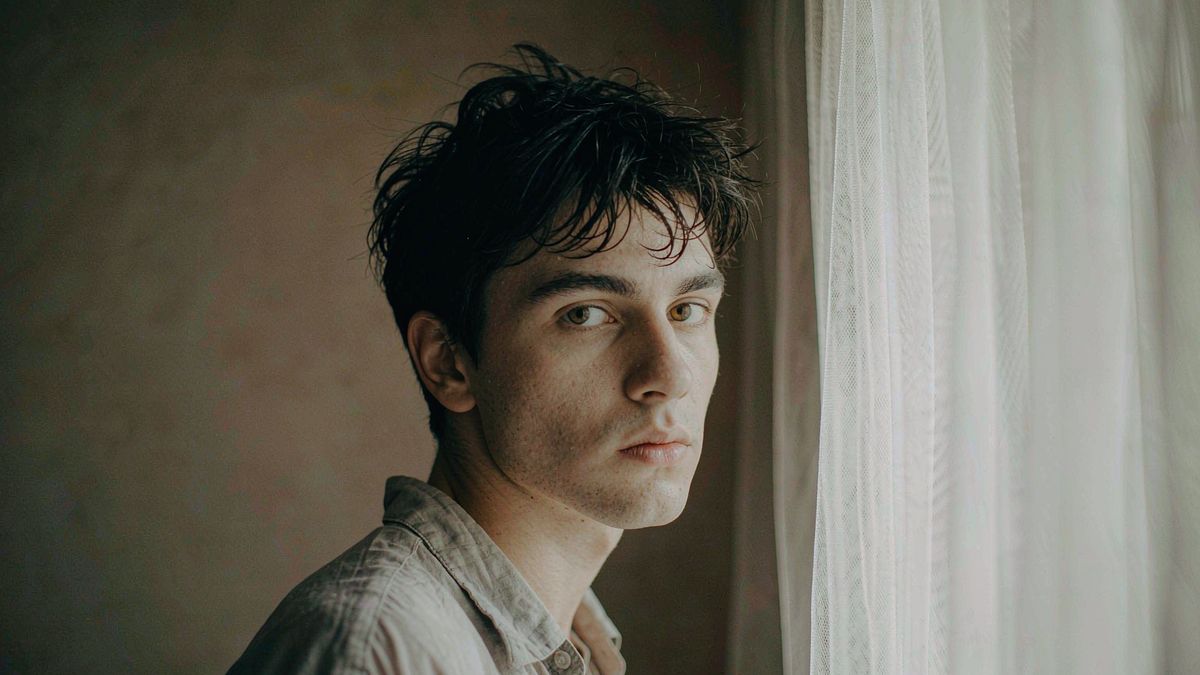
Almost every team page has the same problem: the photographs are individually fine and collectively incoherent, because they were taken at different times by different people against different backgrounds. The usual fix is a photographer day, which is hard to schedule and goes stale the moment someone joins.
OpenFilmo standardises what you have. Put every portrait on one background, match the lighting and crop, and add new joiners without organising a shoot. Two credits per image.
What it does
Built for this specific job, not a generic generator.
Background standardisation
Every portrait placed on one consistent backdrop.
Lighting and colour matching
Even out the exposure differences between photos taken at different times.
Consistent crop
Produce the ratio your team grid uses so faces align across the page.
New joiners on demand
Process a new starter's photo without waiting for the next shoot day.
How it works
Four steps, no timeline to learn.
Collect the best photo per person
Start from the highest-quality source you have. Editing cannot recover a poor original.
Set the standard once
Background, light and crop decided together, then applied to everyone.
Process the whole team together
Do it in one session so the treatment stays identical.
Process joiners as they arrive
Apply the same standard to each new starter instead of batching a shoot.
What people make with it
The jobs this actually gets used for.
Team and about pages
A coherent set of portraits instead of a mixed gallery.
New starter onboarding
A new joiner added to the page the same week.
Directory and intranet photos
Consistent imagery across internal directories.
Speaker and author bios
Matching portraits for conference pages and book jackets.
Why a photo day goes stale immediately
The team changes faster than the schedule.
A photographer day solves the problem for about as long as the team stays unchanged, which in most organisations is a few months. Every joiner after that breaks the consistency, and within a year the page is mixed again.
A repeatable standard solves it permanently. Once background, light and crop are defined, processing one new portrait takes minutes, and the page stays coherent indefinitely.
Editing existing photos is also cheaper than the alternative. Most team photo problems are background and exposure differences, which post-production handles well.
Credits and plans
Generation is metered in credits, shared across every tool.
One image costs 2 credits and a 4K upscale costs 4. The Free plan gives you 30 credits every month with no credit card, no watermark and commercial use included. Paid plans start at $9 for 400 credits and add faster generation and parallel tasks.
Related guides
Longer reads on the same workflow, from the OpenFilmo blog.
How to Use HeyGen: Avatars and Video Translation
How to use HeyGen for avatar video and translation: creating an avatar, writing scripts that sound natural, lipsync quality, trans…
AI Actors, Likeness Rights and What Unions Settled
What union agreements settled about AI performers and likeness rights: consent, compensation, disclosure, and what it means for an…
Character Consistency in AI Video: What Actually Works
How to keep characters consistent across AI video shots: reference images, prompt discipline, key frame locking and post-hoc corre…
AI tools
Single-purpose tools that run in the same workspace, on the same credit balance.
More OpenFilmo tools
Other generators and utilities in the same workspace.
Related workflows
Closely related tools and guides on the same problem.
Frequently asked questions
Can I make existing staff photos look consistent?
Yes. Background, lighting and crop are the three variables that usually differ, and all three can be standardised across a set.
How do I handle new joiners?
Apply the same standard you defined for the team. Processing one portrait takes minutes, which is why a repeatable standard beats scheduling a photo day.
Can I use these images commercially?
Yes. Every plan including Free includes commercial use and watermark-free downloads, so portraits can be used on commercial sites and in material.
What does one image cost?
One AI image costs 2 credits. The Free plan gives 30 credits monthly, roughly fifteen images. Paid plans start at $9 for 400 credits.
Should I alter how people look?
No. Standardise background, light and crop only. Changing a person's appearance is misrepresentation and creates a poor impression in person.