
Warm moment effect
One Photo, One Piggyback
Standing side by side in a photo, then riding on someone's back in the clip. This effect animates that change from a single two-person photo, and it follows clear rules about who carries whom.
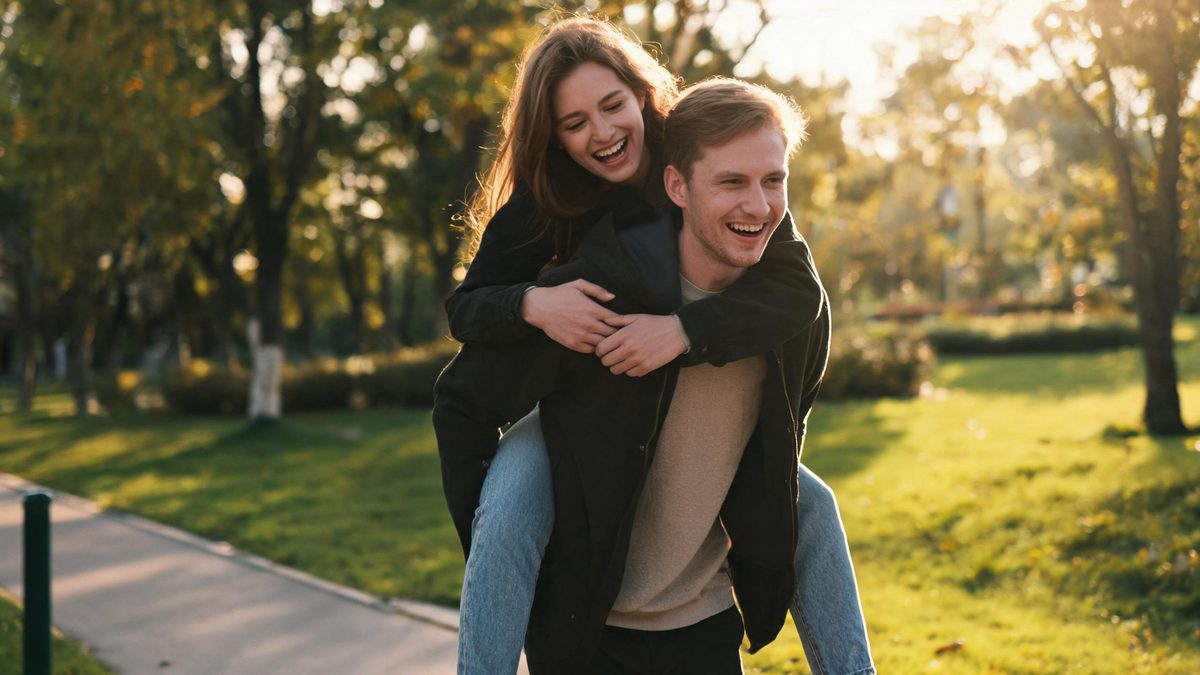
Piggyback is a physical action with an obvious logic: someone is carried, someone carries. That makes it a good fit for image-to-video, because the model does not have to invent a story — it has to move two people who are already in the frame into a position everyone recognises.
The input is one photo containing two people, ideally standing side by side with a little space between them and framed from the legs up. The output is a 4-second 720p clip costing 40 credits, in the aspect ratio of your source photo.
Specs at a glance
Straight from the product panel, not from a marketing deck.
- Output
- 4-second video
- Credits
- 40 per run
- Resolution
- 720p
- Aspect ratio
- Matches your input photo
- Input
- 1 photo — two people standing together
- Best results with
- Two people standing side by side with a small gap, framed from the legs up so the feet are visible
- Known limits
- The effect decides who carries whom: an adult carries a child, a man carries a woman, the older of two women carries the younger. If your pairing is meant the other way round, the result will not match. People standing very close together can come back with limbs merged into one silhouette.
What it does
Built for this specific job, not a generic editor.
Both people stay in frame
Unlike single-subject effects, this template keeps two people visible through the motion. The lift and the ride are staged inside the frame rather than off its edges.
Documented carry rules
The effect applies fixed rules: an adult carries a child, a man carries a woman, the older of two women carries the younger. Those rules are published here because they determine whether your pairing will look right.
Legs-up framing encouraged
A frame that includes the legs gives the motion somewhere to happen. Cropped-at-the-waist photos leave the carry with nothing to move, which is the most common reason a run disappoints.
Forty-credit entry point
At 40 credits this is the cheaper end of the two-person effects, because the second person comes from your own photo rather than being generated.
How it works
Four steps, no timeline to learn.
Find a side-by-side photo
Two people standing together with a small gap between them is the documented best case. The gap gives the effect room to reposition one figure without limbs merging.
Frame from the legs up
Include the legs and feet if you can. The carry is a full-body action, and a photo that stops at the waist removes exactly the information the motion depends on.
Check the pairing against the rules
Before you spend credits, confirm your pairing matches the documented direction: adult with child, man with woman, older with younger. If it is the reverse, the clip will come back the other way round.
Re-run with more space if limbs merge
If the two figures come back as one silhouette, the source photo was too tight. A slightly wider shot with clear separation usually fixes it on the next run.
Where people use it
The jobs this effect actually gets used for.
Parent and child clips
The adult-carries-child rule makes this a natural fit for family accounts, where a single standing photo becomes a moment of play.
Sibling and friend posts
For two friends or siblings, the carry reads as affectionate rather than staged, which suits casual social posts better than a posed clip would.
Anniversary and couple content
A quiet alternative to kissing clips, useful when the tone you want is playful rather than romantic.
Testing a two-person shoot
Creators planning a real piggyback shot can preview the framing and the read of the action before spending time filming it.

Why the rules are published on the page
If the direction of a physical action is fixed, you should know it before you upload.
Image-to-video effects make decisions the model cannot ask you about. In a carry, the biggest decision is who lifts whom, and the template resolves it with fixed rules rather than by reading your intent.
Publishing those rules is a matter of respecting your credits. A couple who expect the woman to carry the man would otherwise spend 40 credits finding out, once, the hard way.
The same logic applies to framing advice. Legs-up two-person shots are not a stylistic preference here, they are a requirement of the motion — and saying so up front saves a wasted run.
Credits and plans
Every effect draws on one shared credit balance.
Forty credits per run, confirmed before you generate. The monthly free allowance is 30 credits with no card required, and paid plans from $9 add credits and faster queues. See the pricing page for the current structure.
Related guides
Longer reads on the same workflow, from the OpenFilmo blog.
Image to Video AI: Animate Any Photo in Seconds
A complete guide to image to video AI: what makes a good source image, how to write motion prompts, top use cases, and how to fix …
Character Consistency in AI Video: What Actually Works
How to keep characters consistent across AI video shots: reference images, prompt discipline, key frame locking and post-hoc corre…
AI Video Prompt Formulas That Hold Up in Production
Prompt structures that work for AI video: subject, motion, camera, time and style — with tested formulas, failure patterns and a m…
Related effects
Same family of effects, on the same kind of input.
Frequently asked questions
How many people need to be in the photo?
Two, both clearly visible. This template does not generate a second person — it animates the two people you provide, which is why it costs 40 credits instead of 60.
Who ends up carrying whom?
The template decides using fixed rules: an adult carries a child, a man carries a woman, and the older of two women carries the younger. If your intended outcome is the opposite, this effect will not produce it.
Why does my result look like one merged figure?
Almost always because the two people stood too close together in the source photo. Leave a visible gap between them and frame from the legs up, then run it again.
Can I use it on a photo where one person is a child?
Yes, and it is one of the cleanest cases: the adult-carries-child rule applies automatically, so the direction of the action is never ambiguous.
Can I publish the clip commercially?
Yes, on any plan including free. Make sure you have permission from both people in the photo before you use it publicly.