
Warm moment effect
A Partner Who Actually Steps Into Frame
Most "add a person" tools paste a second figure next to you and stop there. This one animates the entrance: the partner walks in from the side, meets your eyeline, then both of you turn to camera and wave together.
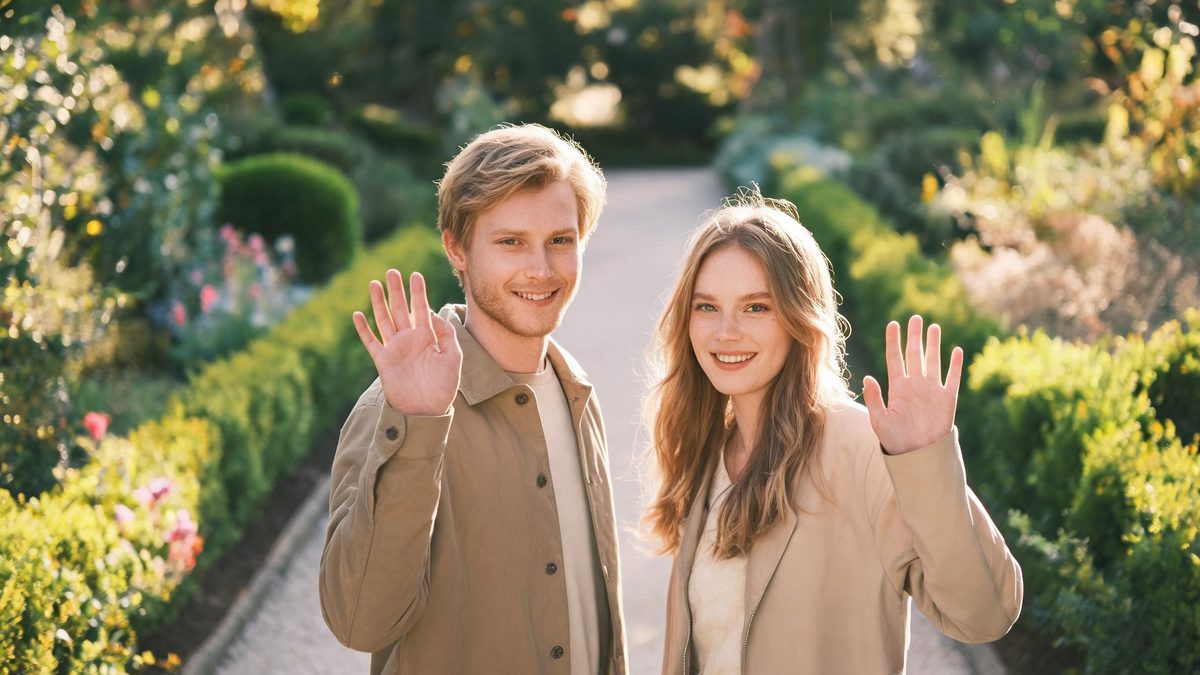
A wave is one of the few gestures that reads clearly in a four-second clip. It has a beginning, a middle and an end, it needs no dialogue, and it works in a story, a thumbnail or a message. That is why this template is built around the entrance rather than around a pose: the interest comes from someone arriving, not from someone standing still.
The effect needs one photo of one person, framed half-body or closer and facing the camera. It then generates a second figure matched to the subject — comparable age, skin tone and dress sense — who walks in from one side and joins the wave. You get a 4-second 720p video in the aspect ratio of your source photo, for 60 credits per run.
Specs at a glance
Straight from the product panel, not from a marketing deck.
- Output
- 4-second video
- Credits
- 60 per run
- Resolution
- 720p
- Aspect ratio
- Matches your input photo
- Input
- 1 photo — one person, half-body or closer
- Best results with
- A front-facing half-body shot of one person, with clear space on one side of the frame
- Known limits
- The partner who walks in is invented by the effect: their look is matched to your subject in age, skin tone and dress sense, not to a specific person you have in mind. The second figure can enter from the same side twice, and waving hands are the last thing to stay clean when the subject is cropped at the wrist.
What it does
Built for this specific job, not a generic editor.
An entrance, not a paste
The generated partner enters from one side of the frame with a walking motion and settles beside the subject before the wave. Because the movement has a path, the clip reads as a moment rather than a cut-out standing next to a person.
Both of you look at the camera
The sequence ends with the two figures facing forward and waving together. That final beat is what makes the clip usable as a greeting or a story opener without any editing afterwards.
Matched to your subject
The partner is generated to sit plausibly beside the person in the photo: similar age range, matching skin tone, clothing that fits the scene. The rules behind it are stated on this page rather than hidden, so you know what you are getting.
Real output specs
Four seconds at 720p, aspect ratio inherited from your source photo, 60 credits per run. The credits are shown before you confirm, and the free tier includes 30 credits every month.
How it works
Four steps, no timeline to learn.
Pick a half-body shot
Choose one photo containing a single person, framed medium or close, facing the camera. A shot where the subject already looks relaxed and half-turned towards the lens gives the effect the clearest starting point.
Leave space on one side
The partner needs somewhere to walk in from. A frame with some empty room on the left or right is much more likely to produce a natural entrance than a tight close-up that fills the frame edge to edge.
Run it and read the entrance
Watch the first second rather than the last. If the partner arrives before the clip starts or appears without a walking motion, the source framing was too tight — try a slightly wider photo.
Re-run with a different photo if needed
Because the partner is invented each run, a second attempt with a different source photo can produce a noticeably better-matched figure. Each run costs 60 credits, so it is worth choosing the best photo first.
Where people use it
The jobs this effect actually gets used for.
A long-distance greeting
For couples who are apart, a clip where a partner walks in and waves carries more feeling than a static photo. It posts cleanly to a story or a private message with no editing step.
Anniversary and countdown posts
The clip is short enough to loop and clear enough to need no caption beyond a date. It works as one frame in a countdown series without any additional editing.
A friendly opener for a channel
Two people waving at camera makes a warm, low-key intro beat for a short video, especially when the alternative is a talking-head clip that takes far longer to shoot.
Testing what an entrance looks like
Creators who plan a two-person shoot often use this template to preview how an arrival reads on camera before committing to filming it properly.
Why the entrance matters more than the pose
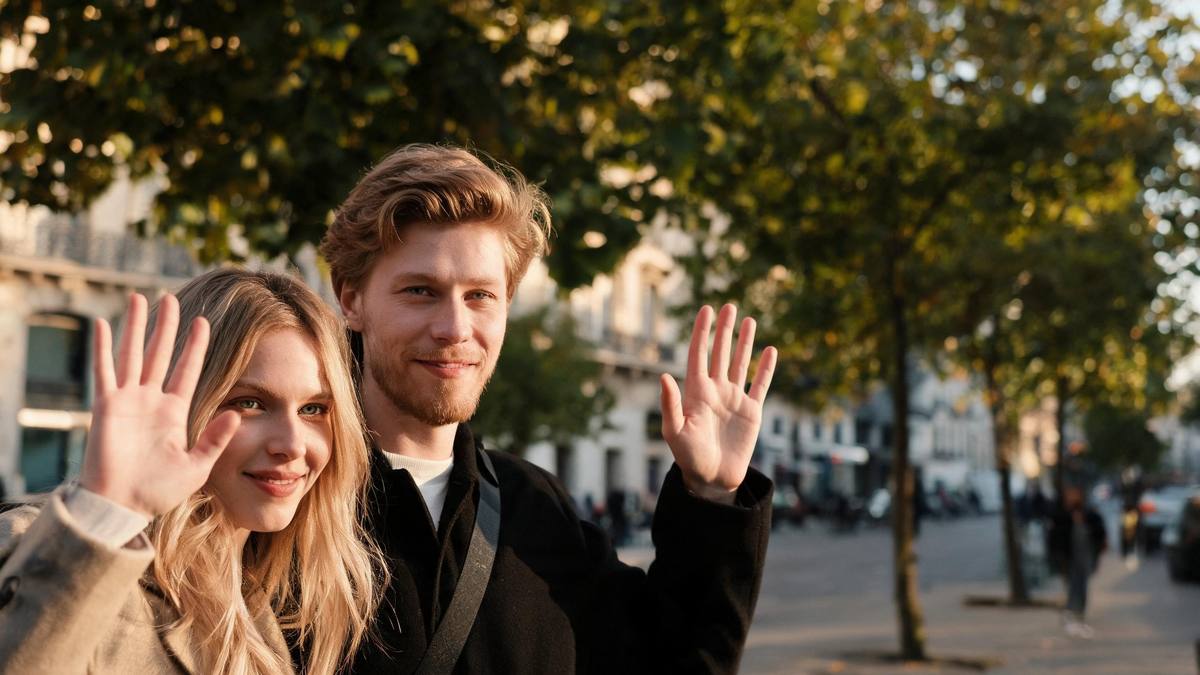
A still with two people is a picture. A picture with an arrival is a story.
Most second-person tools fail for a simple reason: they add a figure but no movement path, so the result looks like a paste-up. The eye reads the missing step immediately, and the clip feels wrong even when the faces are convincing.
Giving the partner a route into the frame solves most of that. The viewer sees someone approach, sees the two figures meet, and only then sees the shared gesture. Four seconds is enough for that sequence and not much more, which is why the length is fixed rather than configurable.
The rules behind the generated partner are stated in plain language on this page — matched by age, skin tone and dress sense, one partner per subject — because a tool that invents a person should be honest about what it is inventing.
Credits and plans
Every effect draws on one shared credit balance.
Every effect draws on the same credit balance. This one costs 60 credits per run, and the cost is shown before you confirm. Free accounts receive 30 credits every month with no card and no watermark on the output, which is enough to test a couple of photos before deciding whether to top up.
Related guides
Longer reads on the same workflow, from the OpenFilmo blog.
Image to Video AI: Animate Any Photo in Seconds
A complete guide to image to video AI: what makes a good source image, how to write motion prompts, top use cases, and how to fix …
Character Consistency in AI Video: What Actually Works
How to keep characters consistent across AI video shots: reference images, prompt discipline, key frame locking and post-hoc corre…
AI Video Prompt Formulas That Hold Up in Production
Prompt structures that work for AI video: subject, motion, camera, time and style — with tested formulas, failure patterns and a m…
Related effects
Same family of effects, on the same kind of input.
Frequently asked questions
Do I need two people in the photo?
No. This template takes one photo of one person. The second figure is generated by the effect, matched to your subject in age, skin tone and dress sense. If you already have a two-person photo, look at the piggyback or back hug templates instead.
Can I choose what the partner looks like?
Not in this template. The partner is generated automatically from the subject in the photo. What you control is the source image: framing, lighting and the subject's own look all shape the result.
Why is my result 4 seconds and 720p?
Four seconds at 720p is the fixed specification of this effect, shown here so you know before you spend credits. It is long enough for an entrance and a shared gesture, and it keeps the credit cost at 60 per run.
What kind of photo works worst?
Tight close-ups with no empty space, subjects cropped at the wrist, and photos where the person is turned well away from the camera. All three remove information the effect needs to place a second figure naturally.
Can I use the clip commercially?
Yes. Output is yours to publish, including in paid posts, on every plan including the free tier. The only restriction is the source photo: use an image you own or have permission to use.