
AI Video for Furniture: Room Sets and Product Clips That Show Scale
Furniture is bought on how it sits in a room. A still shows the piece; motion shows the space it occupies.
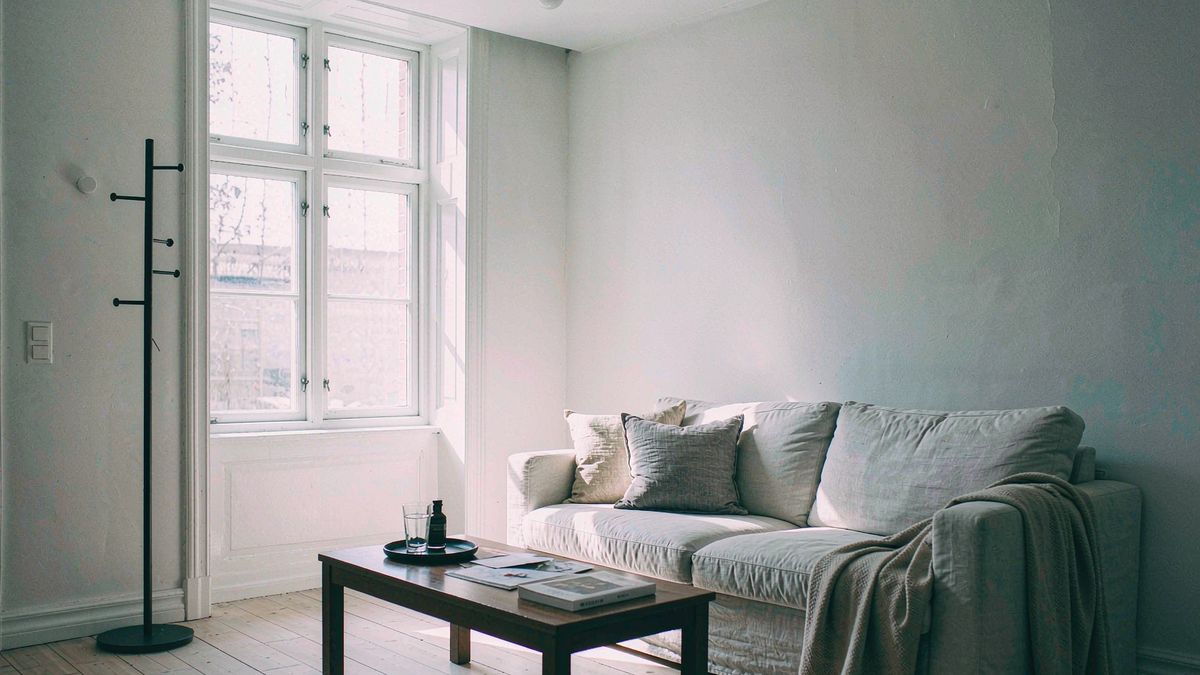
The hardest thing to convey in furniture ecommerce is scale and how a piece reads in a real room. Stills flatten both, and room-set video is expensive to produce for every SKU in a catalogue that runs to hundreds.
OpenFilmo animates what you already have. Give a room set a slow parallax so the space reads as three-dimensional, animate a product shot so the piece turns, caption the dimensions, and export. The photography budget you already spend becomes a video source.
What it does
Built for this specific job, not a generic generator.
Image to video from room sets
Slow parallax or a push-in so a room reads as a space rather than a flat image.
Product turns from packshots
A chair, lamp or table rotates so all sides are visible in one asset.
Captions for dimensions
Burn in size, material and price — the facts that decide a furniture purchase.
Multiple ratios
16:9 for the product page, 9:16 for Reels, 1:1 for the feed.
How it works
Four steps, no timeline to learn.
Shoot the room straight
Level, wide, well-lit. Parallax works on clean geometry and looks wrong on a skewed shot.
Animate the room and the piece separately
A room clip for context, a product clip for detail. They do different jobs.
Caption size and material
Dimensions are the most common reason for a furniture return. Put them on screen.
Export per placement
Wide for the PDP, vertical for social, square for the feed.
What people make with it
The jobs this actually gets used for.
Product page loops
A turning product shot so every SKU moves.
Room set context clips
Slow parallax on room photography to convey scale and setting.
Range and collection launches
Motion clips for a new range, built from the launch photography.
Assembly and care explainers
Short narrated clips for assembly or care questions that drive support tickets.
Why scale is the conversion problem
Returns come from size surprises, and stills cause them.
Furniture has one of the highest return rates in ecommerce, and the dominant reason is that the piece did not fit the room or expectations. A photograph with no spatial reference is a direct contributor to that.
Motion helps in a specific way: parallax and push-in give the viewer depth cues that a flat image cannot, so the room reads as a volume. Combined with captioned dimensions, it addresses the actual cause of the return.
The economics work because the photography already exists. Converting a room set to motion costs a few credits, so every range can carry it rather than only the campaign pieces.
Credits and plans
Generation is metered in credits, shared across every tool.
A five-second video costs 5 credits and one image costs 2. The Free plan gives you 30 credits every month with no credit card, no watermark and commercial use included. Paid plans start at $9 for 400 credits and add faster generation, parallel tasks and higher export resolution.
Related guides
Longer reads on the same workflow, from the OpenFilmo blog.
AI Product Video for Ecommerce: What Converts
How to make AI product video that converts: shot types ranked by impact, consistency requirements, and the workflow for generating…
Image to Video AI: Animate Any Photo in Seconds
A complete guide to image to video AI: what makes a good source image, how to write motion prompts, top use cases, and how to fix …
AI Video Upscaling to 4K: Refiners, Settings and Limits
How AI video upscaling and one-step refiners work, when to upscale versus regenerate at native resolution, and the settings that a…
AI tools
Single-purpose tools that run in the same workspace, on the same credit balance.
More OpenFilmo tools
Other generators and utilities in the same workspace.
Related workflows
Closely related tools and guides on the same problem.
Frequently asked questions
Can I animate a room photograph?
Yes. Slow parallax or push-in works well on a level, well-lit wide shot. Skewed or distorted source images produce unconvincing motion.
Can I show all sides of a product in one clip?
Yes. A rotation on a single product shot shows every side in one asset, which is usually more useful than a gallery of stills.
Can I use these clips in paid campaigns?
Yes. Every plan including Free includes commercial use and watermark-free downloads, so clips can run in paid campaigns.
What does one clip cost?
A five-second clip costs 5 credits. The Free plan gives 30 credits monthly, roughly six clips. Paid plans start at $9 for 400 credits.
Should I caption dimensions?
Yes. Dimensions and material are the details that prevent returns, and captions let you put them on screen for muted viewers.