
PORTRAIT-TRANSFORM effect
Kid Video
A 4-second 720p clip that transforms a kid photo into a clean break. 40 credits per run, 1 photo — one person or one pet.
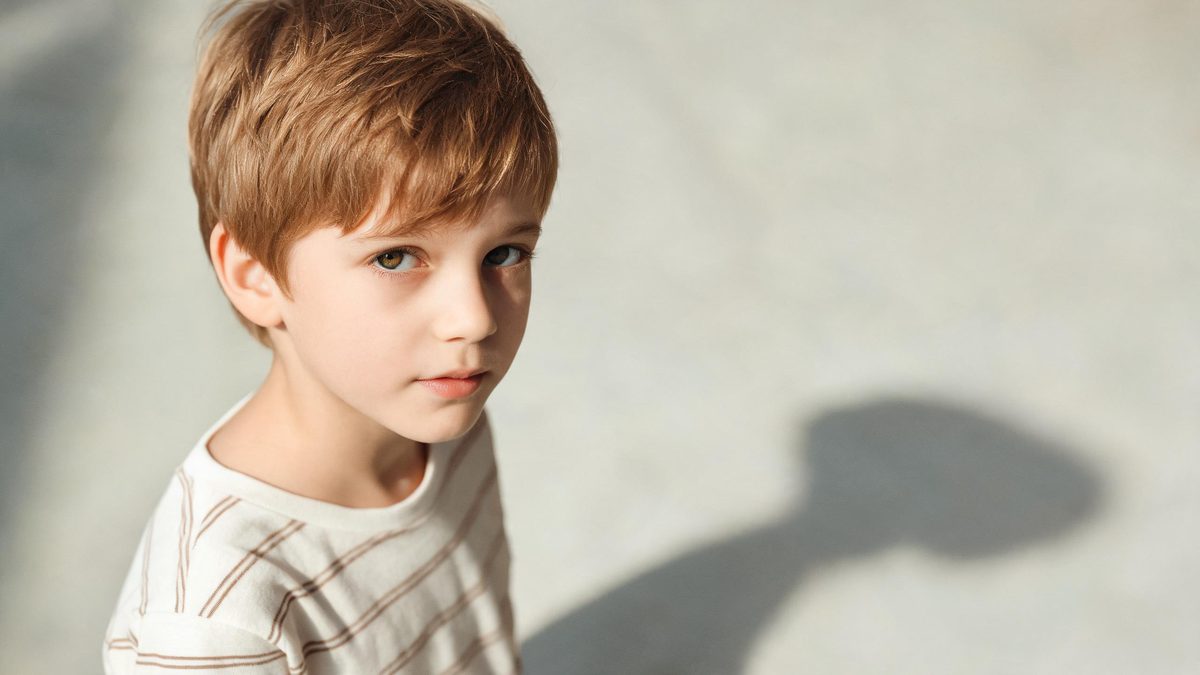
The PORTRAIT-TRANSFORM format works because it does one thing and does it legibly: the camera stays close while the kid comes apart, and the result is short enough to loop. This page builds that clip from one photo of a kid.
The effect runs for 4-second at 720p and costs 40 credits per run. 1 photo — one person or one pet. Occasionally the result can look slightly off. The clip keeps the ratio of your input photo, so a vertical photo stays vertical and a wide one stays wide.
Specs at a glance
Straight from the product panel, not from a marketing deck.
- Output
- 4-second video
- Credits
- 40 per run
- Resolution
- 720p
- Aspect ratio
- Matches your input photo
- Input
- 1 photo — one person, two people, a group, or an animal
- Best results with
- Subjects with empty hands — anything held in the frame competes with the gesture
- Known limits
- A text prompt is required and the generated one should be kept close to the template form. Extra hands can appear. With more than one subject, a small share of runs leave part of the group without the tongue gesture, so a group photo is the least predictable input.
What it does
Built for this specific job, not a generic editor.
A clear transform on one subject
The motion is a short physical transformation of the subject. One kid in frame is what the effect is designed around, and a clean background gives the transform a definite edge to travel along.
4-second, 720p
The output is a 4-second 720p clip at 40 credits per run, which is short enough to repeat in a feed without a visible seam and long enough to read.
One photo is the whole input
Upload a single kid photo. 1 photo — one person or one pet, and the recommended input is a clear, well-lit photo of one subject.
The frame follows your file
The clip keeps the ratio of your input photo. There is no separate crop step, so what you photographed is what comes back.
How it works
Four steps, no timeline to learn.
Choose one kid photo
Pick a clear picture of a single kid. A clear, well-lit photo of one subject. One obvious subject gives the transform a defined shape to act on.
Upload it and check the price
Add the photo and look at the confirmation panel before you run it. Each run draws 40 credits from the shared balance, and the amount is shown before you confirm.
Run the effect
The clip is generated at 4-second and 720p. Nothing else needs to be written — the effect already knows what a transform on a kid looks like.
Watch for the known limit
Occasionally the result can look slightly off. That single behaviour is the variable worth checking on a first run.
Where people use it
The jobs this effect actually gets used for.
PORTRAIT-TRANSFORM short-form posts
A kid break in 4-second is short, loopable and readable without sound, which suits a feed post built to be rewatched.
Product and object content
The same clip works for a product photo or a household object. A single item on a plain surface gives the cleanest result.
Series with a consistent look
Running the same effect on several kid photos keeps the framing and the lighting treatment consistent across a set of posts.
Creative filler for a longer cut
A short portrait-transform clip works as a cutaway between longer sections, giving the edit a moment that does not need narration.
Why one clear kid makes the transform land
The effect is judged on whether the motion reads clearly, and clarity in the source is what makes it read.
The clip is simple: one subject, one motion, 4-second. What separates a result that reads from one that does not is usually the source photograph rather than the setting. When the kid sits clearly apart from the background, the transform has a visible start and end, and the viewer understands the shot without any text.
The practical consequence is that you can predict the result before you spend the 40 credits. One kid, one clean outline, a clear, well-lit photo of one subject — that is the whole input. Everything the effect does afterwards is fixed, so two runs on two comparable photos will look comparable.
Credits and plans
Every effect draws on one shared credit balance.
Each run uses 40 credits from the shared OpenFilmo balance, and the charge is shown before you confirm. The Free plan includes 30 credits per month with no credit card required. Starter is $9 for 400 credits, Pro is $19 for 1,000, and Studio is $59 for 4,000.
Related guides
Longer reads on the same workflow, from the OpenFilmo blog.
Image to Video AI: Animate Any Photo in Seconds
A complete guide to image to video AI: what makes a good source image, how to write motion prompts, top use cases, and how to fix …
AI Video Prompt Formulas That Hold Up in Production
Prompt structures that work for AI video: subject, motion, camera, time and style — with tested formulas, failure patterns and a m…
Character Consistency in AI Video: What Actually Works
How to keep characters consistent across AI video shots: reference images, prompt discipline, key frame locking and post-hoc corre…
Related effects
Same family of effects, on the same kind of input.
Frequently asked questions
What is Kid PORTRAIT-TRANSFORM?
It is a short AI video format: one photo of a kid becomes a 4-second 720p clip where the subject comes apart, generated in 40 credits per run.
What photo works best for Kid PORTRAIT-TRANSFORM?
One clear kid on a plain background. A clear, well-lit photo of one subject. A single obvious subject gives the motion a defined edge.
How much does a Kid PORTRAIT-TRANSFORM clip cost?
40 credits per run, drawn from the shared balance and shown before you confirm. The free plan includes 30 credits a month.
What does the Kid PORTRAIT-TRANSFORM output look like?
A 4-second clip at 720p, in the same ratio as your input photo. The known limit is that occasionally the result can look slightly off.