
AI Story Video Maker: From a Sentence to a Sequence
Describe the story, or paste a short script. OpenFilmo builds the shots in order — setup, turn, payoff — so the viewer follows a line instead of a pile of clips.
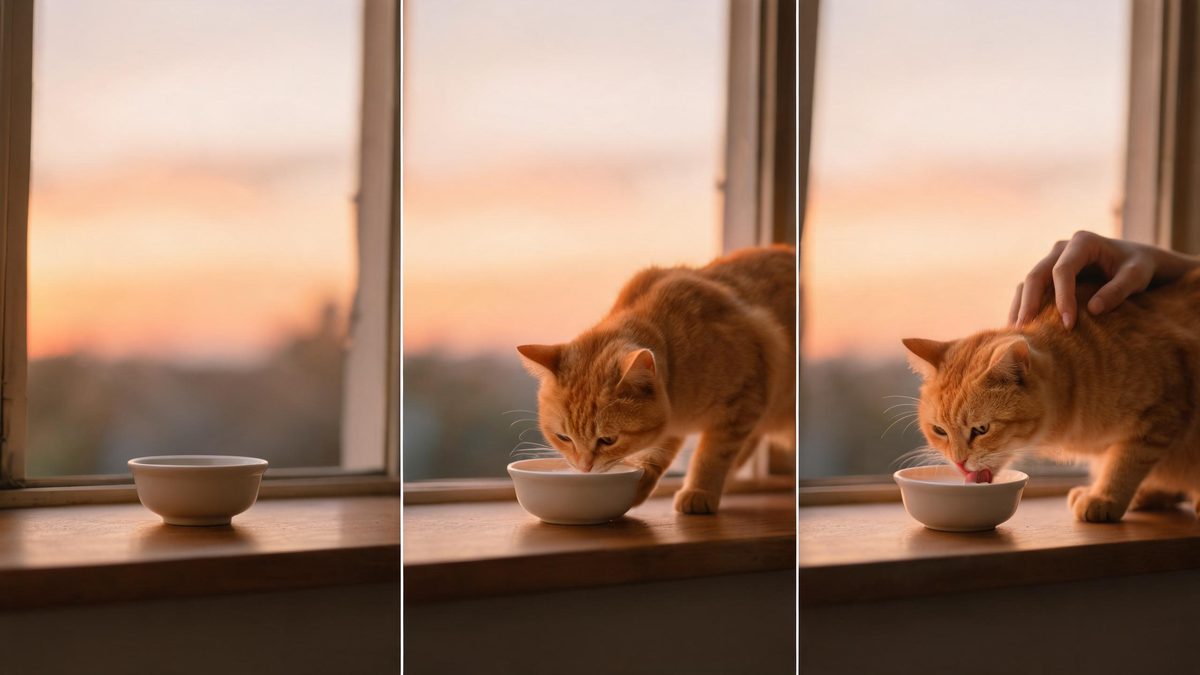
A story video is a sequence with intent: a setup, a turn, a payoff. The hard part is not making individual clips — it is making them add up, one leading to the next, so the viewer knows what happened and why it mattered. An AI story video maker takes a script or a premise and returns those shots in order, with the through-line intact.
OpenFilmo treats the story as a guided generation rather than a blank canvas. You give it the beats — or let it propose them — and it produces a sequenced draft you can then refine shot by shot. Creators, teachers and marketers get a narrated piece without storyboarding software or an editor. The draft is not final art; it is a readable first pass you steer. Change the third beat, drop a shot, lengthen the hold, and the sequence reassembles around your edits instead of starting from a blank page.
What it does
Two ways in, one workspace out.
Beat-by-beat structure
The tool lays out a beginning, middle and end, so the result reads as a story instead of a random montage.
Script or premise input
Paste a short script, or describe the idea in a paragraph, and let the tool propose the shots.
Consistent characters
A subject introduced in the first beat carries through later shots, so the story stays coherent.
Narration and captions
Add voiceover or burned-in captions in the same editor to carry the words with the picture.
How it works
Four steps, no timeline to learn.
Set the premise
Write the story in a few lines, or paste a short script with the beats called out.
Generate the beats
The tool proposes shots for the setup, the turn and the payoff. Review and reorder if the logic feels off.
Refine each shot
Change one beat at a time — a different angle, a longer hold — without rebuilding the whole sequence.
Add voice and export
Lay in narration or captions, upscale if you need 4K, then download. No watermark, commercial use included.
What people make with it
The jobs these tools actually get used for.
Social storytelling
A thirty-second narrative for Reels or TikTok that actually has a point, not just a vibe.
Explainers with a plot
Teach a concept by walking through a small story the viewer can follow.
Brand mini-films
A short branded piece with a setup and a payoff, made without a production crew.
Personal updates
A year-in-review or an announcement told as a tiny story instead of a static post.
Classroom and training
Scenarios and case studies rendered as short sequences students can follow.
Why sequence instead of stitch
A pile of pretty clips is not a story.
Most tools will happily generate ten beautiful shots. None of them are a story until something connects them. Building the sequence explicitly — this leads to that — is what makes the viewer stay past the first second. A viewer remembers the order of events, not the prettiest frame, so the through-line is the actual product.
It also makes the work reusable. A story with clear beats can be re-cut for different lengths: a fifteen-second hook for a feed, a sixty-second version for YouTube, the same logic underneath. You are editing a structure, not starting over.
And because the generation, the narration and the export share one workspace, the tone stays even. The voice you add matches the picture you generated because both came from the same brief, not from two apps that never spoke.
Credits and plans
Generation is metered in credits, shared across every tool.
A five-second video costs 5 credits and one image costs 2. The Free plan gives you 30 credits every month with no credit card, no watermark and commercial use included. Paid plans start at $9 for 400 credits and add faster generation, parallel tasks and higher export resolution.
Frequently asked questions
Do I need to write a full script?
No. A few lines describing the idea is enough; the tool proposes the beats for you.
Will the shots stay consistent?
Yes. A subject introduced early carries through later beats, so the story reads as one piece.
Can I add narration?
Yes. Voiceover or burned-in captions can be added in the same editor.
Can I change one beat without redoing everything?
Yes. Each shot can be refined on its own, and the rest of the sequence stays put.
What does it cost?
Generated footage runs about 5 credits per five seconds. The Free plan includes 30 credits a month with no card.